
Important Safety Instructions
Please read and understand all safety warnings and instructions before operating this tool. Failure to follow the warnings and instructions may result in electric shock, fire, and/or serious injury.
- General Safety: Keep the work area clean and well-lit. Do not operate power tools in explosive atmospheres, such as in the presence of flammable liquids, gases, or dust. Keep children and bystanders away while operating a power tool.
- Electrical Safety: Do not expose power tools to rain or wet conditions. Water entering a power tool will increase the risk of electric shock. Use only the specified charging cable and base.
- Personal Safety: Always wear appropriate eye protection (safety goggles) and hearing protection. Dress properly; avoid loose clothing or jewelry that can get caught in moving parts. Secure long hair.
- Tool Use and Care: Do not force the power tool. Use the correct power tool for your application. Disconnect the battery pack from the power tool before making any adjustments, changing accessories, or storing power tools. Store idle power tools out of the reach of children.
Product Overview
The HOTO Cordless Rotary Tool Kit L03 is a versatile, portable tool designed for various precision tasks such as sanding, polishing, drilling, carving, and cutting. It features a brushless motor, 5 variable speeds, an integrated LED light, and USB-C recharging for convenience.
Package Contents
- 1 x Cordless Rotary Tool
- 1 x Type-C Cable
- 1 x Charging Base
- 1 x Pet Nail Grinder Attachment
- 1 x Shield
- 1 x EVA Storage Bag
- Multifunctional Accessories (35 pcs total):
- 3 x Milling Cutters
- 1 x Diamond Grinding Needle
- 1 x Drilling Bit
- 1 x Felt Wheel
- 1 x Diamond Cutting Blade
- 1 x Cutting Blade
- 1 x Sand Ring
- 2 x Corundum Grinding Heads
- 1 x Disc Metal Brush
- 1 x Nylon Brush
- 1 x Sand Ring Stretching Wheel
- 1 x Core Bar for Cutting Blade
- 1 x Core Bar for Felt Wheel
- 1 x Wrench
- 1 x Clamping Head (2.3mm)

Key Features
- Dual Collet Compatibility: Features a built-in 3.2mm collet and includes a 2.3mm replacement, allowing use with various accessories.
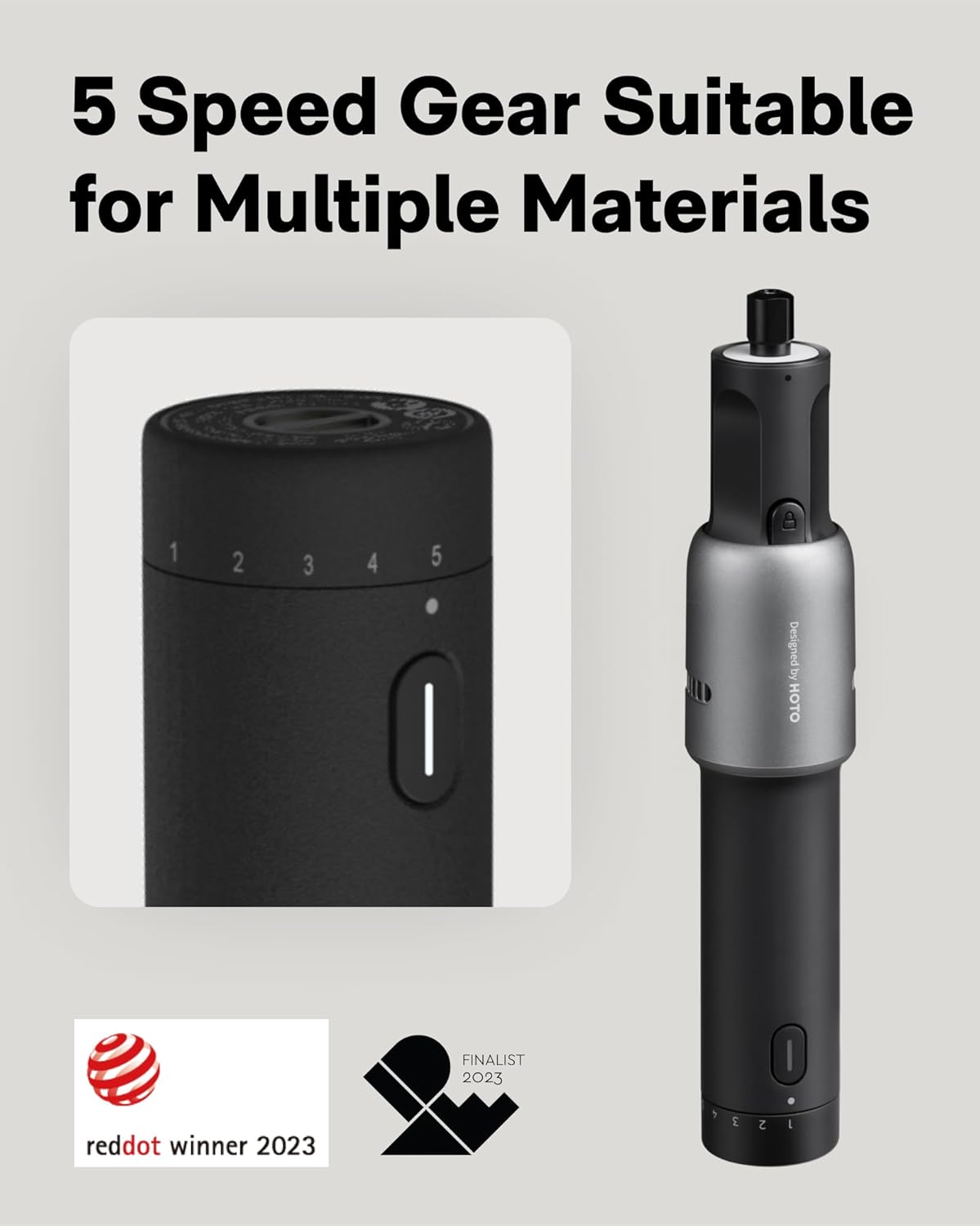
- 5-Speed Adjustable Control: Offers 5 precise speed settings ranging from 5,000 to 25,000 RPM for diverse applications.
- Quiet & Powerful Performance: Equipped with a low-noise brushless motor delivering 4V of power for efficient operation.
- Safety & LED Lighting: Includes a built-in shadowless LED ring light for improved visibility and a snap-on shield for protection. Features auto shut-off after 7 seconds of inactivity.
- Ergonomic & Lightweight Design: Weighs only 0.52 lbs with a frosted TPU grip for comfortable handling.
- USB-C Charging & Long Battery Life: Universal Type-C charging port and a 2000mAh rechargeable battery provide extended cordless use.
Setup
Charging the Rotary Tool
- Connect the Type-C cable to the charging base and a suitable USB power adapter (not included).
- Place the rotary tool onto the charging base. The indicator light on the tool will show charging status.
- A full charge typically allows for approximately 50 minutes of continuous work.

Attaching Accessories
- Ensure the tool is turned off before changing accessories.
- Unscrew the collet nut at the tip of the tool.
- Insert the desired accessory shank into the collet. If the accessory shank size does not match the installed collet (3.2mm), replace it with the included 2.3mm collet.
- Tighten the collet nut securely using the provided wrench to hold the accessory in place. Do not overtighten.
- For tasks requiring protection, attach the snap-on shield by aligning it with the tool's head and pressing firmly until it clicks into place.
Operating Instructions
Power On/Off
To turn the tool on, press and hold the power button until the indicator light illuminates. To turn it off, press and hold the power button again.
Adjusting Speed
The HOTO Rotary Tool features 5 variable speed settings, ranging from 5,000 RPM to 25,000 RPM. Rotate the mechanical knob at the rear of the tool to select the desired speed. Start with a lower speed for delicate tasks and increase as needed for more aggressive material removal.
Using the LED Light
The tool is equipped with an integrated LED ring light that illuminates the work area, reducing shadows and improving visibility for detailed tasks. The light activates automatically when the tool is powered on.

Removable Dust Cover
The included snap-on shield acts as a dust cover, protecting your eyes and skin from flying debris and particles during operation. Always use the shield when performing tasks that generate dust or sparks.

Applications
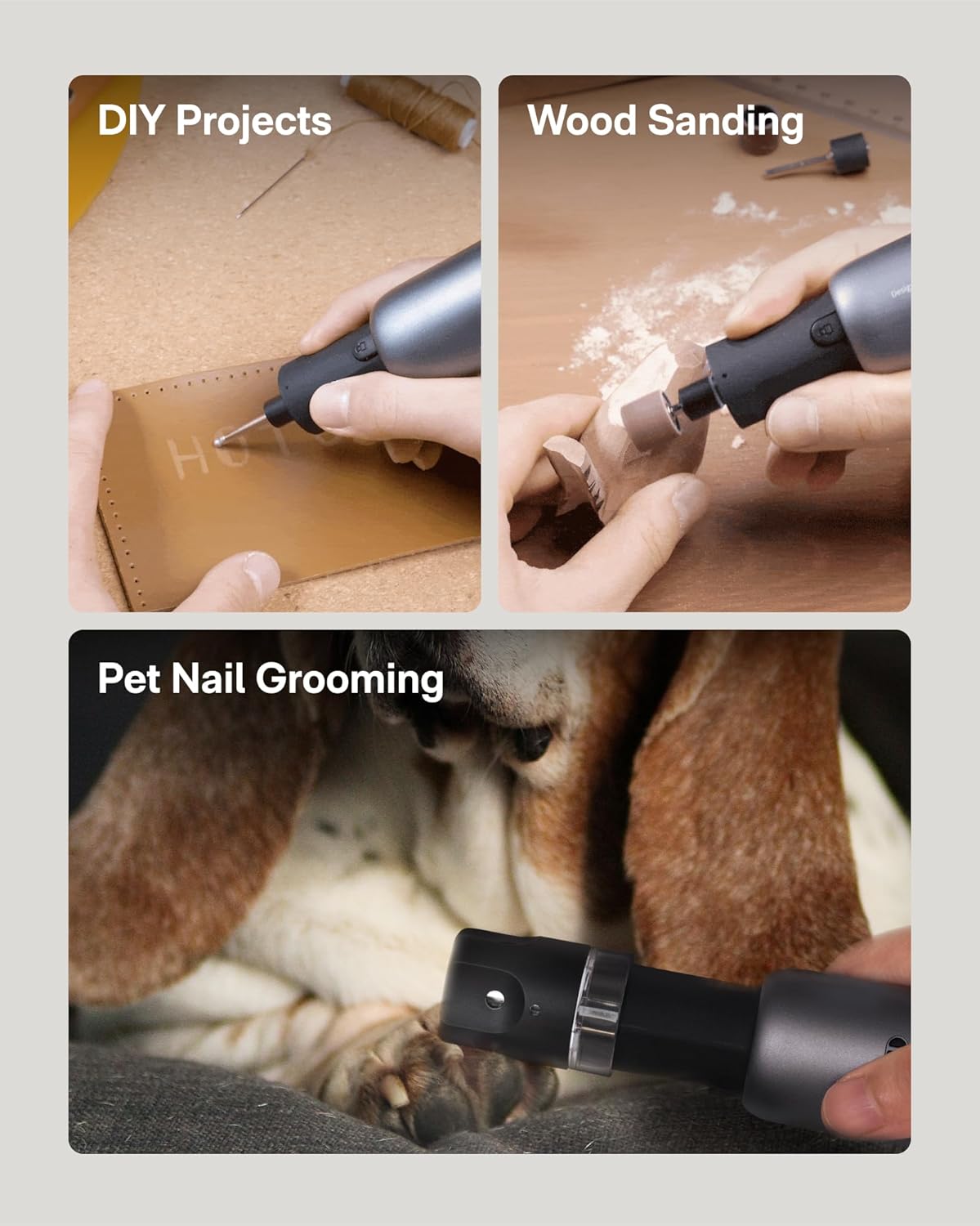
- Sanding: Use appropriate sanding bands or discs for smoothing rough surfaces on wood, plastic, or 3D printed models. Select a medium speed for general sanding.
- Polishing: Attach felt wheels with polishing compound to achieve a smooth, shiny finish on metal, plastic, or jewelry. Use lower speeds to prevent overheating.
- Drilling: Utilize the drilling bit for small, precise holes in soft materials. Ensure the workpiece is securely clamped.
- Carving/Engraving: Use milling cutters or diamond grinding needles for intricate designs on wood, plastic, or soft metals. Adjust speed based on material hardness and desired detail.
- Cutting: Employ cutting blades for light cutting tasks on thin materials like plastic or soft metal. Always use the protective shield.
- Pet Nail Grinding: Attach the specialized pet nail grinder accessory for safely trimming pet nails. Use a low speed and introduce the tool gradually to your pet.
Maintenance
- Cleaning: After each use, wipe down the tool with a clean, dry cloth. Use a soft brush to remove dust and debris from vents and the collet area. Do not use harsh chemicals or abrasive cleaners.
- Accessory Care: Clean accessories after use. Store them in the provided EVA storage bag to prevent damage and loss.
- Battery Care: For optimal battery life, store the tool with a partial charge (around 50%). Avoid fully discharging the battery frequently. If storing for extended periods, recharge every 3-6 months.
- Storage: Store the tool and accessories in a dry, cool place, away from direct sunlight and moisture. Keep out of reach of children.
Troubleshooting
| Issue | Possible Cause | Solution |
|---|---|---|
| Tool does not turn on | Battery is discharged | Charge the tool using the USB-C charging base. |
| Accessory wobbles or falls out | Collet nut is loose or incorrect collet size | Ensure the collet nut is tightened securely. Verify the collet size matches the accessory shank. |
| Tool loses power during use | Battery is low or excessive pressure applied | Recharge the battery. Reduce pressure on the workpiece; let the tool do the work. |
| Tool overheats | Prolonged heavy use or blocked vents | Allow the tool to cool down. Ensure ventilation slots are clear of debris. |
Specifications
| Feature | Detail |
|---|---|
| Brand | HOTO |
| Model Number | L03 |
| Voltage | 4 Volts (DC) |
| Power Source | Battery Powered |
| Battery Type | 1 Lithium Ion (included) |
| Maximum Rotational Speed | 25000 RPM |
| Minimum Speed | 5000 RPM |
| Number of Speeds | 5 |
| Item Weight | 0.52 lbs (Tool only), 1.74 Pounds (Package) |
| Product Dimensions | 7.48 x 1.19 x 1.19 inches |
| Special Features | Cordless, LED Light, Lightweight, Multi-Use, Variable Speed |
| Included Components | 35 pcs Cordless rotary tool kit (as listed in Package Contents) |
Warranty and Support
HOTO products are manufactured to high-quality standards and are warranted against defects in materials and workmanship. For specific warranty details, including duration and coverage, please refer to the warranty card included with your product or visit the official HOTO website.
For technical support, replacement parts, or service inquiries, please contact HOTO customer service through the contact information provided in your product packaging or on the official HOTO website. Please have your model number (L03) and purchase date available when contacting support.
Online Resources: For additional tips, tutorials, and product information, visit the official HOTO Store on Amazon: HOTO Store


