
OBDResource TPS10
OBDResource TPS10 Universal TPMS Relearn Tool Instruction Manual
Model: TPS10
1. Product Overview
The OBDResource TPS10 is an upgraded universal Tire Pressure Monitoring System (TPMS) relearn tool designed to activate and reset tire pressure monitor sensors across a wide range of vehicle brands. It features a 1.8-inch color screen and provides on-screen instructions for ease of use. This tool is essential for addressing TPMS issues, especially after tire rotation or sensor replacement.
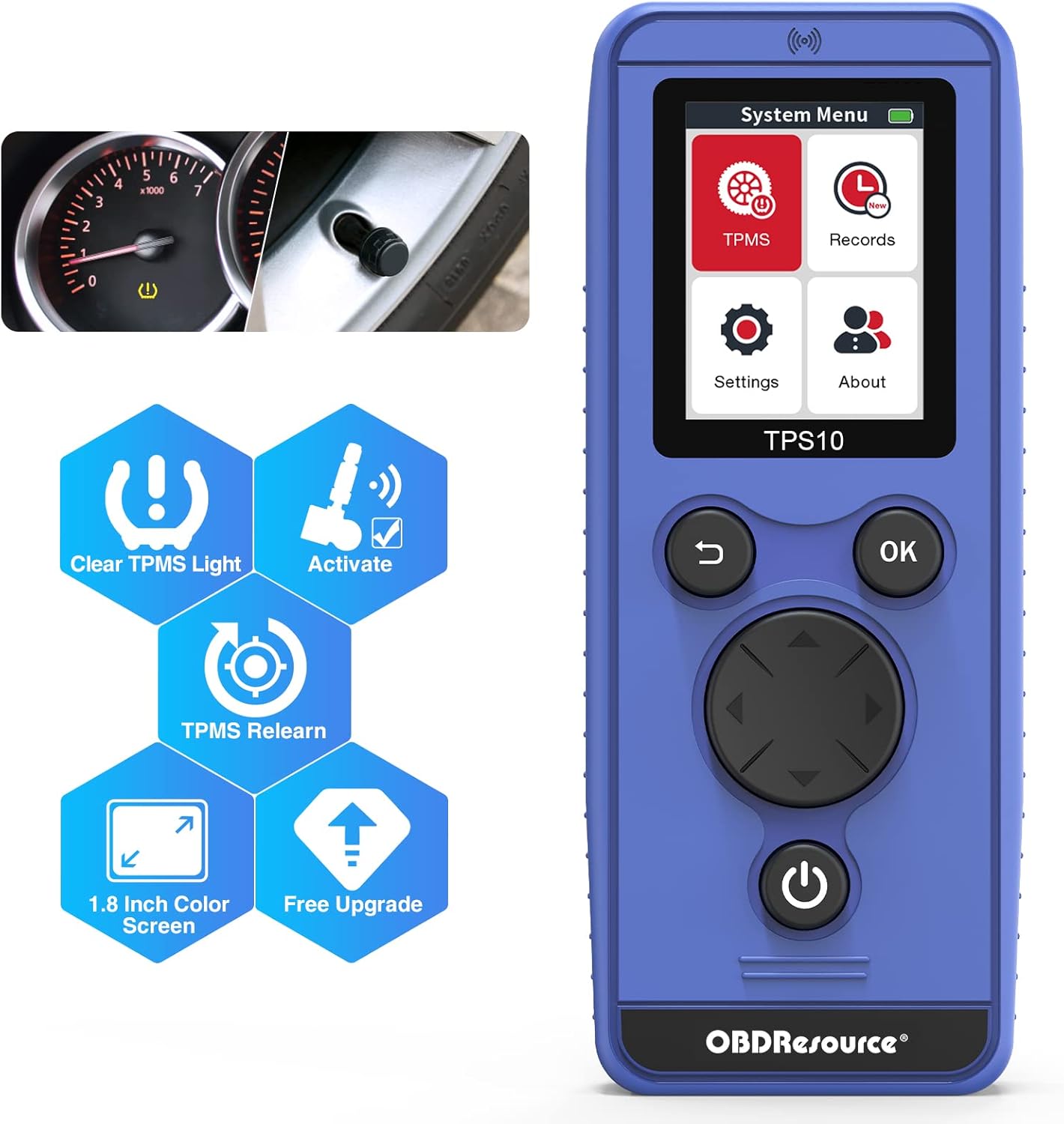
Figure 1.1: OBDResource TPS10 TPMS Relearn Tool
Key Features:
- Upgraded Chip and Antenna: Provides faster and stronger signal for efficient sensor activation.
- 1.8-inch Color Screen: Displays clear, on-screen instructions for guided operation.
- Wide Vehicle Coverage: Compatible with numerous car brands including Buick, Cadillac, Chevrolet, Ford, Lincoln, Mercury, Dodge, RAM, Subaru, Jeep, Hyundai, Nissan, Infiniti, Mazda, Volkswagen, Mercedes, BMW, and more.
- TPMS Relearn and Activation: Specifically designed to relearn and activate TPMS sensors, and clear TPMS DTCs.
- Free Software Updates: Device can be upgraded via USB cable to ensure compatibility with new models.
- Multi-language Support: Supports 8 languages.

Figure 1.2: Essential functions of the TPS10 tool.

Figure 1.3: Broad vehicle compatibility of the TPS10.
Video 1.1: An overview of the OBDResource Universal TPMS Relearn Tool TPS10, highlighting its features and ease of use.
2. Setup
2.1 Battery Installation
The TPS10 requires three (3) AA batteries (not included). For optimal performance and signal strength, it is recommended to use brand new, good quality batteries.
- Locate the battery compartment on the back of the TPS10 device.
- Open the battery cover.
- Insert three (3) AA batteries, ensuring correct polarity (+/-) as indicated inside the compartment.
- Close the battery cover securely.

Figure 2.1: TPS10 device layout, including battery compartment.
2.2 Initial Power On and Language Selection
After installing batteries, press and hold the Power Key to turn on the device. You will be presented with the system menu. Navigate to 'Settings' to select your preferred language and vehicle region (e.g., America, Europe, Japan, Korea, Australia).
Video 2.1: Demonstrates how to select language and vehicle area on the TPS10.
3. Operating Instructions
The TPS10 simplifies the TPMS relearn process. Follow these steps for successful sensor activation and resetting.
3.1 TPMS Relearn Procedure
- Enter TPMS System: From the main menu, select the 'TPMS' option.
- Select Vehicle: Choose your car's brand, model, and year from the displayed list. The tool supports dual frequencies (315 MHz & 433 MHz).
- Set Car to Learning Mode: This is a crucial step. Refer to your vehicle's owner's manual or the 'Relearn Procedure' menu on the TPS10 for specific instructions on how to put your car into TPMS learning mode.
Note: Subaru, some Jeep, and Dodge vehicles may require an additional OBD2 scan tool to enter learning mode.
- Scan Single Sensor: Select 'Scan Single Sensor' on the TPS10.
- Activate Sensors: Place the TPS10 tool on the valve stem or near the tire sidewall of each tire. Press the 'OK' key to trigger the sensor. The car's horn will chirp once to confirm successful activation of a sensor.
- Follow Relearn Order: Activate sensors in the following sequence:
- Front Left
- Front Right
- Rear Right
- Rear Left
- Return to Main Menu: Long press the 'Return' key to go back to the main menu.
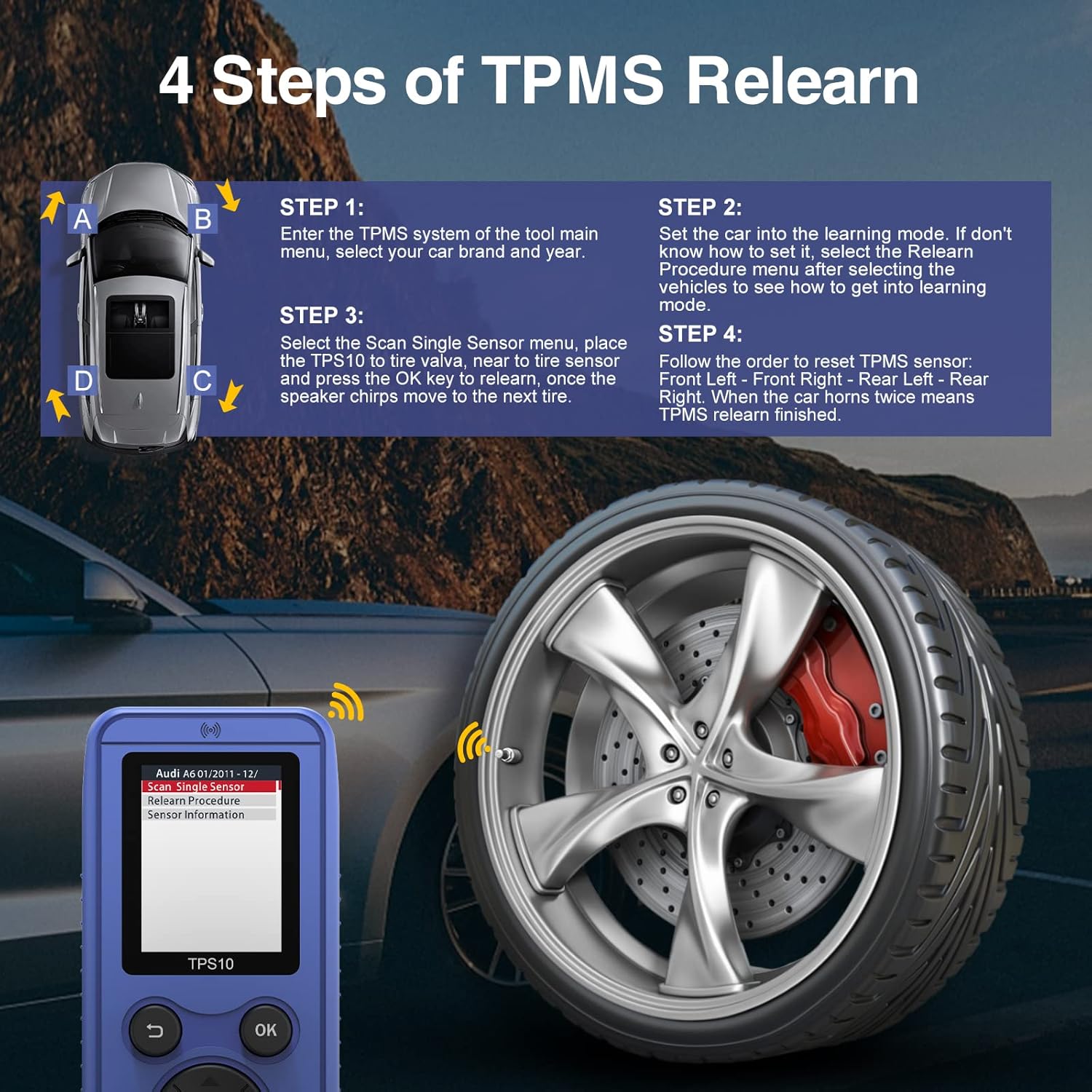
Figure 3.1: Visual guide to the 4-step TPMS relearn process.
Video 3.1: Detailed demonstration on how to use the TPS10 TPMS relearn tool, including setting the car to learning mode and activating sensors.
Video 3.2: A review of the TPS10 TPMS Relearn Tool, showcasing its functionality and ease of use in a real-world scenario.
3.2 Accessing Records
The 'Records' function allows you to quickly access the last tested vehicle's information, streamlining repeated operations.
- From the main menu, select 'Records'.
- Choose the desired record to view previous test data.
4. Maintenance
4.1 Software Updates
The TPS10 supports free software updates to ensure compatibility with new vehicle models and improved functionality. Updates are performed via a Mini USB cable.
- Connect the TPS10 to your computer using the provided Mini USB cable.
- Visit the official OBDResource website (www.el50448.com) to download the latest software updates and instructions.
- Follow the on-screen instructions on your computer to copy the update files to the device's removable disk.
4.2 Battery Care
- Always use new, good quality AA batteries for reliable performance.
- Remove batteries if the device will not be used for an extended period to prevent leakage.
5. Troubleshooting
- Device Not Powering On: Ensure batteries are correctly installed and are new/charged.
- Signal Issues: Make sure the antenna is in the correct position when using the TPS10. The magnitude of the battery voltage can affect signal strength.
- Vehicle Not Entering Learning Mode: Consult your vehicle's owner's manual for specific instructions. For Subaru, some Jeep, and Dodge vehicles, an additional OBD2 scan tool might be required to initiate learning mode.
- Cannot Read/Program Sensors: The TPS10 is designed to relearn and activate TPMS sensors only. It cannot read sensor information or program new sensors.
- Heavy Trucks/Vans: This tool is not designed for heavy trucks and vans with more than 4 tires.
6. Specifications
| Attribute | Value |
|---|---|
| Brand | OBDResource |
| Model Number | TPS10 |
| Item Weight | 7.8 ounces |
| Package Dimensions | 7.09 x 2.87 x 1.85 inches |
| Country of Origin | China |
| Manufacturer Part Number | TPS10 |
| UPC | 789513420566 |
| Date First Available | August 10, 2022 |
7. What's in the Box
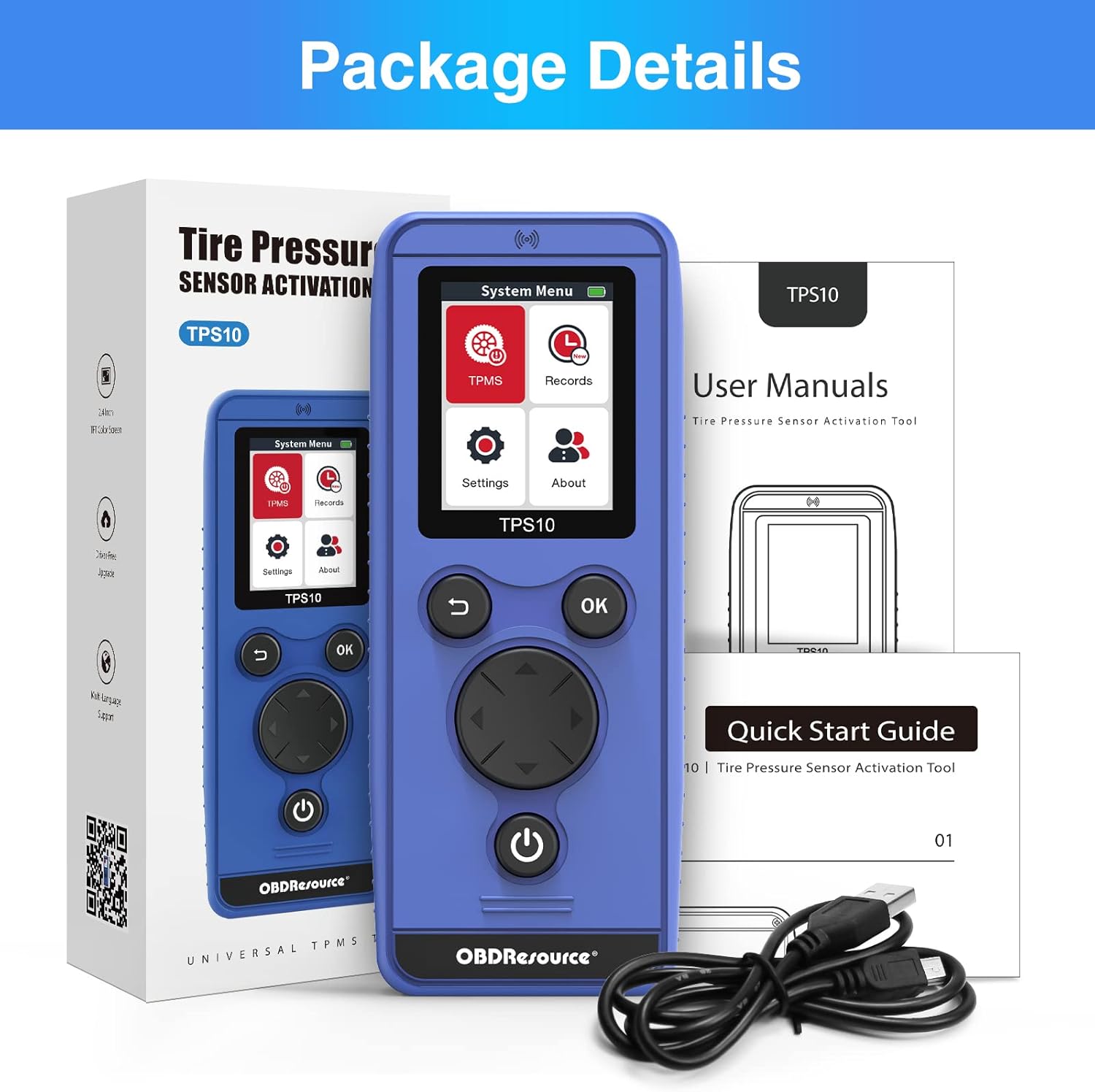
Figure 7.1: Contents included in the TPS10 package.
- 1 x OBDResource TPS10 TPMS Relearn Tool
- 1 x Mini USB Cable
- 1 x Instruction Manual
8. Warranty and Support
OBDResource is committed to providing professional support to global auto enthusiasts. For any questions, technical assistance, or warranty inquiries, please contact OBDResource customer support.
Official Website: www.el50448.com
Note: Specific warranty terms and conditions may vary. Please refer to the product packaging or official website for the most up-to-date warranty information.
Related documentsTPS10

Ask a question about this manual
Ask about setup, troubleshooting, compatibility, parts, safety, or missing instructions. Manuals+ will review the question and use this page’s manual context to help answer it.