
1. Introduction
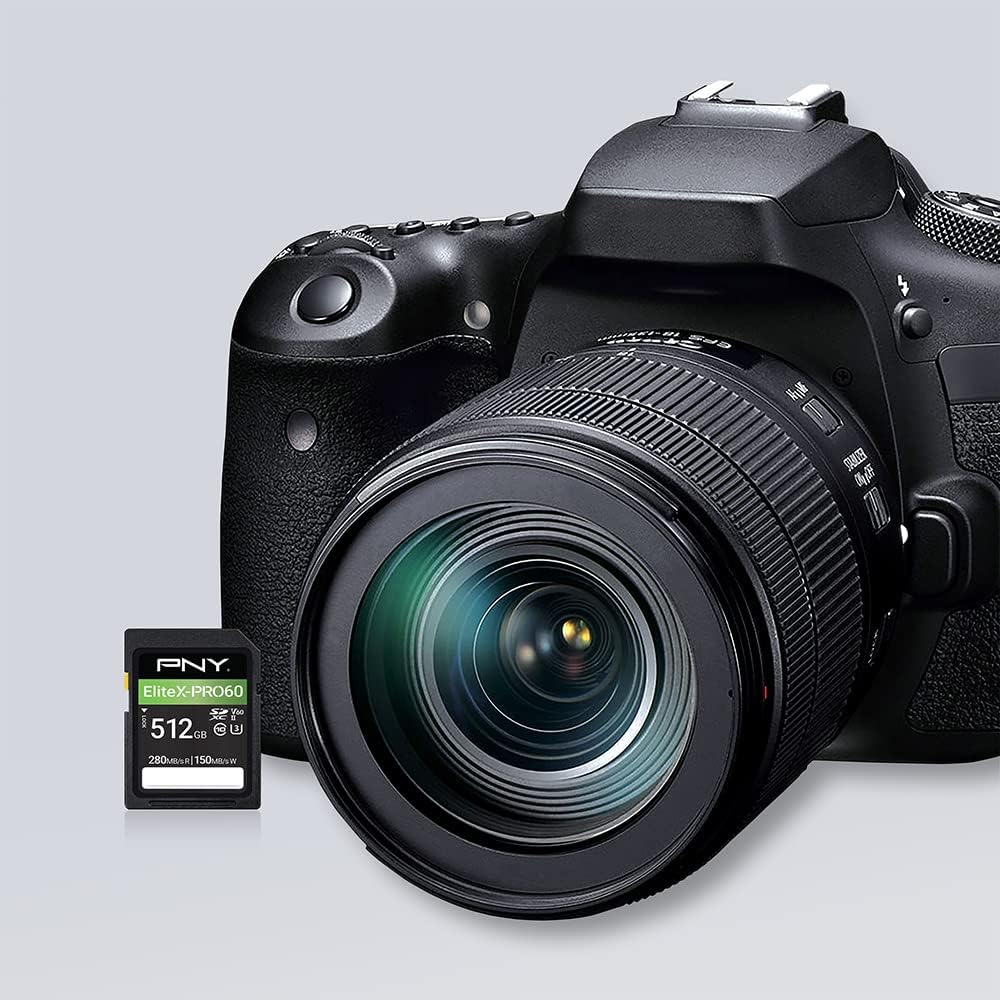
This manual provides essential information for the proper use and maintenance of your PNY EliteX-PRO60 UHS-II SDXC Memory Card. Designed for professional photographers and videographers, this card offers high-speed performance for capturing and transferring high-resolution content.
2. Product Overview
The PNY EliteX-PRO60 SDXC Memory Card is engineered for demanding creative workflows. It features UHS-II technology, providing enhanced read and write speeds for seamless content capture and efficient post-production. The card is rated Class 10, U3, and V60, ensuring consistent performance for 4K Ultra HD video recording and high-speed burst photography.

Key Features:
- Extreme Performance: Read speeds up to 280MB/s and write speeds up to 150MB/s for rapid data transfer.
- V60 Video Speed Class: Guarantees a minimum sustained write speed of 60MB/s, ideal for 4K Ultra HD video.
- UHS-II Technology: Accelerates workflow during content capture and post-production editing.
- High-Resolution Capture: Supports professional quality burst mode HD photos and 4K Ultra HD Video at 4096x3072.
- Broad Compatibility: Compatible with UHS-II enabled DSLR cameras, mirrorless cameras, and professional video cameras. Backwards compatible with UHS-I devices at UHS-I speeds.
- Durable Design: Magnet proof, shock proof, temperature proof, and waterproof for reliable use in various environments.
3. Setup
To begin using your PNY EliteX-PRO60 SDXC Memory Card, follow these steps:
- Identify the SD Card Slot: Locate the SD card slot on your compatible device (e.g., DSLR camera, mirrorless camera, video camera). Refer to your device's manual for exact location.
- Insert the Card: Gently slide the PNY EliteX-PRO60 SDXC Memory Card into the slot with the label facing the correct direction, as indicated by your device. Ensure it clicks into place.
- Lock Switch (Optional): The card features a small lock switch on its side. Ensure this switch is in the 'unlocked' (upward) position for writing data. If it is in the 'locked' (downward) position, the card will be read-only.
- Format the Card: For optimal performance and to ensure compatibility, it is recommended to format the memory card using your device's internal formatting function before first use. This will erase all data on the card, so back up any important files if reformatting a used card.

4. Operating
The PNY EliteX-PRO60 SDXC card is designed for high-performance capture. Here's how to maximize its capabilities:
4.1. Video Recording
With its V60 Video Speed Class rating, the card supports sustained write speeds necessary for advanced video formats.
- 4K Ultra HD: The card is capable of capturing extended lengths of 4K Ultra HD video at resolutions up to 4096x3072.
- Full HD: Ideal for high-bitrate Full HD video recording without dropped frames.
- Ensure your camera settings are configured to utilize the card's full potential (e.g., selecting the highest quality video settings).

4.2. Photo Capture
The EliteX-PRO60 card excels in high-speed photography scenarios.
- Burst Mode HD Photos: Capture sequences of high-resolution images rapidly, perfect for action shots or sports photography.
- The card's fast write speeds minimize buffer clearing times, allowing you to shoot more continuously.

4.3. Data Transfer
Leverage the card's high read speeds for quick offloading of files to your computer or storage device.
- Use a compatible UHS-II card reader to achieve maximum transfer speeds up to 280MB/s.
- Faster transfer speeds accelerate your post-production workflow.
4.4. Official Product Video
5. Compatibility
The PNY EliteX-PRO60 UHS-II SDXC Memory Card is designed for broad compatibility with modern imaging equipment:
- UHS-II enabled DSLR cameras
- UHS-II enabled mirrorless cameras
- Advanced and professional video cameras
The card is also backwards compatible with UHS-I devices, operating at UHS-I speeds. For optimal performance, use with UHS-II compatible devices.

6. Maintenance
To ensure the longevity and reliable performance of your PNY EliteX-PRO60 SDXC Memory Card, observe the following maintenance guidelines:
- Handle with Care: Avoid touching the gold connector pins. Hold the card by its edges.
- Proper Insertion/Removal: Always ensure your device is powered off or in a safe removal mode before inserting or ejecting the card. Improper removal can lead to data corruption.
- Keep Clean: If necessary, gently clean the connector pins with a soft, lint-free cloth. Avoid using harsh chemicals or abrasive materials.
- Storage: Store the card in its protective case when not in use to prevent physical damage, dust, and static electricity.
- Regular Backups: Periodically back up your data to another storage medium (e.g., computer hard drive, cloud storage) to prevent data loss.
- Avoid Extreme Conditions: While durable, prolonged exposure to extreme temperatures, direct sunlight, or strong magnetic fields should be avoided.
Durability Features:
The PNY EliteX-PRO60 is built to withstand challenging conditions, offering:
- Magnet Proof: Resistant to magnetic interference.
- Shock Proof: Designed to endure impacts and drops.
- Temperature Proof: Operates reliably across a wide range of temperatures.
- Waterproof: Protected against water immersion.
7. Troubleshooting
If you encounter issues with your PNY EliteX-PRO60 SDXC Memory Card, consider the following common solutions:
- Card Not Detected:
- Ensure the card is fully and correctly inserted into the device slot.
- Check the lock switch on the side of the card; it should be in the 'unlocked' position.
- Try inserting the card into a different compatible device or card reader to rule out a device-specific issue.
- Slow Performance:
- Ensure your device and card reader are UHS-II compatible to achieve maximum speeds.
- The card may be nearly full; transfer some data off the card to free up space.
- Reformat the card (after backing up data) to resolve potential fragmentation or file system issues.
- Data Corruption/Errors:
- Avoid removing the card during read/write operations.
- Ensure your device's battery is sufficiently charged during recording to prevent sudden power loss.
- If errors persist, the card may be faulty. Refer to the warranty information.
8. Specifications
| Feature | Detail |
|---|---|
| Brand | PNY |
| Model Name | P-SD512V60280EXP6-GE |
| Flash Memory Type | SDXC |
| Memory Storage Capacity | 512 GB |
| Read Speed | Up to 280 Megabytes Per Second |
| Write Speed | Up to 150 Megabytes Per Second (V60 minimum 60MB/s) |
| Secure Digital Association Speed Class | Class 10, U3, V60, UHS-II |
| Hardware Interface | SDXC |
| Compatible Devices | UHS-II enabled DSLR cameras, mirrorless cameras, professional video cameras |
| Special Feature | Temperature Proof, Magnet Proof, Shock Proof, Waterproof |
| Product Dimensions (LxWxH) | 1.26 x 0.94 x 0.08 inches |
| Item Weight | 0.317 ounces |
| UPC | 751492666136 |
9. Warranty and Support
Your PNY EliteX-PRO60 UHS-II SDXC Memory Card comes with a Limited Warranty. For specific terms and conditions of the warranty, please refer to the official PNY website or the warranty documentation included with your purchase.
For technical support, product inquiries, or further assistance, please visit the official PNY support website or contact their customer service department. Keep your purchase receipt and product packaging for warranty claims.


