
Bridgevine Home Graceland 86 inch
Bridgevine Home Graceland 86 inch Electric Fireplace TV Stand Entertainment Center User Manual
Model: Graceland 86 inch | Brand: Bridgevine Home
Introduction
This manual provides essential information for the safe and efficient use of your Bridgevine Home Graceland 86 inch Electric Fireplace TV Stand Entertainment Center. Please read all instructions carefully before assembly and operation, and retain this manual for future reference.
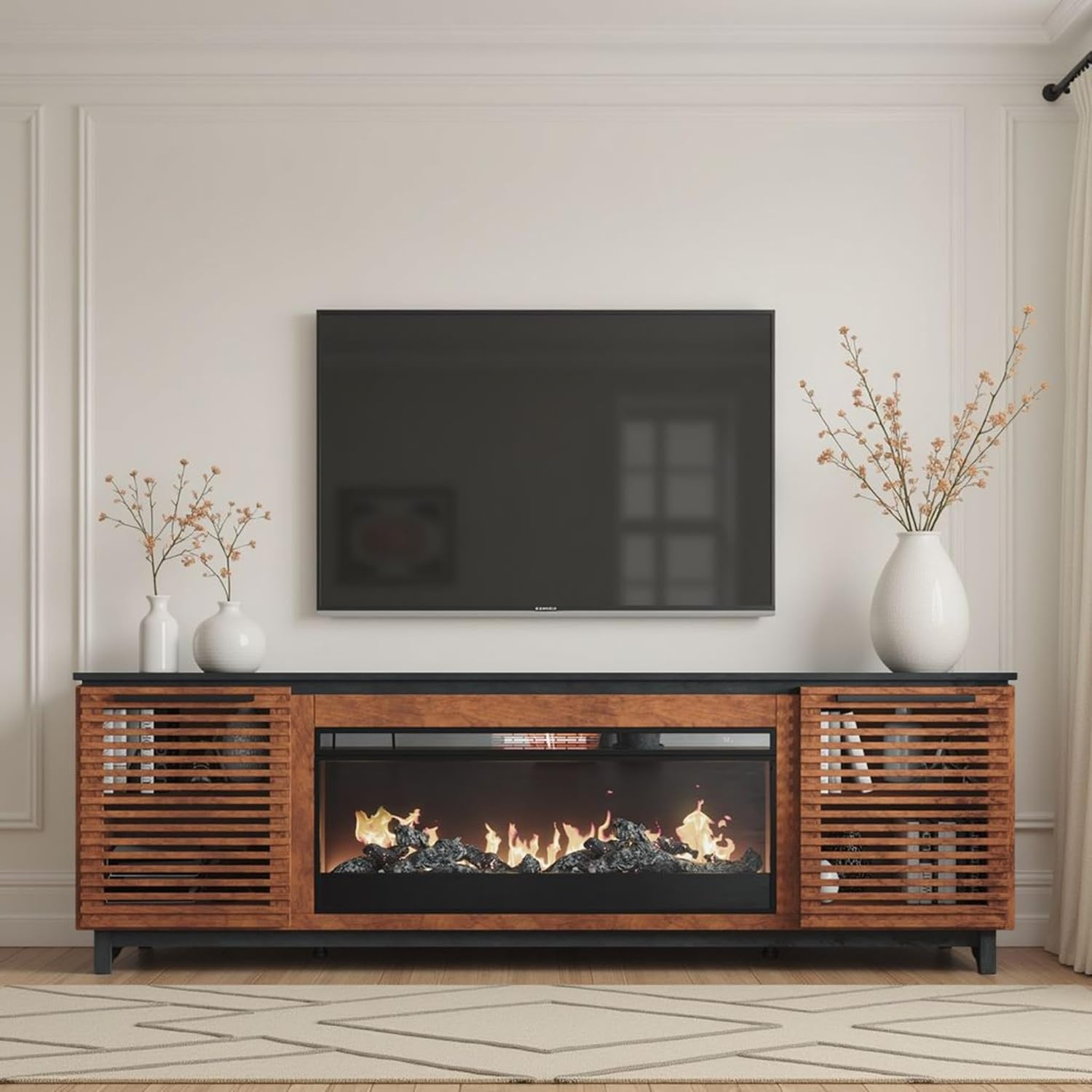
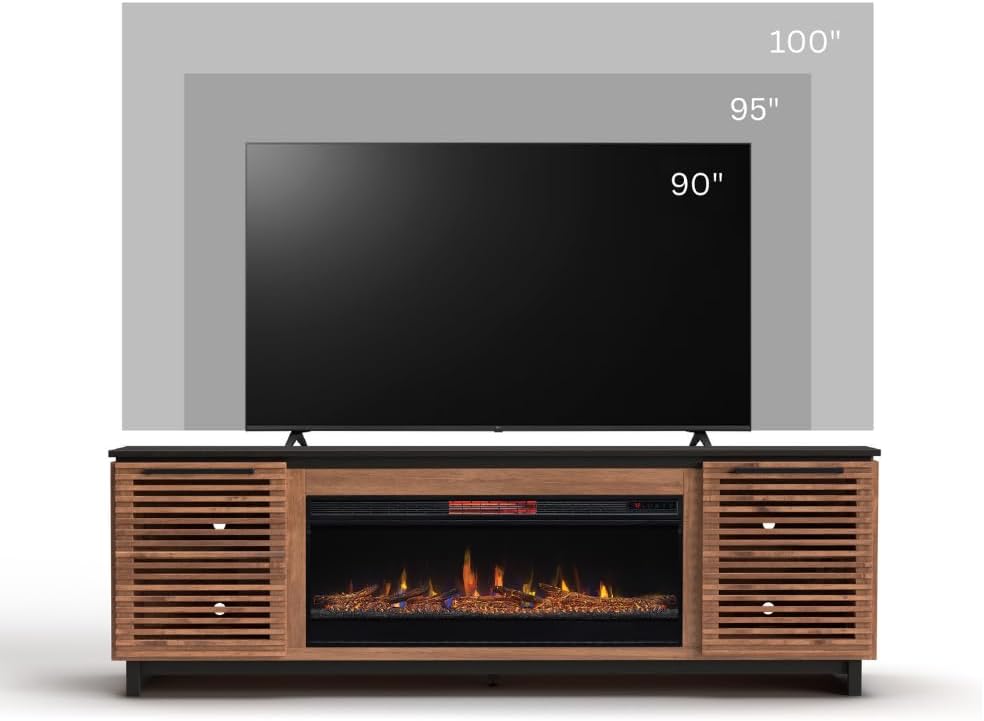
The Graceland 86 inch Electric Fireplace TV Stand is designed to accommodate TVs up to 100 inches, featuring a modern Scandinavian-inspired design with solid wood construction and horizontal slat details. It includes an electric fireplace insert with multiple flame colors and heating options.
Important Safety Information
- Always ensure the TV stand is properly placed against a wall to prevent tip-over.
- Do not place heavy items on the top shelf to avoid overloading and potential tip-over.
- Keep the area around the TV stand clear of small objects to prevent accidents.
- Always follow the manufacturer's instructions for proper usage and maintenance.
- Do not block the air vents of the electric fireplace. Ensure adequate clearance for proper operation and to prevent overheating.
- Unplug the electric fireplace from the power outlet before cleaning or performing any maintenance.
- Do not use the electric fireplace if the power cord is damaged. Contact qualified service personnel for repair.
Package Contents
Verify that all components are present before beginning assembly.
- Graceland 86 inch TV Stand (Main Cabinet)
- 42 inch Electric Fireplace Insert
- Remote Control for Electric Fireplace
- Faux Logs (pre-installed in fireplace) or Crystals (alternative media)
- 4 Screws for attaching the fireplace insert
Setup and Assembly
The Bridgevine Home Graceland 86 inch Electric Fireplace TV Stand is designed for minimal assembly. The main cabinet is largely pre-assembled, requiring only the installation of the electric fireplace insert.
Step-by-Step Assembly:
- Unpack the Components: Carefully remove all items from the packaging. Inspect for any damage.
- Position the TV Stand: Place the main TV stand cabinet in its desired location, ensuring it is stable and level.
- Install the Electric Fireplace Insert:
- Gently slide the 42 inch electric fireplace insert into the designated opening in the center of the TV stand.
- Secure the insert using the 4 provided screws. These screws typically attach the insert to the frame of the TV stand.
- Connect Power: Plug the electric fireplace into a standard 120V AC outlet. Ensure the outlet is easily accessible.
- Cable Management: Utilize the pre-drilled cutouts in the back panel of the TV stand for routing power cords and media cables to maintain a tidy appearance.


Operating Instructions
Your electric fireplace TV stand features an integrated electric fireplace with various settings for ambiance and heating. It can be operated using the control panel on the unit or the included remote control.
Electric Fireplace Features:
- Flame Colors: Choose from 7 different flame colors to match your mood or decor.
- Media Options: The fireplace comes with faux logs pre-installed, and can also be used with crystals (if included as an alternative).
- Heat/No-Heat Option: Enjoy the visual effect of flames with or without the heating function.
- Heating Area: The heater is designed to warm areas up to 400 sq. ft.
- Temperature Control: Automatic temperature control allows setting between 64°F and 82°F.
- Adjustable Brightness: Customize the brightness of the flame effect.
- Timer Function: Set a timer for automatic shut-off.
Using the Remote Control:
The remote control provides convenient access to all fireplace functions from a distance.
- Power Button: Turns the fireplace on or off.
- Flame Color Button: Cycles through the available flame colors.
- Heat Button: Activates or deactivates the heating function and adjusts temperature.
- Timer Button: Sets the automatic shut-off timer.
- Brightness Button: Adjusts the intensity of the flame effect.
Maintenance and Care
- Cleaning the Cabinet: Wipe the wood surfaces with a dry, soft cloth. Avoid abrasive cleaners or harsh chemicals that may damage the finish.
- Cleaning the Fireplace Glass: Use a soft, damp cloth to clean the tempered glass front. Do not use abrasive cleaners.
- Dusting: Regularly dust the unit to prevent buildup, especially around the air intake and exhaust vents of the fireplace.
- Power Cord Inspection: Periodically inspect the power cord for any signs of damage. If damaged, discontinue use and contact customer support.
Troubleshooting
| Problem | Possible Cause | Solution |
|---|---|---|
| Fireplace does not turn on. | No power supply; power cord not fully plugged in; circuit breaker tripped. | Ensure the unit is properly plugged into a working outlet. Check the circuit breaker. |
| No heat output. | Heat function is off; thermostat setting is too low. | Activate the heat function using the control panel or remote. Increase the thermostat setting. |
| Flames are not visible or dim. | Brightness setting is too low; LED lights malfunction. | Adjust the flame brightness setting. If problem persists, contact customer support. |
| Unusual noise from fireplace. | Fan motor noise (normal); obstruction in fan. | A low humming sound from the fan is normal. If noise is excessive, ensure vents are clear. Contact support if unusual noise continues. |
Product Specifications
- Brand: Bridgevine Home
- Model: Graceland 86 inch
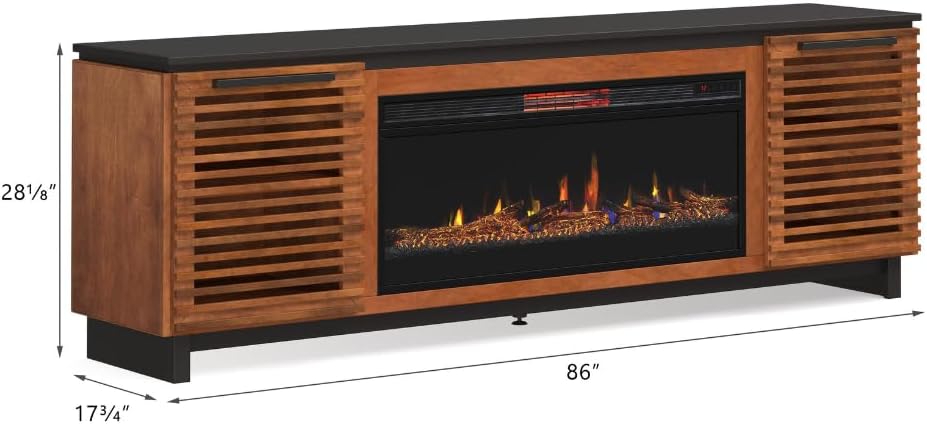
- Dimensions (W x D x H): 86" wide x 17" deep x 28" high
- Item Weight: 180 Pounds
- Material Type: Solid Wood, Veneers, Engineered Wood
- Color: Bourbon and Black Finish
- Accommodates TV Size: Up to 100 inches
- Weight Capacity: Up to 250 pounds
- Fireplace Insert Size: 42 inches
- Heating Area: Up to 400 sq. ft.
- Temperature Range: 64°F - 82°F
- Included Components: Electric Fireplace Insert, Remote Control, Adjustable Flame Settings, Built-in Storage Shelves, Cable Management, Doors
- Product Care Instructions: Wipe with Dry Cloth
- UPC: 842764058213
- ASIN: B0B94M66JR

Warranty and Support
Warranty Information:
Bridgevine Home products are crafted with quality and durability in mind. For specific warranty details regarding your Graceland Electric Fireplace TV Stand, please refer to the warranty card included with your purchase or visit the official Bridgevine Home website.
Customer Support:
For any questions, assistance with assembly, troubleshooting, or to report damaged/missing parts, please contact Bridgevine Home customer support. Our team is available to help you.
- Online Support: Visit the Bridgevine Home Store on Amazon for FAQs and contact options.
- General Inquiries: Refer to the contact information provided in your product packaging.
Related documentsGraceland 86 inch


Ask a question about this manual
Ask about setup, troubleshooting, compatibility, parts, safety, or missing instructions. Manuals+ will review the question and use this page’s manual context to help answer it.