
1. Introduction
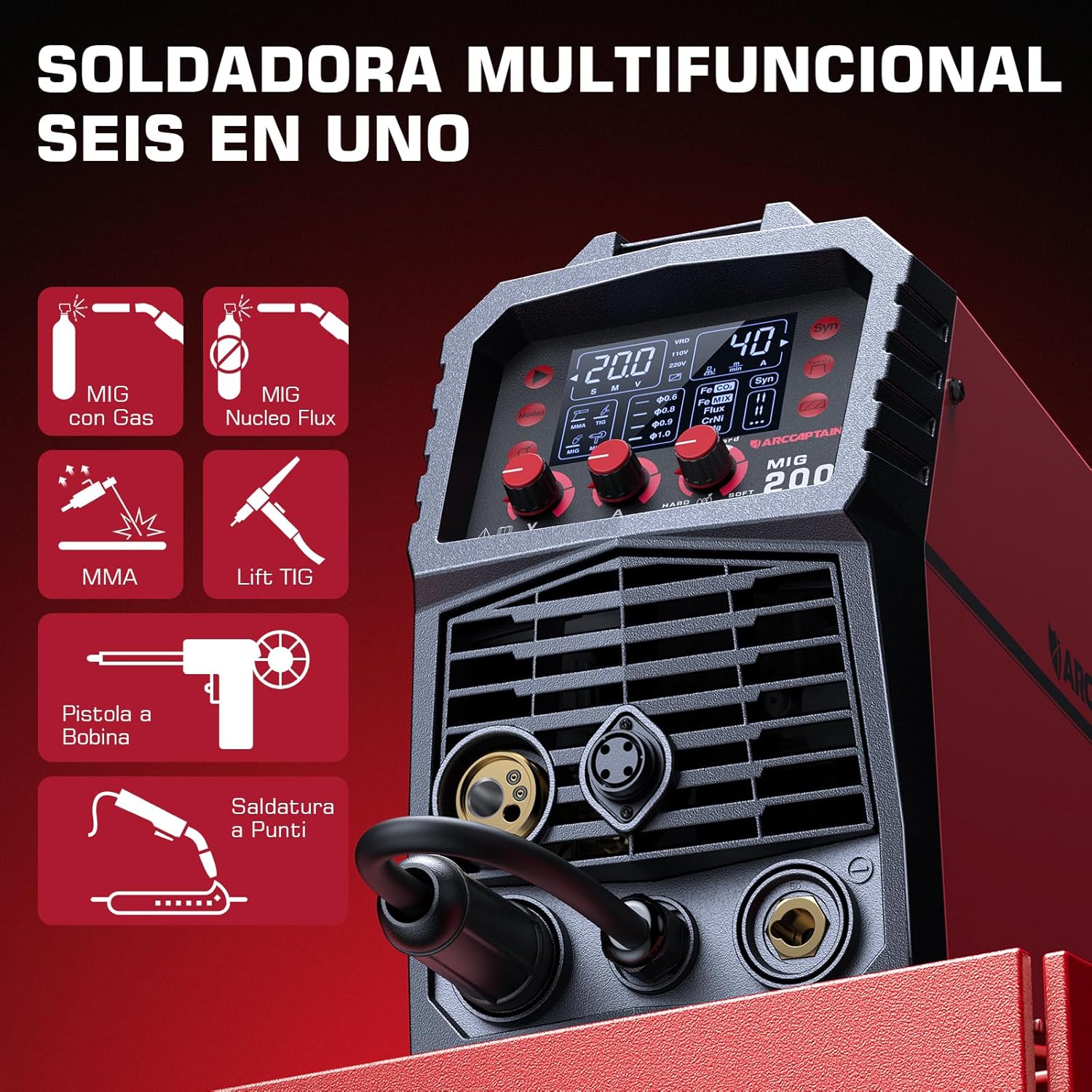
This manual provides essential information for the safe and effective operation, setup, and maintenance of your ARCCAPTAIN MIG200 6-in-1 Synergic MIG Welder. The MIG200 is a versatile inverter-based welding machine designed for various welding processes, including Flux-Cored Arc Welding (FCAW), Gas Metal Arc Welding (GMAW) in MIG and MAG modes, Shielded Metal Arc Welding (SMAW) or MMA (E-Hand), Lift TIG, and Spot Welding. It features synergic control for simplified parameter adjustment and IGBT technology for stable performance.
2. Safety Information
WARNING: Welding can be dangerous. Always follow safety precautions to prevent injury or death.
- Electric Shock: Can kill. Ensure proper grounding. Do not touch live electrical parts. Wear dry welding gloves and protective clothing.
- Fumes and Gases: Can be hazardous to your health. Keep your head out of the fumes. Use ventilation or exhaust to remove fumes from the breathing zone.
- Arc Rays: Can burn eyes and skin. Wear a welding helmet with a proper shade filter. Wear appropriate eye protection and protective clothing.
- Fire and Explosion: Welding sparks can cause fire or explosion. Keep flammable materials away from the welding area. Have a fire extinguisher readily available.
- Hot Parts: Can cause severe burns. Allow equipment to cool before touching.
- Noise: Excessive noise can damage hearing. Wear ear protection.
Always read and understand the entire manual before operating the equipment. Consult a qualified professional if you have any doubts about safety procedures.
3. Product Overview
The ARCCAPTAIN MIG200 is a compact and powerful welding machine offering multiple welding processes. Its intuitive LED display and synergic control simplify operation, making it suitable for both experienced welders and beginners.
3.1 Key Features
- 6-in-1 Welding Modes: Supports Flux-Cored (Gasless MIG), Gas MIG, MAG, MMA (Stick), Lift TIG, and Spot Welding.
- Synergic Control: Automatically adjusts wire feed speed based on selected wire diameter, gas type, and material, simplifying setup.
- IGBT Inverter Technology: Provides stable arc, high efficiency, and reliable performance.
- User-Friendly LED Display: Clear interface for easy mode selection and parameter adjustment.
- Advanced MIG Settings: Includes adaptive crater, burn-back adjustment, and pre/post-flow control.
- 2T/4T Functionality: Offers flexibility for different welding tasks.
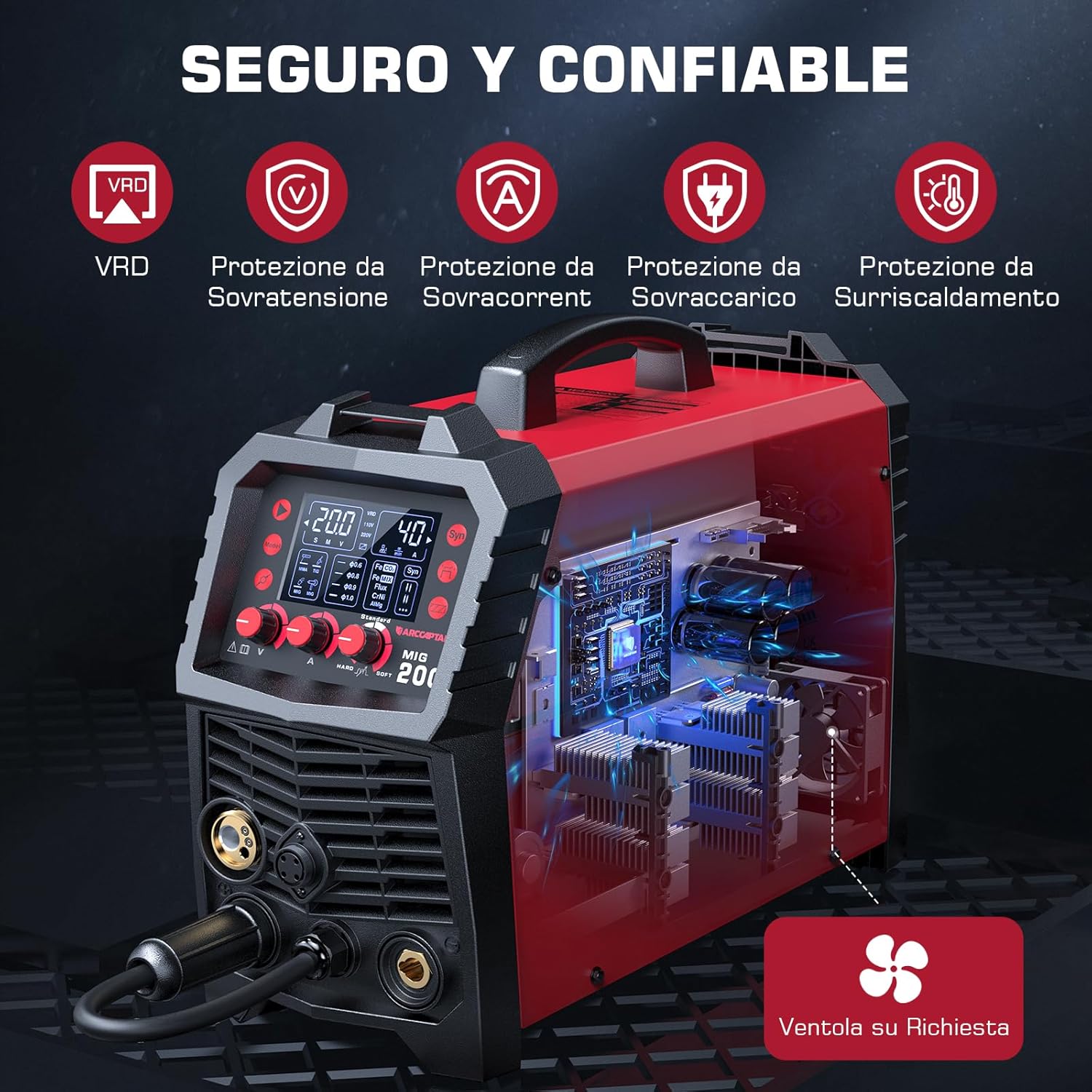
- Safety Protections: Equipped with VRD, over-voltage, over-current, overload, and over-heating protection.
3.2 Components and Accessories


4. Setup
4.1 Unpacking and Inspection
Carefully remove the welder and all accessories from the packaging. Inspect for any shipping damage. Report any damage to your supplier immediately.
4.2 Power Connection
Ensure the power supply matches the welder's requirements (230V). Connect the power cord to a properly grounded outlet. The machine is equipped with VRD (Voltage Reduction Device) for enhanced safety.
4.3 Wire Spool Installation
The MIG200 is compatible with D100 (2 lb) and D200 (10 lb) wire spools.
- Open the wire spool compartment.
- Place the wire spool onto the spool holder, ensuring it rotates freely.
- Secure the spool with the retaining nut.
- Feed the wire through the guide tube and into the drive roller mechanism.
- Close the drive roller tension arm and adjust tension appropriately for the wire type.
4.4 Gas Connection (for Gas MIG/MAG)
For Gas MIG/MAG welding, connect the gas hose from your shielding gas cylinder (e.g., CO2, Argon/CO2 mix) to the gas inlet on the rear of the welder. Ensure all connections are secure and leak-free.
4.5 Polarity Settings
Correct polarity is crucial for different welding processes and wire types. Refer to the setup guide table for specific configurations.

DCEN - No Gas: For Flux-Cored (FCAW) welding. Connect the MIG torch to the negative (-) terminal and the ground clamp to the positive (+) terminal.
DCEP - Gas: For Gas MIG/MAG (GMAW) welding. Connect the MIG torch to the positive (+) terminal and the ground clamp to the negative (-) terminal.
5. Operating Instructions
5.1 Control Panel Overview
The ARCCAPTAIN MIG200 features an intuitive control panel with an LED display and rotary knobs for precise adjustments.

5.2 Selecting Welding Mode
Press the 'Mode' button (2) to cycle through the available welding processes: MMA, TIG, MIG (Gas), and MIG (Flux-Cored).
5.3 Synergic Control
In MIG/MAG modes, activate the 'Syn' button (7) for synergic control. This feature automatically sets the optimal wire feed speed based on your selected wire diameter (3), gas type, and material (9). You can fine-tune the welding current using knob (5) and voltage using knob (4) as needed.
5.4 2T/4T Function
The 2T/4T button (8) allows selection between two-stroke and four-stroke trigger operation. 2T (Two-Stroke) is standard: press and hold the trigger to weld, release to stop. 4T (Four-Stroke) is for longer welds: press and release to start, press and release again to stop, reducing finger fatigue.
5.5 Adjusting Parameters
Use the dedicated knobs and buttons on the control panel to adjust parameters such as:
- Current/Wire Feed Speed (Knob 5): Adjusts the welding current and corresponding wire feed speed (in synergic mode).
- Voltage (Knob 4): Fine-tunes the arc voltage.
- Inductance (Button 6): Controls the arc stiffness and puddle fluidity.
5.6 General Welding Procedure
- Ensure all safety gear is worn.
- Prepare the workpiece: clean off rust, paint, and grease.
- Connect the ground clamp securely to the workpiece.
- Select the appropriate welding mode and parameters.
- Initiate the arc and begin welding, maintaining a consistent travel speed and arc length.
- Allow the workpiece to cool before handling.
6. Maintenance
Regular maintenance ensures the longevity and optimal performance of your ARCCAPTAIN MIG200 welder.
- Cleaning: Periodically clean the internal components using dry compressed air to remove dust and metal particles. Ensure the machine is unplugged before cleaning.
- Torch and Cable Inspection: Regularly inspect the MIG torch, electrode holder, ground clamp, and all cables for wear, damage, or loose connections. Replace damaged parts immediately.
- Drive Rollers: Clean the drive rollers and wire guide to prevent wire feeding issues. Ensure the correct drive roller size is used for your wire diameter.
- Nozzle and Contact Tip: For MIG welding, regularly clean or replace the nozzle and contact tip to ensure proper gas flow and arc stability.
- Storage: Store the welder in a clean, dry environment, protected from dust and moisture.

7. Troubleshooting
This section addresses common issues you might encounter during operation.
| Problem | Possible Cause | Solution |
|---|---|---|
| No power | Power cord unplugged, circuit breaker tripped, machine fault | Check power connection, reset breaker, contact support if fault persists |
| No arc | Poor ground connection, incorrect settings, worn contact tip, no wire feed | Ensure ground clamp is secure, verify settings, replace contact tip, check wire feed system |
| Poor weld quality | Incorrect parameters, improper technique, contaminated workpiece, insufficient gas flow | Adjust current/voltage/WFS, refine technique, clean workpiece, check gas supply/flow rate |
| Wire feeding issues | Incorrect drive roller tension, wrong drive roller size, tangled wire, clogged liner | Adjust tension, use correct rollers, untangle wire, clean/replace liner |
| Overheating | Exceeding duty cycle, blocked ventilation | Allow machine to cool, ensure clear airflow around vents |
For issues not listed here or if problems persist, please contact ARCCAPTAIN customer support.
8. Specifications
The following table outlines the technical specifications for the ARCCAPTAIN MIG200 welder.
| Feature | Specification |
|---|---|
| Model Number | MIG200 |
| Manufacturer | ARCCAPTAIN |
| Input Voltage | 230V |
| Max Output Current | 200A |
| Welding Processes | Flux-Cored (FCAW), MIG (GMAW), MAG, MMA (E-Hand), Lift TIG, Spot Welding |
| Technology | IGBT Inverter |
| Wire Diameter Compatibility | Ø0.6/0.8/0.9/1.0 mm |
| Spool Size Compatibility | D100 (2 lb), D200 (10 lb) |
| Dimensions (L x W x H) | 22.86 x 15.24 x 17.78 cm (approx. 9 x 6 x 7 inches) |
| Weight | 14.27 kg (approx. 31.46 lbs) |
| Material | Metal |
| Certifications | TÜV, CSA Witness Laboratory tested |
9. Warranty and Support
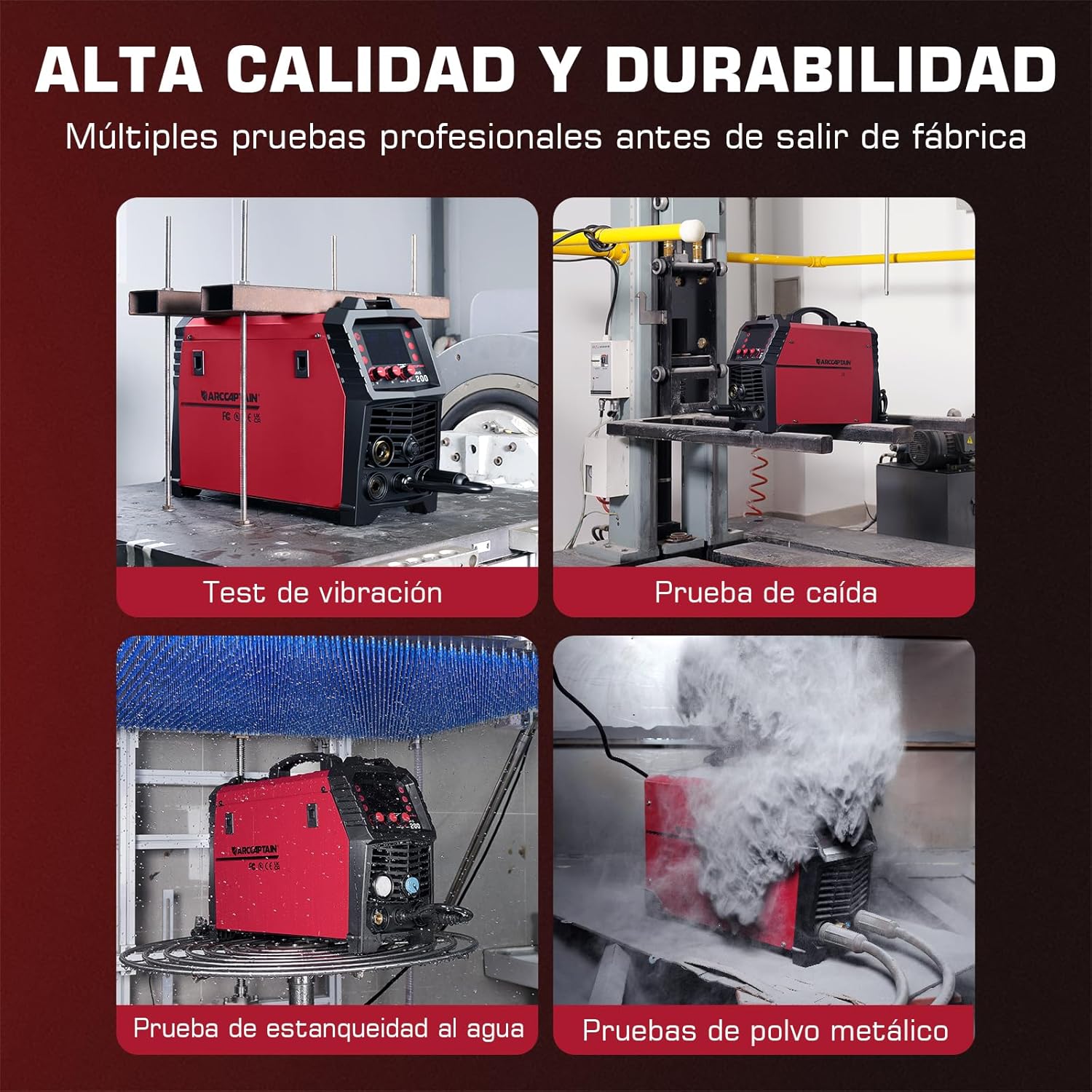
ARCCAPTAIN provides a 2-year quality service for the MIG200 welder, ensuring high-quality components and maximum stability. The product has undergone professional laboratory tests including vibration, drop, waterproof, and metal dust tests.
For technical assistance, warranty claims, or any questions regarding your ARCCAPTAIN MIG200 welder, please contact ARCCAPTAIN customer support through the official website or your purchase platform.
Online Resources: Visit the official ARCCAPTAIN website for additional product information, FAQs, and support resources.


