
1. Introduction
Thank you for choosing the Vrriis Wireless HDMI Transmitter and Receiver system. This product allows for wireless transmission of HDMI signals, eliminating the need for long HDMI cables. This specific package includes one transmitter (TX) and four receivers (RX), supporting a maximum configuration of 1 TX to 4 RXs. It is designed for various applications including home entertainment, conference rooms, and educational settings, providing high-quality 1080P video transmission with minimal latency.
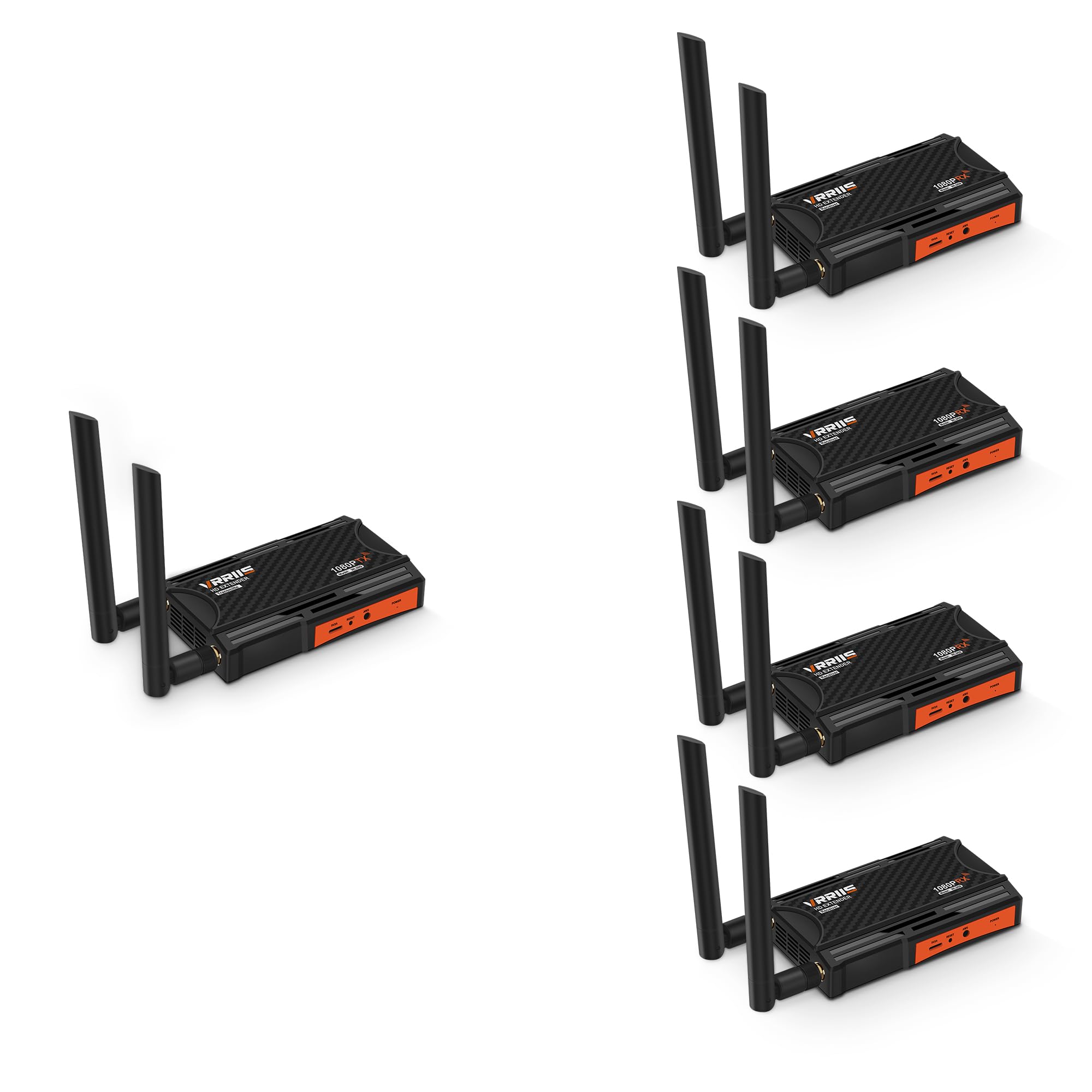
Image 1.1: Vrriis Wireless HDMI Transmitter and Receiver units. The image shows two black rectangular devices with orange accents and dual antennas, labeled 1080P RX.
2. Package Contents
Please check the package contents carefully. If any items are missing or damaged, contact Vrriis customer support.
- 1 x Vrriis Wireless HDMI Transmitter (TX)
- 4 x Vrriis Wireless HDMI Receivers (RX)
- 5 x Power Adapters (for TX and RX units)
- 5 x HDMI Cables
- IR Blaster Cable (for TX)
- IR Receiver Cable (for RX)
- User Manual (this document)
3. Product Features
- 1 Transmitter to 4 Receivers (1TX 4RX) Support: Expand your wireless display network by adding up to four receivers.
- Extended Transmission Range: Up to 656 feet (200 meters) line-of-sight. Actual distance may vary based on environmental factors like walls and obstacles.
- 5.8G High-Speed Transmission: Utilizes dual antenna design for strong, stable, and high-speed signal broadcast.
- Full HD 1080P @ 60Hz Support: Delivers crisp and clear video quality. Supports various resolutions including 1080p@50Hz, 1080p@24Hz, 720p@50Hz, 480p@60Hz.
- Low Latency: Approximately 0.12 seconds wireless transmission latency, suitable for presentations and video playback. Not recommended for real-time gaming.
- IR Remote Control: Control your source device (e.g., set-top box) remotely from the receiver location.
- HDMI Local Loop-out: The transmitter unit features an HDMI loop-out port, allowing a local display to be connected without delay.
- Wide Compatibility: Compatible with various HDMI source devices such as set-top boxes, DVRs, laptops, Blu-ray players, and display devices like TVs, monitors, and projectors.
- Plug & Play: Easy setup without complex software installation.
- Compact Design: Small size, easy to conceal, and can be powered by a portable power station or power adapter.

Image 3.1: Key features of the Vrriis Wireless HDMI Extender. Highlights dual antenna for strong 5.8G signal, simple, secure, speed, and stable transmission.

Image 3.2: Vrriis Wireless HDMI Transmitter and Receiver units, showing screw holes for camera mounting. This illustrates the compact design and versatility.
4. Setup Instructions
Follow these steps to set up your Vrriis Wireless HDMI system.
4.1 Connecting the Transmitter (TX)
- Connect one end of an HDMI cable to the HDMI output of your source device (e.g., laptop, set-top box).
- Connect the other end of the HDMI cable to the HDMI IN port on the Vrriis Transmitter unit.
- (Optional) If you wish to use the local loop-out function, connect another HDMI cable from the LOOP OUT port on the Transmitter to a local display (e.g., TV, monitor).
- Connect the IR Blaster cable to the IR OUT port on the Transmitter. Position the IR Blaster head near the IR sensor of your source device.
- Connect the power adapter to the Transmitter's power port and plug it into an electrical outlet. The power indicator light will illuminate.
4.2 Connecting the Receiver (RX)
- Connect one end of an HDMI cable to the HDMI OUT port on the Vrriis Receiver unit.
- Connect the other end of the HDMI cable to the HDMI input of your display device (e.g., TV, projector, monitor).
- Connect the IR Receiver cable to the IR IN port on the Receiver. Position the IR Receiver head in a location where it can receive signals from your remote control.
- Connect the power adapter to the Receiver's power port and plug it into an electrical outlet. The power indicator light will illuminate.
- Repeat steps 1-4 for each additional receiver unit.

Image 4.1: Connection diagram for the Vrriis Wireless HDMI Extender. Shows how to connect the transmitter to a source device and the receiver to a display, including HDMI loop-out and IR connections.
5. Operating Instructions
5.1 Power On
Once all connections are made and power adapters are plugged in, both the Transmitter and Receiver units will power on automatically. The status indicators on the units will show their operational status.
5.2 Signal Pairing
The units are designed for plug-and-play operation and should automatically pair. If no signal is detected, ensure both units are powered on and within range. For optimal performance, ensure a clear line of sight between the transmitter and receiver antennas.
5.3 Using IR Remote Control
To control your source device remotely:
- Ensure the IR Blaster is correctly positioned near your source device's IR sensor.
- Ensure the IR Receiver is connected to the RX unit and positioned to receive signals from your remote.
- Point your original remote control at the IR Receiver head connected to the RX unit. The signal will be transmitted wirelessly back to the TX unit and then to your source device via the IR Blaster.

Image 5.1: Illustration of using the IR remote control feature. Shows a user in a bedroom controlling a source device in a living room via the wireless HDMI system.
6. Maintenance
- Keep the devices clean by wiping them with a soft, dry cloth.
- Avoid exposing the units to extreme temperatures, humidity, or direct sunlight.
- Do not disassemble or attempt to repair the devices yourself. This will void the warranty.
- Ensure proper ventilation around the units to prevent overheating.
7. Troubleshooting
| Problem | Possible Cause | Solution |
|---|---|---|
| No signal on display. |
|
|
| Poor video quality or flickering. |
|
|
| IR remote control not working. |
|
|

Image 7.1: Diagram illustrating transmission distance variations with multiple receivers. Shows how distance shortens as more RX units are added (e.g., 1 TX to 1 RX: 820FT/250M, 1 TX to 4 RX: 623FT/190M line of sight).

Image 7.2: Illustration of signal penetration capabilities. Shows signal transmission through walls, with reduced range compared to line-of-sight.
8. Specifications
| Brand | Vrriis |
| Model | 1TX4RX (Wireless HDMI Transmitter and Receiver) |
| Connectivity Technology | HDMI, Infrared |
| Wireless Communication Standard | 5.8GHz, Infrared |
| Supported Resolution | 1080p@60Hz, 1080p@50Hz, 1080p@24Hz, 1080p@25Hz, 1080p@30Hz, 720p@50Hz, 720p@60Hz, 576i@50Hz, 480p@60Hz |
| Latency | 0.12 seconds (wireless transmission) |
| Transmission Distance (Line of Sight) |
Note: Distances are line-of-sight. Obstacles like walls, bricks, or glass will shorten signal coverage. |
| Transmission Distance (Through Wall) |
Note: Actual distance depends on the structure and material of obstacles. |
| Antenna | Dual antenna for high-speed transmission |
| IR Remote Control Support | 20-60 KHz |
| Installation Type | Plug-and-Play |
| Power Source | Built-In Electric |
| Compatible Devices | Monitor, PC, Projector, Television, Set-top boxes, DVRs, Blu-ray players |
9. Safety Information
Please read and follow these safety guidelines to ensure safe operation and prolong the life of your device:
- Handle the wireless HDMI adapter and its components with care.
- Do not disassemble or modify the device. Unauthorized modifications can lead to hazards and void the warranty.
- Keep the adapter away from water, liquids, and extreme temperatures.
- Avoid pointing the infrared emitter directly at other infrared devices to prevent interference.
- Use only the provided power adapters.
- Ensure the device is placed in a well-ventilated area to prevent overheating.
- Dispose of electronic waste responsibly according to local regulations.
10. Warranty and Support
Vrriis products are designed for reliability and performance. For warranty information and technical support, please refer to the warranty card included with your product or visit the official Vrriis website. If you encounter any issues that cannot be resolved using the troubleshooting guide, please contact Vrriis customer support for assistance.
Vrriis Customer Support: Visit the Vrriis Store on Amazon


