
Orico 25PW1-C3-BK
ORICO 2.5 inch USB C Hard Drive Enclosure User Manual
Model: 25PW1-C3-BK
Product Overview
The ORICO 2.5 inch USB C Hard Drive Enclosure (Model 25PW1-C3-BK) is designed to easily connect 2.5-inch SATA I/II/III SSDs and HDDs (7mm-9.5mm thickness) to various devices such as PCs, laptops, TVs, routers, PS4, or Xbox. This tool-free enclosure provides a convenient solution for data backup, storage expansion, or recovering files from old drives.
It features a USB 3.1 Type-C interface, supporting up to 5Gbps transmission speed and UASP accelerated protocol for faster data transfer. The enclosure is made of high-quality ABS material, ensuring it is lightweight and portable. It supports capacities up to 6TB and includes features like Plug & Play, Hot-Swap, a blue LED indicator, and 10-minute auto-sleep functionality.

Figure 1: The ORICO 2.5 inch USB C Hard Drive Enclosure (Model 25PW1-C3-BK) shown with its included USB-C to USB-A data cable. The enclosure features a ribbed design on its top surface.
Package Contents
Upon opening the package, verify that all components are present:
- 1 x ORICO 2.5 inch Hard Drive Enclosure (Model 25PW1-C3-BK)
- 1 x 0.45m USB-C to USB-A Data Cable
- 1 x Shockproof Sponge Pad
- 1 x Operating Instruction Manual (this document)

Figure 2: Illustrated packing list showing the hard drive enclosure, box, USB 3.0 cable, and user manual.
Setup and Installation
The ORICO 2.5 inch Hard Drive Enclosure features a tool-free design for easy installation of your 2.5-inch SATA HDD or SSD.
- Open the Enclosure: Gently press and slide the top cover of the enclosure forward to open it.
- Insert the Drive: Carefully align your 2.5-inch SATA I/II/III HDD or SSD (7mm-9.5mm thickness) with the SATA connector inside the enclosure and firmly insert it. Ensure the drive is seated correctly.
- Close the Enclosure: Slide the top cover back until it clicks into place, securing the drive inside.
- Connect to Device: Use the provided USB-C to USB-A data cable to connect the enclosure to a compatible USB port on your computer, laptop, or other device.
No drivers are required for operation. The device supports Plug & Play and Hot-Swap functionality.

Figure 3: Visual guide for tool-free installation: 1. Press gently, push forward to open. 2. Put your hard drive in. 3. Close the top cover.
Operating Instructions
Connecting and Using
Once connected, the blue LED indicator on the enclosure will illuminate, signifying power and activity. Your operating system should automatically detect the new storage device. If it's a new drive, you may need to initialize and format it through your operating system's disk management utility before use.
The enclosure supports UASP (USB Attached SCSI Protocol) and TRIM, which enhance data transfer speeds and optimize SSD performance when connected to a compatible host system.
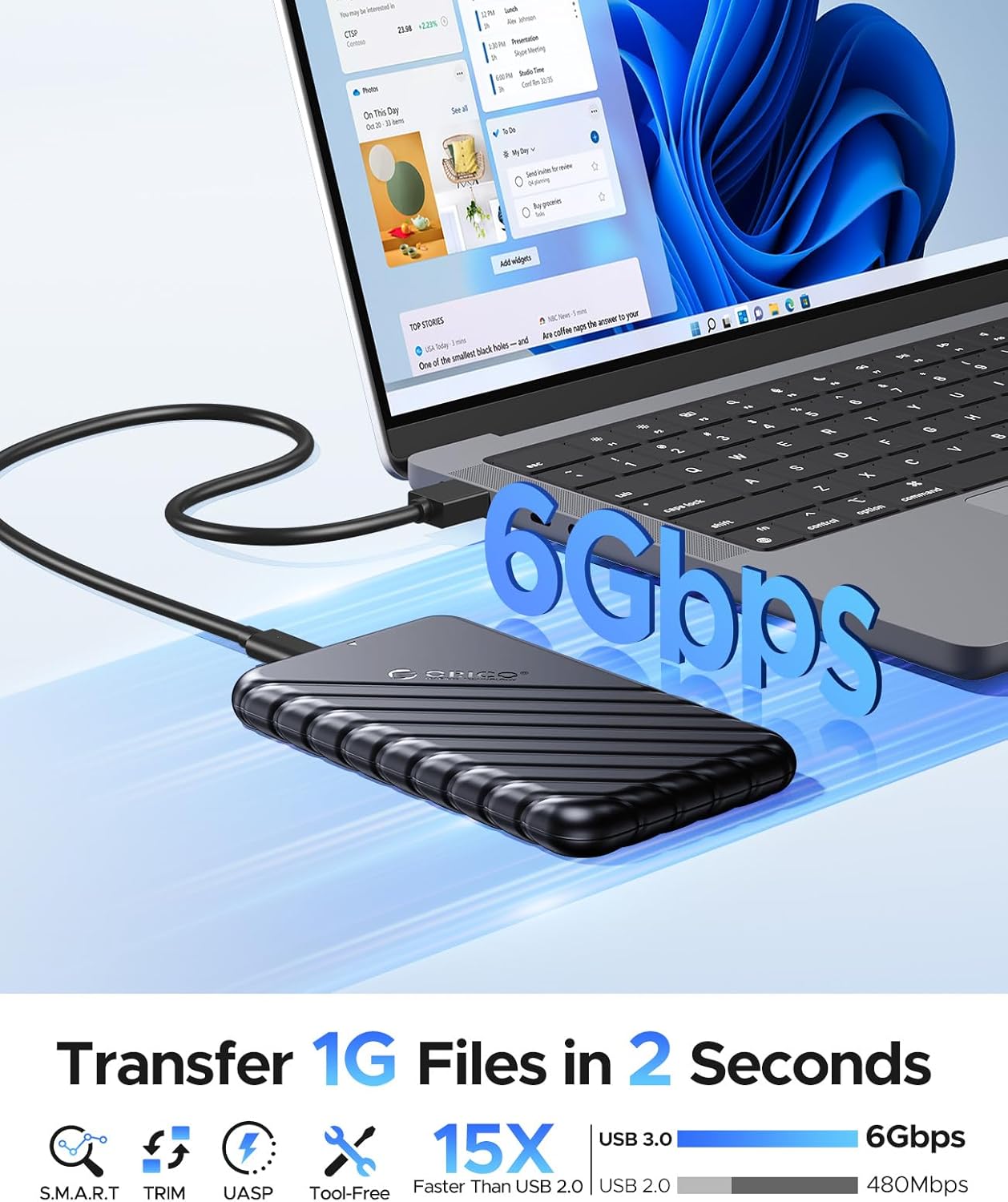
Figure 4: The ORICO enclosure connected to a laptop, illustrating its 5Gbps data transfer capability. The image highlights fast file transfer speeds.
Auto-Sleep Function
The enclosure features an intelligent 10-minute auto-sleep function. If the drive is inactive for 10 minutes, it will automatically enter sleep mode to conserve power and extend the lifespan of the HDD/SSD. The drive will wake up automatically upon data access.
Compatibility
The ORICO 2.5 inch Hard Drive Enclosure offers broad compatibility with various devices and operating systems:
Supported Devices:
- Personal Computers (PC)
- Laptops
- Televisions (TV)
- Routers
- Gaming Consoles (e.g., PS4, Xbox)
Supported Operating Systems:
- Windows (2000, 98, XP, Vista, 7, 8, 10, and above)
- Linux
- Mac OS (9.1, 10.8.4, and above)
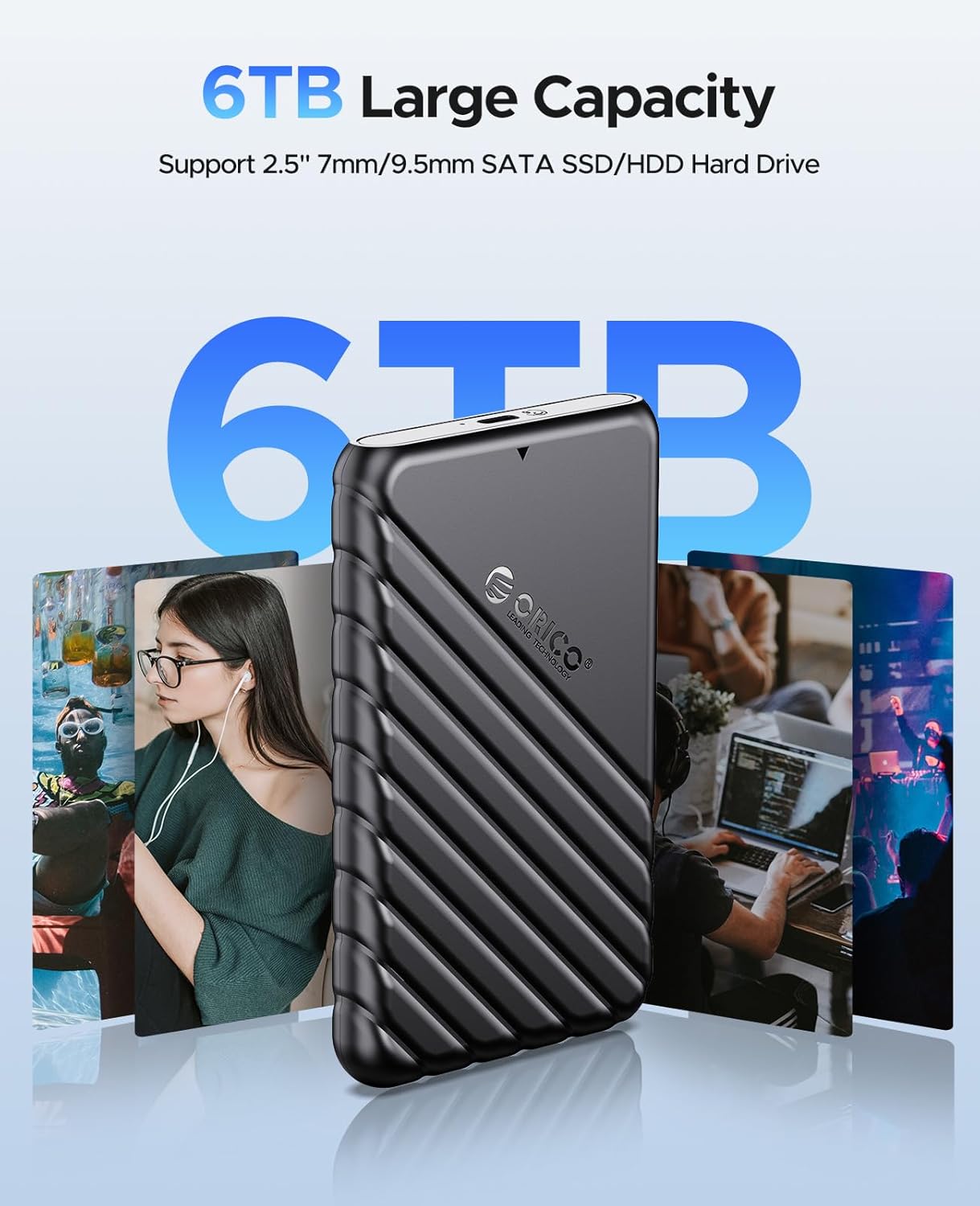
Figure 5: The enclosure is compatible with laptops, TVs, Xbox One, and routers, and supports Windows, Mac OS, and Linux operating systems.
Maintenance and Care
To ensure the longevity and optimal performance of your ORICO Hard Drive Enclosure, follow these maintenance guidelines:
- Cleaning: Use a soft, dry cloth to clean the exterior of the enclosure. Avoid using liquid cleaners or abrasive materials.
- Storage: Store the enclosure in a cool, dry place away from direct sunlight, extreme temperatures, and humidity.
- Handling: Handle the enclosure with care to prevent drops or impacts, which could damage the internal drive or the enclosure itself.
- Disconnection: Always safely eject the drive from your operating system before physically disconnecting the enclosure to prevent data corruption.
Troubleshooting
If you encounter issues with your ORICO Hard Drive Enclosure, refer to the following common troubleshooting steps:
| Problem | Possible Cause | Solution |
|---|---|---|
| Drive not detected by computer. | Loose connection, uninitialized/unformatted drive, incompatible drive, faulty cable/port. |
|
| Slow data transfer speeds. | USB 2.0 port, UASP not enabled, drive performance limitations. |
|
| Blue LED indicator not lighting up. | No power, faulty cable/port. |
|
Specifications
| Feature | Detail |
|---|---|
| Product Model | 25PW1-C3-BK |
| Product Material | Acrylonitrile Butadiene Styrene (ABS) |
| Product Color | Black |
| Product Dimensions | 130 x 80 x 14.5 mm (5.12 x 3.15 x 0.57 inches) |
| Input/Output Interface | SATA 3.0 / USB-C to USB-A |
| Transmission Rate | 5Gbps (USB 3.1 Gen 1) |
| Data Cable Length | 0.45m (17.8 inches) USB-C to USB-A |
| Support Capacity | Up to 6TB |
| Applicable HDD/SSD | SATA I/II/III 2.5 inch Hard disks or Solid State Drives (7mm-9.5mm thickness, not for 12mm) |
| Installation Method | Tool-free, slide cover disassembly |
| Features | Plug & Play, Hot-Swap, Blue LED Indicator, 10min Auto-sleep, UASP, TRIM |
| Supported Systems | Windows 2000/98/XP/Vista/7/8/10+, Linux, Mac OS 9.1/10.8.4+ |

Figure 6: The ORICO enclosure's smart chip provides multiple protections including overcurrent, short circuit, overheat, static, and leakage protection, ensuring safe and stable operation.
Warranty and Support
ORICO products typically come with a standard manufacturer's warranty. Please refer to the warranty card included in your package or visit the official ORICO website for detailed warranty terms and conditions.
For technical support, product inquiries, or warranty claims, please contact ORICO customer service through their official channels. You can find more information and contact details on the official ORICO website: www.orico.cc

Figure 7: ORICO is a global brand in data storage solutions, committed to providing reliable products and support.
Related documents25PW1-C3-BK


Ask a question about this manual
Ask about setup, troubleshooting, compatibility, parts, safety, or missing instructions. Manuals+ will review the question and use this page’s manual context to help answer it.