
Amazon Kindle (11th Generation) - 2022 release
Contents
Amazon Kindle User Manual
Model: Kindle (11th Generation) - 2022 release
Introduction
Welcome to your new Amazon Kindle. This manual provides essential information to help you set up, operate, and maintain your device. The Kindle is designed for an immersive reading experience, offering a glare-free, paper-like display and extended battery life.
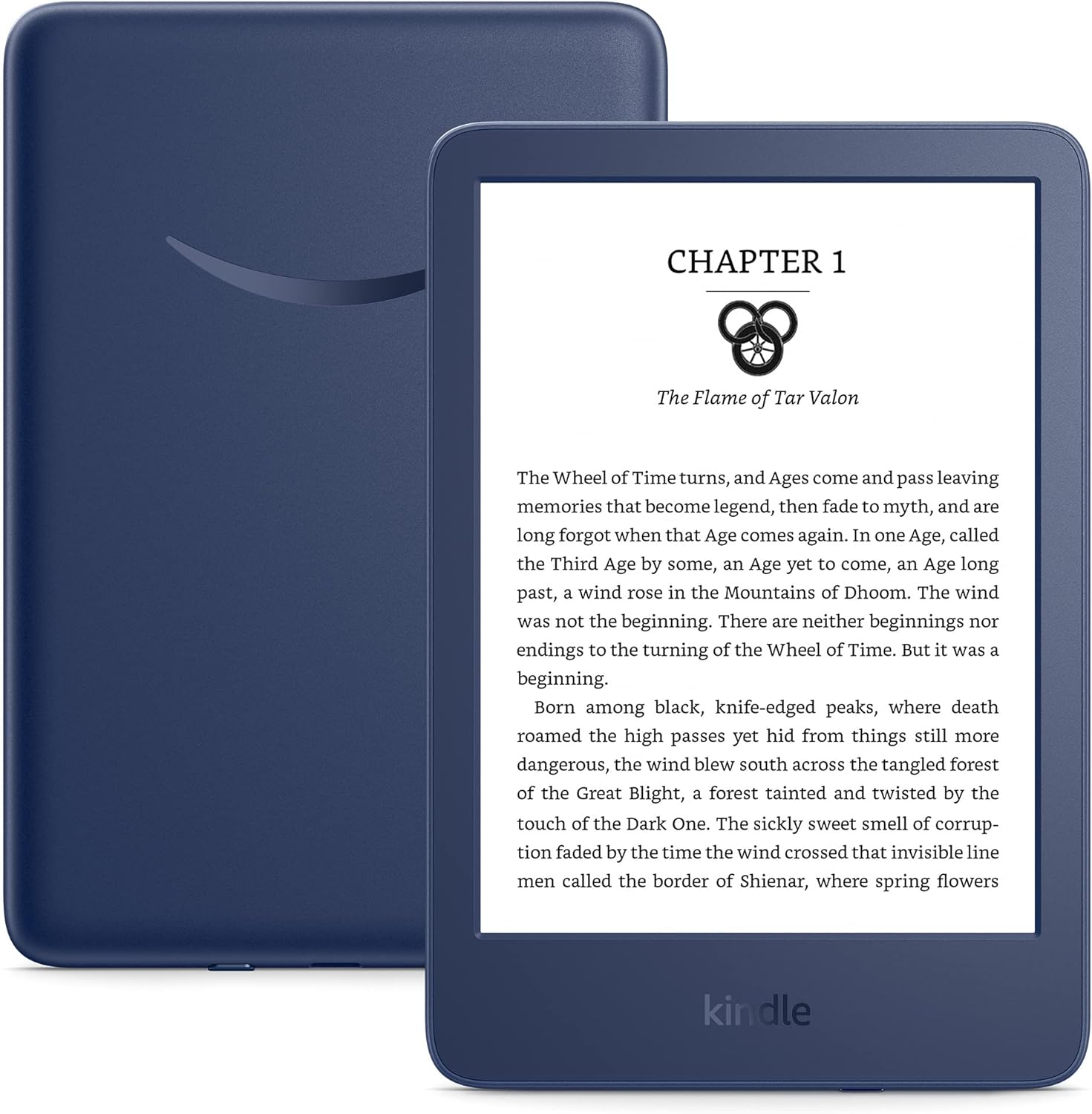
Image: The Amazon Kindle, showcasing its compact design and a clear display of text, designed for comfortable reading.
Setup Guide
1. Charging Your Kindle
Before first use, it is recommended to fully charge your Kindle. Use the included USB-C charging cable.
- Connect the USB-C cable to the charging port on your Kindle.
- Connect the other end of the cable to a computer's USB port or a compatible USB power adapter (not included).
- A full charge takes approximately 4 hours via computer or 2 hours with a 9W USB power adapter.

Image: A person holding the Kindle while it is connected to a USB-C cable, illustrating the charging process.
2. Initial Setup and Wi-Fi Connection
Upon powering on your Kindle for the first time, you will be guided through the initial setup process.
- Select your preferred language.
- Connect to a Wi-Fi network. Your Kindle supports 2.4 GHz and 5.0 GHz networks with WEP, WPA, and WPA2 security.
- Sign in with your Amazon account or create a new one. This links your Kindle to your content library.
Operating Your Kindle
Reading and Navigation
The Kindle features a touch-sensitive screen for easy navigation.
- Turning Pages: Tap the right side of the screen to go to the next page, or the left side to go back.
- Accessing Menu: Tap the top of the screen to bring up the toolbar, which includes options for Home, Back, Store, Search, and Settings.
- Adjusting Font: While reading, tap the top of the screen, then select the "Aa" icon to adjust font size, font face, line spacing, and margins.
Adjustable Front Light and Dark Mode
Your Kindle includes an adjustable front light for comfortable reading in various lighting conditions, and a dark mode for reduced eye strain in low light.
- Adjusting Light: From the toolbar, use the brightness slider to increase or decrease the front light intensity.
- Dark Mode: Toggle dark mode on/off from the quick settings menu accessible by swiping down from the top of the screen.

Image: A person reading the Kindle in bed at night, demonstrating the effectiveness of the adjustable front light and dark mode for comfortable viewing.
Content Management and Storage
Your Kindle comes with 16 GB of on-device storage, capable of holding thousands of books. All Amazon content is also stored in the cloud for free.
- Downloading Books: Connect to Wi-Fi and browse the Kindle Store to download new titles directly to your device.
- Accessing Library: Your purchased and borrowed books are available in your Library.
- Supported Formats: The Kindle supports various formats including Kindle Format 8 (AZW3), Kindle (AZW), TXT, PDF, unprotected MOBI, PRC natively. Other formats like DOCX, HTML, EPUB, JPEG, PNG can be converted.

Image: The Kindle screen showing a selection of book covers in its library interface, highlighting the vast number of titles available.
Maintenance
Battery Life
A single charge can last up to six weeks, based on 30 minutes of reading per day with wireless off and the light setting at 13. Actual battery life may vary with usage, especially with Audible audiobook streaming over Bluetooth.
Cleaning Your Device
To clean your Kindle, use a soft, lint-free cloth. Avoid abrasive cleaners or solvents.
Troubleshooting
Common Issues and Solutions
- Device Not Responding: If your Kindle is unresponsive, press and hold the power button for 40 seconds until the device restarts.
- Cannot Connect to Wi-Fi:
- Ensure your Wi-Fi network is active and within range.
- Verify you are entering the correct password.
- Restart your Kindle and your Wi-Fi router.
- Note: Kindle does not support ad-hoc (peer-to-peer) Wi-Fi networks.
- Books Not Downloading:
- Check your Wi-Fi connection.
- Ensure your Amazon account is correctly synced.
- Verify that the book is compatible with your device.
Specifications
| Feature | Detail |
|---|---|
| Display | Amazon's 6” display with built-in light, 300 ppi, optimized font technology, 16-level gray scale. |
| Size | 6.2” x 4.3” x 0.32” (157.8 x 108.6 x 8.0 mm). Size represents total device measurements. |
| Weight | 5.56 oz (158 g). Actual size and weight may vary by configuration and manufacturing process. |
| System Requirements | None; fully wireless and doesn't require a computer to download content. |
| On-Device Storage | 16 GB; holds thousands of books. |
| Cloud Storage | Free cloud storage for all Amazon content. |
| Battery Life | A single charge lasts up to six (6) weeks, based on a half hour of reading per day with wireless off and the light setting at 13. Battery life may vary depending on use. Audible audiobook streaming over Bluetooth will reduce battery life. |
| Charge Time | Fully charges in approximately 4 hours from a computer via USB cable; Fully charges in approximately 2 hours with a 9W USB power adapter. |
| Wi-Fi Connectivity | Supports 2.4 GHz and 5.0 GHz networks with support for WEP, WPA and WPA2 security using password authentication or Wi-Fi Protected Setup (WPS). Does not support connecting to ad-hoc (or peer-to-peer) wifi networks. |
| Accessibility Features | VoiceView screen reader, available over Bluetooth audio, provides spoken feedback allowing you to navigate your device and read books with text-to-speech (available in English only). Kindle also includes the ability to invert Black and White, adjust font size, font face, line spacing and margins. |
| Content Formats Supported | Kindle Format 8 (AZW3), Kindle (AZW), TXT, PDF, unprotected MOBI, PRC natively; PDF, DOCX, DOC, HTML, EPUB, TXT, RTF, JPEG, GIF, PNG, BMP through conversion; Audible audio format (AAX). |
| Included in the Box | Kindle, USB-C charging cable and Quick Start Guide. |
| Generation | Kindle (11th Generation) - 2022 release. |
| Software Security Updates | This device receives guaranteed software security updates until at least four years after the device is last available for purchase as a new unit on our websites. |
Warranty and Support
Warranty Information
Your Amazon Kindle comes with a 1-year limited warranty and service. Optional extended warranties (1-year, 2-year, or 3-year) are available for U.S. customers and sold separately.
Use of Kindle is subject to Amazon's Conditions of Use.
Further Documentation and Support
For more detailed information, refer to the Kindle Quick Start Guide and Kindle User Guide included with your device or available online.
For customer support, visit the official Amazon support website or contact Amazon customer service.
Ask a question about this manual
Ask about setup, troubleshooting, compatibility, parts, safety, or missing instructions. Manuals+ will review the question and use this page’s manual context to help answer it.