
1. Introduction
This manual provides detailed instructions for the installation, operation, and maintenance of your Barlus 2MP HD 120FPS Underwater Camera, Model SK2Z-P12X10. Please read this manual thoroughly before using the product to ensure proper function and longevity.
2. Product Features
- Manual/Electric Zoom: Achieve parfocal imaging with real-time computer observation and uniform lighting for high-quality magnification.
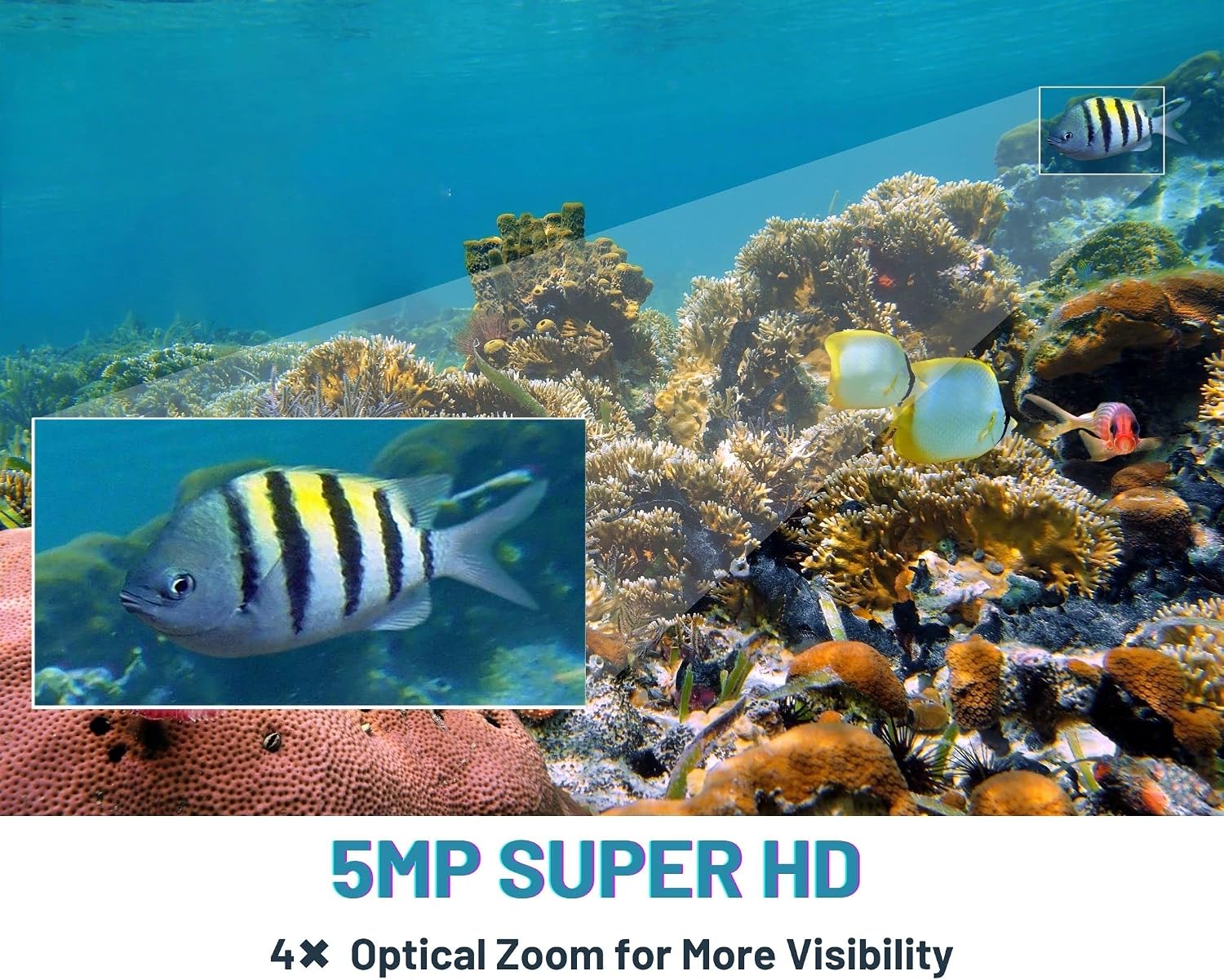
- Versatile Resolution & Frame Rates: Available in 2MP, 5MP, or 8MP resolutions, and 30FPS, 50FPS, 60FPS, or 120FPS frame rates to suit various observation needs.
- High Image Quality: Up to 8 megapixels and 120fps for ultra-high-definition, coherent, and smooth underwater visuals.
- Durable Waterproof Design: IP68 rated, designed for extreme underwater environments with a durable special case and a 32ft cable. Features anti-corrosion, anti-aging, and anti-wear properties.
- Multiple Applications: Suitable for aquaculture (fish farming, sea cucumber farming), fish tank observation, factory production monitoring, ice fishing, laboratory observation, and boat cameras.

3. Setup Instructions
- Unpacking: Carefully remove all components from the packaging. Verify that all parts listed in the packing list are present.
- Cable Connection: Connect the camera's 32ft cable to your recording device or network interface. Ensure connections are secure and waterproof.
- Power Supply: Connect the camera to a suitable power source. Refer to the specifications for power requirements.
- Mounting Options:
- Using Floats: Attach floats to the cable to suspend the camera at a desired depth.
- Using a Pole: Secure the camera to a pole for manual positioning and depth adjustment.
- Fixing to a Boat Hull: Use appropriate mounting hardware to attach the camera to the boat hull for stable observation.
- Placement on Seabed/Pond Bed: Position the camera directly on the bottom, ensuring it is stable and not obstructed.
- Software Installation (if applicable): Install any necessary software or drivers on your computer or viewing device to access the camera feed.

4. Operating Instructions
- Power On: Ensure the camera is properly connected and powered on. The indicator light (if present) should illuminate.
- Accessing Live Feed: Open the installed software or access the camera's IP address through a web browser to view the live underwater feed.
- Adjusting Zoom: Use the software interface to control the motorized zoom lens. Observe the real-time picture to achieve the desired focus and magnification. The camera supports both manual and electric zoom.
- Resolution and Frame Rate Selection: If your model supports multiple resolutions (2MP, 5MP, 8MP) or frame rates (30FPS, 50FPS, 60FPS, 120FPS), select the appropriate settings via the software for your observation needs. Higher frame rates provide smoother motion capture.
- Recording and Playback: Utilize the recording functions within your software to capture video or still images. Access recorded files for playback as needed.
- Lighting Adjustment: If equipped with fill lights, adjust their intensity or mode (e.g., infrared, white light) through the software to optimize visibility in different underwater conditions.



Video 1: Demonstration of the Barlus underwater camera in a pond environment, showing fish activity and live feed on a monitor.
5. Maintenance
- Cleaning: After each use in saltwater or murky water, rinse the camera and cable thoroughly with fresh water. Gently wipe the lens with a soft, clean cloth to remove any residue. Do not use abrasive cleaners.
- Inspection: Regularly inspect the camera housing, cable, and connectors for any signs of damage, cracks, or corrosion. Ensure all seals are intact before submerging the camera.
- Storage: Store the camera in a cool, dry place away from direct sunlight and extreme temperatures. Ensure the cable is neatly coiled to prevent kinks or damage.
- Waterproof Integrity: Periodically check the waterproof integrity by submerging the camera in shallow water for a short period and inspecting for any leaks before deep-water deployment.
6. Troubleshooting
| Problem | Possible Cause | Solution |
|---|---|---|
| No image on screen |
|
|
| Blurry or out-of-focus image |
|
|
| Intermittent signal loss |
|
|
| Water inside camera housing |
|
|
7. Specifications
| Feature | Detail |
|---|---|
| Model Name | SK2Z-P12X10 |
| Effective Still Resolution | 2 MP |
| Photo Sensor Technology | CMOS |
| Video Capture Resolution | 1080p |
| Frame Rate | 120FPS (for this model variant) |
| Water Resistance Level | IP68 Waterproof |
| Cable Length | 32ft (approx. 10m) |
| Focus Type | Manual Focus (Motorized Zoom) |
| Flash Type | Internal |
| Audio Recording | Yes |
| File Format | AVI, JPEG |
| Color | Silver |
| Manufacturer | Barlus |
8. Warranty and Support
Barlus products are designed for durability and performance. For warranty information, technical support, or service inquiries, please contact Barlus customer service through their official channels or the retailer where the product was purchased.
Typical return policy: 30 days for refund/replacement.
For additional support, visit the Barlus Store on Amazon.


