
ECONTROLLY B0B8SM283L
ECONTROLLY Remote Control for Hyundai AC A/C Air Conditioner
User Manual
Introduction
This manual provides detailed instructions for the proper use and maintenance of your ECONTROLLY Remote Control for Hyundai AC A/C Air Conditioner. Please read this manual thoroughly before using the remote control to ensure optimal performance and longevity.
This remote control is designed as a direct replacement for original Hyundai AC A/C Air Conditioner remotes and requires no programming. Simply insert batteries to begin operation.
Product Overview

Figure 1: Front view of the ECONTROLLY remote control, showing the display screen and primary function buttons such as Power, Option, Temperature Up/Down, Eco, Turbo, Mode, Fan, Light, and Swing.
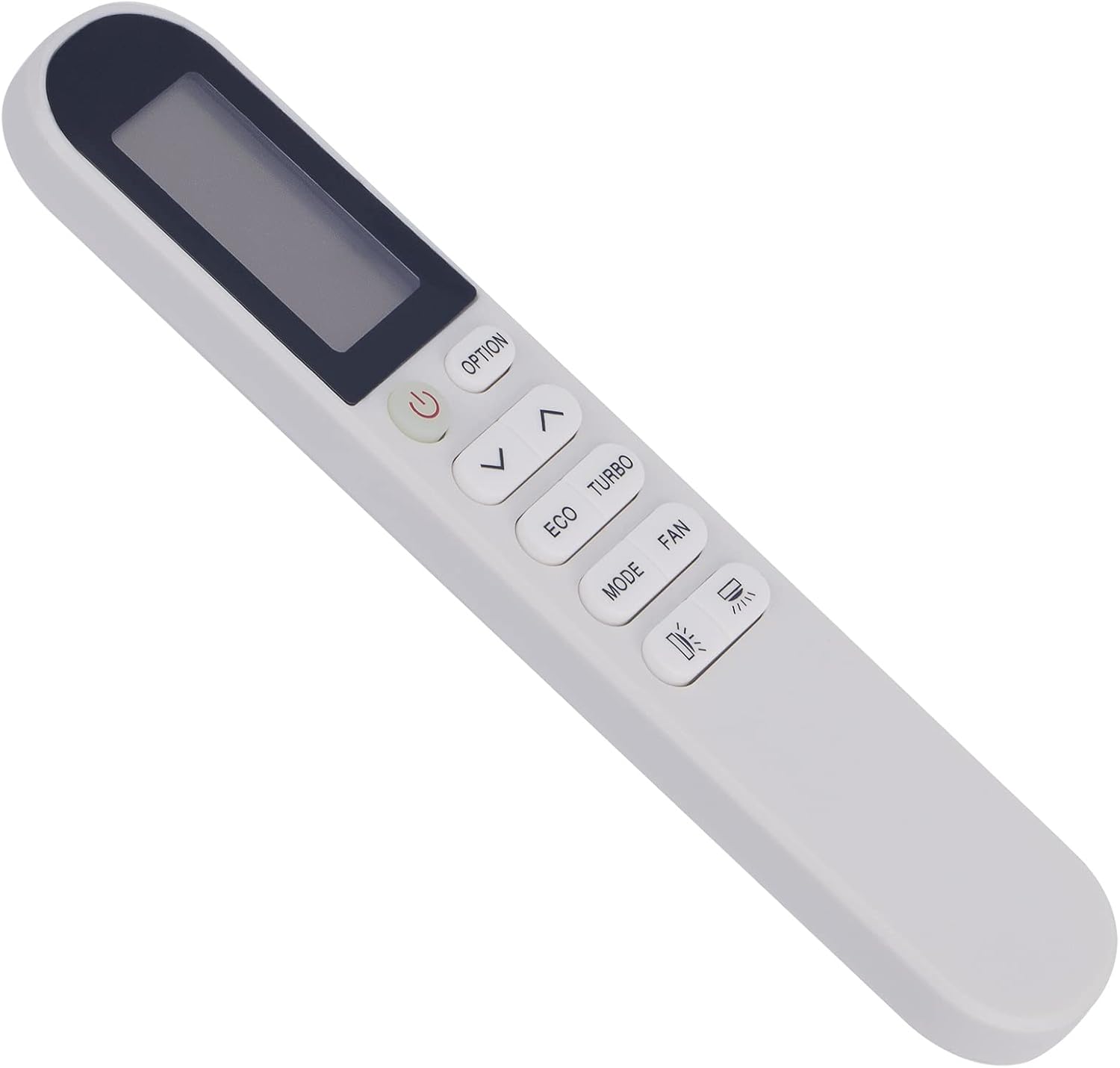
Figure 2: Angled view of the ECONTROLLY remote control, highlighting its ergonomic design and button layout from a side perspective.

Figure 3: Back view of the ECONTROLLY remote control, showing the battery compartment cover and the overall sleek design.
Setup
1. Battery Installation
The remote control requires two (2) AAA batteries (not included) for operation. Follow these steps to install the batteries:
- Locate the battery compartment on the back of the remote control.
- Slide the battery compartment cover downwards to open it.
- Insert two new AAA alkaline batteries, ensuring the positive (+) and negative (-) terminals align correctly with the markings inside the compartment.
- Slide the battery compartment cover back into place until it clicks securely.
Note: This remote control does not require any programming. It is ready to use once batteries are installed.
Operating Instructions
Point the remote control directly at the infrared receiver on your Hyundai AC unit. Ensure there are no obstructions between the remote and the AC unit.
Button Functions:
- Power (⏻): Turns the AC unit ON or OFF.
- Option: Accesses additional settings or functions specific to your AC model.
- ⌃ / ⌄ (Temperature Up/Down): Adjusts the desired temperature setting.
- ECO: Activates the energy-saving mode for reduced power consumption.
- TURBO: Activates rapid cooling or heating for quick temperature changes.
- MODE: Cycles through operating modes (e.g., Cool, Heat, Fan, Dry, Auto).
- FAN: Adjusts the fan speed (e.g., Low, Medium, High, Auto).
- Light (💡): Controls the display light on the AC unit.
- Swing (💨): Controls the louver swing function for air distribution.
For specific functions and their effects, refer to your Hyundai AC unit's original user manual.
Maintenance
Proper maintenance ensures the longevity and reliable operation of your remote control.
- Cleaning: Wipe the remote control with a soft, dry cloth. Do not use liquid cleaners, abrasive cleaners, or chemical solvents, as these may damage the surface or internal components.
- Battery Replacement: Replace batteries when the remote control's range decreases or if the display becomes dim. Always replace both batteries at the same time with new ones of the same type (AAA alkaline).
- Storage: If the remote control will not be used for an extended period, remove the batteries to prevent leakage and potential damage. Store in a cool, dry place away from direct sunlight.
- Avoid Drops: Protect the remote control from physical shocks and drops, which can damage internal circuitry.
Troubleshooting
| Problem | Possible Cause | Solution |
|---|---|---|
| Remote control not working. | Dead or incorrectly installed batteries. | Replace batteries with new AAA alkaline batteries, ensuring correct polarity. |
| Remote control range is poor. | Weak batteries; Obstruction between remote and AC unit. | Replace batteries. Ensure a clear line of sight to the AC unit's infrared receiver. |
| AC unit not responding to specific buttons. | Button malfunction; AC unit specific function not supported. | Check if other buttons work. Some advanced functions may not be universally supported by all AC models. Refer to your AC unit's manual. |
| Display on remote is dim or blank. | Low battery power. | Replace batteries. |
Specifications
- Product Dimensions: 7 x 0.65 x 2 inches
- Item Weight: 1 ounce
- Power Source: 2 x AAA batteries (not included)
- Connectivity Technology: Infrared (IR)
- Material: ABS Environmental protection material
- Compatible Devices: Hyundai AC A/C Air Conditioners
- Model: B0B8SM283L
Warranty and Support
This ECONTROLLY remote control is designed for durability and reliable performance. For any issues not covered in the troubleshooting section, please contact your retailer or the manufacturer for support.
While specific warranty details are not provided in this manual, standard consumer rights apply. Please retain your purchase receipt as proof of purchase for any warranty claims.
For further assistance, you may visit the ECONTROLLY brand page on Amazon or contact their customer service directly if contact information is available on the product packaging.
Related documentsB0B8SM283L

Ask a question about this manual
Ask about setup, troubleshooting, compatibility, parts, safety, or missing instructions. Manuals+ will review the question and use this page’s manual context to help answer it.