
Introduction
This manual provides detailed instructions for the DOSMONO C201 Digital Voice Recorder. Please read this guide carefully to ensure proper use, optimal performance, and longevity of your device. This recorder is designed for high-quality audio capture, transcription, and translation, making it suitable for various professional and personal applications.
Product Overview
The DOSMONO C201 is a compact and versatile digital voice recorder featuring 32GB of internal memory and 100 hours of secure cloud storage. It integrates advanced AI for noise reduction, voice-to-text transcription, and multi-language translation capabilities, all controllable via a dedicated mobile application.

Image: The DOSMONO C201 Digital Voice Recorder, a compact and portable device.
Key Features:
- AI Smart Voice Recorder: Equipped with dual silicon microphones for high-definition recording and professional noise reduction, capturing clear audio from all directions. Supports local offline recording.
- Secure Cloud Storage: Offers 32GB internal memory and 100 hours of cloud capacity with enterprise-level encryption for data protection. Recorded data automatically backs up to the cloud for secure synchronization across devices.
- Voice to Text Transcription: Local acoustic noise reduction enhances voice-to-text accuracy (up to 98%). Enables quick drafting and faster uploads via Bluetooth 5.0. Supports one-click document sharing.
- Translation Function: Supports 112-language mutual translation, simultaneous interpretation, and 55-language photo translation via the companion APP. This feature is available for free for life.
- Intelligent APP Control: Manage files (delete, edit, transfer) through the APP, which includes automatic optimization and correction of transcribed text, saving editing time.
Physical Dimensions:

Image: The DOSMONO C201 showing its compact size (60mm x 22mm x 16.2mm) and indicating 32GB internal memory and 100 hours of cloud capacity.
Setup
- Initial Charge: Before first use, fully charge the device using the provided USB cable. Connect it to a computer or a standard USB power adapter. The charging indicator light will show the charging status.
- Download the APP: Search for "DOSMONO" in your device's app store (App Store for iOS, Google Play Store for Android) and install the official application.
- Pairing: Turn on the recorder. Open the DOSMONO app on your smartphone and follow the on-screen instructions to pair the device via Bluetooth 5.0.
- Connect to Computer: For direct file management, connect the recorder to your computer using the USB cable. The device will appear as a removable storage drive.

Image: The DOSMONO C201 connected to a laptop via USB, illustrating file management options like delete, transfer, and edit.
Operating Instructions
1. Recording
The DOSMONO C201 features a simple one-button recording operation. Ensure the device is charged before starting a recording session.
- Start Recording: Press the dedicated record button (usually indicated by a red dot or a distinct icon) to begin recording. The indicator light will change to confirm recording is active.
- Stop Recording: Press the record button again to stop and save the current recording.
- Offline Recording: The device supports local offline recording, meaning you can record without being connected to the app or internet.
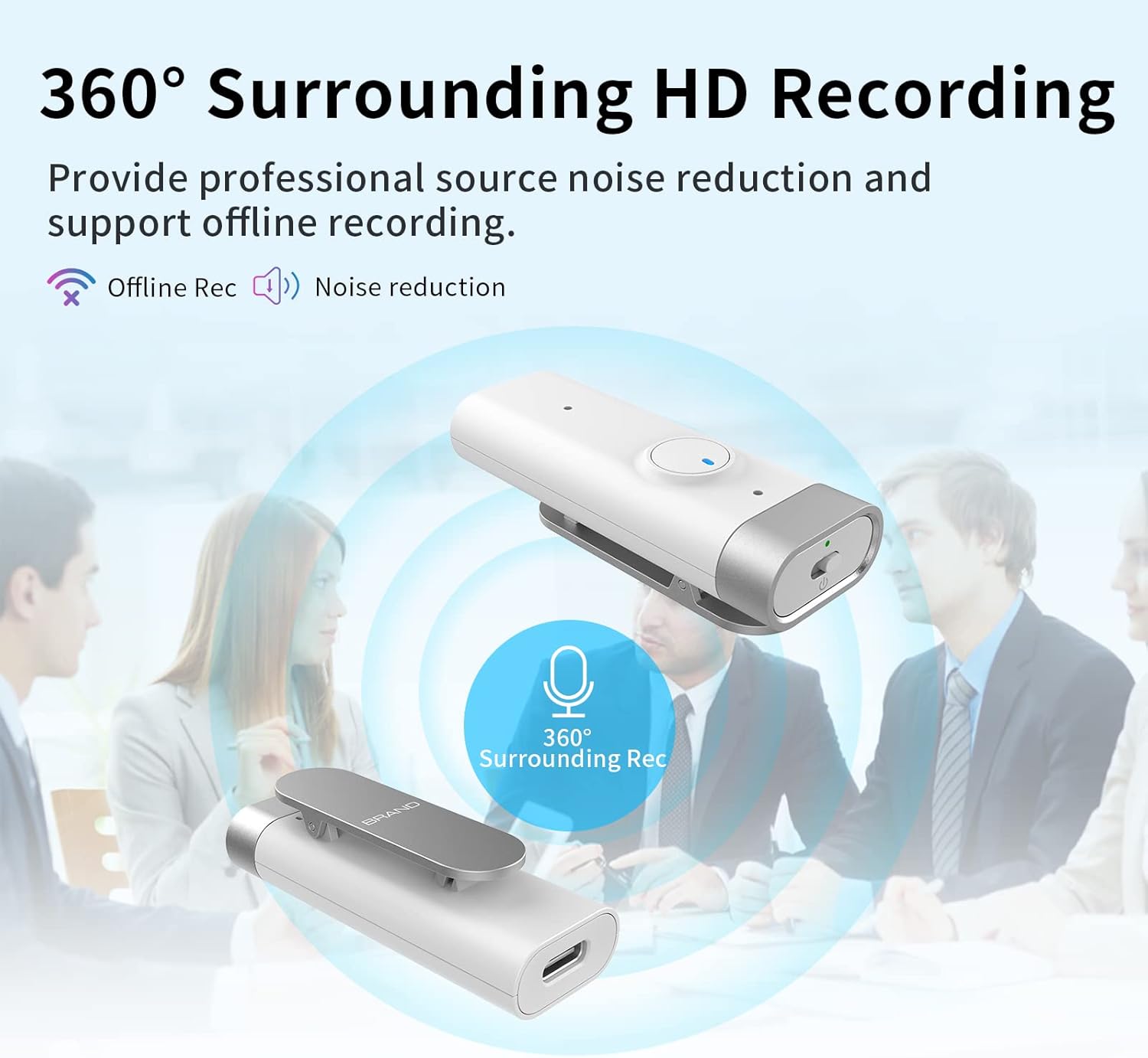
Image: The DOSMONO C201 illustrating its 360-degree surrounding HD recording capability with noise reduction.
2. Voice to Text Transcription
Utilize the app to convert your audio recordings into text with high accuracy.
- Upload Recording: After recording, open the DOSMONO app. Ensure the recorder is connected via Bluetooth. Select the recording you wish to transcribe.
- Initiate Transcription: Within the app, select the voice-to-text option. The app will process the audio, applying local acoustic noise reduction for improved accuracy (up to 98%).
- Review and Edit: Once transcribed, the text will appear in the app. You can review, edit, and correct the text as needed.
- Share: The app supports one-click sharing of transcribed documents with multiple users.

Image: A smartphone screen displaying the DOSMONO app, demonstrating the voice-to-text feature with 98% accuracy and quick publishing time.
3. Translation Function
The DOSMONO C201 offers comprehensive translation features through its app.
- Mutual Translation: Supports 112 languages for two-way conversation translation.
- Simultaneous Interpretation: Provides real-time translation during conversations or presentations.
- Photo Translation: Translate text from images in 55 languages.
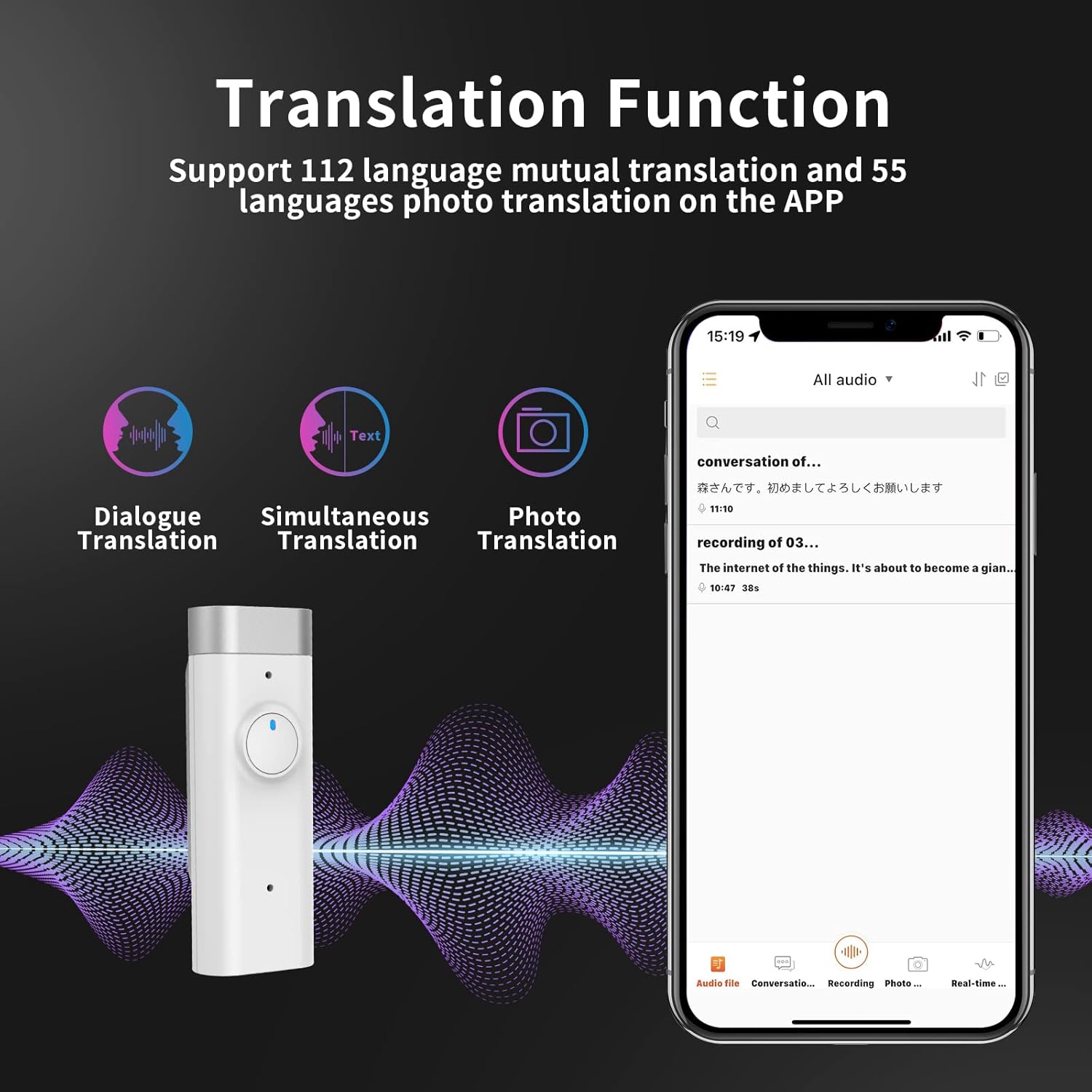
Image: The DOSMONO C201 app interface highlighting the Dialogue Translation, Simultaneous Translation, and Photo Translation functions.

Image: A smartphone screen displaying the app's dialogue translation feature, showing spoken phrases translated between languages.

Image: A smartphone screen showing the app's simultaneous interpretation feature, facilitating real-time communication.

Image: A smartphone screen demonstrating the app's photo translation feature, translating text captured from an image.
4. App Control & File Management
The DOSMONO app provides comprehensive control over your recordings and device settings.
- File Management: Use the app to delete, edit, and transfer recorded audio files.
- Text Optimization: The app automatically optimizes and corrects transcribed text, enhancing accuracy and saving editing time.
- Settings: Adjust recording quality, language preferences, and other device settings directly from the app.
5. Cloud Storage
Your recordings are securely stored and synchronized with the cloud.
- Automatic Backup: Recorded data is automatically backed up to the cloud, providing a secure copy of your important audio.
- Cross-Device Synchronization: Access and synchronize your recordings safely across your mobile phone, computer, and iPad.
- Encryption: Cloud storage utilizes enterprise-level encryption technology to protect your privacy and data security.

Image: A visual representation of the DOSMONO C201's cloud encryption and multi-device synchronization feature.
Maintenance
- Cleaning: Use a soft, dry cloth to clean the device. Do not use liquid cleaners or solvents.
- Storage: Store the device in a cool, dry place away from direct sunlight and extreme temperatures.
- Battery Care: To prolong battery life, avoid fully discharging the battery frequently. Charge the device regularly, even if not in use for extended periods.
- Software Updates: Periodically check the DOSMONO app for firmware updates to ensure optimal performance and access to new features.
Troubleshooting
Device Not Turning On:
- Ensure the device is fully charged. Connect it to a power source and wait a few minutes before attempting to turn it on.
Poor Recording Quality:
- Ensure the microphones are not obstructed.
- Record in a quiet environment to minimize background noise.
- Check recording settings in the app to ensure optimal quality is selected.
App Connection Issues:
- Ensure Bluetooth is enabled on your smartphone and the recorder.
- Make sure the recorder is within range of your smartphone.
- Restart both the recorder and the app.
- If issues persist, try unpairing and re-pairing the device in the app's settings.
Transcription or Translation Inaccuracy:
- Ensure clear audio input for best results. Speak clearly and at a moderate pace.
- Verify that the correct source and target languages are selected in the app.
- Ensure a stable internet connection for cloud-based translation features.
Specifications
| Feature | Detail |
|---|---|
| Brand | DOSMONO |
| Model Number | C201 |
| Internal Memory | 32 GB |
| Cloud Storage Capacity | 100 hours |
| Compatible Devices | Smartphones |
| Hardware Interface | USB, USB 2.0 |
| Microphone Type | Built-in Dual Silicon Microphones |
| Audio Format | WAV 16Bit, OPUS |
| Headphone Jack | 2.5 mm |
| Battery Type | 1 Lithium Polymer Battery (included) |
| Item Weight | 21 grams |
| Bluetooth Version | 5.0 |
| Supported OS (PC) | Windows XP/VISTA/WINDOWS7 and above |
| Supported OS (Phone) | Android 5.0 and above / iOS 9.0 (iPhone 6s) and above |
Warranty and Support
For warranty information and technical support, please refer to the official DOSMONO website or contact their customer service directly. Keep your purchase receipt as proof of purchase for any warranty claims.
