
1. Introduction
Thank you for choosing the Nobsound HiFi Bluetooth 5.0 Tube Power Amplifier. This integrated audio amplifier combines the warm, rich sound of vacuum tubes with modern digital and analog input options, including Bluetooth 5.0, USB, Coaxial, Optical, and RCA. It is designed to deliver high-fidelity audio for your home entertainment system, capable of driving passive speakers and connecting to an active subwoofer for enhanced bass. Please read this manual thoroughly before operation to ensure proper use and longevity of your device.
2. Important Safety Instructions
- Power Source: Ensure the amplifier is connected to a power outlet with the correct voltage (AC 110-120V or 220-240V) as indicated on the unit. Use the provided power cord.
- Ventilation: Do not block any ventilation openings. Allow adequate space around the amplifier for proper airflow to prevent overheating.
- Water and Moisture: Do not expose the amplifier to rain, moisture, dripping, or splashing. Do not place objects filled with liquids, such as vases, on the apparatus.
- Heat Sources: Keep the amplifier away from heat sources such as radiators, heat registers, stoves, or other apparatus (including amplifiers) that produce heat.
- Cleaning: Unplug the amplifier from the wall outlet before cleaning. Use only a dry cloth for cleaning.
- Servicing: Do not attempt to service this product yourself. Refer all servicing to qualified service personnel. Servicing is required when the apparatus has been damaged in any way, such as power-supply cord or plug is damaged, liquid has been spilled or objects have fallen into the apparatus, the apparatus has been exposed to rain or moisture, does not operate normally, or has been dropped.
- Tubes: The vacuum tubes can become very hot during operation. Avoid touching them directly. Allow sufficient time for them to cool down before handling.
3. Package Contents
Please check the package carefully to ensure all items are present and in good condition:
- 1x Nobsound Tube Amplifier (Model DJ525)
- 1x Power Cord
- 1x Remote Control (batteries not included)

Figure 3.1: Contents of the Nobsound Tube Amplifier package, including the amplifier unit, power cable, and remote control.
4. Product Overview
4.1 Front Panel

Figure 4.1: Front panel controls and indicators of the Nobsound amplifier.
- Power Button: Toggles the amplifier on and off.
- U-disk Input: USB port for connecting a USB flash drive for audio playback.
- Play/Pause Button: Controls playback for USB audio.
- Input Select Button: Cycles through available audio inputs (Bluetooth, USB, Coaxial, Optical, RCA).
- Next Song Button: Skips to the next track during USB playback.
- Bass Knob: Adjusts the low-frequency output.
- Treble Knob: Adjusts the high-frequency output.
- Volume Knob: Controls the overall output volume.
- VU Meters: Visual indicators of audio signal levels. Note: VU meters will primarily work with large dynamic music and significant bass effects.
4.2 Rear Panel

Figure 4.2: Rear panel connections and features of the Nobsound amplifier.
- Bluetooth Antenna: For wireless Bluetooth audio reception.
- Optical Input: Digital audio input for devices with optical output.
- Coaxial Input: Digital audio input for devices with coaxial output.
- RCA Inputs (CD/DVD): Two sets of analog RCA inputs for various audio sources.
- Subwoofer Output: RCA output for connecting an active subwoofer to create a 2.1 channel system.
- Speaker Output Terminals: Connect passive speakers (4-16Ω impedance).
- AC Input: Power input for the included power cord.
- Voltage Selector Switch: Selects between 110V and 220V AC input voltage. Ensure this is set correctly for your region before powering on.
- Radiating Fan: Internal cooling fan to maintain optimal operating temperature.
5. Setup
5.1 Initial Preparation
- Unpack the amplifier and all accessories.
- Place the amplifier on a stable, flat surface with adequate ventilation.
- Ensure the voltage selector switch on the rear panel is set to the correct voltage for your region (110V or 220V).
5.2 Connecting Speakers
Connect your passive speakers to the speaker output terminals on the rear panel. Ensure correct polarity (+ to + and - to -) for each speaker. The amplifier supports speakers with an impedance of 4-16Ω.
5.3 Connecting Audio Sources
The amplifier offers multiple input options:
- RCA Inputs: Connect analog audio devices (e.g., CD player, DVD player, turntable with a phono preamp) to the RCA input jacks (CD or DVD).
- Coaxial Input: Connect digital audio devices (e.g., TV, game console) using a coaxial cable.
- Optical Input: Connect digital audio devices (e.g., TV, streaming box) using an optical (Toslink) cable.
- USB Input: Insert a USB flash drive containing MP3/WAV/APE/FLAC/WMA audio files into the U-disk input on the front panel.
- Bluetooth: For wireless connection from Bluetooth-enabled devices (e.g., smartphone, tablet, computer).
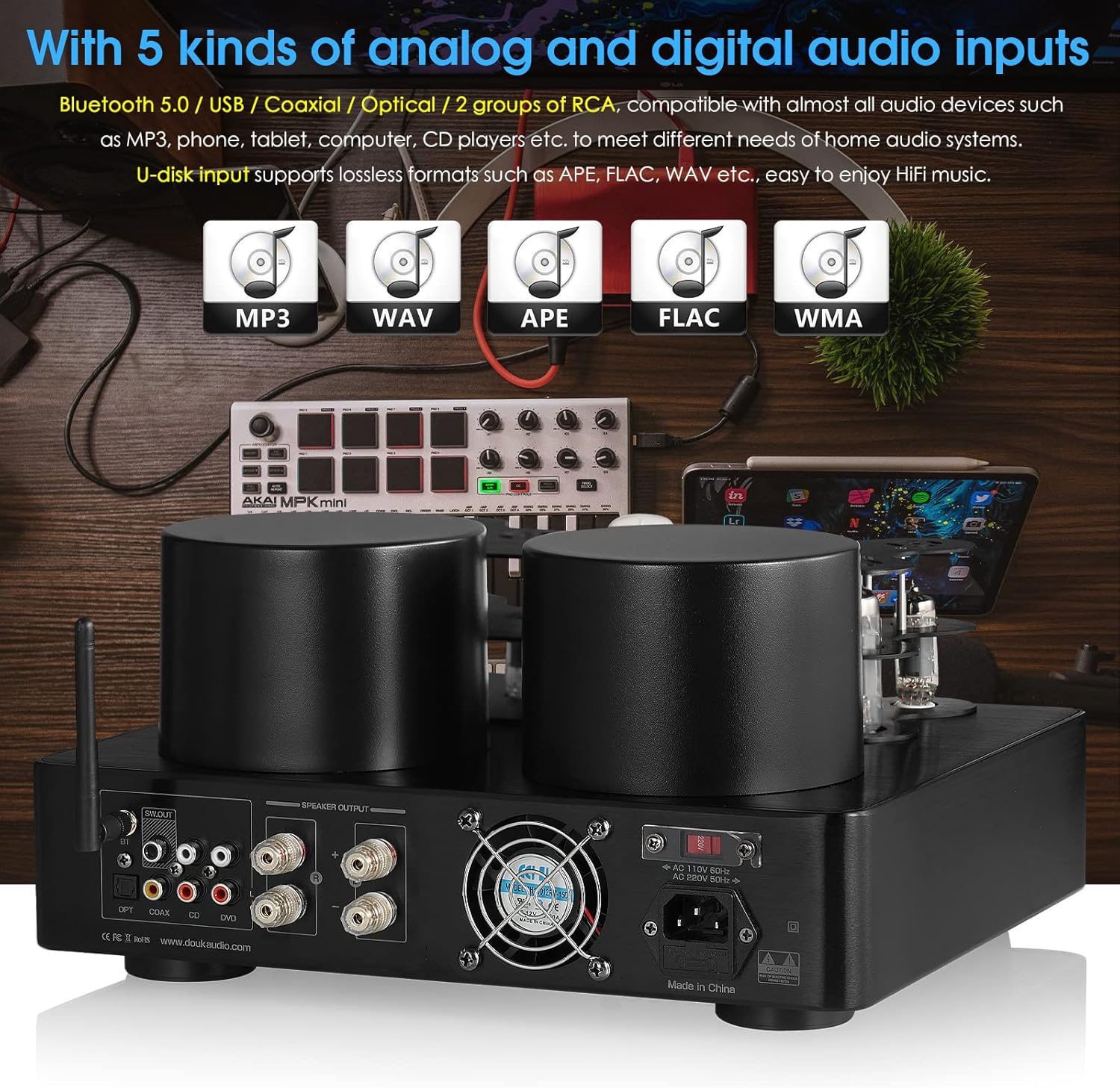
Figure 5.1: Various audio input options and supported formats for the amplifier.
5.4 Connecting an Active Subwoofer (Optional)
To enhance bass, connect an active subwoofer to the dedicated low-frequency output (RCA) on the rear panel. This creates a 2.1 channel audio system.
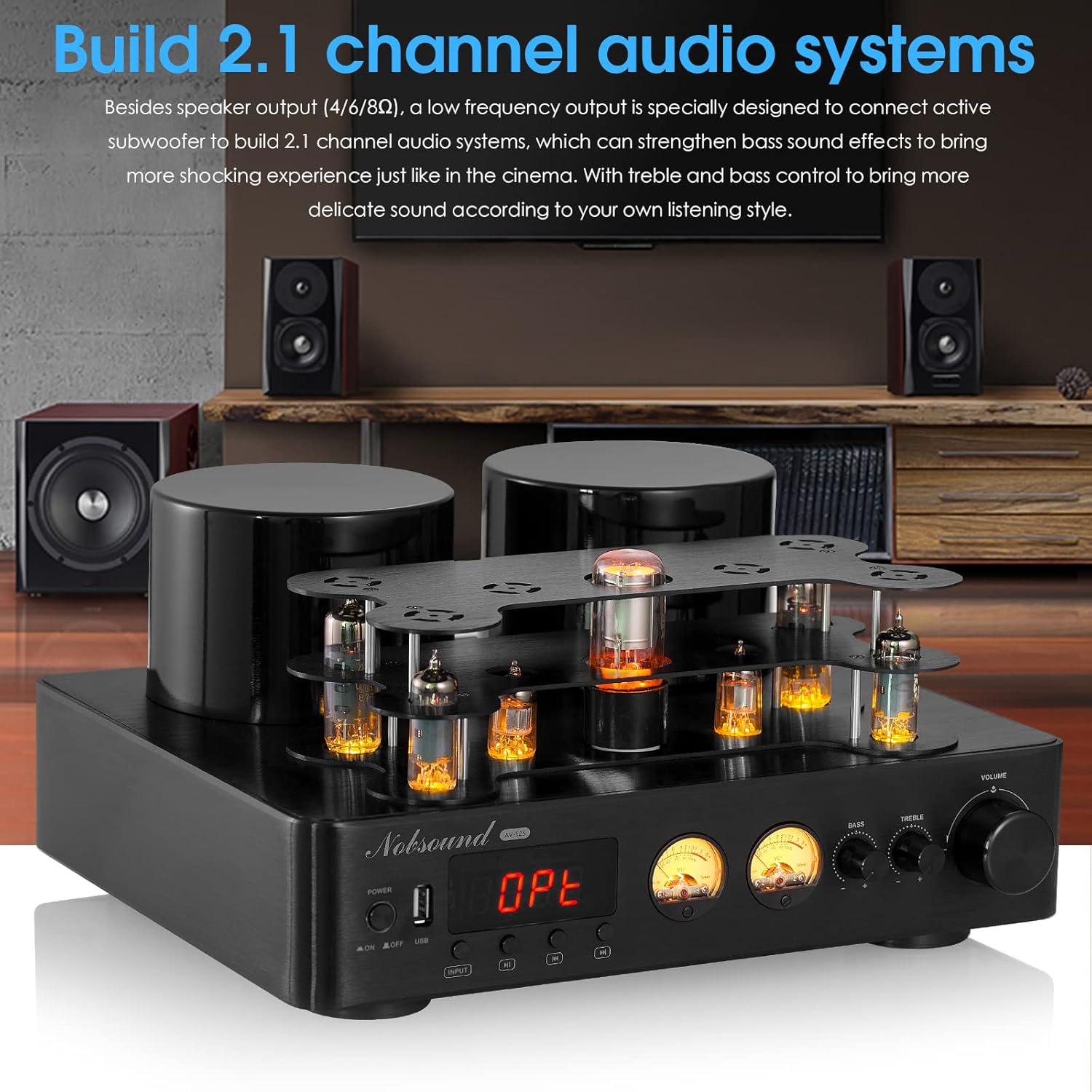
Figure 5.2: Setup for a 2.1 channel audio system with an active subwoofer.
5.5 Power Connection
Once all audio connections are made, connect the provided power cord to the AC input on the rear panel of the amplifier and then to a suitable wall outlet.
6. Operating Instructions
6.1 Power On/Off
Press the Power button on the front panel to turn the amplifier on or off. The display will illuminate when the unit is powered on.
6.2 Input Selection
Press the Input Select button on the front panel or the corresponding input button on the remote control to cycle through the available audio sources: Bluetooth, USB, Coaxial, Optical, RCA (CD), RCA (DVD).
6.3 Volume Control
Rotate the Volume knob on the front panel clockwise to increase volume and counter-clockwise to decrease it. You can also use the volume buttons on the remote control.
6.4 Tone Controls
Use the Bass and Treble knobs on the front panel to adjust the low and high frequencies according to your preference. Rotate clockwise to boost and counter-clockwise to cut.
6.5 USB Playback
Insert a USB flash drive into the U-disk input. The amplifier will automatically switch to USB input. Use the Play/Pause and Next Song buttons on the front panel or remote control to manage playback.
6.6 Bluetooth Pairing
- Select the Bluetooth input on the amplifier. The display will show 'BT'.
- On your Bluetooth-enabled device (e.g., smartphone), search for available Bluetooth devices.
- Select 'Nobsound' or a similar name from the list to pair.
- Once paired, you can stream audio wirelessly to the amplifier.
6.7 Remote Control Usage
The included remote control provides convenient access to power, input selection, volume, and USB playback controls. Ensure batteries are inserted correctly (not included).

Figure 6.1: Nobsound amplifier with its remote control for convenient operation.
7. Maintenance
- Cleaning: Use a soft, dry cloth to wipe the exterior of the amplifier. Do not use liquid cleaners or aerosols.
- Ventilation: Regularly check that the ventilation openings are clear of dust and debris to ensure proper cooling.
- Tube Care: The vacuum tubes have a finite lifespan. While designed for durability, avoid excessive vibration or impact. If a tube fails or sound quality degrades significantly over time, consult qualified personnel for replacement.
- Storage: If storing the amplifier for an extended period, disconnect it from power and store it in a cool, dry place away from direct sunlight and extreme temperatures.
8. Troubleshooting
If you encounter any issues with your amplifier, please refer to the following table for common problems and solutions:
| Problem | Possible Cause | Solution |
|---|---|---|
| No sound output |
|
|
| Distorted sound |
|
|
| Bluetooth connection issues |
|
|
| VU meters not working/moving |
|
|
| USB playback not working |
|
|
9. Specifications
| Parameter | Value |
|---|---|
| Audio Input | Bluetooth / 2 groups of RCA / USB (U-disk) / Coaxial / Optical |
| Audio Output | Speaker Jack / Low Frequency Output (for active subwoofer) |
| U-disk Supported Sampling Rate | 16Bit/48KHz |
| U-disk Supported Formats | MP3/WAV/APE/FLAC/WMA |
| U-disk Max Storage Capacity | 128G |
| Bluetooth Version | 5.0 |
| Output Impedance | 4-16Ω |
| Rated Output Power | 100W+100W @4Ω, 70W+70W @8Ω |
| Frequency Response | 20HZ-20KHZ (±2dB) |
| Power Consumption | 300W |
| Input Impedance | 47KΩ |
| Input Sensitivity | 800mV |
| Treble and Bass Range | ±9dB |
| Signal to Noise Ratio (SNR) | ≥88dB |
| Separation | ≥80dB |
| Total Harmonic Distortion (THD) | 0.1% (1KHz) |
| Dimensions (W*D*H) | 330*315*160mm / 12.99*12.44*6.30in |
| Net Weight | 7.16kg / 15.79lb |
10. Warranty and Support
Nobsound products are designed for reliability and performance. For warranty information and technical support, please refer to the documentation provided with your purchase or visit the official Nobsound website. If you experience any issues that cannot be resolved using the troubleshooting guide, please contact Nobsound customer service for assistance. Please have your model number (DJ525) and purchase details ready when contacting support.