
1. Introduction
Welcome to the instruction manual for your Yahboom Micro:bit Building Block Robot Kit. This kit is designed to introduce users to STEM concepts through hands-on building and programming. It combines building blocks with the BBC Micro:bit V2, allowing for the creation of various robotic models and interactive projects. This manual provides essential information for setup, assembly, programming, operation, and maintenance to ensure a comprehensive and educational experience.

Image: A child engaging with the Yahboom Micro:bit Building Block Robot Kit, demonstrating the interactive and educational nature of the product.
2. Product Overview
The Yahboom Micro:bit Building Block Robot Kit offers a versatile platform for learning and creativity. This standard kit allows for the construction of 16 distinct models, with the advanced version supporting up to 29 models and additional sensor functionalities. The kit integrates with the BBC Micro:bit V2, enabling both graphical and Python programming.
Key Features:
- Micro:bit V2 Integration: Utilizes the BBC Micro:bit V2 development board for control and programming.
- Multiple Models: Build 16 different robotic models with the standard kit, offering diverse learning experiences.
- Programming Support: Compatible with MakeCode graphical programming and Python programming.
- Control Methods: Supports mobile application (MbitAPP) control via Bluetooth and optional Micro:bit handle remote control.
- Durable Materials: Constructed from high-quality, safe ABS plastics.

Image: A visual summary of the kit's capabilities, highlighting the number of models, programming options, and educational support.
3. What's in the Box
The standard kit includes the following components:
- Robotic body components
- Building block parts package
- Super:bit expansion board
- Full-color instruction manual
- Glowing charging cable
- 1 A battery (included)
- Optional: Micro:bit V2 board (if purchased with the kit)
Please verify all components are present upon opening the package. For a detailed visual breakdown of the packing list, refer to the image below.

Image: A comprehensive diagram illustrating the contents of the Superkit standard version, including building blocks, expansion board, and optional Micro:bit.
4. Setup and Assembly
Before beginning assembly, ensure the Micro:bit V2 board (if included or separately acquired) is ready for integration. The kit provides comprehensive course materials and a full-color instruction manual to guide you through the assembly process for various models.
4.1 Micro:bit V2 Board
The Micro:bit V2 is the core control unit for your robot. Familiarize yourself with its features:
- Touchable LOGO
- Built-in microphone
- Built-in speaker
- Upgraded Goldfinger version
- Built-in sleep shutdown mode
- CPU performance improvement

Image: Detailed view of the Micro:bit V2 board, illustrating its various components and functionalities.
4.2 Assembly Process
Follow the step-by-step instructions provided in the included full-color manual and course materials. The kit supports building a variety of models, from basic to advanced, each with unique functions.
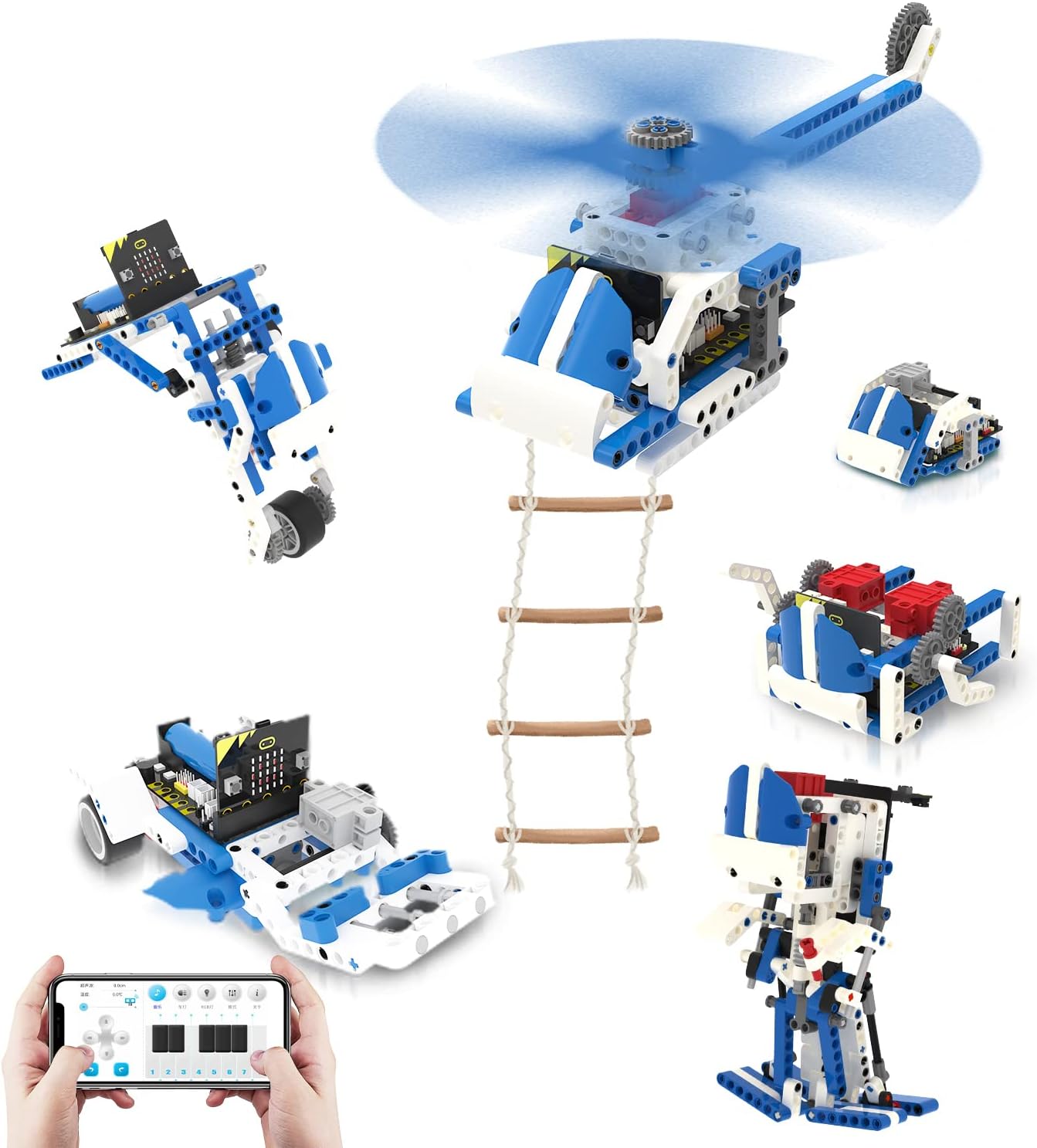
Image: Examples of diverse robot models that can be constructed using the building blocks and Micro:bit.
4.3 Charging Instructions
The robot is equipped with built-in rechargeable batteries. Use the provided glowing charging cable to charge the robot via a standard USB plug, portable power bank, or laptop. A full charge takes approximately 120 minutes and provides about 40 minutes of play time.
5. Programming Methods
The Yahboom Micro:bit Robot Kit supports two primary programming methods, catering to different skill levels:
5.1 Online Graphical Programming (MakeCode)
MakeCode is a visual programming environment that allows users to create programs by dragging and dropping code blocks. This method is ideal for beginners and younger users to understand programming logic without complex syntax.
5.2 Python Programming
For more advanced users or those transitioning from graphical programming, Python offers a powerful text-based coding experience. It is a widely used language and provides greater flexibility for complex projects. This method is suitable for teenagers over 12 years old.
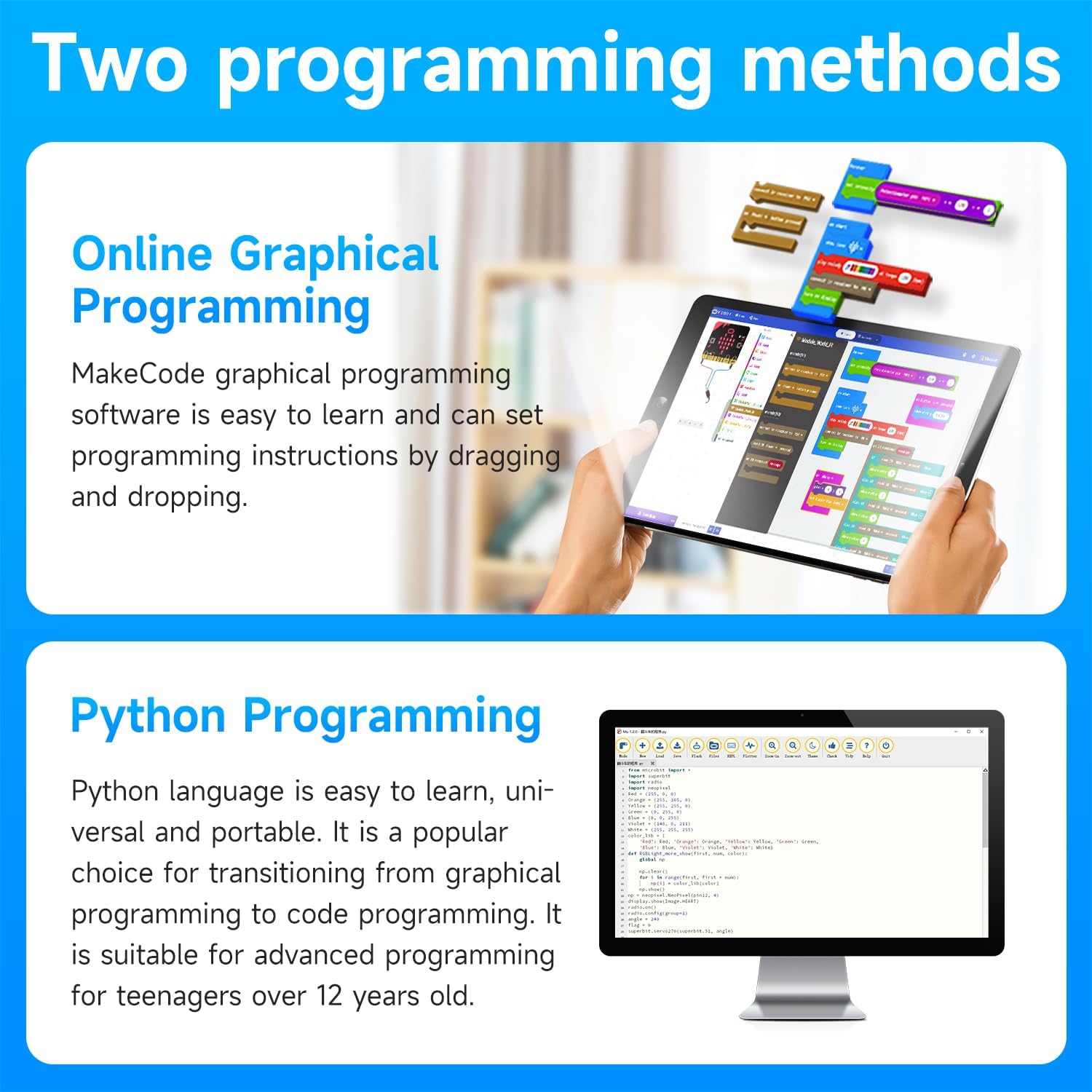
Image: Illustration of the MakeCode graphical programming interface and Python code editor, showing the two available programming options.
6. Control Methods
Once programmed, your robot can be controlled using one of two methods:
6.1 Mobile Application Control (MbitAPP)
The MbitAPP, available for Android and iOS devices, connects to the robot via Bluetooth. It provides a user-friendly interface for remote control, path mode, voice control, gravity sensor control, and STEM programming functionalities. This allows for intuitive manipulation of the robot's movements and expressions.
6.2 Micro:bit Handle Remote Control (Optional)
Certain basic building block models can also be controlled using an optional Micro:bit handle remote control. This provides a physical, tactile control experience.
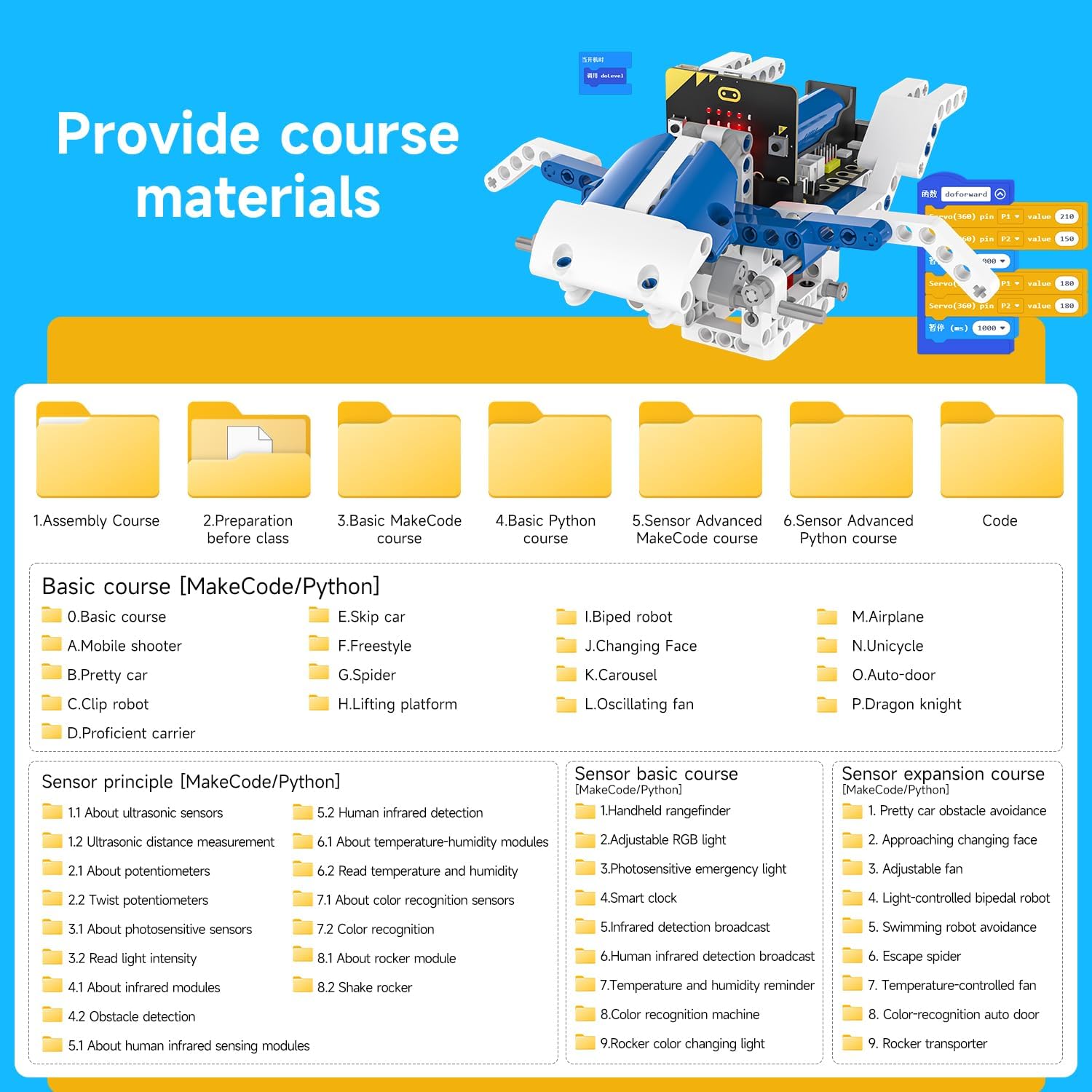
Image: Demonstrating control via the mobile application and an optional Micro:bit-based physical remote.
7. Operation
After successful assembly and programming, you can operate your robot. The remote-controlled robots are designed for movement in all directions (left, right, front, back) and 360-degree stunt rotations on smooth, flat surfaces. The robot's joints, including the head, shoulders, arms, elbows, tracks, and eyebrows, can be programmed for various movements and expressive actions.

Image: A child enjoying the operation of a 'Skip car' model, showcasing the interactive play aspect.
8. Maintenance
Proper maintenance ensures the longevity and optimal performance of your Yahboom Micro:bit Robot Kit.
8.1 Cleaning
To clean the building blocks and electronic components, use a soft, dry cloth. Avoid using water or chemical cleaners, as these can damage the electronic parts. Ensure the robot is powered off before cleaning.
8.2 Battery Care
Recharge the robot's internal battery as instructed in Section 4.3. For long-term storage, it is recommended to charge the battery to approximately 50% and store the robot in a cool, dry place. Avoid fully discharging the battery for extended periods.
9. Troubleshooting
If you encounter issues with your Yahboom Micro:bit Robot Kit, consider the following troubleshooting steps:
- Programming Download Errors: If you experience issues downloading programs to the Micro:bit (e.g., 504 errors), ensure your Micro:bit firmware is up to date. Search online for "Micro:bit firmware update" for instructions.
- Bluetooth Connection Issues: Verify that Bluetooth is enabled on your mobile device and that the robot is powered on and within range. Restart both the robot and your mobile device if connection problems persist.
- Robot Not Responding: Check battery levels and ensure the robot is fully charged. Verify all connections between the Micro:bit, expansion board, motors, and sensors are secure.
- Incorrect Movement: Review your programming code for logical errors. Ensure motors are connected to the correct ports as specified in your assembly instructions.
For further assistance, refer to the detailed course materials or contact Yahboom customer support.

Image: A visual representation of the comprehensive course materials available to assist with assembly, programming, and understanding sensor principles.
10. Specifications
| Attribute | Detail |
|---|---|
| Product Name | Buildingbit Superkit programmable building block kit |
| Model Number | buiding super kit 1.0 |
| Master Control | Micro:bit |
| Programming Language | MakeCode graphical programming / Python programming |
| Applicable Age | 8+ (Manufacturer recommended age: 20 years and up, but product description indicates 10+ for STEM projects) |
| Product Dimensions | 11.3 x 8 x 2.6 inches |
| Item Weight | 2.81 pounds |
| Battery Type | 18650 rechargeable lithium battery (1 A battery included) |
| Battery Capacity | 3.7V/1200mAh |
| Battery Working Time | 120 minutes charge for 40 minutes play |
| Product Material | ABS |
| Working Temperature | 4-40°C |
| Number of Building Blocks | Standard version: 358 blocks |
| Remote Control Method | BT APP/WIFI image transmission APP/Micro:bit handle |

Image: A table summarizing the technical specifications and features of the product.
11. Warranty and Support
For warranty information, technical support, or inquiries regarding your Yahboom Micro:bit Building Block Robot Kit, please refer to the contact details provided in your product packaging or visit the official Yahboom website. Yahboom aims to provide complete after-sales service support.


