
1. Important Safety Information
Please read all instructions carefully before using the GYMAX Folding Treadmill. Retain this manual for future reference. Failure to follow these safety guidelines may result in injury or damage to the product.
- Ensure the treadmill is placed on a flat, stable surface.
- Keep children and pets away from the treadmill during operation.
- Always attach the safety key clip to your clothing before starting the treadmill.
- Do not operate the treadmill if it is damaged or malfunctioning.
- Consult a physician before starting any new exercise program.
- Maximum user weight: 265 Pounds.
2. Package Contents
Verify that all components are present in the package:
- Treadmill Unit
- Silicone Oil (for lubrication)
- Instruction Manual
3. Setup and Assembly
The GYMAX Folding Treadmill is designed for free installation, requiring minimal assembly. Follow these steps for quick setup:

Figure 3.1: Unfolding the treadmill for use. The design allows for quick transition from storage to workout readiness.
- Carefully remove the treadmill from its packaging.
- Place the treadmill on a flat, level surface.
- Unfold the treadmill by lifting the console and securing the uprights into position. Ensure all locking mechanisms are engaged.
- Connect the power cord to a grounded outlet.
- Adjust the foot pads at the bottom if necessary to ensure stability on uneven surfaces.

Figure 3.2: The treadmill's dimensions in both unfolded and folded states, highlighting its compact design for space-saving storage.
The treadmill features a self-standing design and built-in transport wheels for easy movement and storage. When not in use, it can be folded to a compact size of 57.5" (L) x 29.7" (W) x 8.1" (H).
4. Operating Instructions
Familiarize yourself with the control panel and various operating modes to maximize your workout experience.
4.1 Control Panel and Display

Figure 4.1: The multifunctional LCD control panel provides real-time feedback on your exercise data, including calories, distance, time, speed, and heart rate.
- The LCD monitor displays key metrics such as time, distance, calories burned, speed, and heart rate.
- Heart rate sensors are integrated into both handrails. Grip them firmly to monitor your heart rate during your workout.
- The console includes multiple device holders suitable for various phone sizes, allowing for entertainment during exercise.
4.2 Smart App Control & Bluetooth Speaker

Figure 4.2: Connect your treadmill to the GYMAX App via Bluetooth for enhanced control and data tracking. The built-in Bluetooth speaker allows for audio playback.
- Download the GYMAX App to connect your smartphone or tablet to the treadmill via Bluetooth.
- Through the app, you can track exercise data, access professional workout courses, and share your progress.
- Utilize the built-in Bluetooth speaker for an immersive audio experience during your workout.
4.3 Exercise Modes and Programs
The treadmill offers a variety of programs to suit different fitness levels and goals:
- 12 Preset Programs: These pre-designed programs offer varied intensity and duration to challenge your fitness.
- 3 User-Defined Programs: Customize your own workout routines based on time, distance, or calorie consumption.
- 3 Personalized Modes: Manual Mode, Countdown Mode, and Auto-Program Mode provide flexibility in how you start and manage your workout.

Figure 4.3: Visual representation of the 12 preset programs, offering diverse workout profiles.

Figure 4.4: Detailed steps for setting up your own user-defined programs, allowing for personalized training sessions.
4.4 Emergency Safety Key

Figure 4.5: The red emergency safety key is crucial for safe operation. Always attach it to your clothing before starting your workout.
The treadmill is equipped with an emergency safety key. In case of an emergency or if you need to stop the treadmill quickly, pull the safety key from its slot. This will immediately stop the running belt.
4.5 Official Product Video
Video 4.1: This official GYMAX video demonstrates the treadmill's quick unfolding and folding, powerful motor, shock-absorbing features, smart app control, and various exercise modes. It highlights the ease of use and compact storage.
5. Maintenance
Regular maintenance ensures the longevity and optimal performance of your GYMAX Folding Treadmill.
- Cleaning: Wipe down the treadmill after each use with a damp cloth to remove sweat and dust. Avoid using abrasive cleaners.
- Lubrication: The running belt requires periodic lubrication with silicone oil to reduce friction and extend its lifespan. Refer to the specific instructions provided with the silicone oil for frequency and application.
- Belt Adjustment: Periodically check the tension and alignment of the running belt. Adjust as needed to prevent slipping or excessive wear.
- Storage: When not in use for extended periods, fold the treadmill and store it in a dry, cool place away from direct sunlight.
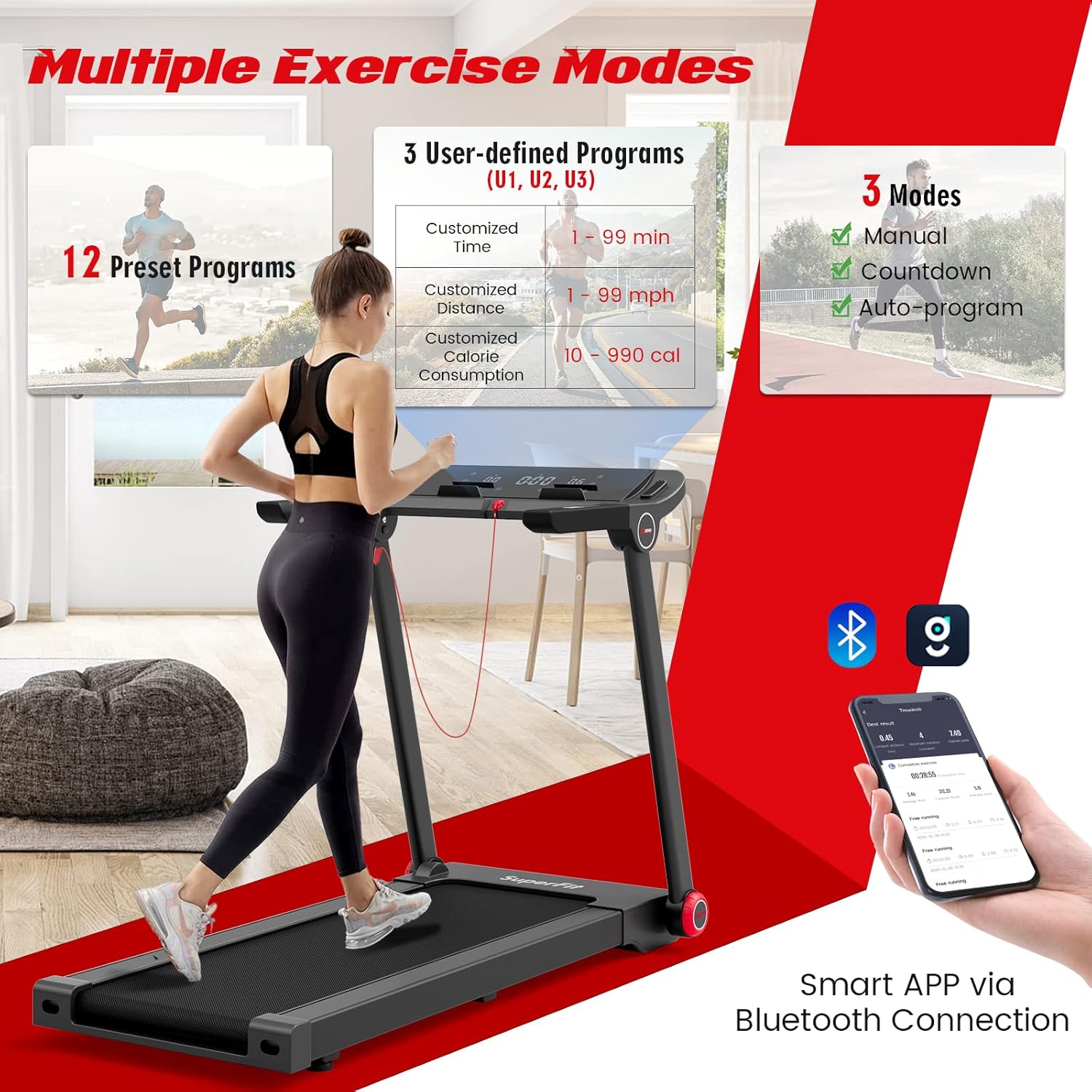
Figure 5.1: The 5-layer elastic cushioning belt is designed for wear-resistance, anti-slip properties, and shock absorption, protecting your joints during workouts.
6. Troubleshooting
If you encounter any issues with your treadmill, refer to the common problems and solutions below. If the problem persists, contact customer support.
| Problem | Possible Cause | Solution |
|---|---|---|
| Treadmill does not start | Power cord not plugged in; Safety key not in place; Power switch off. | Ensure power cord is securely plugged in; Insert the safety key; Turn on the power switch. |
| Running belt slips | Belt too loose; Belt needs lubrication. | Adjust belt tension according to instructions; Apply silicone oil to the belt. |
| Unusual noise during operation | Loose parts; Motor issue; Belt friction. | Check for loose screws and tighten; Lubricate the belt; If noise persists, contact customer support. |
| Display not working | Loose connection; Power issue. | Check all connections; Ensure stable power supply. |
7. Product Specifications
Detailed technical specifications for the GYMAX Folding Treadmill:
| Feature | Detail |
|---|---|
| Brand | GYMAX |
| Model Name | Folding Treadmill |
| Motor Horsepower | 3.75 HP |
| Speed Range | 0.6 - 9 Miles per Hour |
| Product Dimensions (Unfolded) | 57.5"D x 29.7"W x 42.3"H |
| Folded Size | 57.5"L x 29.7"W x 8.1"H |
| Running Area (L x W) | 47.2" x 17.3" |
| Item Weight | 100 Pounds |
| Maximum Weight Recommendation | 265 Pounds |
| Material | Acrylonitrile Butadiene Styrene (ABS), Alloy Steel, Silicone |
| Display Type | LCD |
| Number of Programs | 12 Preset Programs |
| Connectivity Technology | Bluetooth |
| Special Features | Built-In Speaker, Compact Design, Foldable, Heart Rate Monitor, Shock Absorbent |
8. Warranty and Customer Support
The GYMAX Folding Treadmill comes with a warranty for adult use. For specific warranty details, please refer to the documentation included with your purchase or contact GYMAX customer support.
For any questions, technical assistance, or warranty claims, please contact GYMAX customer support. You can typically find contact information on the product packaging, the official GYMAX website, or through your retailer.
GYMAX is committed to providing affordable products with high quality and helping customers access better products simply at home.


