
Stealth Cam Fusion X-Pro
Contents
Stealth Cam Fusion X-Pro 36MP Dual Carrier Hunting Trail Camera User Manual
Model: Fusion X-Pro | Brand: Stealth Cam
1. Introduction
The Stealth Cam Fusion X-Pro is an advanced cellular trail camera designed for outdoor surveillance and wildlife monitoring. This model features enhanced cellular connectivity, high-resolution imaging, and remote control capabilities through the Stealth Cam Command Pro app. It is engineered to provide reliable performance in various outdoor conditions.
Key Features:
- 36MP Imaging: Capture high-resolution still images.
- 720P HD Video with Audio: Record clear video footage with sound.
- Dual Carrier Support: Automatic network selection between AT&T and Verizon for optimal signal strength.
- 80-Foot Detection & Flash Range: Wide coverage for motion detection and nighttime illumination.
- 0.4 Second Trigger Speed: Rapid response to capture fast-moving subjects.
- On-Demand Photo & Video: Remotely trigger image or video capture via the Command Pro app.
- Stealth Cam Command Pro App: Full remote control and monitoring capabilities.
2. Setup
2.1 Unboxing and Initial Inspection
Carefully remove all components from the packaging. Verify that all items are present:
- Stealth Cam Fusion X-Pro Trail Camera
- Mounting Strap
- Antenna
- User Manual (this document)
Inspect the camera for any visible damage. If any components are missing or damaged, contact customer support.
2.2 Battery Installation
The Fusion X-Pro requires 8 AA batteries (not included). For optimal performance and extended battery life, it is recommended to use high-quality alkaline or lithium batteries. Rechargeable batteries are not recommended due to potential power inconsistencies.
- Open the camera's main latch and swing open the front cover.
- Locate the battery compartment.
- Insert 8 AA batteries, ensuring correct polarity (+/-) as indicated inside the compartment.
- Close the battery compartment securely.

Image: The internal view of the Stealth Cam Fusion X-Pro with the battery compartment open, showing the slots for AA batteries and status indicators.
2.3 SD Card Installation
A Class 10 SD card (up to 32GB) is required for storing photos and videos. Ensure the SD card is formatted before first use.
- With the camera open, locate the SD card slot.
- Insert the SD card with the label facing up until it clicks into place.
- To remove, press the card in until it clicks, then release.

Image: A close-up view of the Stealth Cam Fusion X-Pro's interior, highlighting the SD card slot and QR code for app setup.
2.4 Antenna Attachment
Screw the provided antenna onto the antenna port located on the top of the camera. Ensure it is finger-tight for optimal signal reception.
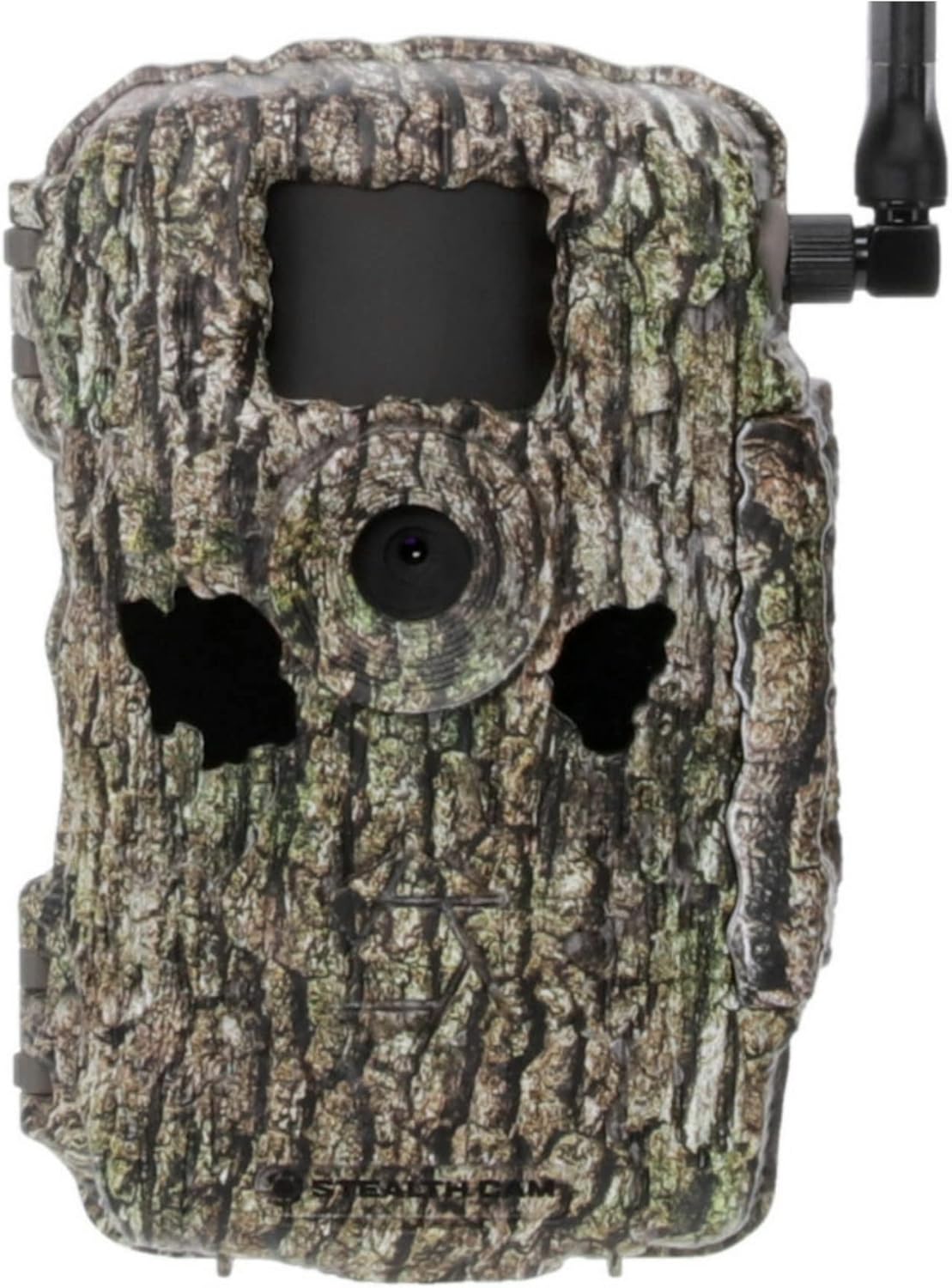
Image: Front view of the Stealth Cam Fusion X-Pro trail camera in treebark camo, with the antenna attached.
2.5 App Download and Camera Activation
Download the Stealth Cam Command Pro app from your device's app store. Follow the in-app instructions to create an account and activate your camera using the QR code located inside the camera's cover.
The app allows for remote control and monitoring of your camera.
3. Operating Instructions
3.1 Powering On/Off
Locate the ON/OFF switch inside the camera. Switch to 'ON' to power on the camera. The status LEDs will illuminate to indicate battery, network, and account status.
Image: The internal display and control buttons of the Stealth Cam Fusion X-Pro, showing status indicators for battery, network, and account.
3.2 Basic Camera Modes
The Fusion X-Pro supports various modes configurable via the Command Pro app:
- Photo Mode: Captures still images. Resolutions include 36MP, 16MP, 8MP, and 4MP.
- Video Mode: Records 720P HD video with audio.
- Photo Burst: Captures multiple photos in quick succession (up to 6 photos per burst).
3.3 Remote Control via Command Pro App
The Command Pro app provides comprehensive remote control:
- Change Settings: Adjust photo/video resolution, burst settings, PIR delay, and operating hours.
- On-Demand Capture: Request immediate photos or videos from the camera.
- View Gallery: Access and manage captured images and videos.
- Photo Tracker: Analyze activity patterns based on time, weather, and history.
- Camera Map: View the camera's location.
- Automatic Photo Tagging: AI-powered recognition for animals (buck, doe, turkey, hog, human, canine).
Video: An overview of the Stealth Cam Fusion MAX cellular trail camera, demonstrating its features including battery life, resolution options, trigger speed, and remote control via the Command Pro app. This video highlights the ease of setup and monitoring for outdoor surveillance.
4. Advanced Features
4.1 Dual Carrier Automatic Network Coverage
The Fusion X-Pro automatically monitors AT&T and Verizon signal strengths and selects the strongest available network. This feature ensures consistent and uninterrupted communication, especially in remote areas with variable cellular service.
4.2 On-Demand Photo and Video Capture
Utilize the Command Pro app to send a command to your camera, initiating immediate photo or video capture. This allows for real-time scouting and monitoring without disturbing the area.
4.3 High-Resolution Imaging and Video
With 36MP photo resolution and 720P HD video with audio, the camera captures clear and detailed media. The 80-foot detection and flash range ensures comprehensive coverage day and night.
4.4 Fast Trigger Speed and Burst Mode
A 0.4-second trigger speed minimizes missed opportunities, capturing subjects quickly. The photo burst feature allows for up to 6 consecutive photos, providing a sequence of events.
5. Maintenance
5.1 Battery Management
Regularly check battery levels via the Command Pro app. Replace AA batteries when low. Consider external power solutions like solar panels or rechargeable lithium-ion battery packs for extended field deployment and reduced maintenance trips.

Image: The Stealth Cam Fusion X-Pro trail camera shown with its mounting strap and an external battery pack, illustrating power options.
5.2 SD Card Management
Format the SD card periodically to maintain optimal performance and prevent data corruption. Ensure sufficient storage space is available, especially when recording videos or high-resolution images.
5.3 Cleaning and Storage
Wipe the camera lens and PIR sensor with a soft, lint-free cloth to ensure clear images and accurate detection. Store the camera in a cool, dry place when not in use, with batteries removed.
6. Troubleshooting
6.1 No Power
- Check battery polarity and ensure batteries are fresh.
- Verify the ON/OFF switch is in the 'ON' position.
6.2 No Cellular Signal
- Ensure the antenna is securely attached.
- Relocate the camera to an area with better cellular coverage. The dual carrier feature should automatically select the best available network.
- Check your data plan status via the Command Pro app.
6.3 Poor Image/Video Quality
- Clean the camera lens.
- Ensure the camera is mounted securely to prevent movement.
- Adjust photo/video resolution settings in the app to a higher quality.
- Verify the flash range is adequate for nighttime shots.
6.4 Camera Not Triggering
- Check the PIR delay setting in the app; a longer delay may miss events.
- Ensure the camera's detection zone is clear of obstructions.
- Verify the camera is positioned correctly to capture movement within its 80-foot detection range.
7. Specifications
| Feature | Specification |
|---|---|
| Model Name | Stealth Cam Fusion X-Pro |
| Image Resolution | 36MP / 16MP / 8MP / 4MP |
| Video Resolution | 720p HD with Audio |
| Trigger Speed | 0.4 seconds |
| Detection Range | 80 feet |
| Flash Range | 80 feet |
| Cellular Connectivity | Dual Carrier (AT&T & Verizon) Automatic Network Coverage |
| Power Source | 8 AA Batteries (not included), External 12V DC input compatible |
| Memory Card Support | SD Card up to 32GB (Class 10 recommended) |
| Control Method | Stealth Cam Command Pro App |
| Dimensions (L x W x H) | 7.4 x 5.4 x 3.2 inches |
| Weight | 15 ounces (without batteries) |
| Material | Camouflage housing |
| IP Rating | IP65 (Dust tight and protected against water jets) |
| UPC | 813628009016 |
8. Warranty Information
Stealth Cam products are covered by a limited warranty against defects in materials and workmanship. The specific warranty period and terms may vary. Please refer to the official Stealth Cam website or contact customer support for detailed warranty information and registration procedures.
9. Customer Support
For technical assistance, troubleshooting, or general inquiries, please visit the official Stealth Cam website or contact their customer support team. Online resources, FAQs, and contact information are typically available on the manufacturer's website.
Website: www.stealthcam.com
Ask a question about this manual
Ask about setup, troubleshooting, compatibility, parts, safety, or missing instructions. Manuals+ will review the question and use this page’s manual context to help answer it.