
1. Safety Information
Operating an electric scooter carries inherent risks. To ensure your safety and the safety of others, please read and understand all instructions before riding. Always wear a helmet and appropriate protective gear. Observe local traffic laws and regulations.
- Always wear a certified helmet and other protective gear (knee pads, elbow pads).
- Do not ride in wet conditions, on slippery surfaces, or in heavy rain.
- Ensure the scooter is fully charged and all components are securely fastened before each ride.
- Maintain a safe distance from other vehicles and pedestrians.
- Avoid riding on steep inclines or declines that exceed the scooter's capabilities.
- Do not perform stunts or sudden maneuvers.
- The maximum weight capacity for this scooter is 120 Kilograms. Do not exceed this limit.
- This scooter is designed for adult use.

Image: Always prioritize safety by wearing a helmet and appropriate gear when operating the Ocean Drive X9 Max electric scooter.
2. Product Overview
The Ocean Drive X9 Max is a high-performance electric scooter designed for urban commuting and leisure. It features a robust metal frame, 10-inch rubber wheels, and a powerful 500W motor, offering a comfortable ride and a range of up to 65 km.
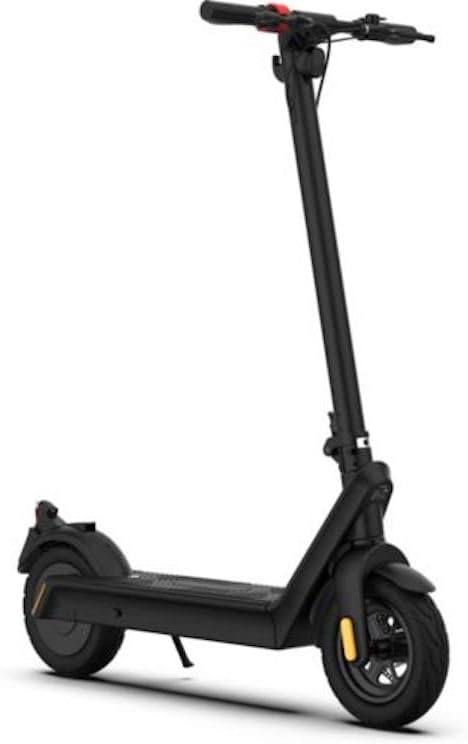
Image: The Ocean Drive X9 Max electric scooter, showcasing its sleek design and upright riding position.
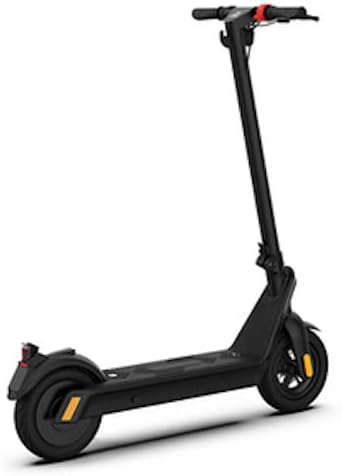
Image: Side view of the Ocean Drive X9 Max, illustrating its overall structure and rear components.
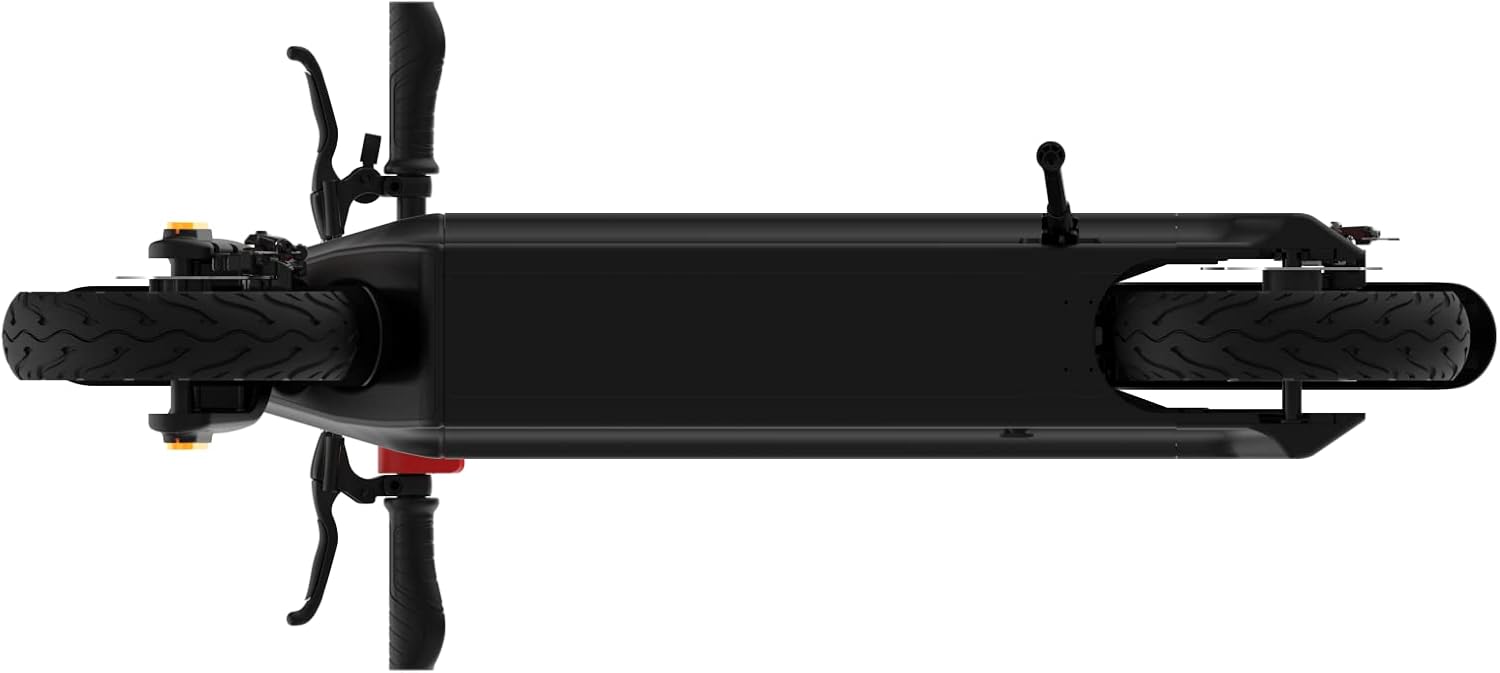
Image: Top-down perspective of the Ocean Drive X9 Max, providing a clear view of the deck and wheel placement.
2.1 Key Components
- Handlebars: Equipped with grips, brake levers, throttle, and display.
- Stem: Connects the handlebars to the deck, includes folding mechanism.
- Deck: Foot platform, houses the battery.
- Wheels: 10-inch rubber wheels for improved shock absorption.
- Brakes: Rear braking system for effective stopping power.
- Motor: Integrated 500W motor for powerful acceleration.
- Charging Port: Located on the deck for convenient charging.
3. Setup and Initial Preparation
3.1 Unboxing and Assembly
Carefully remove all components from the packaging. The package includes the scooter, charger, and this manual. Some minor assembly may be required, typically involving attaching the handlebars to the stem.
- Lift the scooter out of the box.
- Unfold the stem until it locks securely into place. Ensure the locking mechanism is fully engaged.
- Attach the handlebars to the stem, ensuring all cables are properly connected and not pinched. Secure with provided screws.
- Check that all screws and bolts are tightened before first use.
3.2 Initial Charging
Before your first ride, fully charge the scooter's battery. This helps to prolong battery life and ensures optimal performance.
- Locate the charging port on the scooter.
- Connect the charger to the scooter's charging port, then plug the charger into a standard wall outlet.
- The charging indicator light on the charger will typically change color (e.g., red to green) when charging is complete.
- Charging time may vary, but typically takes several hours for a full charge.
4. Operating Instructions
4.1 Powering On/Off
- To power on: Press and hold the power button on the display until the screen illuminates.
- To power off: Press and hold the power button again until the display turns off.
4.2 Riding the Scooter
- Place one foot firmly on the deck.
- Use your other foot to push off the ground to gain initial momentum.
- Once moving, gently press the throttle lever to engage the motor.
- Place your second foot on the deck.
- Maintain balance and steer by leaning and turning the handlebars.
4.3 Braking
The Ocean Drive X9 Max is equipped with a rear braking system.
- To slow down or stop, gently squeeze the brake lever on the handlebars.
- Apply brakes smoothly to avoid sudden stops, especially at higher speeds.
4.4 Folding and Storage
The scooter features a convenient folding mechanism for easy transport and storage.

Image: The Ocean Drive X9 Max in its folded state, ready for compact storage or transport.
- Ensure the scooter is powered off.
- Locate the folding latch or lever on the stem.
- Engage the folding mechanism according to the specific design (refer to visual cues on the scooter).
- Fold the stem downwards until it clicks into place, securing it to the rear fender or a designated hook.
- To unfold, release the latch and raise the stem until it locks upright.
5. Maintenance
Regular maintenance ensures the longevity and safe operation of your Ocean Drive X9 Max scooter.
5.1 Cleaning
- Wipe the scooter with a damp cloth after each use to remove dirt and dust.
- Do not use high-pressure water jets or immerse the scooter in water.
- Avoid using abrasive cleaners or solvents that could damage the finish.
5.2 Tire Pressure
- Check tire pressure regularly. Proper inflation is crucial for ride quality, range, and tire longevity.
- Refer to the tire sidewall for recommended pressure (usually in PSI or Bar).
5.3 Battery Care
- Charge the battery fully before long periods of storage.
- If storing for extended periods, charge the battery to approximately 50-70% every 1-2 months.
- Avoid completely draining the battery or leaving it uncharged for long durations.
- Use only the original charger provided with the scooter.
5.4 General Checks
- Regularly inspect all bolts and screws for tightness.
- Check brake functionality and adjust if necessary.
- Ensure the folding mechanism operates smoothly and locks securely.
6. Troubleshooting
This section addresses common issues you might encounter with your Ocean Drive X9 Max scooter.
| Problem | Possible Cause | Solution |
|---|---|---|
| Scooter does not power on. | Low battery; loose connections; faulty power button. | Charge the battery fully. Check all cable connections. If problem persists, contact support. |
| Motor not engaging or weak power. | Low battery; throttle issue; motor fault. | Ensure battery is charged. Check throttle for damage. Contact support if motor issues persist. |
| Brakes are not effective. | Brake cable loose; worn brake pads. | Adjust brake cable tension. Inspect and replace brake pads if worn. |
| Reduced range or battery life. | Under-inflated tires; cold weather; aggressive riding; aging battery. | Check and inflate tires to recommended pressure. Ride conservatively. Battery degradation is normal over time. |
| Unusual noises during operation. | Loose components; debris in wheels; motor issue. | Inspect all parts for looseness. Check wheels for obstructions. Contact support if noise persists. |
7. Specifications
Detailed technical specifications for the Ocean Drive X9 Max electric scooter.
| Feature | Detail |
|---|---|
| Model Name | X9 Max |
| Brand | OCEAN DRIVE |
| Motor Power | 500W |
| Max Speed | 25 km/h |
| Max Range | 65 km |
| Wheel Size | 10 inches |
| Wheel Material | Rubber |
| Frame Material | Alloy Steel (Metal) |
| Braking System | Rear braking |
| Suspension | Air suspension |
| Max Load Capacity | 120 Kilograms |
| Product Weight | 26 Kilograms |
| Color | Noir (Black) |
| Included Components | Scooter, Charger, User Manual |
8. Warranty and Support
For warranty information and customer support, please refer to the documentation provided at the time of purchase or contact Ocean Drive customer service directly.
- Warranty Coverage: Typically covers manufacturing defects for a specified period. Wear and tear items (e.g., tires, brake pads) and damage from misuse are usually excluded.
- Customer Service: For technical assistance, spare parts, or warranty claims, please visit the official Ocean Drive website or contact their support team using the contact details provided with your purchase.
- Proof of Purchase: Always retain your proof of purchase for warranty claims.


