
Introduction
This manual provides instructions for the Bozdyru Air Purifier Filter, designed as a replacement for the Zigma Aerio-300 Air Purifier. This filter is a 3-in-1 combined unit, featuring a True HEPA filter, an Activated Carbon filter, and a Pre-filter, working together to enhance air quality.
Regular replacement of your air purifier filter is crucial for maintaining optimal performance and ensuring clean air in your environment.
Product Overview
The Bozdyru Air Purifier Filter is engineered to capture various airborne particles and odors. It consists of multiple layers for comprehensive filtration.

Image: Front view of the Bozdyru Air Purifier Filter, showing the white HEPA filter layer.

Image: Diagram illustrating the three stages of filtration: Activated Carbon Filter, True HEPA Filter, and Pre-Filter.
Filter Components:
- Pre-filter: Captures larger particles such as dust, lint, and pet hair.
- True HEPA Filter: Traps 99.97% of airborne particles as small as 0.3 microns, including pollen, pet dander, and smoke.
- Activated Carbon Filter: Absorbs odors from cooking, pets, and smoke, as well as volatile organic compounds (VOCs).
Setup and Installation
The Bozdyru Air Purifier Filter is designed for easy installation without the need for special tools. Ensure your Zigma Aerio-300 Air Purifier is unplugged before proceeding.
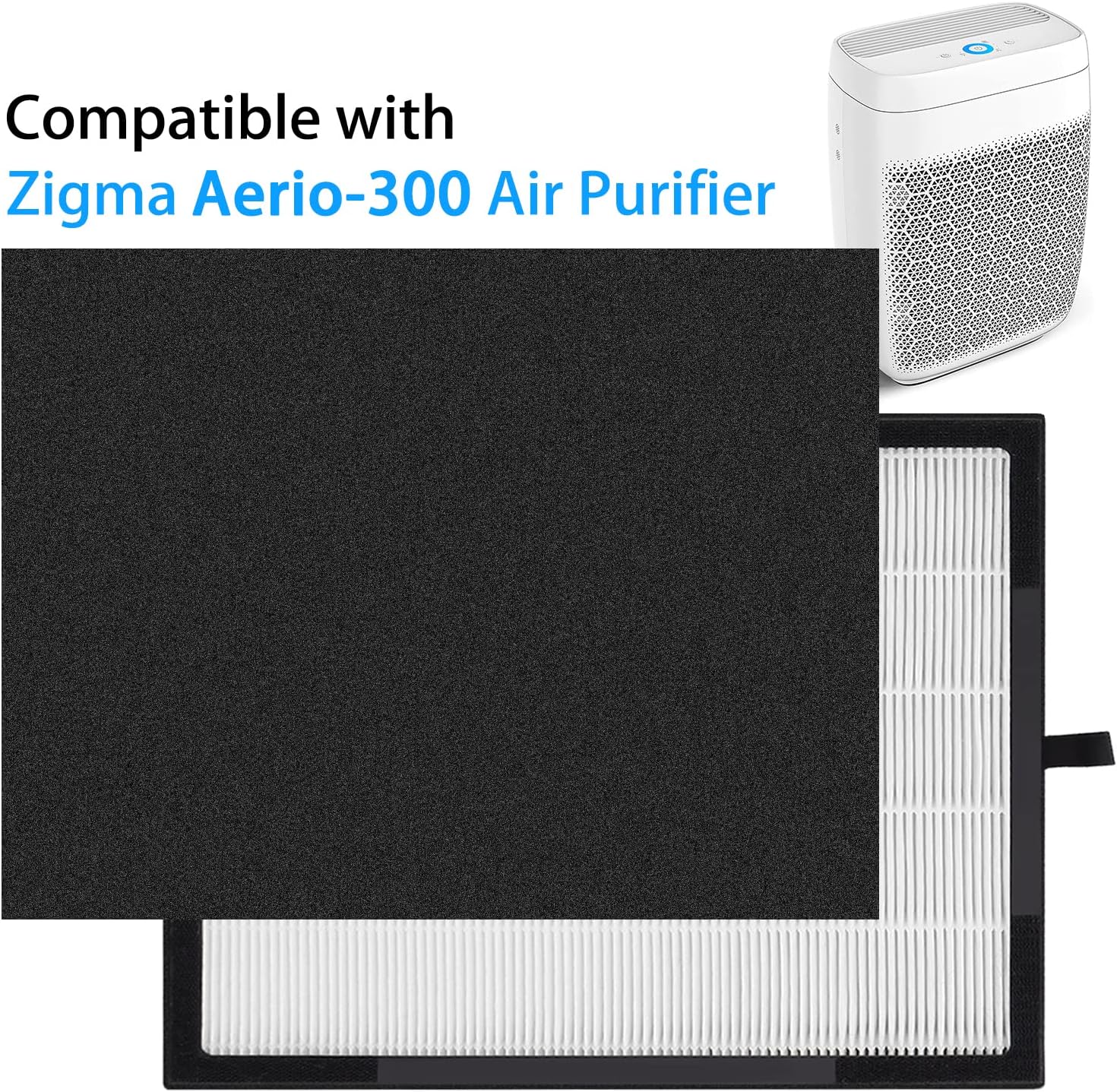
Image: The Bozdyru filter positioned next to a Zigma Aerio-300 Air Purifier, indicating compatibility.
Installation Steps:
- Power Off: Unplug the Zigma Aerio-300 Air Purifier from the power outlet.
- Access Filter Compartment: Locate and open the filter compartment cover on your air purifier. Refer to your air purifier's manual for specific instructions on accessing the filter.
- Remove Old Filter: Carefully remove the used filter from the air purifier. Dispose of the old filter according to local regulations.
- Insert New Filter: Place the new Bozdyru Air Purifier Filter into the compartment. Ensure it is oriented correctly and fits snugly. Some users have noted a tight fit; gently adjust until it seats properly.
- Close Compartment: Securely close the filter compartment cover.
- Power On and Reset: Plug the air purifier back into the power outlet. If your air purifier has a filter reset indicator, follow its instructions to reset the filter life counter. This typically involves pressing and holding a reset button for a few seconds.
Operating with the Filter
Once the new Bozdyru filter is installed, your Zigma Aerio-300 Air Purifier is ready for operation. The filter works continuously with the air purifier to clean the air.
Filter Functionality:
- The multi-stage filtration system effectively removes dust, allergens, pet dander, and odors from the air.
- The activated carbon layer is particularly effective at reducing common household odors, contributing to fresher indoor air.
Maintenance
The primary maintenance for this filter is timely replacement to ensure continuous high performance of your air purifier.
Filter Replacement Schedule:
- It is recommended to replace the Bozdyru Air Purifier Filter every 6 to 8 months.
- The actual replacement interval may vary depending on air quality, usage frequency, and the presence of pets or smokers in the environment.
- Refer to your Zigma Aerio-300 Air Purifier's indicator light or manual for specific filter replacement alerts.
Note: Do not wash or attempt to clean the filter. The filter media is designed for single-use and cleaning can damage its structure and reduce its effectiveness.
Troubleshooting
If you encounter issues after installing your new filter, consider the following common solutions:
- Filter Not Fitting: If the filter feels tight during installation, ensure it is aligned correctly. Gently adjust its position until it slides into place without excessive force. Avoid bending or damaging the filter.
- Air Purifier Not Recognizing Filter: After installation, ensure the filter compartment cover is fully closed and latched. If your air purifier has a filter reset button, make sure you have pressed and held it to reset the filter life indicator. Refer to your air purifier's manual for specific reset instructions.
- Reduced Airflow or Performance: Double-check that the filter is installed correctly and that the air purifier's vents are not obstructed. If the issue persists shortly after replacement, ensure the filter is the correct model for your Zigma Aerio-300.
Specifications
Key specifications for the Bozdyru Air Purifier Filter:

Image: Diagram showing the dimensions of the Bozdyru Air Purifier Filter.
| Brand | Bozdyru |
| Compatible Air Purifier Model | Zigma Aerio-300 |
| Material | Plastic |
| Product Dimensions (L x W x Th) | 13.9" x 13.58" x 1.5" (35.3 cm x 34.5 cm x 3.8 cm) |
| MERV Rating | 16 |
| Item Weight | 1.9 Pounds (0.86 kg) |
| Number of Items | 1 (filter pack) |
Warranty and Support
Specific warranty information for the Bozdyru Air Purifier Filter is not available in the provided product data. Please refer to the product packaging or the manufacturer's official website for detailed warranty terms and conditions.
Customer Support:
For any questions, concerns, or technical assistance regarding your Bozdyru Air Purifier Filter, please contact the seller or manufacturer directly. Contact information can typically be found on the product packaging or through the retailer where the product was purchased.