
towild BR800S
TOWILD BR800S Bike Light User Manual
Model: BR800S | Brand: TOWILD
1. Introduction
Thank you for choosing the TOWILD BR800S Bike Light. This manual provides essential information for the proper setup, operation, and maintenance of your new bike light. Please read it thoroughly before use to ensure optimal performance and safety.

Figure 1.1: The TOWILD BR800S Bike Light, a lightweight and bright front light designed for night riding.
2. Package Contents
Ensure all items are present in the package:
- 1 x TOWILD BR800S Bike Light
- 1 x Handlebar Mount
- 1 x Compatible Base for GoPro Mount
- 1 x Type-C USB Charging Cable
- 1 x User Manual
3. Setup and Installation
3.1 Mounting the Bike Light
The BR800S bike light can be mounted both above and below the handlebars using the provided mount. It is compatible with standard handlebar mounts and GoPro-style bases.
- Attach the handlebar mount securely to your bicycle's handlebars.
- Align the bike light with the mount's slot.
- Slide the light onto the mount until it clicks into place, ensuring it is firmly attached.
- The light features a 180-degree rotatable design, allowing for formal or inverse installation to suit your preference and handlebar setup.

Figure 3.1: The BR800S light can be rotated 180 degrees for flexible mounting options, either above or below the handlebars. This image also illustrates the replaceable battery compartment.

Figure 3.2: An exploded view showing key components including the replaceable battery, Type-C charge port, on/off button, quick-release mount, and anti-glare design.
3.2 Initial Charging
Before first use, fully charge the bike light. The BR800S features a Type-C charging port for convenience.
- Connect the provided Type-C USB cable to the charging port on the light.
- Connect the other end of the cable to a USB power source (e.g., computer, power bank, or car charger).
- A full charge typically takes approximately four hours.
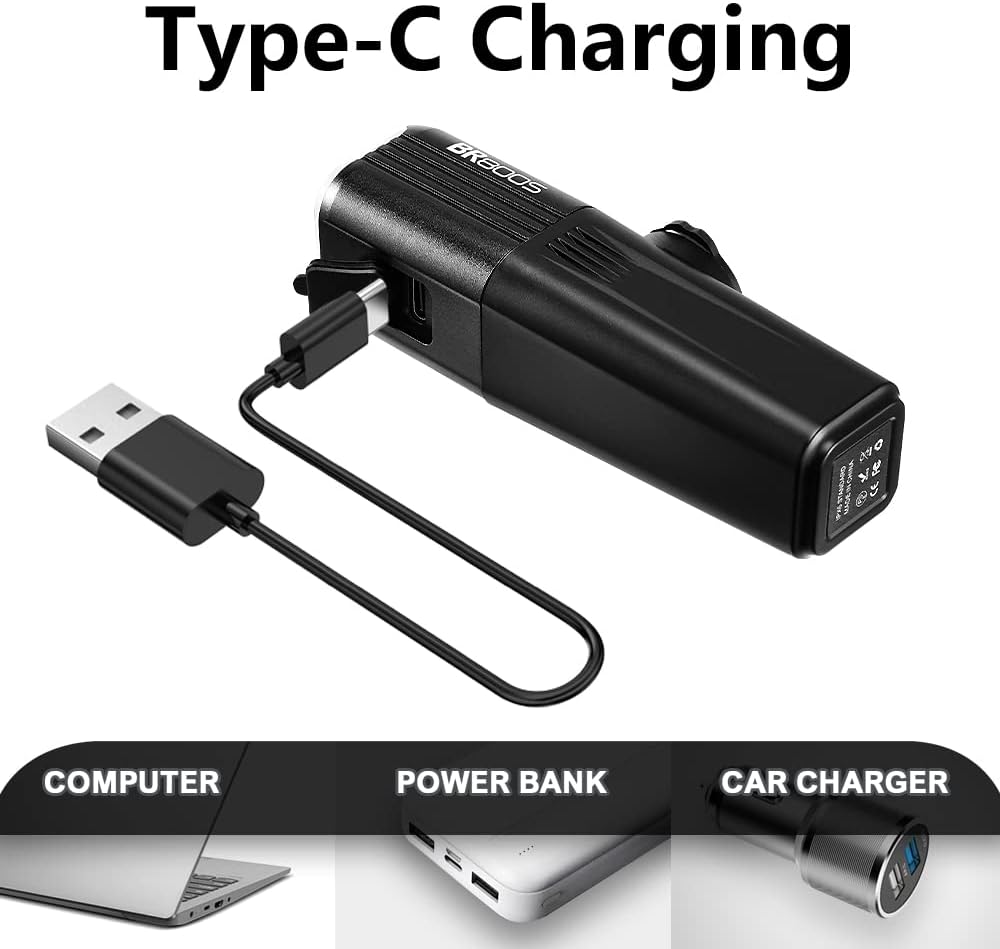
Figure 3.3: The BR800S bike light being charged using the included Type-C USB cable, compatible with various USB power sources.
4. Operating Instructions
4.1 Power On/Off and Mode Selection
The BR800S bike light offers multiple brightness levels and flash modes for various riding conditions.
- Power On/Off: Press and hold the power button for a few seconds to turn the light on or off.
- Mode Cycling: Short press the power button to cycle through the available light modes:
- Low Brightness (200 lumens, 8 hours runtime)
- Medium Brightness (400 lumens, 3.5 hours runtime)
- High Brightness (800 lumens, 2 hours runtime)
- Night Flash (200 lumens, 12 hours runtime)
- Day Flash (600 lumens, 8 hours runtime)
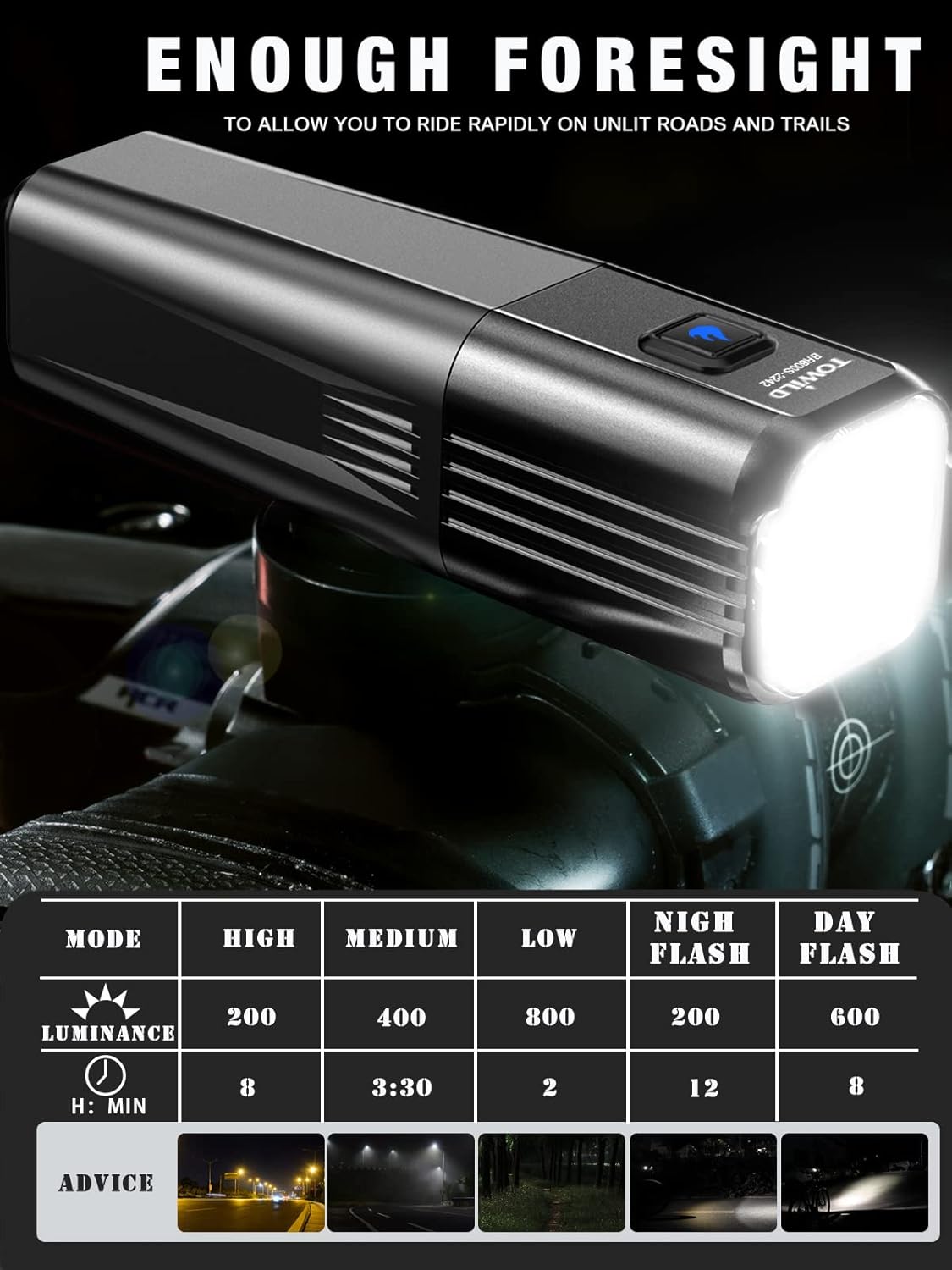
Figure 4.1: Table detailing the different light modes, their respective luminance (lumens), and approximate runtimes. Visual examples of light projection in various environments are also shown.
The light features an anti-glare design to prevent dazzling oncoming traffic, ensuring safer riding for everyone.
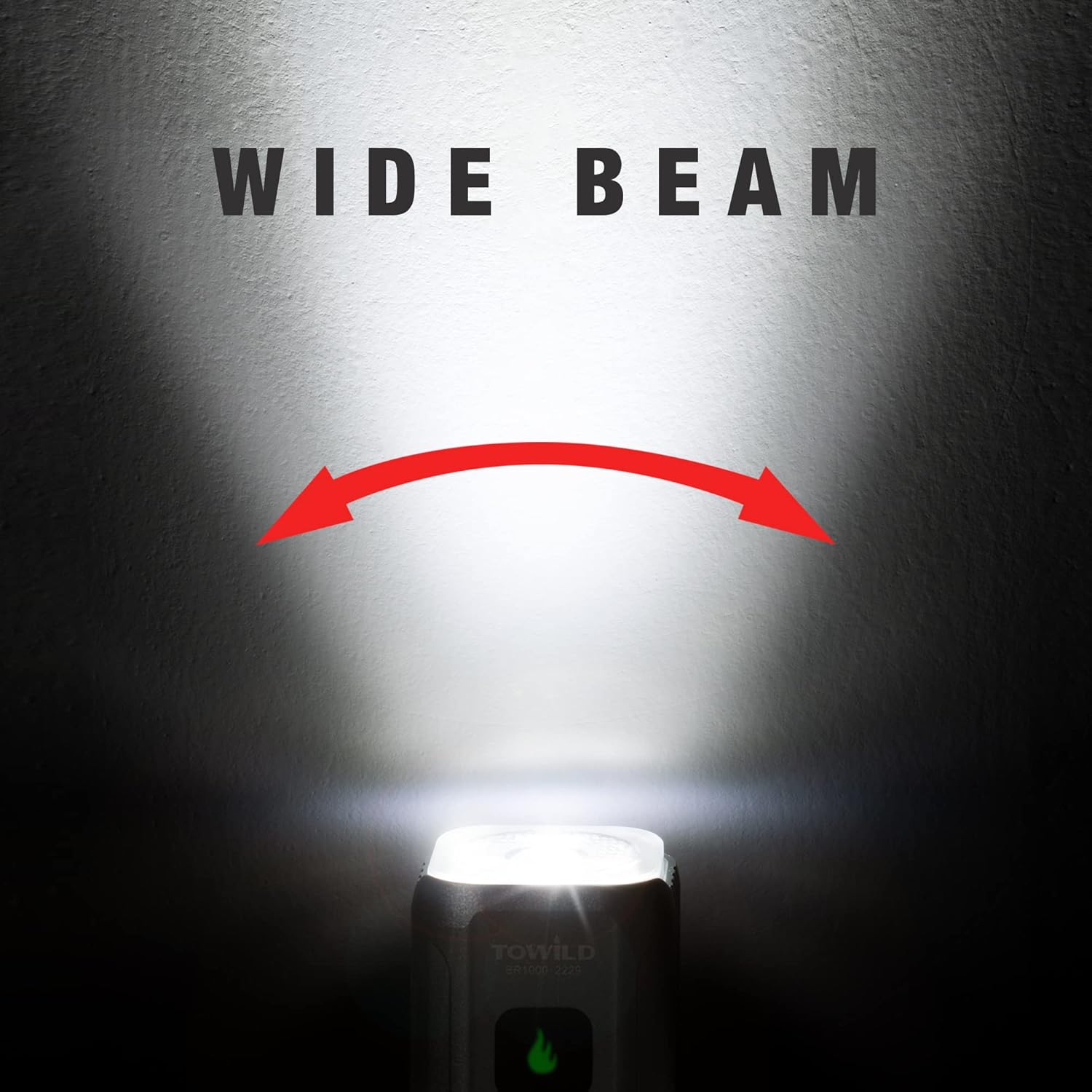
Figure 4.2: Illustration of the wide beam pattern provided by the BR800S, designed to illuminate a broad area for enhanced visibility during night riding.
4.2 Power Indicator
The power indicator on the light provides real-time battery status. Click the button when the light is off to display the power level.
| Battery Level | Smart Mode Indicator (Blue Light) | Manual Mode Indicator (Green Light) |
|---|---|---|
| 100-30% | Blue light is always on | Green light is always on |
| 29-10% | Blue light slowly flashes | Green light slowly flashes |
| Lower than 10% | Blue-red flash | Green-red flash |

Figure 4.3: Visual representation of the power indicator lights for both Smart and Manual modes, showing different colors and flashing patterns to indicate battery levels.
5. Maintenance
5.1 Battery Replacement
The BR800S features a replaceable 18650 battery (2600mAh). This allows for extended use by swapping out batteries or replacing an aged battery.
- To replace the battery, twist the front section of the light counter-clockwise to open the battery compartment.
- Carefully remove the old battery and insert a new 18650 battery, ensuring correct polarity.
- Twist the front section clockwise to securely close the compartment.
5.2 Cleaning and Storage
- Clean the light with a soft, damp cloth. Do not use abrasive cleaners or solvents.
- Ensure the Type-C port cover is securely closed to maintain IPX6 waterproof rating.
- Store the light in a cool, dry place when not in use. For long-term storage, charge the battery to approximately 50% every few months to preserve battery life.
6. Troubleshooting
| Problem | Possible Cause | Solution |
|---|---|---|
| Light does not turn on | Low battery; Incorrect battery installation; Faulty unit | Charge the battery; Ensure battery is installed with correct polarity; Contact customer support if issue persists. |
| Light does not charge | Faulty cable/charger; Charging port obstruction; Battery issue | Try a different Type-C cable and USB power source; Check charging port for debris; Replace battery if necessary. |
| Light output is dim | Low battery; Lens is dirty | Charge the battery; Clean the lens with a soft cloth. |
7. Specifications
| Feature | Detail |
|---|---|
| Model | BR800S |
| Max Brightness | 800 Lumens |
| Weight | 115 Grams (4.05 oz) |
| Water Resistance | IPX6 (Waterproof) |
| Power Source | Battery Powered |
| Battery Type | Replaceable 18650 (2600mAh) |
| Charging Port | Type-C USB |
| Material | Aluminum Alloy & High-Strength Plastic |
| Mounting Type | Handlebar Mount (GoPro compatible) |
| Number of Settings | 6 (3 brightness levels, 2 flash modes, plus off) |
8. Product Video Demonstration
Watch the official product video for a visual guide on the BR800S Bike Light's features and usage.
Video 8.1: An official demonstration video showcasing the TOWILD BR800S Bike Light, highlighting its lightweight design, high brightness, multiple modes, and mounting flexibility. This video provides a comprehensive overview of the product's capabilities.
9. Warranty and Support
The TOWILD BR800S Bike Light comes with a 2-year warranty from the date of purchase. This warranty covers manufacturing defects and issues arising from normal use.
For technical support, warranty claims, or any inquiries regarding your product, please contact TOWILD customer service through the retailer's platform or visit the official TOWILD website for contact information.
We are committed to providing excellent service and ensuring your satisfaction with our products.
Related documentsBR800S


Ask a question about this manual
Ask about setup, troubleshooting, compatibility, parts, safety, or missing instructions. Manuals+ will review the question and use this page’s manual context to help answer it.