
NANAMI HM002
NANAMI Charger Station User Manual
Model: HM002
Brand: NANAMI
Introduction
This user manual provides comprehensive instructions for the NANAMI 7-in-1 Charging Station, Model HM002. This versatile charging dock is designed to efficiently charge multiple devices simultaneously, including smartphones, tablets, smartwatches, and wireless earbuds. Its compact design helps maintain an organized charging area.
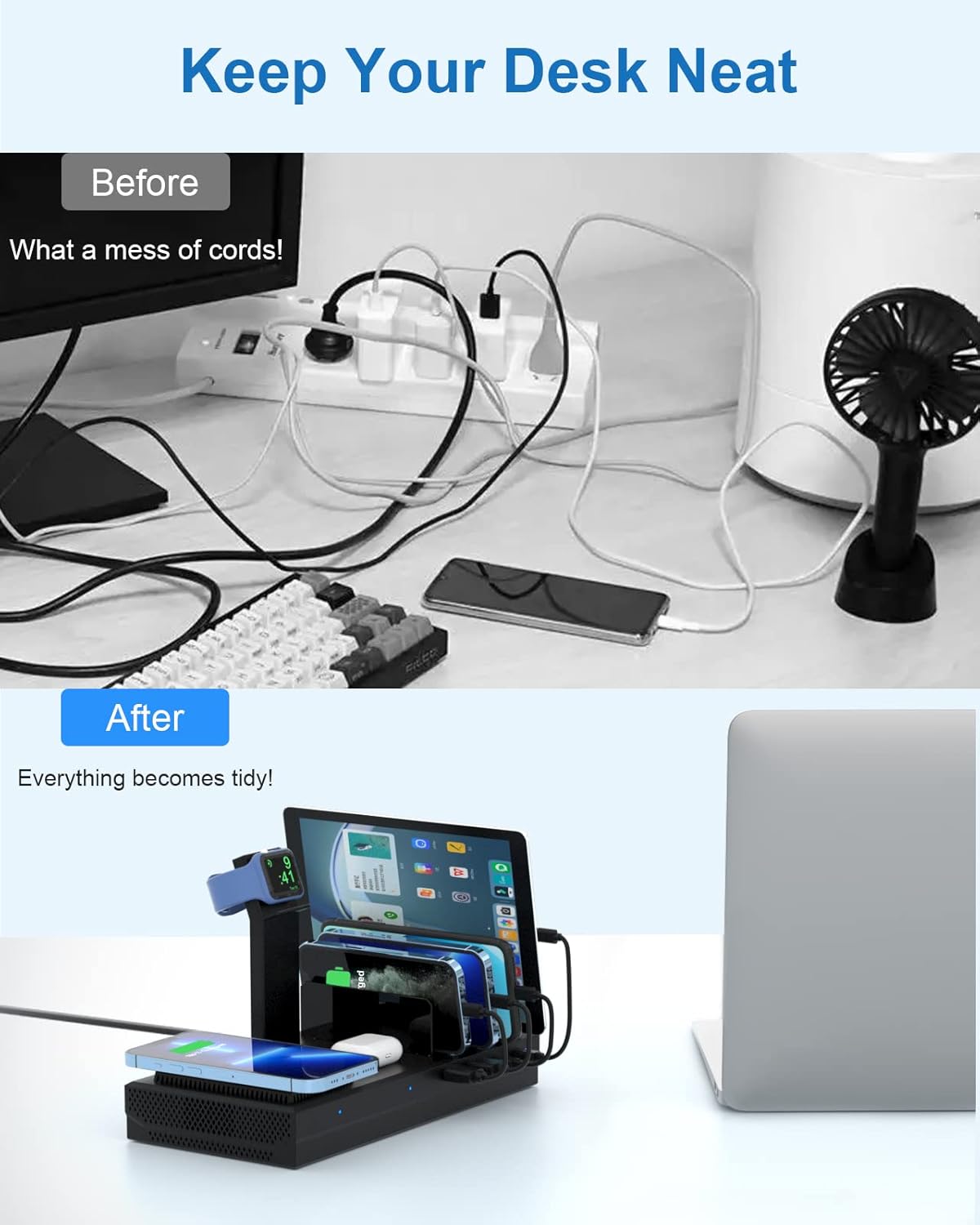
Image showing the NANAMI charging station organizing multiple devices on a desk, contrasting a cluttered setup with a tidy one.
What's in the Box
Please verify that all components are present in your package:
- 1 x NANAMI Wireless Charging Station
- 2 x Micro USB Cables
- 2 x USB Type-C Cables
- 1 x User Manual

Image displaying the contents of the package: the charging station, various charging cables, and the user manual.
Setup Guide
Component Identification
Familiarize yourself with the main components of your charging station:

Diagram illustrating the various parts of the charging station, including the watch wireless charging stand, wireless fast charging pad, AirPods charging base, USB-C ports, USB-A ports, and removable baffles.
Installing the Apple Watch Charging Stand
The Apple Watch charging stand requires your original Apple Watch charger (not included) for functionality. Follow these steps to install it:
- Carefully insert your Apple Watch magnetic charging cable into the designated slot on the stand.
- Route the cable through the channel to ensure a neat and secure fit.
- Attach the stand to the main charging station base.
- Connect the Apple Watch charging cable to one of the USB ports on the charging station.

Step-by-step diagram showing how to install an Apple Watch charger into the dedicated stand on the charging station.
Connecting the Power Adapter
Connect the provided power adapter to the DC input port on the back of the charging station, then plug it into a wall outlet. The indicator lights on the station will illuminate, indicating it is powered on.
Operating Instructions
The NANAMI charging station offers multiple charging options for various devices:

Image showing the multi-functional charging station with a phone on the wireless pad, AirPods on their base, and tablets/phones in the vertical slots.
Wireless Charging Pad (15W Max)
Place your Qi-compatible smartphone on the wireless charging pad. Ensure the phone is centered on the pad for optimal charging. The indicator light will confirm charging status.

Close-up image of a smartphone wirelessly charging on the pad of the NANAMI station.
AirPods Charging Base (5W Max)
Place your AirPods case on the designated AirPods charging base. Ensure proper alignment for charging to begin.
USB Charging Ports (161W Max Total)
The station features multiple USB ports (USB-A and USB-C) for wired charging of various devices. Use the provided micro USB and Type-C cables, or your device's original cables, to connect your smartphones, tablets, Kindle, or other USB-powered devices to the available ports.
The sturdy partitions and wide spacing accommodate devices with thick cases.

Image illustrating the universal compatibility of the charging station with icons for smartphones, cameras, Kindles, iPads, gamepads, AirPods, Bluetooth speakers, and iWatch.
Apple Watch Charging Stand (2.5W Wireless)
Once your Apple Watch charger is installed (as per the Setup Guide), place your Apple Watch on the stand. Ensure it is correctly positioned to initiate charging. Note: Apple Watch Series 7 and newer models may not be fully supported by the stand's design for optimal charging.

Close-up image of the iWatch charger holder on the NANAMI charging station, with an Apple Watch placed on it.
Safety Information
The NANAMI Charging Station incorporates advanced safety features to protect your devices and ensure safe operation:
- Over-Voltage Protection: Prevents damage from excessive voltage input.
- Short-Circuit Prevention: Automatically cuts power in case of a short circuit.
- Overload Protection: Safeguards against current overload.
- Temperature Control: Regulates internal temperature to prevent overheating.
- Foreign Object Detection: Detects metallic objects on the wireless charging pad to prevent heating.
- Fire-Resistance: Constructed with fire-resistant materials.
- Anti-Slip Base: Ensures stability on surfaces.
To ensure safe operation:
- Do not disassemble or modify the product.
- Keep away from water, moisture, and high temperatures.
- Use only the provided power adapter.
- Avoid placing metallic objects on the wireless charging pad.

Image highlighting the advanced safety features of the charging station, including over-voltage, short-circuit, overload, over-current protection, fire-resistance, and anti-slip design.
Maintenance
To ensure the longevity and optimal performance of your NANAMI Charging Station:
- Clean the surface with a soft, dry cloth. Do not use abrasive cleaners or solvents.
- Ensure all ports are free of dust and debris.
- Store in a cool, dry place when not in use for extended periods.
- Avoid dropping or subjecting the device to strong impacts.
Troubleshooting
If you encounter issues with your charging station, please refer to the following common problems and solutions:
| Problem | Possible Cause / Solution |
|---|---|
| Device not charging (wired) | Ensure the cable is securely connected to both the device and the charging station. Try a different cable or USB port. Verify the charging station is powered on. |
| Device not charging (wireless) | Ensure your device is Qi-compatible and properly centered on the wireless charging pad. Remove any thick phone cases or metallic objects that may interfere with wireless charging. Check for foreign object detection indicator. |
| Apple Watch not charging | Confirm your original Apple Watch charger is correctly installed and connected to a USB port. Ensure the Apple Watch is properly seated on the magnetic charger. Some watch bands may prevent proper contact; try removing the band if necessary. Note: Apple Watch Series 7 and newer models may not fit perfectly. |
| Charging is slow | Ensure your device supports fast charging and that you are using a compatible cable. Multiple devices charging simultaneously may distribute power. |
| Indicator lights are off | Check if the power adapter is securely plugged into both the station and the wall outlet. Try a different power outlet. |
| Devices vibrate out of slots | Ensure devices are placed firmly in the slots. The baffles are designed to hold devices securely, but strong vibrations might cause movement. |
Specifications
| Feature | Detail |
|---|---|
| Model Number | HM002 |
| Product Dimensions | 9.96 x 4.88 x 2.76 inches |
| Item Weight | 12.8 ounces |
| Input Voltage | 110 Volts |
| Connectivity Technology | USB; Wireless |
| Connector Type | USB Type C |
| Wireless Charging Output | 15W Max (for phones) |
| AirPods Charging Output | 5W Max |
| Apple Watch Charging Output | 2.5W Wireless (requires user's own charger) |
| Total Output | 161W Max |
| Compatible Devices | iPhone 8/X/XS/XR/11/12/13/14/15 series, Samsung Galaxy S6-S23 series, Note series, Google Pixel, HTC, Nexus, LG, Apple iPad, iPad mini, iPad Air, Samsung Galaxy Tab, Amazon Fire, Kindle, AirPods Pro/2, Galaxy Buds/Buds+, Pixel Buds, Apple Watch SE/6/5/4/3/2/1. |
| Included Components | Charging Station, 2 Micro Cables, 2 Type C Cables, User Manual |
| Special Features | Multiple Security Protection, Wireless Charger, Strong Baffle, Fast Charging |
Warranty and Support
NANAMI provides a 12-month warranty for this product, covering manufacturing defects from the date of purchase. Additionally, a 30-day full money-back guarantee is offered for any product issues.
For technical support, warranty claims, or any inquiries, please contact NANAMI customer support. Refer to the contact information provided on the product packaging or the official NANAMI website.
Visit the official NANAMI Store for more information: NANAMI Store
Ask a question about this manual
Ask about setup, troubleshooting, compatibility, parts, safety, or missing instructions. Manuals+ will review the question and use this page’s manual context to help answer it.