
ONN 100012589
Contents
ONN 32-Inch Class HD (720P) LED Smart TV
Instruction Manual
Model: 100012589 | Brand: ONN
1. Product Overview
The ONN 32-Inch Class HD (720P) LED Smart TV offers a crystal-clear viewing experience with lifelike color, texture, and detail. Powered by Roku, it provides access to thousands of streaming channels and integrates seamlessly with smart home ecosystems like Apple Home, Amazon Alexa, and Google Home. This manual will guide you through the setup, operation, and maintenance of your new television.
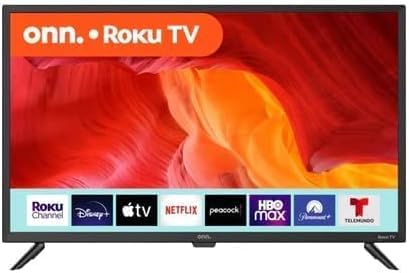
Figure 1: Front view of the ONN 32-Inch Roku Smart TV, displaying various streaming app logos.
2. Package Contents
Before you begin, please ensure all items are present in the box:
- ONN 32-Inch Class HD (720P) LED Smart TV
- Remote Control
- TV Stands (2)
- Screws for TV Stands
- Quick Start Guide
- Batteries for Remote Control
- Optical-out cable (as per product information)

Figure 2: The included ONN Roku TV remote control.
3. Setup
3.1 Attaching the TV Stands
- Carefully place the TV face-down on a soft, clean surface to prevent screen damage.
- Align each TV stand with the corresponding screw holes on the bottom of the TV.
- Secure the stands using the provided screws. Ensure they are tightened firmly.

Figure 3: TV dimensions and stand attachment points.
3.2 Wall Mounting (Optional)
This TV is VESA Mount Compatible (200 x 200 mm). If you choose to wall mount, please refer to the instructions provided with your wall mount kit. Ensure proper installation to prevent damage or injury.
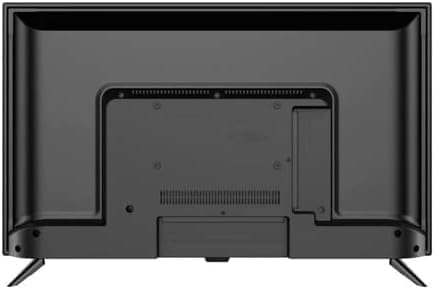
Figure 4: Rear view of the TV, highlighting VESA mount compatibility and input ports.
3.3 Initial Power-On and Network Connection
- Connect the power cord to the TV and a power outlet.
- Insert the batteries into the remote control.
- Press the power button on the remote or TV.
- Follow the on-screen instructions to select your language, connect to your home Wi-Fi network, and activate your Roku account.
4. Operating Your Smart TV
4.1 Roku Smart TV Interface
Your ONN TV features the Roku Smart TV platform, providing a user-friendly interface for accessing content. The home screen displays your installed streaming channels and input options.
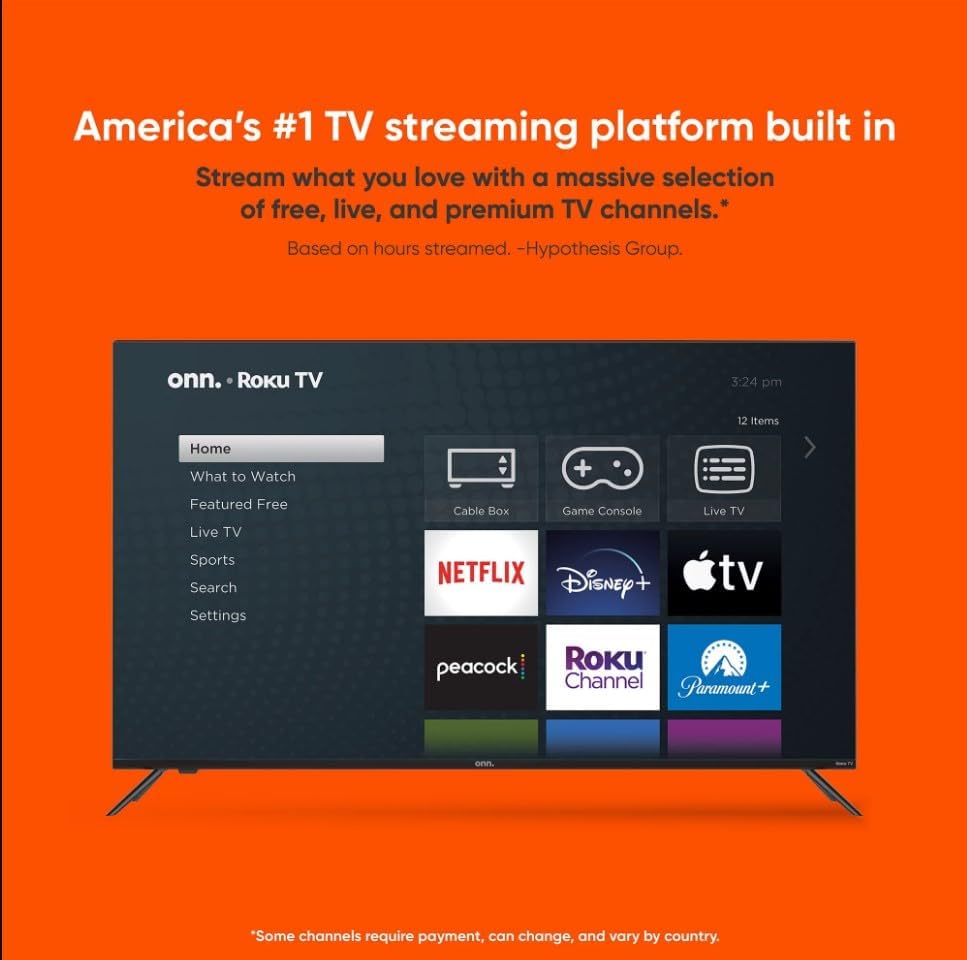
Figure 5: The intuitive Roku Smart TV home screen.
4.2 Streaming Services
Enjoy a vast library of content with pre-installed and downloadable streaming services. Popular options include Netflix, Prime Video, Disney+, Hulu, YouTube, and the Roku Channel. You can browse and add more channels from the Streaming Store.
4.3 Voice Control and Smart Home Integration
The TV is compatible with popular voice assistants like Amazon Alexa and Google Home, allowing for hands-free control. You can also integrate it with Apple Home for seamless smart home management.

Figure 6: Smart home compatibility with various voice assistants and platforms.
4.4 Mobile App Control
Download the free Roku mobile app for iOS or Android to control your TV directly from your smartphone. The app offers features like browsing channels, voice control, private listening through headphones, and casting photos or videos from your phone.

Figure 7: Control your TV using the Roku mobile app.
5. Connectivity
Your ONN TV provides a variety of ports for connecting external devices:
- HDMI (3 ports): For connecting high-definition devices like Blu-ray players, gaming consoles, and cable/satellite boxes.
- Composite (1 port): For older devices using RCA cables (red, white, yellow).
- USB (1 port): For playing media from USB drives.
- Optical (1 port): For connecting to soundbars or home theater systems for digital audio output.
- Coaxial/Cable (1 port): For connecting an antenna or cable TV.
- LAN (1 port): For a wired internet connection.
- Headphone (1 port): For connecting headphones for private listening.
6. Specifications
| Feature | Detail |
|---|---|
| Brand Name | ONN |
| Model Number | 100012589 |
| Screen Size | 32 Inches |
| Display Technology | LED-LCD |
| Resolution | 720p HD |
| Refresh Rate | 60 Hz |
| Item Weight | 5.8 Pounds |
| Product Dimensions | 31 x 6 x 21 inches |
| VESA Mount Compatible | 200 x 200 mm |
| On-mode power consumption | 50 watts |
7. Maintenance
7.1 Cleaning the Screen
To clean the TV screen, gently wipe it with a soft, lint-free cloth. For stubborn marks, lightly dampen the cloth with water or a screen-cleaning solution specifically designed for electronics. Avoid using harsh chemicals, abrasive materials, or spraying liquid directly onto the screen.
7.2 General Care
- Keep the TV away from direct sunlight, heat sources, and excessive dust.
- Ensure proper ventilation around the TV to prevent overheating.
- Do not block ventilation openings.
- Unplug the TV from the power outlet during lightning storms or when unused for long periods.
8. Troubleshooting
If you encounter issues with your TV, refer to the following common troubleshooting steps:
- No Power: Check if the power cord is securely plugged into both the TV and the outlet. Try a different outlet.
- No Picture/Sound: Ensure the correct input source is selected. Check all cable connections (HDMI, etc.) for looseness.
- No Internet Connection: Verify your Wi-Fi password. Restart your router and modem. Go to the TV's network settings to reconnect.
- Remote Not Responding: Replace the batteries in the remote control. Ensure there are no obstructions between the remote and the TV.
- Picture Quality Issues: Check your source content's resolution. Ensure cables are high-quality and properly connected.
For more detailed troubleshooting or persistent issues, please visit the ONN support website or contact customer service.
9. Warranty and Support
As an Amazon Renewed product, this TV comes with the Amazon Renewed Guarantee. This guarantee provides a replacement or refund within 90 days of receipt if the product does not work as expected. For specific warranty details and support, please refer to the Amazon Renewed program terms and conditions or contact Amazon customer service directly.
For general product inquiries or technical assistance related to ONN products, you may also visit the official ONN support resources.
Ask a question about this manual
Ask about setup, troubleshooting, compatibility, parts, safety, or missing instructions. Manuals+ will review the question and use this page’s manual context to help answer it.