
Introduction
This manual provides detailed instructions for the safe and effective use of your Enchen MCN Electric Ear and Nose Hair Trimmer. This cordless grooming tool is designed for precise removal of unwanted hair from the nose, ears, eyebrows, beard, and face. It features a dual-edge spinning blade system, IPX7 waterproofing, and Type-C fast charging. Please read this manual thoroughly before first use and retain it for future reference.
Safety Information
- Always keep blades away from eyes and face.
- Do not use while charging.
- Keep blades clean and dry after each use.
- Avoid use on infants or children.
- Always unplug or remove batteries when not in use.
- Do not use near water sources unless specifically designed for wet use (this product is IPX7 waterproof, but caution is advised during charging).
Product Overview
The Enchen MCN Electric Ear and Nose Hair Trimmer is a compact and efficient grooming device. It features a high-speed motor for effective trimming and a hidden cutter head design for safety.
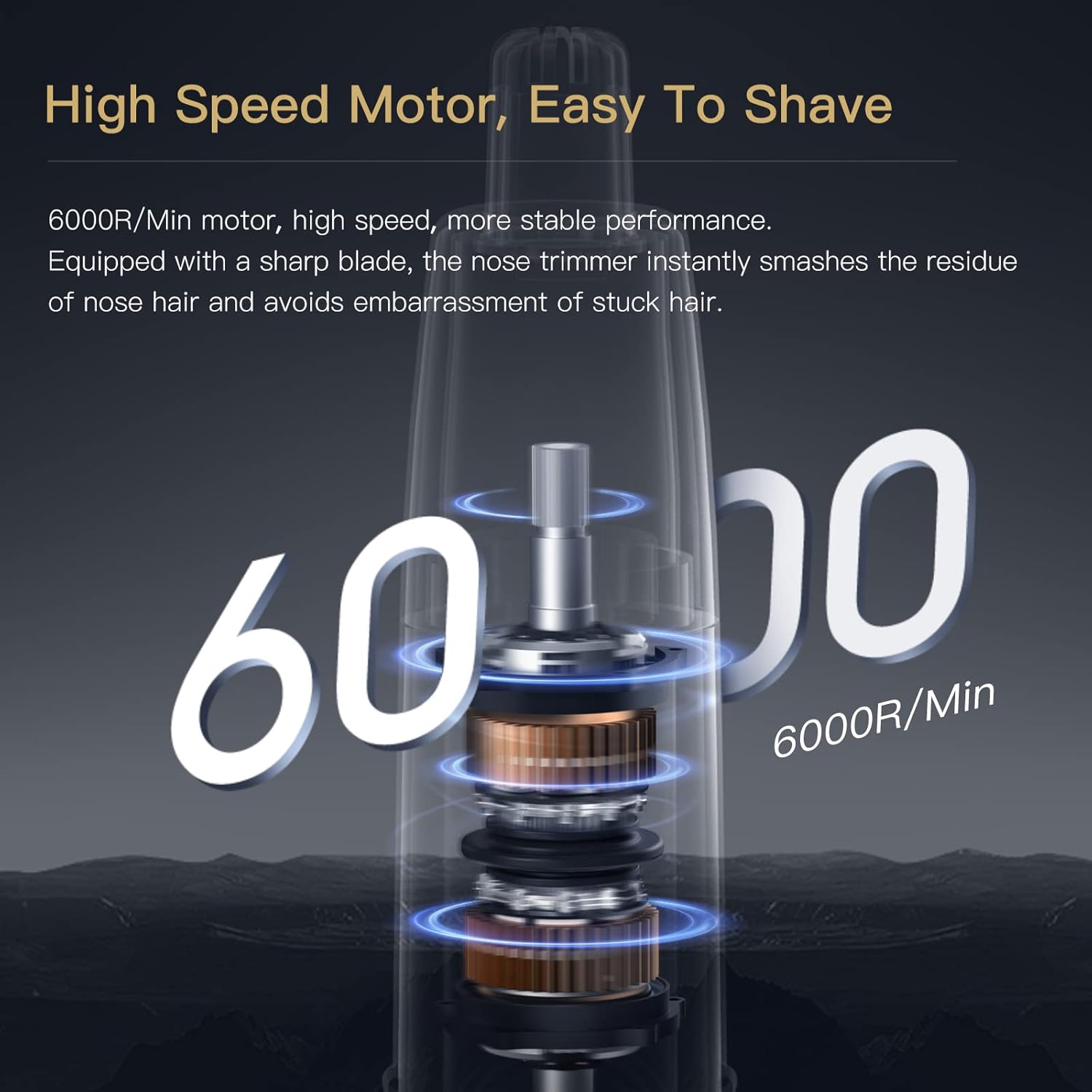
Image: The Enchen MCN Electric Ear and Nose Hair Trimmer, showcasing its sleek design.

Image: The compact, pencil-like design of the Enchen MCN trimmer, highlighting its portability.
Setup
Charging the Device
Before initial operation, fully charge your device. The trimmer features Type-C fast charging and a rechargeable Li-Ion battery. A full charge can last for more than 6 months with 5 minutes of use at a time.

Image: Illustration showing the Type-C charging port and battery life indication.
Indicator Light Status
- White-Long On: Working
- Red-Flashing: Low Battery
- Charging (White Flashing): Device is charging.
- After Charging (White-Long On): Charging complete.
- Lock/Unlock (Long Press 3s): Travel Lock engaged or disengaged.

Image: Diagram explaining the different states of the indicator light for charging, battery, and operation.
Operating Instructions
- Power On: Press the power button to turn on the device. The indicator light will show white.
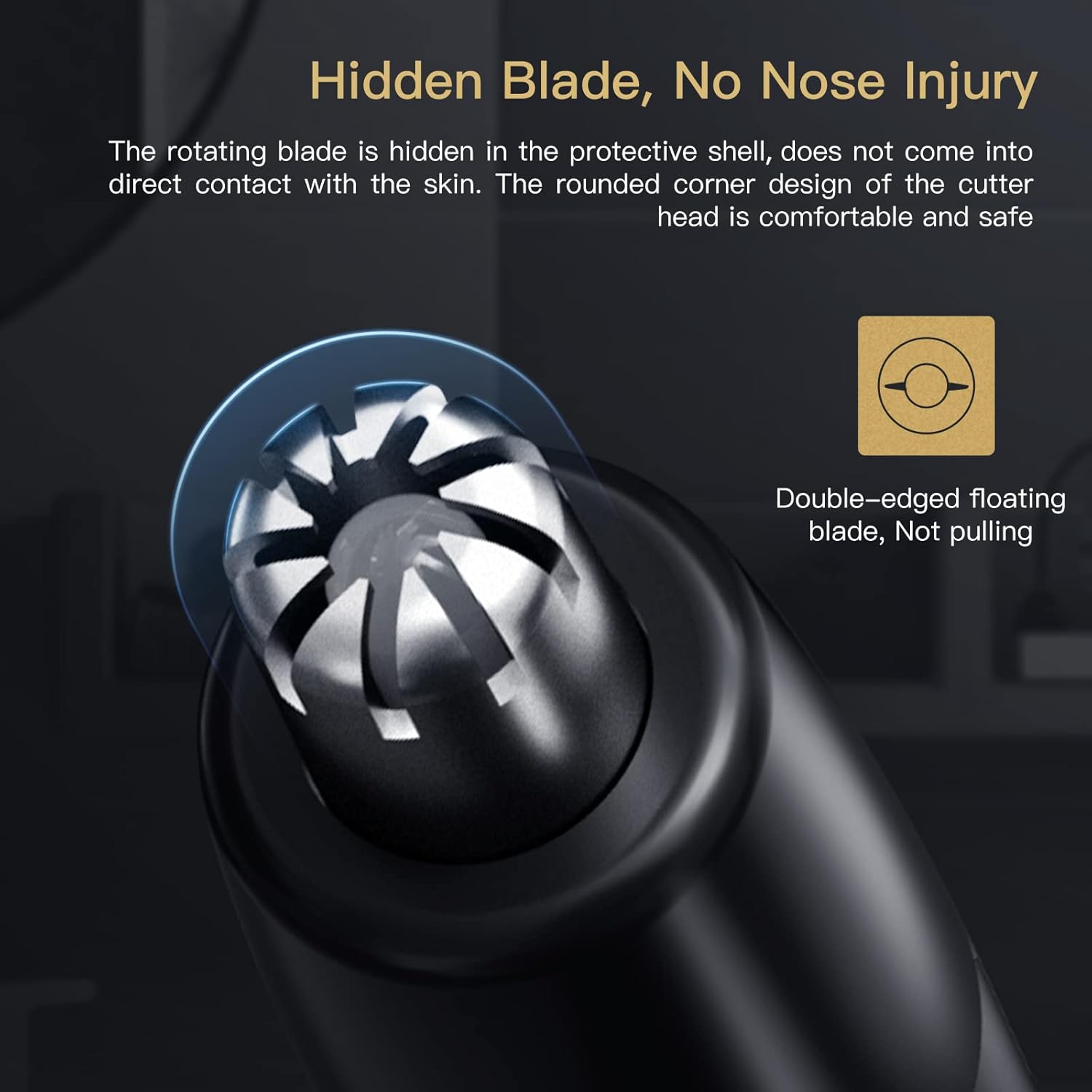
Image: Hand holding the trimmer, showing the power button with an illuminated ring.
- Trimming: Slowly insert the comfortable cone tip into your nose or ear. Allow the trimmer to cut hair for at least 60 seconds for effective removal. The dual-edge spinning blades and hidden cutter head ensure smooth and precise trimming without pulling or nicks.

Image: Close-up of the trimmer head, illustrating the hidden blade design for safe operation.

Image: Diagram showing the 6000 RPM motor for efficient hair removal.
- Travel Lock: To prevent accidental activation during travel, press and hold the power button for 3 seconds to engage the travel lock. Repeat the action to unlock.

Image: Illustration demonstrating the travel lock function, activated by a long press.
Maintenance
Cleaning the Trimmer Head
The trimmer head is washable and removable, making it easy to clean after each use. The device is IPX7 waterproof, allowing for cleaning under running water or even during a shower.

Image: Visual representation of the IPX7 waterproof rating, showing the trimmer being rinsed under water.
- Turn off the trimmer.
- Remove the trimmer head by gently twisting and pulling it off.
- Rinse the trimmer head under running water to remove any hair residue.
- Ensure the head is completely dry before reattaching it to the main body.
- The user-friendly handy body design comes with a dust-proof cover to protect the trimmer head when not in use.
Video: Official demonstration of the Enchen Waterproof Nose Hair Trimmer, highlighting its cleaning process.
Troubleshooting
If you encounter any issues with your Enchen MCN Electric Ear and Nose Hair Trimmer, please refer to the following common solutions:
- Device not turning on: Ensure the device is fully charged. Check the indicator light for low battery (red flashing). If the travel lock is engaged, press and hold the power button for 3 seconds to unlock it.
- Poor trimming performance: The trimmer head might be clogged with hair. Clean the trimmer head as described in the Maintenance section. Ensure the blades are dry and free from debris.
- Unusual noise: This could indicate debris in the trimmer head or improper assembly. Disassemble, clean, and reassemble the trimmer head carefully.
- Charging issues: Ensure the Type-C cable is properly connected to both the trimmer and a power source. Check if the indicator light shows white flashing during charging.
If the problem persists, please contact customer support.
Specifications
| Feature | Detail |
|---|---|
| Model Number | MCN |
| Brand | Enchen |
| Power Source | Rechargeable Li-Ion Battery |
| Charging Type | Type-C Fast Charging |
| Motor Speed | 6000 RPM |
| Waterproof Rating | IPX7 |
| Blade Material | Stainless Steel |
| Dimensions | 8.39 x 3.62 x 1.65 inches |
| Weight | 5.93 ounces |
| Target Audience | Men, Women |

Image: Diagram illustrating the dimensions of the Enchen MCN trimmer.
Warranty and Support
The Enchen MCN Electric Ear and Nose Hair Trimmer comes with a 30-day return policy. If you have any questions, concerns, or require support, please contact the seller or manufacturer directly.