
1. Introduction
This manual provides detailed instructions for the assembly, operation, and maintenance of your FEZIBO SDE 60x24 Inch Electric Height Adjustable Standing Desk. Please read this manual thoroughly before use to ensure proper function and safety.

Figure 1: FEZIBO SDE Electric Height Adjustable Standing Desk
2. Safety Information
- Ensure all components are securely fastened before use.
- Keep children and pets away from the desk during height adjustment.
- Do not overload the desk. The maximum weight capacity is 176 lbs (80 kg).
- Avoid placing liquids directly on the control panel or near electrical components.
- If the desk encounters an obstacle during adjustment, the anti-collision system will activate. Remove the obstacle before resuming adjustment.
- Only use the provided power adapter and cables.
3. Package Contents
Verify that all parts are present before beginning assembly:
- Assembly Instructions with Diagram (1)
- Basic Assembly Tools (including spare parts)
- Desk Hooks (Set of 2)
- 2 Drawers
- Lockable Casters
- 1 LED Strip
- Desktop (60x24 Inch, Black Walnut)
- Electric Lifting Mechanism (Legs and Motor)
- Control Panel
- Monitor Stand/Shelf
4. Assembly Instructions
A detailed installation video is available to guide you through the assembly process. Please follow the steps carefully.
Video 1: FEZIBO Standing Desk Installation Guide. This video demonstrates the step-by-step assembly of the FEZIBO standing desk, including attaching legs, motor, desktop, and accessories.
General Assembly Steps:
- Assemble the Desk Legs: Attach the feet to the vertical leg columns using the provided screws. Ensure all connections are secure.
- Install the Crossbar and Motor: Connect the crossbar between the two leg columns. Install the motor and connect the drive shaft to both legs.
- Attach the Desktop: Carefully place the desktop upside down on a soft, clean surface. Position the assembled leg frame onto the desktop and secure it with the designated screws.
- Install the Control Panel: Mount the control panel to the underside of the desktop in the desired location, typically on the right side. Connect the control panel to the motor.
- Assemble the Monitor Stand: Attach the side supports and the back panel to the main monitor stand shelf. Secure it to the desktop using the provided hardware.
- Insert Drawers: Slide the two drawers into their designated slots within the monitor stand.
- Attach Accessories: Install the desk hooks and lockable casters (if desired) according to the instructions.
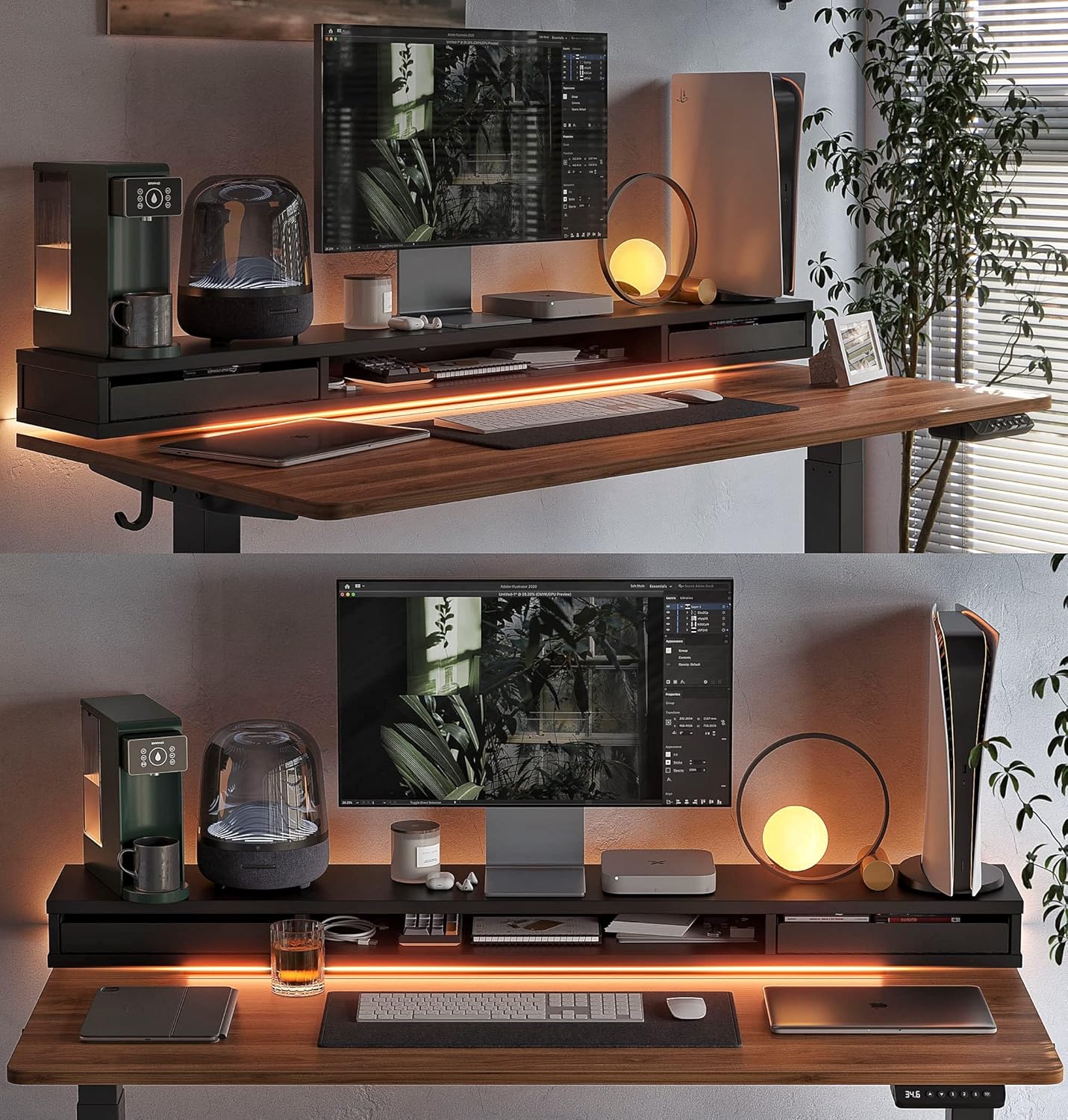
Figure 2: Fully assembled desk with accessories and monitor setup.
5. Operating Instructions
5.1. Height Adjustment
Your FEZIBO standing desk features an electric motor for smooth height adjustments and a multi-function intelligent keypad for control.

Figure 3: Intelligent Control Panel
- Manual Adjustment: Use the Up (▲) and Down (▼) arrow buttons to raise or lower the desk to your desired height. The current height is displayed on the LED screen.
- Memory Presets: The desk has 3 programmable memory height buttons (1, 2, 3).
- Adjust the desk to your preferred height using the Up/Down arrows.
- Press the Set (S) button.
- Immediately press one of the memory buttons (1, 2, or 3) to save the current height.
- To recall a saved height, simply press the corresponding memory button.
5.2. Anti-Collision Technology
The desk is equipped with an anti-collision system to prevent damage or injury. If the desk encounters an obstacle during height adjustment, it will automatically stop and reverse approximately 2 cm in the opposite direction.

Figure 4: Anti-Collision System in action
5.3. LED Strips
The integrated LED strips provide ambient lighting. Connect the USB-A end of the LED strip to a compatible USB power source (not included). The LED strip typically has an inline button to turn it on/off and cycle through modes.
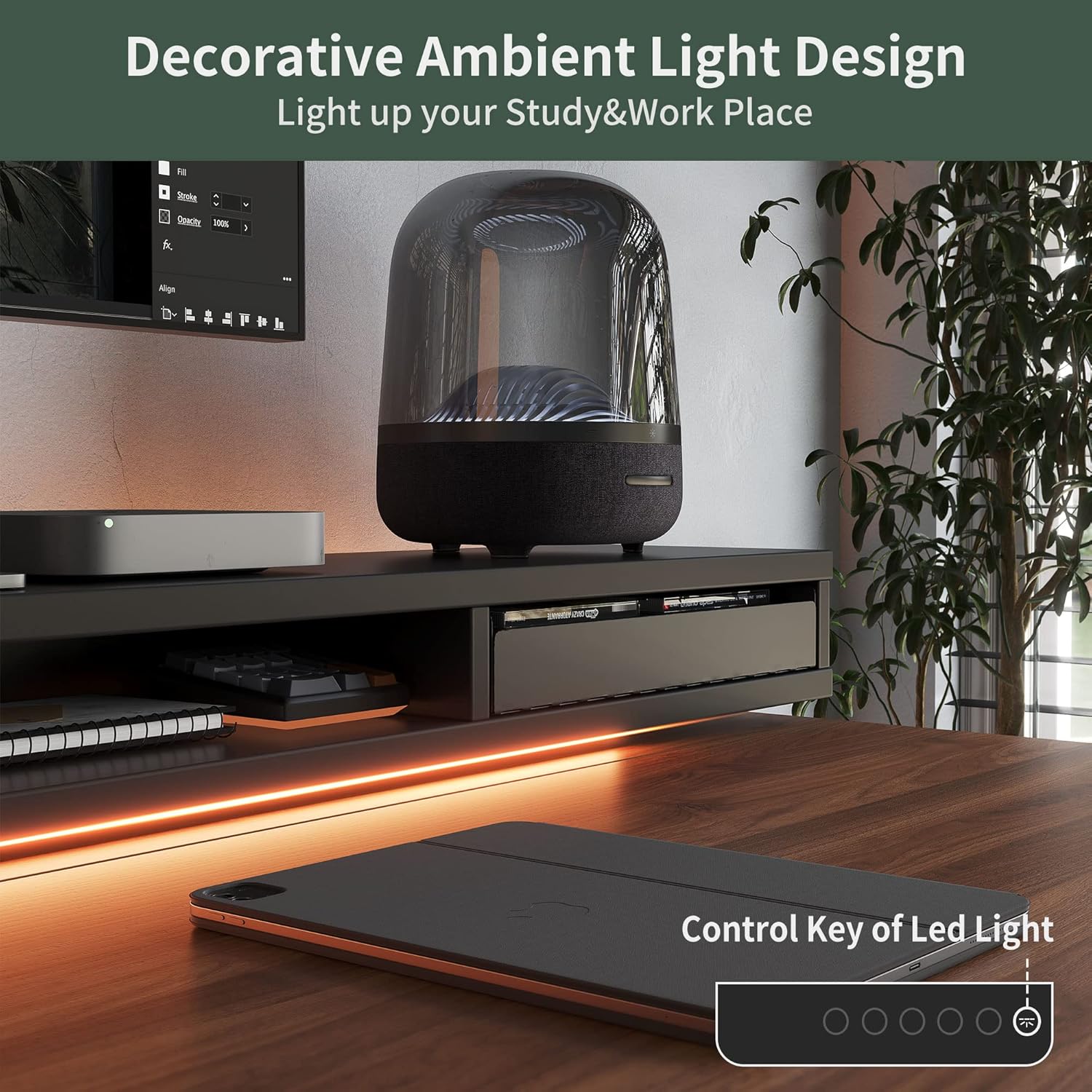
Figure 5: LED Strip and Control Key
5.4. Double Drawers and Storage
The desk features two integrated drawers and an open storage cubicle within the monitor stand for organizing your workspace.
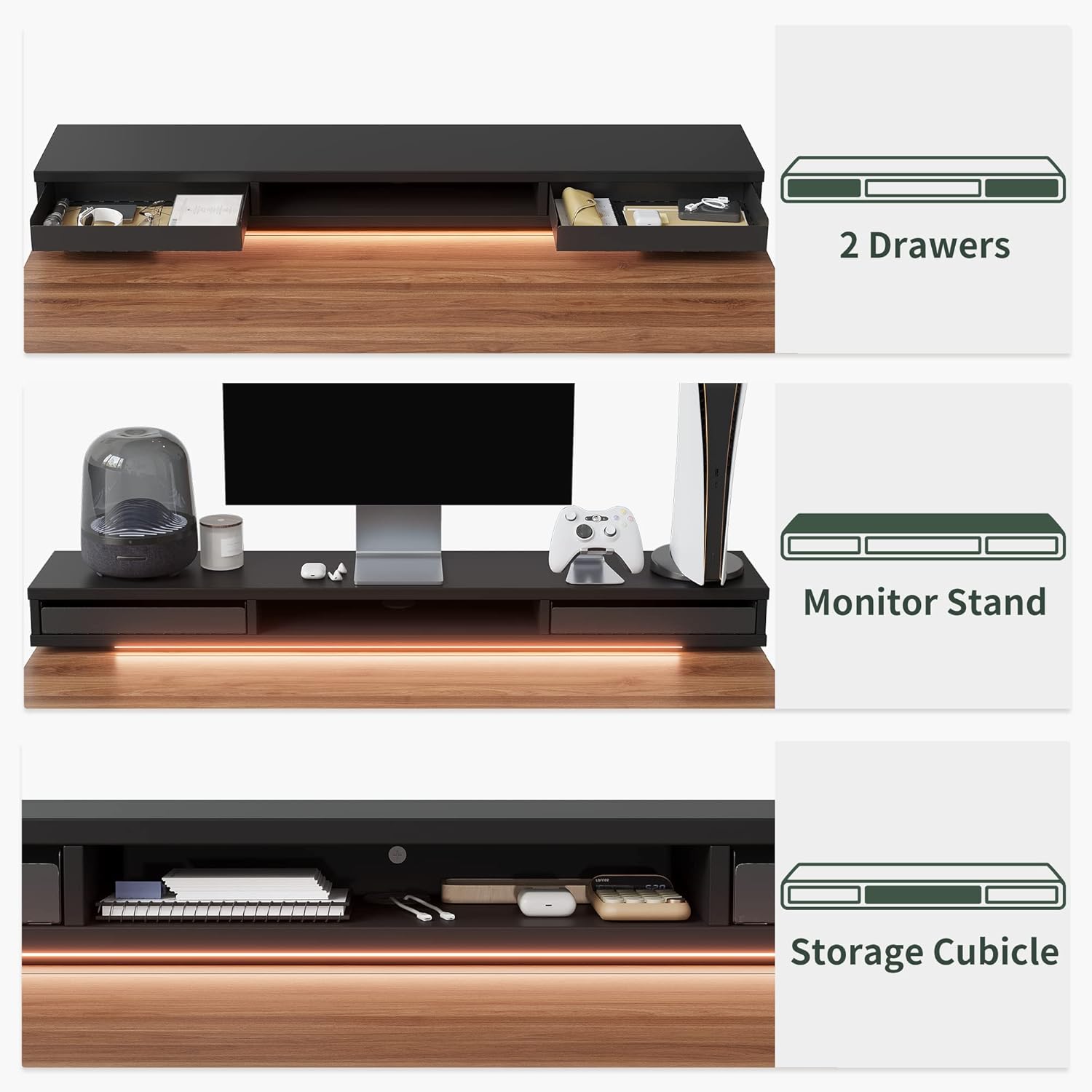
Figure 6: Drawers and Storage Cubicle
5.5. Lockable Casters
The desk includes lockable casters for mobility. To move the desk, unlock the casters. To secure the desk in place, lock the casters.

Figure 7: Lockable Casters
5.6. Desk Hooks
Two desk hooks are provided for hanging headphones, bags, or other items, helping to keep your workspace tidy.

Figure 8: Desk Hooks
6. Maintenance
- Cleaning: Wipe the desktop and frame with a soft, damp cloth. Avoid harsh chemicals or abrasive cleaners.
- Cable Management: Regularly check and organize cables to prevent tangles and damage.
- Screw Tightness: Periodically check all screws and tighten them if necessary to maintain stability.
7. Troubleshooting
- Desk Not Adjusting:
- Check all cable connections to ensure they are secure.
- Verify the power cord is properly plugged into a working outlet.
- If an error code (e.g., E3) appears, try lowering the desk completely and then raising it again.
- Uneven Lifting:
- Ensure the desk is not overloaded or unevenly weighted.
- Check that all leg components are correctly assembled and tightened.
- LED Strip Not Sticking:
- Clean the surface where the LED strip is to be applied.
- If the adhesive is insufficient, use additional double-sided tape or clips (not included) to secure the strip.
- Motor Noise:
- A low noise level (under 50 dB) during operation is normal.
- If the noise is excessive or unusual, ensure no cables or objects are interfering with the motor mechanism.
8. Specifications
| Feature | Detail |
|---|---|
| Brand | FEZIBO |
| Model Number | SDE |
| Product Dimensions | 26"D x 60"W x 27.7"H |
| Height Adjustment Range | 27.16" to 46.06" |
| Maximum Weight Capacity | 176 lbs (80 kg) |
| Material | Alloy Steel (Base), Wood (Top) |
| Color | Black Walnut |
| Special Features | Ergonomic, Height Adjustable Electric, Easy Installation, Sturdy, Anti-Collision Technology, Double Drawers, LED Strips, Monitor Stand, Lockable Casters, Desk Hooks |
| Noise Level | Under 50 dB |
9. Warranty and Support
For any questions, warranty concerns, or technical support during assembly and use, please contact FEZIBO customer service. Refer to your purchase documentation for specific warranty terms and contact information.


