
1. Introduction
This manual provides detailed instructions for the assembly, operation, maintenance, and troubleshooting of your FEZIBO Electric Standing Desk with Drawers. Please read this manual thoroughly before assembly and use to ensure proper function and longevity of your product. Keep this manual for future reference.

Image 1.1: The FEZIBO Electric Standing Desk with Drawers, featuring a rustic brown finish and monitor shelf.
2. Safety Information
Observe the following safety guidelines to prevent injury or damage to the product:
- Weight Limit: Do not place items on the desk that exceed a total weight of 43.091 kilograms (approximately 95 lbs). Exceeding this limit may cause damage to the desk or lead to instability.
- Assembly: Ensure all components are securely fastened according to the assembly instructions. Loose parts can cause instability.
- Movement: Clear the area around the desk before adjusting its height to prevent collisions with objects or persons.
- Power: Ensure the power cord is not pinched or damaged. Disconnect power before cleaning or maintenance.
- Children and Pets: Keep children and pets away from the desk during height adjustments.
3. Package Contents
Your FEZIBO Electric Standing Desk is delivered in two separate packages. Please ensure you have received both packages before beginning assembly. The packages typically arrive 1 to 2 days apart.

Image 3.1: Illustration showing the desk components arriving in two separate boxes.
The following components are included:
- Standing Desk Frame (Electric Lifting Mechanism)
- Desktop Surface (55x26 Inch, Rustic Brown)
- Three Wood Drawers
- Monitor Shelf
- Assembly Instructions with Diagram
- Basic Assembly Tools
- Detachable and Lockable Casters (Optional installation)
4. Assembly Instructions
Assembly of the FEZIBO Electric Standing Desk requires careful attention to detail. Refer to the included Assembly Instructions with Diagram for step-by-step guidance. It is recommended that two people perform the assembly.
General Assembly Notes:
- Unpack all components and verify against the package contents list.
- Lay out all parts on a soft, clean surface to prevent scratches.
- Follow the diagrams precisely. Some steps may require careful interpretation.
- Ensure all screws and fasteners are tightened securely, but do not overtighten.
- The desk includes options for either stationary feet or detachable, lockable casters. Install the preferred option during assembly.
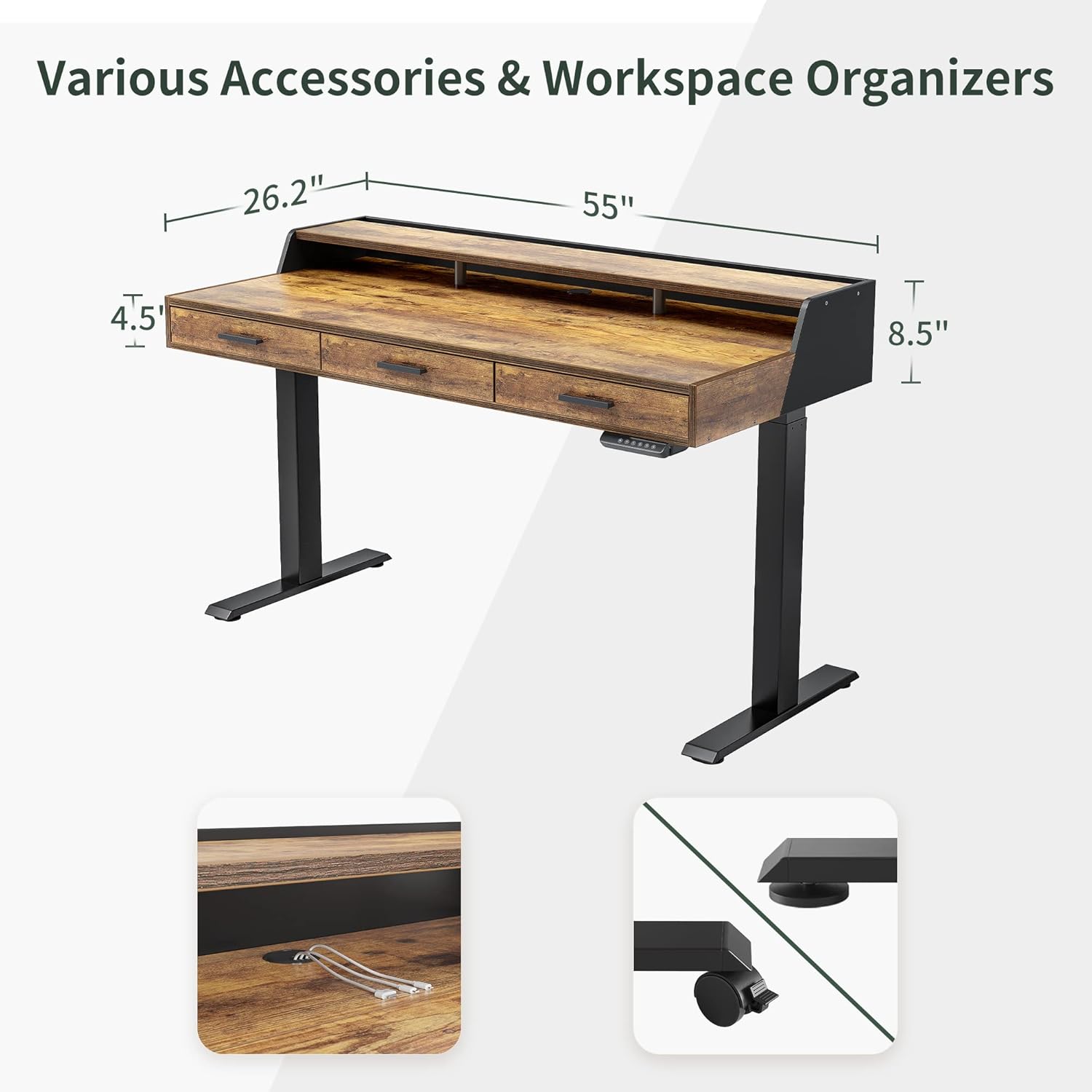
Image 4.1: Overview of desk dimensions, integrated cable grommet, and optional casters.

Image 4.2: Detail of the integrated cable grommet for organized wiring.

Image 4.3: Detail of the replaceable lockable casters for mobility.
5. Operating Instructions
5.1 Control Panel Functions
The desk features a multi-function intelligent keypad for height adjustment and memory presets.
Image 5.1: The control panel for the electric standing desk.
- Up & Down Buttons: Use these arrows for momentary height control. Press and hold to move the desk up or down.
- Memory Presets (1, 2, 3): The desk has 3 height memorizing features. To set a preset: Adjust the desk to your desired height, then press and hold one of the number buttons (1, 2, or 3) until the display flashes or beeps, indicating the height is saved. To recall a preset, simply press the corresponding number button.
- Child-Friendly Memory/Screen Lock Button (S): This button can be used to lock the control panel to prevent accidental adjustments. Consult the detailed assembly instructions for specific locking and unlocking procedures.
- Automatic Anti-Collision Technology: The desk is equipped with a sensor that detects obstacles during height adjustment. If an obstacle is detected, the desk will automatically stop and reverse slightly to prevent damage.

Image 5.2: Illustration of the anti-collision feature.
5.2 Ergonomic Use
The adjustable height feature allows you to switch between sitting and standing positions, promoting better posture and reducing discomfort during long work periods. The monitor shelf helps elevate your screen to an ergonomic eye level.

Image 5.3: Diagram illustrating correct ergonomic postures for sitting and standing.
5.3 Storage Features
The desk includes three wood drawers and a monitor shelf with integrated organizers to help maintain a tidy workspace.
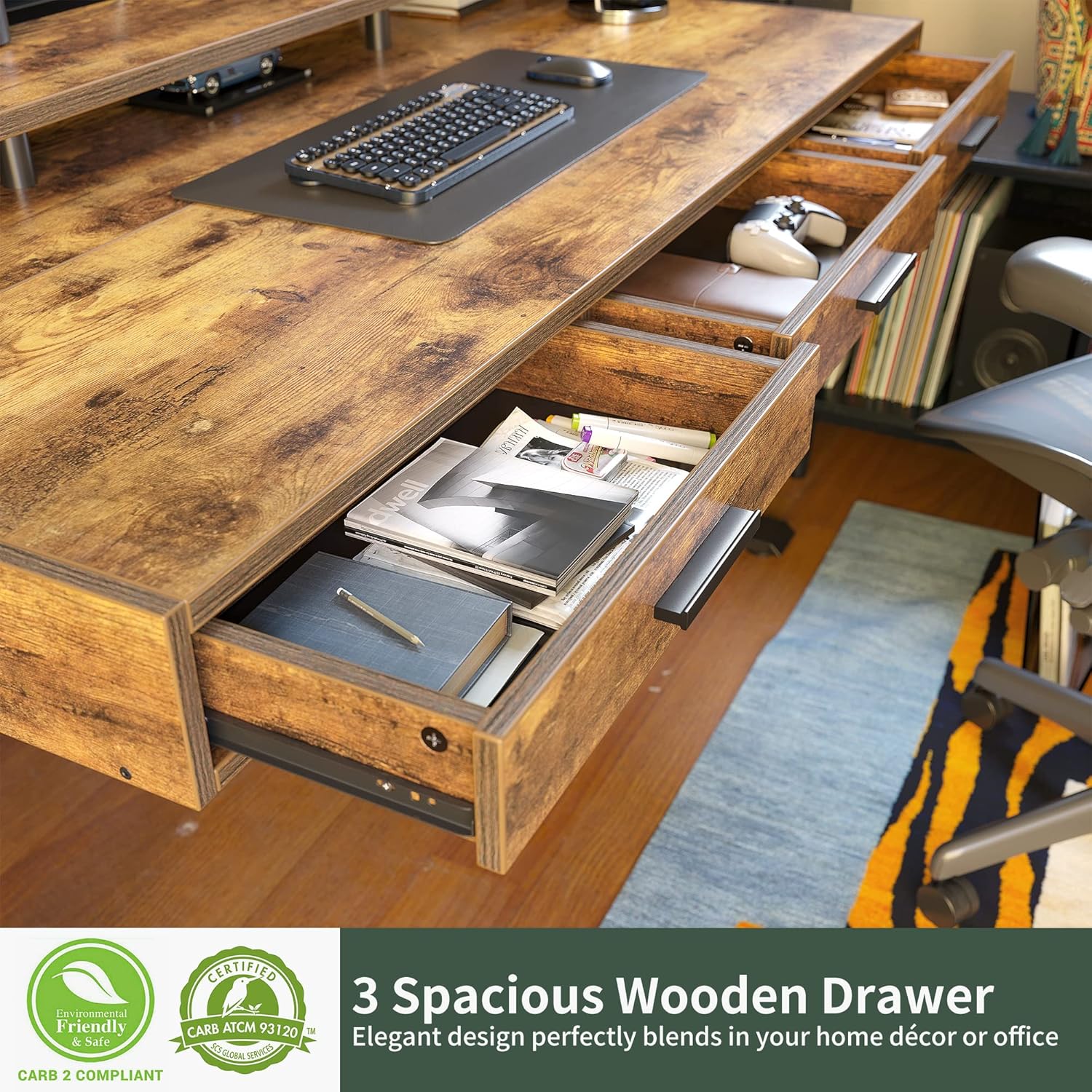
Image 5.4: Detail of the monitor shelf, featuring a book/file/laptop organizer and open storage.

Image 5.5: The three spacious wooden drawers provide ample storage for office supplies.
6. Maintenance
To maintain the appearance and functionality of your FEZIBO Electric Standing Desk, follow these simple care instructions:
- Cleaning: Wipe the desk surfaces with a damp cloth. Avoid harsh chemicals or abrasive cleaners that could damage the laminated finish.
- Inspection: Periodically check all screws and connections to ensure they remain tight.
- Motor Care: Keep the motor and lifting columns free from dust and debris. Do not attempt to lubricate the motor or internal mechanisms.
- Weight Distribution: Distribute weight evenly across the desktop to prevent strain on the lifting mechanism.
7. Troubleshooting
If you encounter issues with your FEZIBO Electric Standing Desk, refer to the following common problems and solutions:
7.1 Error Codes
- E01 / E3 Error: These errors typically indicate an issue with the lifting mechanism, often related to resistance or an overload.
- Remove all items from the desk surface.
- Unplug the desk from the power outlet for at least 30 seconds.
- Plug the desk back in.
- Perform a reset by pressing and holding the 'Down' button until the desk reaches its lowest position and then slightly rises. Consult your specific assembly manual for detailed reset procedures.
- If the error persists, contact customer support.
7.2 Desk Not Adjusting Height
- Check if the power cord is securely connected to both the desk and the wall outlet.
- Ensure no obstacles are impeding the desk's movement.
- Verify that the control panel is not locked (if applicable, refer to the 'S' button function).
- Perform a reset as described for E01/E3 errors.
7.3 Drawers Not Closing Properly
- Inspect the drawer slides for any obstructions or misalignment.
- Ensure the drawer components were assembled correctly and are not loose.
- Check if any items inside the drawer are preventing it from closing fully.
8. Specifications
Key specifications for the FEZIBO Electric Standing Desk with Drawers:
| Feature | Detail |
|---|---|
| Brand | FEZIBO |
| Product Dimensions (D x W x H) | 26"D x 55"W x 28"H |
| Color | Rustic Brown |
| Style | Modern |
| Base Material | Alloy Steel |
| Top Material Type | Wood (Laminated Finish) |
| Special Features | Ergonomic, Sturdy, Height adjustable, Sit and stand functionality, Monitor Shelf, Drawers |
| Lifting Mechanism | Electric |
| Height Range | 28.35" to 46.46" |
| Number of Height Positions | 3 (Memory Presets) |
| Number of Drawers | 3 |
| Number of Shelves | 1 (Monitor Shelf) |
| Item Weight | 43.09 Kilograms (approx. 95 lbs) |
| Maximum Load Capacity | 43.091 Kilograms (approx. 95 lbs) |
| Assembly Required | Yes (Recommended 2 people) |
| Noise Level (Operation) | Approximately 45dB (Quiet Operation) |

Image 8.1: Illustration of the desk's maximum load capacity and quiet operation.
8.1 Certifications
The desk frame, table board, and power supply accessories have undergone various certifications to ensure quality and safety.

Image 8.2: Display of CARB, FCC, and ETL certifications.
- Frame: FCC certified.
- Table Board: EPA and CARB certified.
- Power Supply Accessories: ETL certified.
9. Warranty and Support
For warranty information, specific terms, and conditions, please refer to the documentation provided with your purchase or visit the official FEZIBO website. For technical assistance or customer support, please contact FEZIBO directly through their official channels.


