
Introduction
The ASUS Zenfone 9 is a compact, high-performance 5G smartphone designed for ease of use and powerful capabilities. Featuring the Snapdragon 8+ Gen 1 Mobile Platform and a long-lasting 4300 mAh battery, it offers robust performance. Its advanced dual camera system includes a 6-Axis Hybrid Gimbal Stabilizer for exceptional photo and video stability. This manual provides essential information for setting up, operating, maintaining, and troubleshooting your Zenfone 9.
Getting Started: Initial Setup
Follow these steps to set up your new ASUS Zenfone 9 5G.
1. Unboxing and Device Overview
Carefully unbox your Zenfone 9. The package typically includes the Zenfone 9 device, a USB-C cable, and a power adapter. Familiarize yourself with the device's physical layout, including ports, buttons, and camera modules.
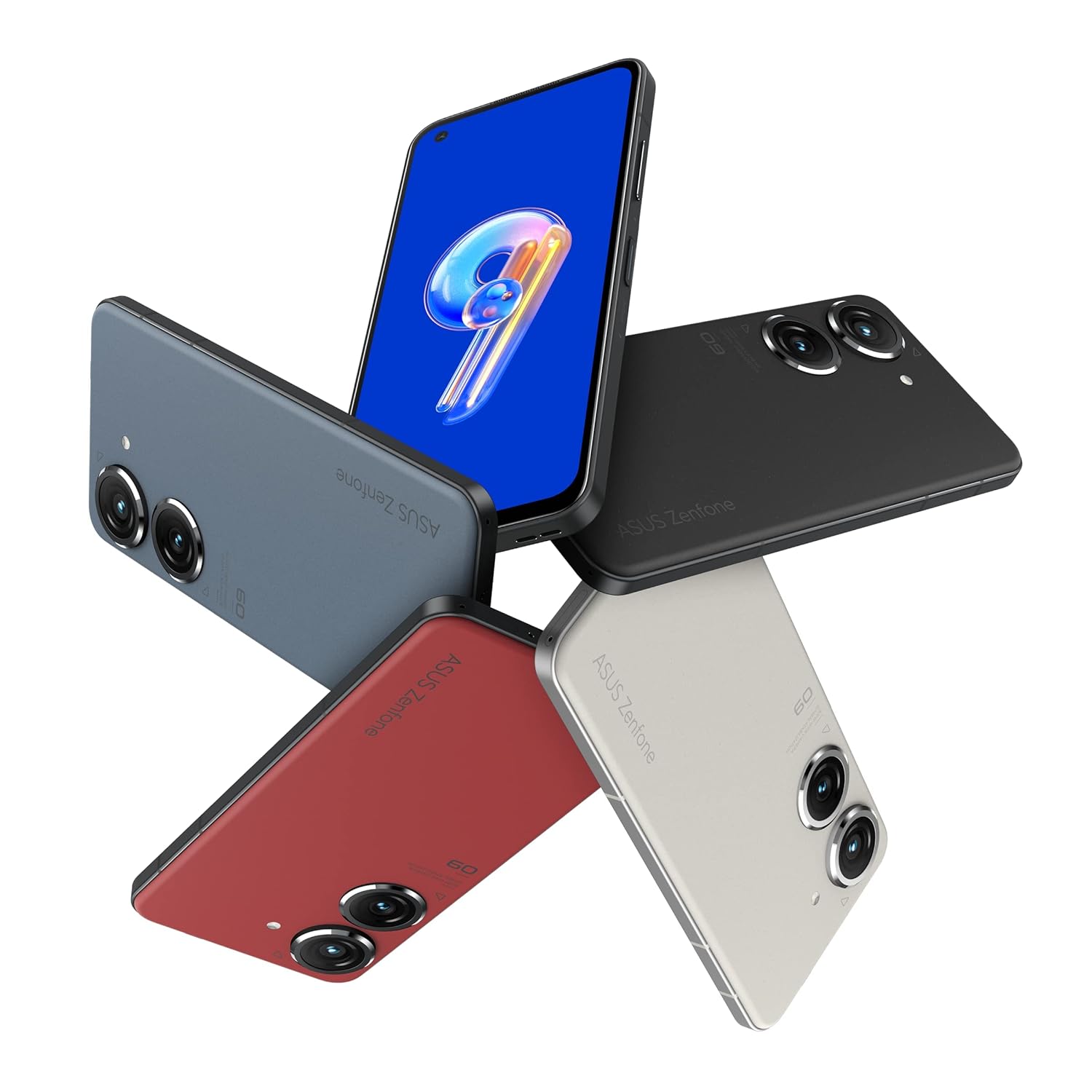
Image: ASUS Zenfone 9 5G in various color options, highlighting its compact design.
2. SIM Card Installation
- Locate the SIM card tray on the side of your Zenfone 9.
- Insert the SIM ejector tool (if provided) into the small hole next to the tray and push gently until the tray pops out.
- Place your Nano-SIM card(s) into the designated slots on the tray, ensuring proper orientation.
- Carefully reinsert the SIM tray into the phone until it clicks into place.
3. Initial Power On and Setup Wizard
- Press and hold the power button (located on the right side) until the ASUS logo appears.
- Follow the on-screen instructions of the Android setup wizard. This will guide you through selecting your language, connecting to a Wi-Fi network, setting up your Google account, and configuring security options like fingerprint unlock.
- The Zenfone 9 features a conveniently located fingerprint sensor integrated into the power button for hassle-free unlocking.
Operating Your Device
Basic Navigation and ZenTouch Button
The Zenfone 9 operates on the Android platform, utilizing a touchscreen interface for navigation. Swipe, tap, and pinch gestures are standard. The unique ZenTouch multi-function button, integrated with the power button, enhances one-handed operation. You can customize its functions, including:
- Swipe Up/Down: Voice to text, open notifications, refresh web page, move to top/bottom of page.
- Double Click: Media control, quick app launch.

Image: Side view of the Zenfone 9, illustrating the position of the ZenTouch power button.
Camera Features
The Zenfone 9 is equipped with a massively upgraded dual camera system. The primary camera features a 6-Axis Hybrid Gimbal Stabilizer, providing super steady photos and videos even in motion. Explore various camera modes for different shooting scenarios.
- Rear Camera: Dual camera setup for high-quality photography and videography.
- Front Camera: For selfies and video calls.
- 6-Axis Hybrid Gimbal Stabilizer: Ensures smooth, blur-free content capture.
Connectivity
Your Zenfone 9 supports a range of connectivity options:
- Wi-Fi: Connect to wireless networks for internet access.
- Bluetooth: Pair with wireless headphones, speakers, and other Bluetooth-enabled devices.
- USB: Use the USB-C port for charging, data transfer, and connecting to a computer.
- GPS: Integrated GLONASS for accurate location services.
Battery Management
The Zenfone 9 is powered by a 4300 mAh battery. To optimize battery life:
- Use the provided charger and cable for optimal charging.
- Adjust screen brightness.
- Close unused apps running in the background.
- Enable battery saver mode when needed.
Care and Maintenance
Proper care ensures the longevity and optimal performance of your Zenfone 9.
- Cleaning: Use a soft, lint-free cloth to clean the screen and body. Avoid harsh chemicals or abrasive materials.
- Software Updates: Regularly check for and install system updates to ensure your device has the latest features, security patches, and performance improvements.
- Storage Management: Periodically review and delete unnecessary files, apps, and media to free up storage space and maintain device speed.
- Environmental Conditions: Avoid exposing your phone to extreme temperatures, direct sunlight for prolonged periods, or excessive moisture.
Troubleshooting Common Issues
This section addresses common problems you might encounter with your Zenfone 9.
Device Not Turning On
- Ensure the battery is charged. Connect the charger and wait a few minutes before attempting to power on.
- Perform a forced restart by holding the power button for approximately 15-20 seconds.
Apps Crashing or Freezing
- Close and reopen the app.
- Clear the app's cache and data from the device settings (Settings > Apps > [App Name] > Storage).
- Ensure the app and your device's operating system are up to date.
Connectivity Issues (Wi-Fi/Bluetooth)
- Toggle Wi-Fi or Bluetooth off and on.
- Restart your device.
- For Wi-Fi, restart your router.
- Forget the network/device and reconnect.
Factory Reset (Last Resort)
If persistent issues occur, a factory reset can resolve many software-related problems. Warning: This will erase all data on your phone. Back up important data before proceeding.
- Go to Settings > System > Reset options.
- Select "Erase all data (factory reset)".
- Confirm your decision and follow the prompts.
Technical Specifications
Key specifications for the ASUS Zenfone 9 5G (Model: AI2202).
| Feature | Specification |
|---|---|
| Operating System | Android |
| RAM | 8 GB |
| Internal Storage | 128 GB |
| Processor | Snapdragon 8+ Gen 1 Mobile Platform |
| Display Technology | AMOLED |
| Display Resolution | 1080p |
| Rear Camera | Dual Camera with 6-Axis Hybrid Gimbal Stabilizer |
| Front Camera | Yes |
| Battery Capacity | 4300 mAh (Lithium Ion) |
| Dimensions (LxWxH) | 14.99 x 7.62 x 1.02 cm |
| Weight | 460 g |
| Connectivity | Bluetooth, Wi-Fi, USB, GLONASS (GPS) |
| Color | Midnight Black |
Note: Specifications are subject to change without notice. For the most up-to-date information, please refer to the official ASUS website.
Warranty and Support
For detailed warranty information, please refer to the warranty card included with your product or visit the official ASUS support website. ASUS provides customer support for technical assistance, repairs, and service inquiries.
Online Support: Visit the ASUS Support Website for FAQs, driver downloads, and service requests.
Contact Support: Refer to the ASUS website for regional contact numbers and service center locations.


