Introduction
Thank you for purchasing the Hopestar P22 TWS Bluetooth Speaker. This portable speaker is designed to deliver high-quality audio with versatile connectivity options, including Bluetooth, U disk, TF card, and AUX input. It features IPX6 water resistance, hands-free calling, and dynamic RGB lighting, making it ideal for both indoor and outdoor use. Please read this manual carefully before using the product to ensure proper operation and to maximize its lifespan.
What's in the Box
- Hopestar P22 TWS Bluetooth Speaker
- Charging Cable
- Aux Cable
- User Manual (this document)
Product Overview
Familiarize yourself with the various parts and controls of your Hopestar P22 speaker.

Figure 1: Front view of the Hopestar P22 speaker, showcasing its textured fabric and prominent red plus and minus symbols.
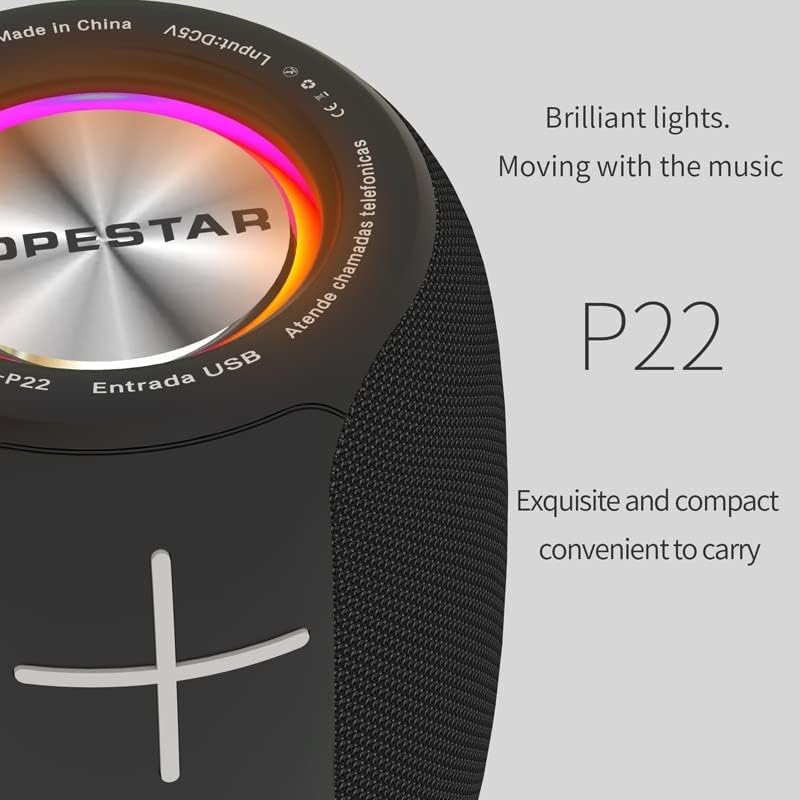
Figure 2: Close-up of the speaker's top panel, highlighting the LED color lights that move with the music and the "HOPESTAR" branding.

Figure 3: Detail of the speaker's side, emphasizing the woven fabric texture and the soft-touch rubber buttons for volume control.

Figure 4: Rear panel of the speaker, displaying the DC5V charging port, USB TF card slot, and AUX input port, along with power and light control buttons.
Controls and Ports:
- Power Button: Press and hold to turn on/off.
- Play/Pause Button: Play or pause music; answer/end calls.
- Volume Up (+): Increase volume; long press for next track.
- Volume Down (-): Decrease volume; long press for previous track.
- Mode Button (M): Switch between Bluetooth, TF Card, U Disk, AUX, and FM modes.
- Light Button: Control RGB LED light modes.
- DC5V Port: For charging the speaker.
- USB TF Slot: For U disk and TF card playback.
- AUX Port: For wired audio connection.
Setup
1. Charging the Speaker
Before first use, fully charge the speaker. Connect the provided charging cable to the DC5V port on the speaker and the other end to a USB power adapter (not included) or a computer's USB port. The LED indicator will show charging status and turn off when fully charged. A full charge takes approximately 3-4 hours.
2. Power On/Off
- To Power On: Press and hold the Power button for 2-3 seconds until you hear a prompt sound and the LED lights illuminate.
- To Power Off: Press and hold the Power button for 2-3 seconds until you hear a prompt sound and the LED lights turn off.
Operating Instructions
1. Bluetooth Pairing
- Turn on the speaker. It will automatically enter Bluetooth pairing mode, indicated by a flashing LED light.
- Enable Bluetooth on your smartphone, tablet, or other Bluetooth-enabled device.
- Search for "HOPESTAR P22" in the list of available devices.
- Select "HOPESTAR P22" to connect. Once connected, you will hear a confirmation sound, and the LED light will stop flashing.
- The speaker will automatically reconnect to the last paired device when powered on, if the device is within range and Bluetooth is enabled.
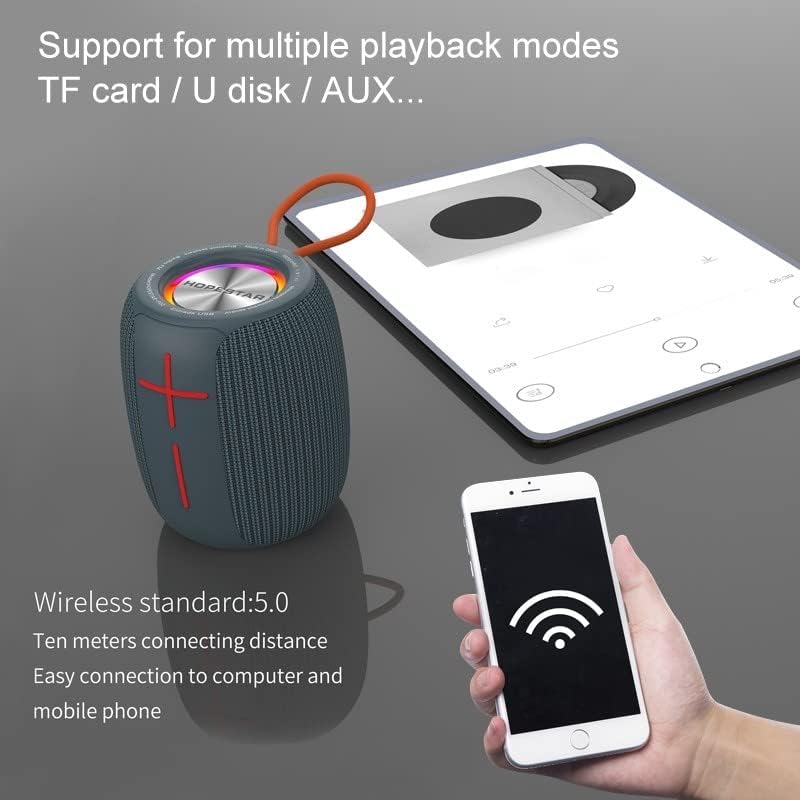
Figure 5: The Hopestar P22 speaker demonstrating its wireless connectivity with a smartphone and tablet, supporting multiple playback modes.
2. TWS (True Wireless Stereo) Pairing (1+1 Series Function)
The TWS function allows you to pair two Hopestar P22 speakers together for a true stereo sound experience.
- Ensure both Hopestar P22 speakers are powered on and not connected to any Bluetooth device.
- On one of the speakers (this will be the primary speaker), double-press the Play/Pause button. You will hear a prompt sound indicating it's searching for another speaker.
- The two speakers will automatically pair with each other. Once successfully paired, you will hear a confirmation sound.
- Now, connect your Bluetooth device to the primary speaker (the one you double-pressed the Play/Pause button on) as described in the "Bluetooth Pairing" section.
- Audio will now play in stereo through both speakers.
- To disconnect TWS, double-press the Play/Pause button on either speaker.
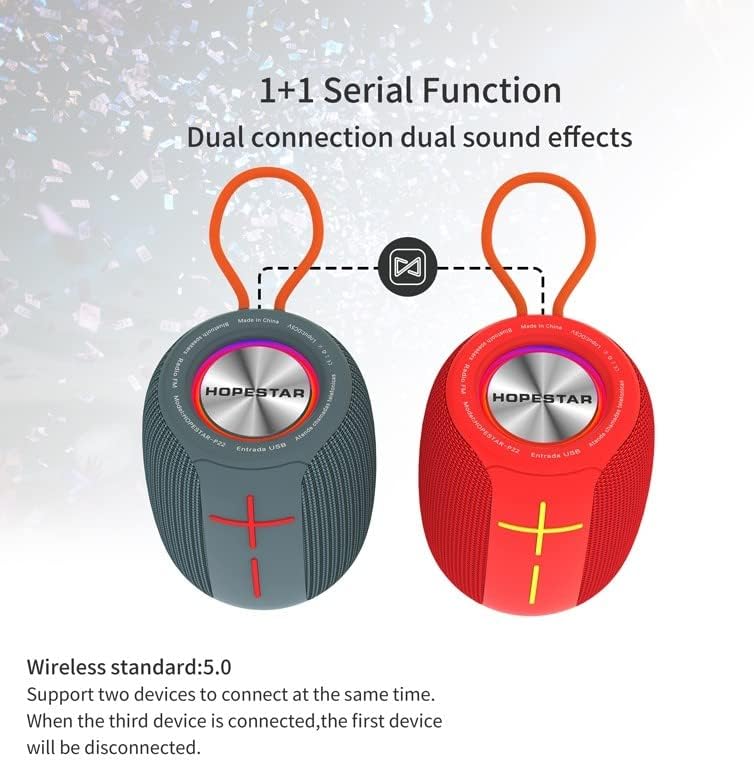
Figure 6: Illustration of the 1+1 Serial Function, demonstrating how two Hopestar P22 speakers can be wirelessly linked for a dual-channel audio experience.
3. Playback Modes (U Disk, TF Card, AUX)
The speaker supports various playback sources:
- U Disk/TF Card Mode: Insert a USB flash drive or TF card (with MP3/WAV/WMA/FLAC/APE audio files) into the respective slot. The speaker will automatically switch to U Disk/TF Card mode and begin playback. Use the Play/Pause, Volume Up, and Volume Down buttons to control playback.
- AUX Mode: Connect one end of the provided 3.5mm AUX cable to the speaker's AUX port and the other end to your audio device's headphone jack. The speaker will automatically switch to AUX mode. Control playback from your connected device.
- Switching Modes: Press the "M" (Mode) button to cycle through available modes (Bluetooth, U Disk, TF Card, AUX, FM).
4. Hands-Free Calling
When connected via Bluetooth to your smartphone:
- Answer Call: Press the Play/Pause button once.
- End Call: Press the Play/Pause button once during a call.
- Reject Call: Press and hold the Play/Pause button for 2 seconds.
- Redial Last Number: Double-press the Play/Pause button.
5. FM Radio Function
To use the FM radio:
- Press the "M" (Mode) button to switch to FM radio mode.
- Press the Play/Pause button once to automatically scan and save available FM stations.
- Use the Volume Up (+) and Volume Down (-) buttons (short press) to switch between saved stations.
6. RGB Light Control
The speaker features dynamic RGB LED lights. Press the Light button to cycle through different light modes or to turn the lights off.
Maintenance
- Cleaning: Use a soft, dry cloth to clean the speaker. Do not use abrasive cleaners, alcohol, or chemical solvents, as these may damage the surface.
- Water Resistance: The speaker is IPX6 water resistant, meaning it can withstand powerful water jets. However, it is not designed for submersion. Ensure all port covers are securely closed before exposing the speaker to water.
- Storage: Store the speaker in a cool, dry place away from direct sunlight and extreme temperatures.
- Battery Care: To prolong battery life, charge the speaker regularly, even if not in use for extended periods. Avoid fully discharging the battery frequently.
Troubleshooting
| Problem | Possible Cause | Solution |
|---|---|---|
| Speaker does not turn on. | Low battery. | Charge the speaker fully. |
| Cannot pair via Bluetooth. | Speaker not in pairing mode; device Bluetooth off; too far from speaker. | Ensure speaker is in pairing mode (flashing LED). Turn on Bluetooth on your device. Move device closer to speaker (within 10m). Forget "HOPESTAR P22" on your device and try pairing again. |
| No sound. | Volume too low; incorrect mode selected; device not connected. | Increase speaker and device volume. Press "M" button to select correct mode. Ensure Bluetooth or AUX connection is stable. |
| TWS pairing fails. | Speakers already connected to another device; too far apart. | Ensure both speakers are disconnected from any Bluetooth device. Place speakers close to each other. Follow TWS pairing steps carefully. |
| Poor FM reception. | Weak signal. | Move the speaker to an open area or near a window. |
Specifications
| Feature | Detail |
|---|---|
| Model Name | P22 Series |
| Wireless Standard | Bluetooth 5.0 |
| Transmission Distance | Up to 10 meters (33 feet) |
| Speaker Output Power | 5 Watts (57mm, 4 Ohm) |
| Battery Type | Lithium-Ion 18650 |
| Battery Capacity | 1500 mAh |
| Playback Time | Up to 6 hours (at 70% volume) |
| Charging Time | Approx. 3-4 hours |
| Water Resistance | IPX6 |
| Supported Audio Formats | MP3, WAV, WMA, FLAC, APE |
| Connectivity Technology | Bluetooth, Auxiliary, USB |
| Product Dimensions | 10 x 15 x 13 cm |
| Product Weight | 350 g |
| Material | Hard Plastic, Silicone |

Figure 7: Dimensional view of the Hopestar P22 speaker, indicating its approximate measurements of 15cm in height, 10cm in depth, and 13cm in width.
Warranty and Support
This product comes with a standard manufacturer's warranty. For detailed warranty information, please refer to the warranty card included with your purchase or contact the retailer. If you encounter any issues or have questions regarding your Hopestar P22 speaker, please contact Hifimex customer support through their official website or the contact information provided with your product packaging.
Please retain your proof of purchase for warranty claims.


