
Wiko T10
WIKO T10 Smartphone User Manual
Model: T10
Introduction
This manual provides comprehensive instructions for the safe and efficient use of your WIKO T10 smartphone. Please read this manual carefully before using your device to ensure optimal performance and longevity. Keep this manual for future reference.
Important Safety Information
- Do not expose the device to extreme temperatures, direct sunlight, or high humidity.
- Use only WIKO-approved chargers and accessories.
- Avoid dropping or subjecting the device to severe impact.
- Do not attempt to disassemble or repair the device yourself. Refer to authorized service personnel.
- Dispose of the device and its battery responsibly according to local regulations.
Package Contents
Ensure all items are present in your WIKO T10 package:
- WIKO T10 Smartphone
- Charger
- USB Type-C Cable
- SIM Ejector Tool
- Quick Start Guide
- Safety and Warranty Information
Product Overview
Familiarize yourself with the physical components of your WIKO T10 smartphone.

Figure 1: Front and Rear View of the WIKO T10 Smartphone. The front features a large display with a dewdrop notch, and the rear shows the camera module and WIKO branding.
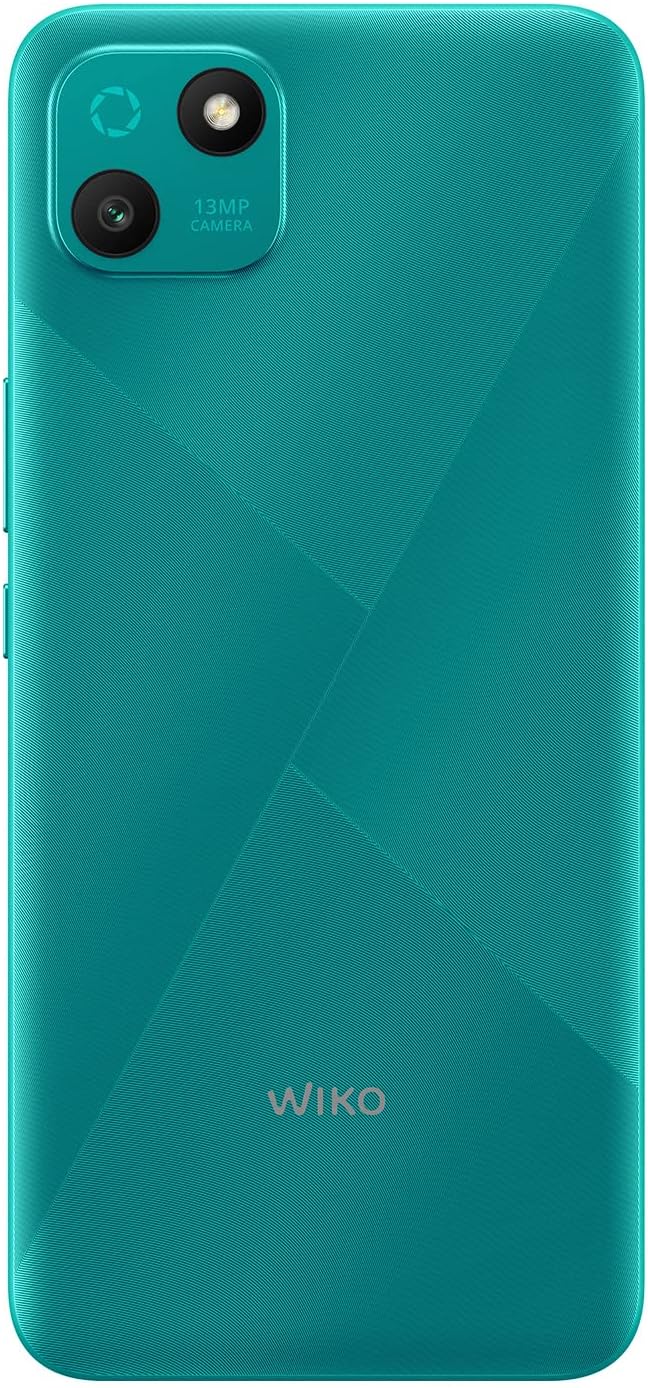
Figure 2: Detailed rear view of the WIKO T10, highlighting the 13MP camera module and textured back panel.

Figure 3: Side profile of the WIKO T10, illustrating its slim design and button placement.
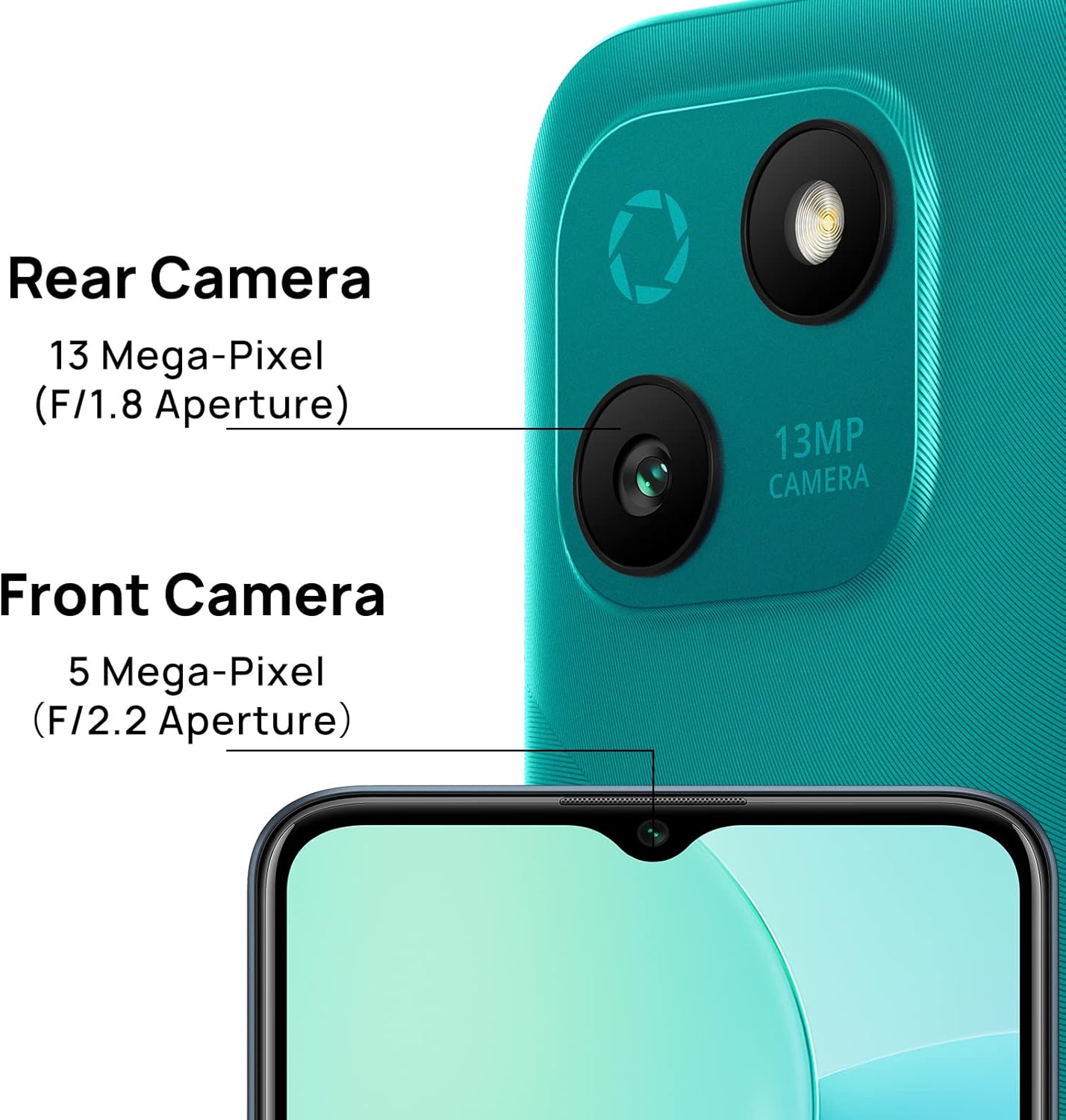
Figure 4: Camera specifications for the WIKO T10, indicating a 13 Mega-Pixel Rear Camera (F/1.8 Aperture) and a 5 Mega-Pixel Front Camera (F/2.2 Aperture).

Figure 5: The WIKO T10 features a 6.5-inch Dewdrop Display, offering an immersive visual experience with minimal bezels.
Setup Guide
7.1 Inserting SIM and SD Card
The WIKO T10 supports Dual SIM functionality. Follow these steps to insert your SIM card(s) and an optional microSD card for expanded storage:
- Locate the SIM tray on the side of the device.
- Insert the SIM ejector tool into the small hole next to the tray and press gently until the tray pops out.
- Place your Nano-SIM card(s) and/or microSD card into the designated slots on the tray, ensuring the gold contacts face downwards.
- Carefully push the tray back into the slot until it is flush with the phone's body.
7.2 Initial Power On and Setup
To power on your WIKO T10 for the first time:
- Press and hold the Power button (usually on the right side) until the WIKO logo appears.
- Follow the on-screen prompts to select your language, connect to Wi-Fi, set up your Google account, and configure other initial settings.
7.3 Charging the Device
Before first use, it is recommended to fully charge your WIKO T10.
- Connect the USB Type-C cable to the charging port at the bottom of the phone.
- Connect the other end of the cable to the power adapter, then plug the adapter into a power outlet.
- The charging indicator will appear on the screen. Disconnect the charger once the battery is full.
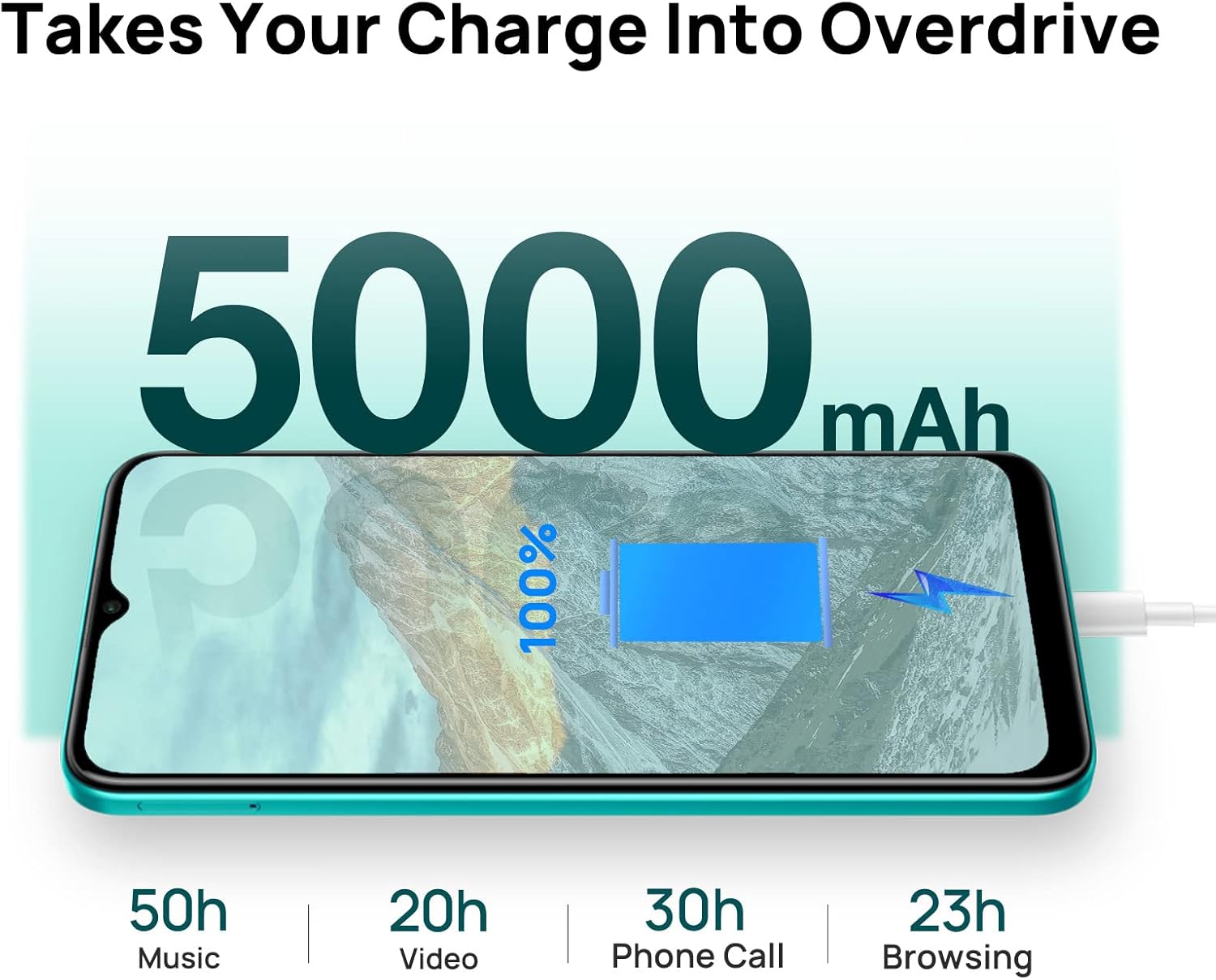
Figure 6: The WIKO T10 features a 5000mAh battery, providing extended usage times such as 50 hours of music, 20 hours of video, 30 hours of phone calls, and 23 hours of browsing on a full charge.
Operating Your WIKO T10
8.1 Basic Navigation
Your WIKO T10 uses a capacitive touchscreen for interaction:
- Tap: To open apps, select items, or press on-screen buttons.
- Touch and Hold: To access contextual menus or move items.
- Swipe: To scroll through lists, switch between home screens, or navigate through photos.
- Pinch: To zoom in or out on images and web pages.
8.2 Making Calls and Sending Messages
To make a call, open the Phone app and dial the number or select a contact. To send a message, open the Messages app, start a new conversation, and type your text.
8.3 Connecting to Networks
Your WIKO T10 supports Wi-Fi and 4G cellular networks.
- Wi-Fi: Go to Settings > Network & internet > Wi-Fi, turn Wi-Fi on, and select your desired network.
- Mobile Data (4G): Go to Settings > Network & internet > Mobile network and ensure Mobile data is enabled.
8.4 Using the Camera
The WIKO T10 features a 13MP rear camera and a 5MP front camera. Open the Camera app to capture photos and videos.
- Tap the shutter button to take a photo.
- Switch between photo and video modes.
- Use the front/rear camera toggle for selfies or main shots.
8.5 Battery Management
The 5000 mAh battery provides extended usage. To optimize battery life:
- Adjust screen brightness.
- Enable Battery Saver mode in Settings > Battery.
- Close unused applications running in the background.
8.6 Storage Management
Your WIKO T10 comes with 64GB of internal storage. You can expand this using a microSD card.
- To check storage usage, go to Settings > Storage.
- Regularly clear cache and unnecessary files to free up space.

Figure 7: Key features of the WIKO T10, including its 5000mAh Mega Battery, 6.5" Edgeless Dewdrop Display, 13MP Rear Camera, 64GB Large Storage, and Android 11 operating system.
Maintenance
9.1 Cleaning Your Device
To keep your WIKO T10 clean and in good condition:
- Use a soft, lint-free cloth to wipe the screen and body.
- Avoid using harsh chemicals, abrasive cleaners, or aerosol sprays.
- Do not allow moisture into openings.
9.2 Software Updates
Regularly check for software updates to ensure your device has the latest features and security patches. Go to Settings > System > System update.
9.3 Battery Care
To prolong the life of your battery:
- Avoid fully discharging the battery frequently.
- Do not leave the phone charging for extended periods after it's full.
- Keep the device within recommended operating temperatures.
Troubleshooting
| Problem | Possible Solution |
|---|---|
| Device does not turn on | Ensure the battery is charged. Press and hold the Power button for at least 10 seconds to force restart. |
| Cannot connect to Wi-Fi | Check if Wi-Fi is enabled. Restart your router. Forget the network and reconnect. |
| Apps are slow or crashing | Close background apps. Clear app cache. Restart the device. Ensure sufficient storage space. |
| Poor battery life | Reduce screen brightness. Disable unused features (Bluetooth, GPS). Enable Battery Saver mode. |
| Cannot make or receive calls | Check SIM card insertion. Ensure mobile data is enabled. Contact your network provider. |
Specifications
| Feature | Detail |
|---|---|
| Brand | Wiko |
| Model Name | T10 |
| Operating System | Android 11.0 (Go Edition) |
| Screen Size | 6.5 Inches |
| Resolution | 2340 x 1080 (HD+) |
| RAM Size | 2 GB |
| Storage Capacity | 64 GB |
| Rear Camera Resolution | 13 MP |
| Front Camera Resolution | 5 MP |
| Battery Capacity | 5000 mAh (Lithium-polymer) |
| Cellular Technology | 4G |
| Connectivity | Cellular, USB Type C |
| Special Features | Integrated GPS, Dual SIM |
| Color | Emerald Green |
Warranty and Support
For warranty information and customer support, please refer to the warranty card included in your product package or visit the official WIKO website. Keep your proof of purchase for warranty claims.
For further assistance, you may contact WIKO customer service through their official channels.
Related documentsT10


Ask a question about this manual
Ask about setup, troubleshooting, compatibility, parts, safety, or missing instructions. Manuals+ will review the question and use this page’s manual context to help answer it.