
SteelSeries 61606
Contents
SteelSeries Arctis Nova 1 Gaming Headphones User Manual
Model: 61606
Introduction
This manual provides comprehensive instructions for the SteelSeries Arctis Nova 1 Gaming Headphones. Please read this manual thoroughly before using the product to ensure proper operation and maintenance. The Arctis Nova 1 is designed for an immersive audio experience across multiple platforms, featuring a lightweight design, high-fidelity drivers, and a ClearCast Gen 2 microphone.
Package Contents
Verify that all items are present in your package:
- SteelSeries Arctis Nova 1 Gaming Headphones
- 3.5mm to 3.5mm Audio Cable (5-pole to 4-pole, 1.2m)
- Dual 3.5mm Extension Cable (1.5m)
- Product Information Guide
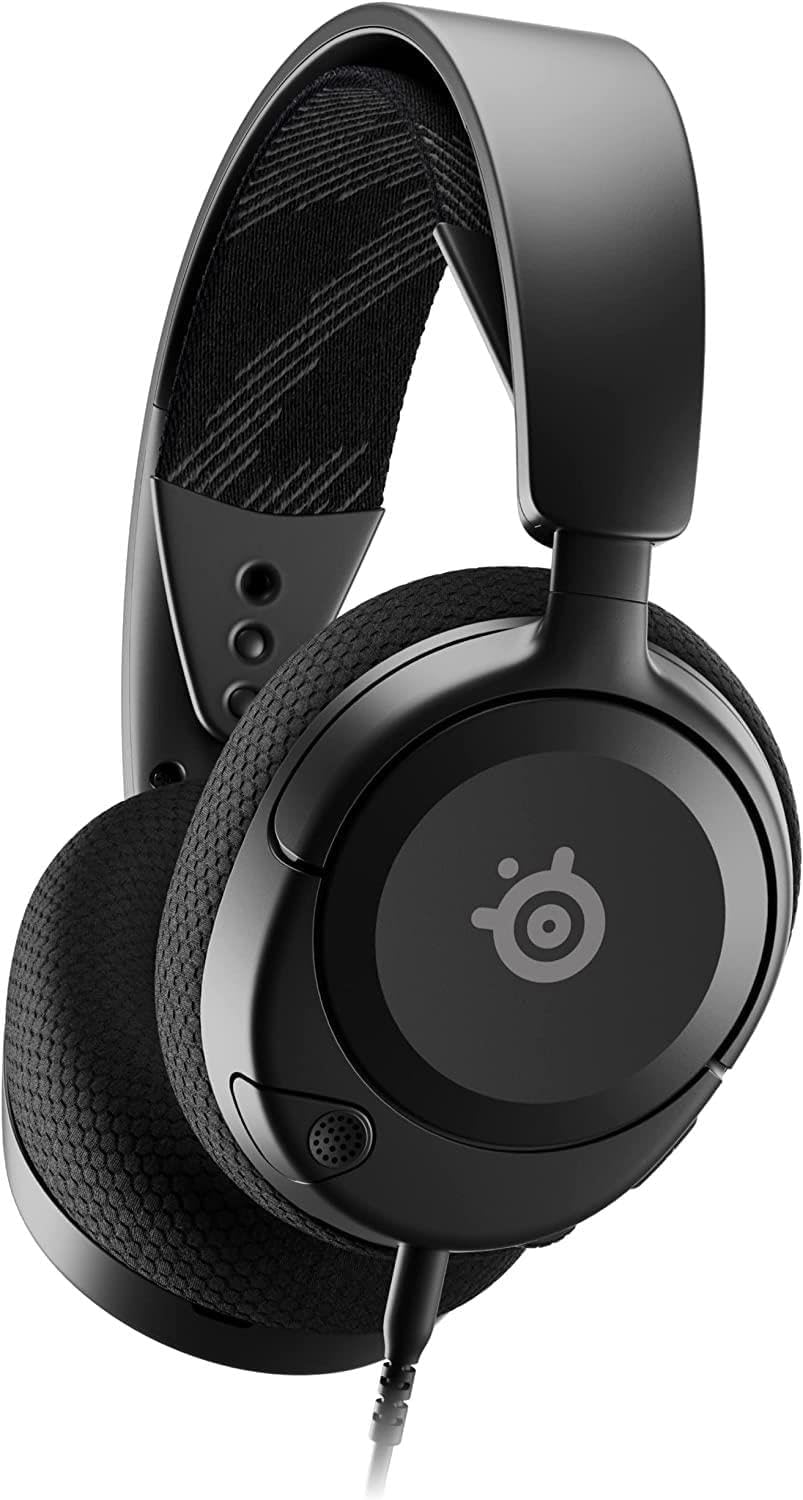
Image: The SteelSeries Arctis Nova 1 Gaming Headphones, showcasing their sleek black design.
Setup
Connecting to Devices
The Arctis Nova 1 headphones connect via a standard 3.5mm audio jack, making them compatible with a wide range of devices.
- PC/Mac: Connect the 3.5mm audio cable directly to your computer's combined audio jack. If your PC has separate audio and microphone jacks, use the included dual 3.5mm extension cable to split the connection.
- PlayStation (PS4/PS5): Plug the 3.5mm audio cable into the controller's headphone jack.
- Xbox: Plug the 3.5mm audio cable into the Xbox controller's headphone jack.
- Nintendo Switch: Connect the 3.5mm audio cable directly to the Nintendo Switch console's audio jack.
- Mobile Devices: Connect the 3.5mm audio cable to your mobile phone or tablet's audio jack.

Image: Illustration demonstrating the multi-platform compatibility of the Arctis Nova 1 headphones, including PC, Xbox, PlayStation, Switch, and mobile devices.
Adjusting Fit
For optimal comfort and sound performance, adjust the headset to fit your head.
- The Arctis Nova 1 features a ComfortMAX system with height-adjustable earcups and a flexible suspension band.
- Gently slide the earcups up or down along the headband to find a comfortable position that fully covers your ears.
- The flexible suspension band will conform to the shape of your head, distributing weight evenly for extended wear.

Image: The ComfortMAX system, highlighting the height-adjustable earcups and flexible suspension band for a personalized fit.
Operating Instructions
Audio Controls
The Arctis Nova 1 features convenient onboard controls for volume and microphone mute.
- Volume Dial: Located on the earcup, rotate the dial up or down to adjust the audio volume.
- Microphone Mute Button: Press the button on the earcup to toggle the microphone on or off.

Image: Close-up view of the earcup showing the volume dial and microphone mute button for easy access during use.
Using the ClearCast Gen 2 Microphone
The bi-directional ClearCast Gen 2 microphone provides clear voice communication with noise cancellation.
- Extend Microphone: Gently pull the microphone out from the left earcup until it is positioned near your mouth.
- Retract Microphone: When not in use, push the microphone back into the earcup for storage and protection.
- For optimal voice clarity, ensure the microphone is positioned a few centimeters from your mouth and pointed towards it.

Image: The ClearCast Gen 2 microphone, illustrating its retractable design and noise cancellation capabilities.
Spatial Audio and Sonar Software
The Arctis Nova 1 supports 360° Spatial Audio and can be enhanced using the SteelSeries Sonar software (available for PC).
- Spatial Audio: Experience immersive audio that provides precise positional cues, enhancing your gaming experience.
- Sonar Software: Download and install the SteelSeries Sonar software from the official SteelSeries website. This software allows for advanced audio customization, including a parametric equalizer and specific game audio profiles.

Image: Visual representation of 360° Spatial Audio, showing sound waves enveloping a user, indicating an immersive audio experience.
Maintenance
Proper care will extend the lifespan of your SteelSeries Arctis Nova 1 headphones.
- Cleaning: Use a soft, dry cloth to wipe down the earcups and headband. For stubborn dirt, a slightly damp cloth can be used, but ensure no moisture enters the speaker grilles or microphone.
- Storage: Store the headphones in a cool, dry place away from direct sunlight and extreme temperatures. Avoid placing heavy objects on the headset.
- Cable Care: Avoid sharp bends or kinks in the audio cables. When disconnecting, pull from the plug, not the cable itself.
Troubleshooting
| Problem | Possible Cause | Solution |
|---|---|---|
| No audio from headphones. |
|
|
| Microphone not working. |
|
|
| Sound quality is poor or distorted. |
|
|
Specifications
| Feature | Detail |
|---|---|
| Model Name | Arctis Nova 1 |
| Model Number | 61606 |
| Connectivity | Wired (3.5 mm Jack) |
| Speaker Driver | 40mm Dynamic Driver |
| Frequency Range | 20 - 22,000 Hz |
| Microphone Type | ClearCast Gen 2, Bi-directional, Noise Canceling, Fully Retractable |
| Spatial Audio | 360° Spatial Audio Compatible (via Sonar software) |
| Weight | 236g (8.1 oz) |
| Ear Placement | Over Ear |
| Material | Faux Leather (earcups), Fabric (suspension band) |
| Compatible Devices | PC, PS5, PS4, Switch, Xbox, Mobile Devices |

Image: Diagram illustrating key features such as the ComfortMAX System, 360° Spatial Audio, ClearCast Gen 2 Mic, Nova Acoustic System, and Multi-Platform Support.
Warranty and Support
The SteelSeries Arctis Nova 1 Gaming Headphones come with a manufacturer's warranty.
- Warranty Period: 1 Year Manufacturer Warranty.
- Support: For technical support, warranty claims, or additional information, please visit the official SteelSeries support website or contact their customer service.
- Online Resources: steelseries.com/support
Ask a question about this manual
Ask about setup, troubleshooting, compatibility, parts, safety, or missing instructions. Manuals+ will review the question and use this page’s manual context to help answer it.