
Ultenic TS1
Contents
Ultenic TS1 Robot Vacuum Cleaner User Manual
Model: TS1
Introduction
Thank you for choosing the Ultenic TS1 Robot Vacuum Cleaner. This advanced 4-in-1 device combines vacuuming, sweeping, rolling, and mopping functionalities to provide a comprehensive cleaning solution for your home. Equipped with intelligent navigation, powerful suction, and a convenient self-emptying station, the TS1 is designed to simplify your cleaning routine. Please read this manual thoroughly before use to ensure proper operation, maintenance, and to maximize the lifespan of your device.
Important Safety Information
Always follow basic safety precautions when using electrical appliances to reduce the risk of fire, electric shock, or injury.
- Read all instructions before operating the appliance.
- Do not allow children to play with the robot. Supervise children and pets when the robot is operating.
- Use only as described in this manual. Use only manufacturer-recommended attachments.
- Do not use the robot to pick up large objects, sharp objects, or liquids.
- Ensure the charging station is placed on a level surface against a wall, with clear space around it.
- Do not expose the robot or charging station to water or moisture.
- Unplug the charging station when not in use for extended periods.
- Do not operate the robot if it has been dropped, damaged, left outdoors, or dropped into water.
- Keep hair, loose clothing, fingers, and all parts of the body away from openings and moving parts.
Package Contents
Verify that all items are present in the package:

Image: All components included in the Ultenic TS1 Robot Vacuum Cleaner package.
- Ultenic TS1 Robot Vacuum Cleaner
- Suction Station (Self-Emptying Dock)
- Remote Control
- Wipe (x2)
- Wipe Holder (x2)
- Side Brush
- HEPA Filter
- Cleaning Brush
- Dust Bag
- User Manual
Product Overview
The Ultenic TS1 is a sophisticated cleaning device designed for efficiency and convenience. It features a compact robot unit and a multi-functional self-emptying station.

Image: The Ultenic TS1 Robot Vacuum Cleaner and its accompanying self-emptying station.
Robot Vacuum Components
- Main Body: Houses the motor, dustbin, water tank, and navigation sensors.
- Side Brushes: Sweep debris into the main suction path.
- Main Brush: Agitates carpet and hard floors to loosen dirt.
- Mop Pads: Dual-spin pads for effective wet cleaning.
- Laser Camera: For accurate obstacle identification and real-time mapping.
- Control Buttons: Power, Home, and Spot Clean.
Self-Emptying Station Components
- Dust Bag Compartment: Stores the 3L disposable dust bag.
- Charging Contacts: For automatic recharging of the robot.
- UV Light: For sterilization within the dust bag compartment.
- Power Cord Port: Connects the station to a power outlet.
Setup
1. Charging Station Placement
Place the self-emptying station on a hard, level surface against a wall. Ensure there is at least 0.5 meters (1.6 feet) of clear space on both sides and 1.5 meters (4.9 feet) in front of the station for optimal robot navigation and docking.
2. Initial Charging
Connect the charging station to a power outlet. Place the robot onto the charging contacts. The robot will automatically begin charging. For first-time use, ensure the robot is fully charged before its initial cleaning cycle (approximately 4-5 hours).
3. App Download and Connection
Download the Ultenic App from your smartphone's app store (iOS or Android). Follow the in-app instructions to connect your TS1 robot vacuum cleaner to your home Wi-Fi network. This app allows for advanced control, scheduling, and monitoring.
4. Initial Mapping
Once connected, initiate a full cleaning cycle via the app or by pressing the power button on the robot. The TS1 will use its laser camera and NaviFree navigation to create a detailed map of your home. Ensure all doors are open and obstacles are minimized during this initial mapping process for accurate results.
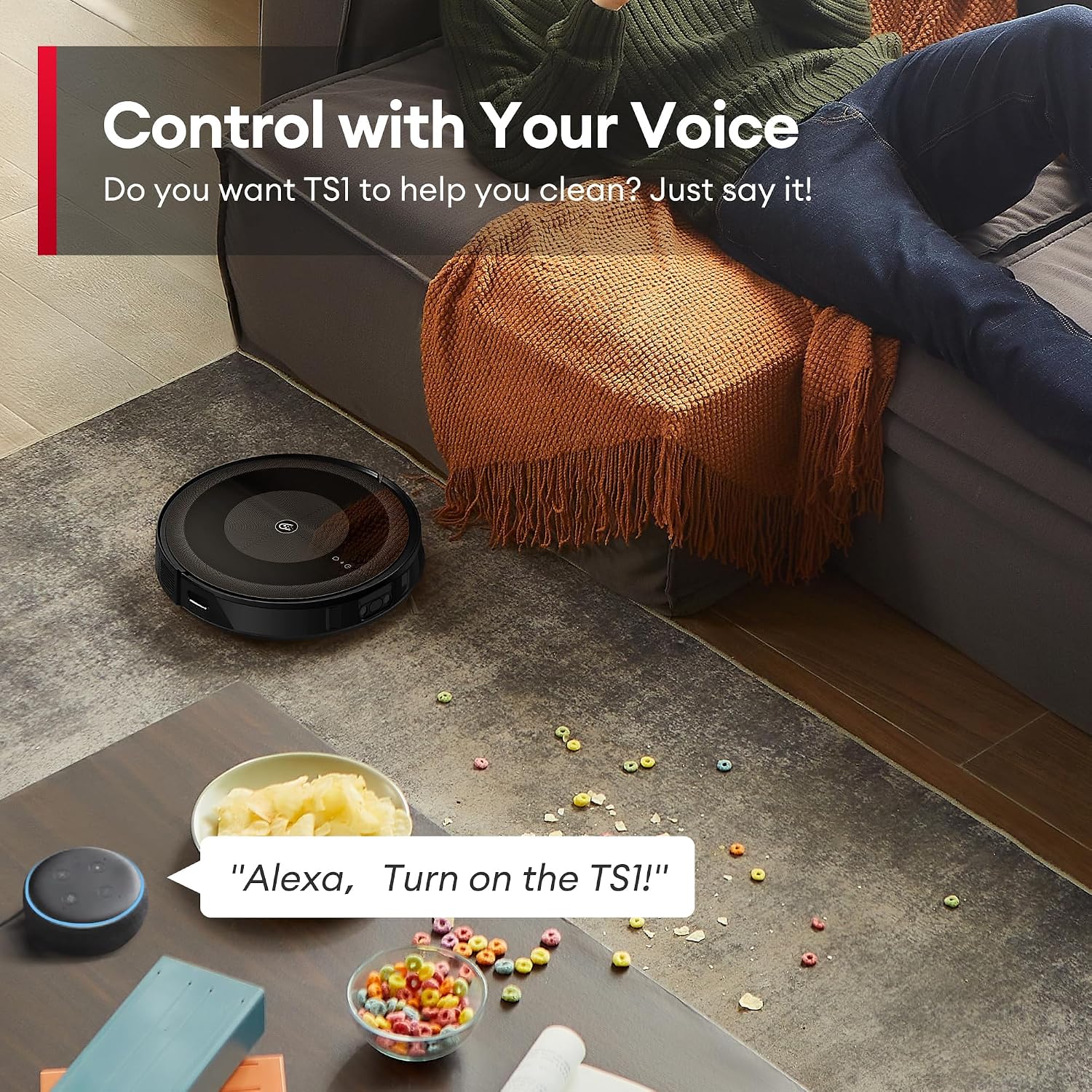
Image: The Ultenic TS1's multi-floor mapping capability shown with various floor levels.
Operating the Ultenic TS1
Cleaning Modes
The TS1 offers versatile cleaning modes to suit your needs:
- Vacuuming: Powerful 3000Pa suction for dry debris on various floor types.
- Mopping: Dual-spin mopping system with 3000 vibrations per minute for wet cleaning.
- 4-in-1 Mode: Combines vacuuming, sweeping, rolling, and mopping for a thorough clean.

Image: The Ultenic TS1 performing its combined vacuum and mop function.

Image: Detailed view of the dual-spin mopping mechanism of the Ultenic TS1.
Starting a Cleaning Cycle
You can start a cleaning cycle in several ways:
- Robot Buttons: Press the power button on the robot to start/pause cleaning.
- Ultenic App: Use the app to start, stop, schedule, and customize cleaning modes, suction power, and water volume.
- Voice Control: The TS1 is compatible with Alexa and Google Assistant. Simply say, for example, "Alexa, turn on the TS1!" to begin cleaning.

Image: The Ultenic TS1 utilizing its NaviFree Technology to avoid obstacles during cleaning.
Advanced Features via App
- No-Go Zones: Set virtual boundaries to prevent the robot from entering specific areas.
- Multi-Floor Mapping: The robot can store maps for different levels of your home, allowing it to clean effectively on multiple floors.
- Real-time Monitoring: View the robot's cleaning path, battery level, and accessory status in real-time.
- Scheduled Cleaning: Set specific times for the robot to automatically clean.
Recharging and Resuming
When the battery runs low, the TS1 will automatically return to its charging station. Once fully charged, it will resume cleaning from where it left off to complete the cleaning cycle.

Image: The Ultenic TS1 automatically returning to its charging station.
Maintenance
Regular maintenance ensures optimal performance and extends the lifespan of your Ultenic TS1. Always power off the robot and unplug the charging station before performing any maintenance.
Self-Emptying Station Dust Bag
The 3L dust bag in the self-emptying station typically lasts for up to 60 days, depending on usage. Replace the dust bag when the indicator light on the station signals it is full, or when you notice a decrease in emptying efficiency.

Image: Illustration of the self-emptying process and UV sterilization within the station.
Mop Pads
Remove and clean the dual-spin mop pads after each mopping session. The pads are washable and reusable. Replace them every 3-6 months, or when they show signs of wear.
HEPA Filter
Tap out excess dust from the HEPA filter after every few cleaning cycles. Do not wash the HEPA filter with water. Replace the HEPA filter every 3-6 months to maintain optimal filtration.
Side Brushes and Main Brush
Regularly check the side brushes and main brush for tangled hair or debris. Use the provided cleaning brush to remove any obstructions. Replace side brushes every 3-6 months and the main brush every 6-12 months, or as needed.
Sensors and Charging Contacts
Wipe the robot's sensors and charging contacts on both the robot and the station with a clean, dry cloth monthly to ensure proper functionality.
Troubleshooting
If you encounter issues with your Ultenic TS1, refer to the following common problems and solutions:
| Problem | Possible Cause | Solution |
|---|---|---|
| Robot does not turn on. | Low battery; Power button not pressed; Faulty battery. | Charge the robot fully; Press and hold the power button; Contact support if battery is suspected faulty. |
| Robot gets stuck frequently. | Obstacles (cables, small items); High thresholds; Sensor obstruction. | Clear floor of small items and cables; Use no-go zones for problematic areas; Clean sensors. |
| Poor suction performance. | Full dustbin/dust bag; Clogged filter; Main/side brush tangled. | Empty dustbin/replace dust bag; Clean/replace HEPA filter; Clean main/side brushes. |
| Mopping leaves water stains or leaks. | Water left in tank; Mop pads not properly attached. | Empty water tank after each use; Ensure mop pads are securely attached. |
| App connection issues. | Incorrect Wi-Fi password; Router issues; Robot too far from router. | Verify Wi-Fi credentials; Restart router; Move robot closer to router during setup. |
| Robot does not return to charging station. | Charging station obstructed; Charging contacts dirty; Robot too far from station. | Ensure clear path to station; Clean charging contacts; Manually place robot on station if needed. |
Specifications
Technical specifications for the Ultenic TS1 Robot Vacuum Cleaner:
| Feature | Specification |
|---|---|
| Brand | Ultenic |
| Model Name | TS1 |
| Suction Power | 3000Pa |
| Mopping Vibrations | 3000 per minute |
| Dust Bag Capacity | 3 Litres |
| Navigation Type | Lidar (NaviFree Technology) |
| Battery Runtime | Up to 150 minutes |
| Noise Level | 65 dB |
| Product Dimensions | 33.5 x 33.5 x 7.4 cm (Robot) |
| Item Weight | 7.5 kg |
| Connectivity | Wi-Fi, App Control, Alexa, Google Assistant |
Warranty and Support
Ultenic is committed to customer satisfaction. Your Ultenic TS1 Robot Vacuum Cleaner comes with the following:
- 2-Year Warranty: Enjoy a worry-free 2-year warranty from the date of purchase.
- Lifetime Technical Support: Access lifelong technical support for your product.
- Dedicated Support Team: Our team is available to assist you via email or through the Ultenic APP for any queries or issues.
For support, please refer to the contact information provided in the Ultenic App or on the official Ultenic website.
Ask a question about this manual
Ask about setup, troubleshooting, compatibility, parts, safety, or missing instructions. Manuals+ will review the question and use this page’s manual context to help answer it.