Important Safety Information
Please read all instructions carefully before using the Ellipse by LegXercise. Failure to follow these instructions may result in injury or damage to the device.
- This device is designed for seated use only. Do not stand on the pedals.
- Ensure the unit is placed on a stable, flat surface. Use the included non-slip mat to prevent movement during operation.
- Keep hands and loose clothing away from moving parts during operation.
- Do not use if you have any medical conditions that may be exacerbated by leg movement without consulting a physician.
- Unplug the unit from the power source when not in use or before cleaning.
- Keep out of reach of children and pets.
Package Contents
- Ellipse by LegXercise Unit
- Non-Slip Mat (24 x 15 inches)
- Wireless Remote Control (requires 2 AAA batteries, not included)
- Power Adapter
- User Manual (this document)
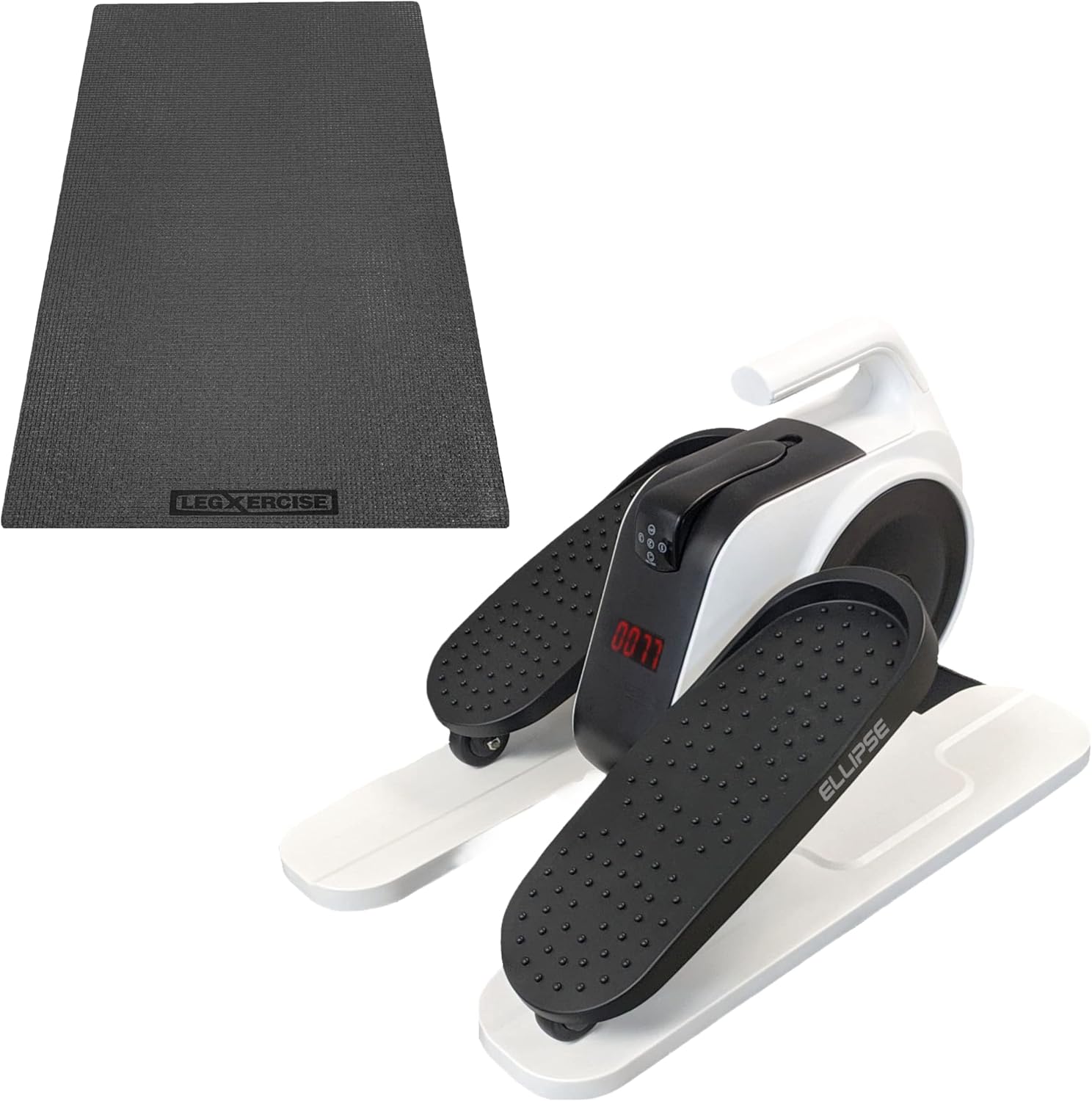
Image: The Ellipse by LegXercise unit, white with black pedals, shown alongside the rectangular black non-slip mat.
Setup
Unpacking:
Carefully remove all components from the packaging. Inspect for any damage. If any parts are missing or damaged, contact customer support.
Placement:
Place the non-slip mat on a flat, stable surface where you intend to use the Ellipse unit. Position the Ellipse unit on top of the non-slip mat. The mat is designed to prevent the unit from shifting during use.

Image: The Ellipse by LegXercise unit positioned centrally on the black non-slip mat, ready for use.
Power Connection:
Connect the power adapter to the Ellipse unit's power input port, typically located at the rear or side. Plug the other end of the power adapter into a standard electrical outlet.
Remote Control Setup:
Open the battery compartment on the back of the wireless remote control. Insert 2 AAA batteries, ensuring correct polarity (+/-). Close the compartment. The remote control has a convenient holder built into the base of the Ellipse unit for easy access.

Image: A hand holding the black wireless remote control, showing buttons for speed (1, 2, 3), direction, and off.
Operating Instructions
The Ellipse by LegXercise is designed for low-intensity, automatic leg movement while seated. It features three speed settings and bidirectional pedaling.
Starting the Unit:
Sit comfortably in a chair with the Ellipse unit positioned in front of you. Place your feet securely on the textured anti-slip pedals. The unit is designed for seated use only.

Image: A person seated in a chair, with their feet on the pedals of the Ellipse by LegXercise, demonstrating typical usage.
Selecting Speed:
Use the wireless remote control to select your desired speed. Press '1' for the slowest speed, '2' for medium, and '3' for the fastest speed. The unit will begin to move the pedals automatically.
Changing Direction:
Press the 'Direction' button on the remote control to switch between forward and backward pedaling. This allows for targeting different muscle groups in your legs.
Monitoring Progress:
The unit features a digital display that shows the number of cycles completed. This display helps you track your activity during a session.

Image: A close-up view of the Ellipse unit's central console, highlighting the red digital display which shows a numerical value, likely representing cycles or time.
Stopping the Unit:
Press the 'OFF' button on the remote control to stop the motorized movement. Always ensure the unit has come to a complete stop before removing your feet.
Note: The Ellipse is designed for continuous, gentle movement. It is not intended for high-intensity cardiovascular workouts. Its quiet operation allows for discreet use while engaging in other activities like reading, watching TV, or working.
Maintenance
Cleaning:
Before cleaning, ensure the unit is unplugged from the power outlet. Wipe the surface of the Ellipse unit and pedals with a soft, damp cloth. Do not use abrasive cleaners or solvents. Avoid getting water into the internal components.
Storage:
When not in use, store the Ellipse unit in a cool, dry place away from direct sunlight and extreme temperatures. The unit weighs approximately 15 lbs and has a built-in handle for easy portability and storage.
Pedal Security:
Periodically check that the pedals are securely attached. If a pedal feels loose or unscrews, re-tighten it firmly. This is especially important when switching between forward and backward pedaling.
Troubleshooting
| Problem | Possible Cause | Solution |
|---|---|---|
| Unit does not power on. | Power adapter not connected properly or no power from outlet. | Ensure power adapter is securely plugged into the unit and a working electrical outlet. Try a different outlet. |
| Remote control is unresponsive. | Dead or incorrectly inserted batteries in the remote. | Replace the 2 AAA batteries in the remote control, ensuring correct polarity. |
| Pedals become loose or detach. | Pedals may loosen over time with use, especially when changing direction. | Periodically check and re-tighten the pedals by screwing them back into place firmly. |
| Unit makes unusual noise. | Possible internal issue or obstruction. | Unplug the unit immediately. Check for any visible obstructions. If the noise persists, contact customer support. |
If you encounter a problem not listed here, or if the suggested solutions do not resolve the issue, please contact Legxercise customer support for assistance.
Specifications
- Brand: Legxercise
- Model: Ellipse
- Controls Type: Remote
- Operation Mode: Automatic
- Power Source: Corded Electric
- Manufacturer: Intellibrands
- Item Dimensions (LxWxH): 21 x 14 x 15.5 inches (Product Dimensions: 21"D x 14"W x 15.5"H)
- Item Weight: 14 Pounds
- Color: White
- Maximum Weight Recommendation: 400 Pounds (for user, not unit weight)
- GTIN: 00853321005519
- ASIN: B0B7TZTFMM
Warranty and Support
The Ellipse by LegXercise + Non-Slip Mat Bundle comes with a 1-Year Replacement Warranty from the date of purchase. This warranty covers manufacturing defects and malfunctions under normal use.
For warranty claims, technical support, or any questions regarding your product, please contact Legxercise customer support. Refer to the contact information provided with your purchase documentation or visit the official Legxercise website for current support details.
Legxercise is committed to providing caring customer support to ensure your satisfaction with their products.


