
1. Introduction
Thank you for choosing the ASHATA Portable MP3 Player. This compact device is designed for convenient music playback, offering lossless sound quality and portability. This manual provides essential information to help you set up, operate, and maintain your MP3 player effectively.
2. Product Overview
The ASHATA Portable MP3 Player is a mini digital music player featuring a built-in USB connector for direct file transfer and charging. It supports memory card expansion for increased storage capacity and offers a simple interface for easy navigation.

Image 2.1: The ASHATA Portable MP3 Player, featuring a compact design and integrated USB connector.
Key Features:
- Compact and Portable: Designed to fit easily into pockets and backpacks.
- Lossless Sound Quality: Provides high-fidelity audio playback.
- Long Battery Life: Equipped with a 180mAh battery for extended use.
- Memory Card Support: Expandable storage up to 64GB via a memory card (not included).
- Ebook/Novel Playback: Remembers the last listened position for uninterrupted listening.
- Integrated USB: Direct connection to a computer for file transfer and charging.
3. Setup
3.1 Charging the Device
Before first use, fully charge the MP3 player. Remove the USB cap and plug the player directly into a computer's USB port or a compatible USB wall adapter. The device will indicate charging status (e.g., an LED indicator).
3.2 Inserting a Memory Card
The MP3 player requires a memory card (MicroSD, up to 64GB, not included) to store music and other files. Locate the memory card slot on the side of the device and gently insert the card until it clicks into place.
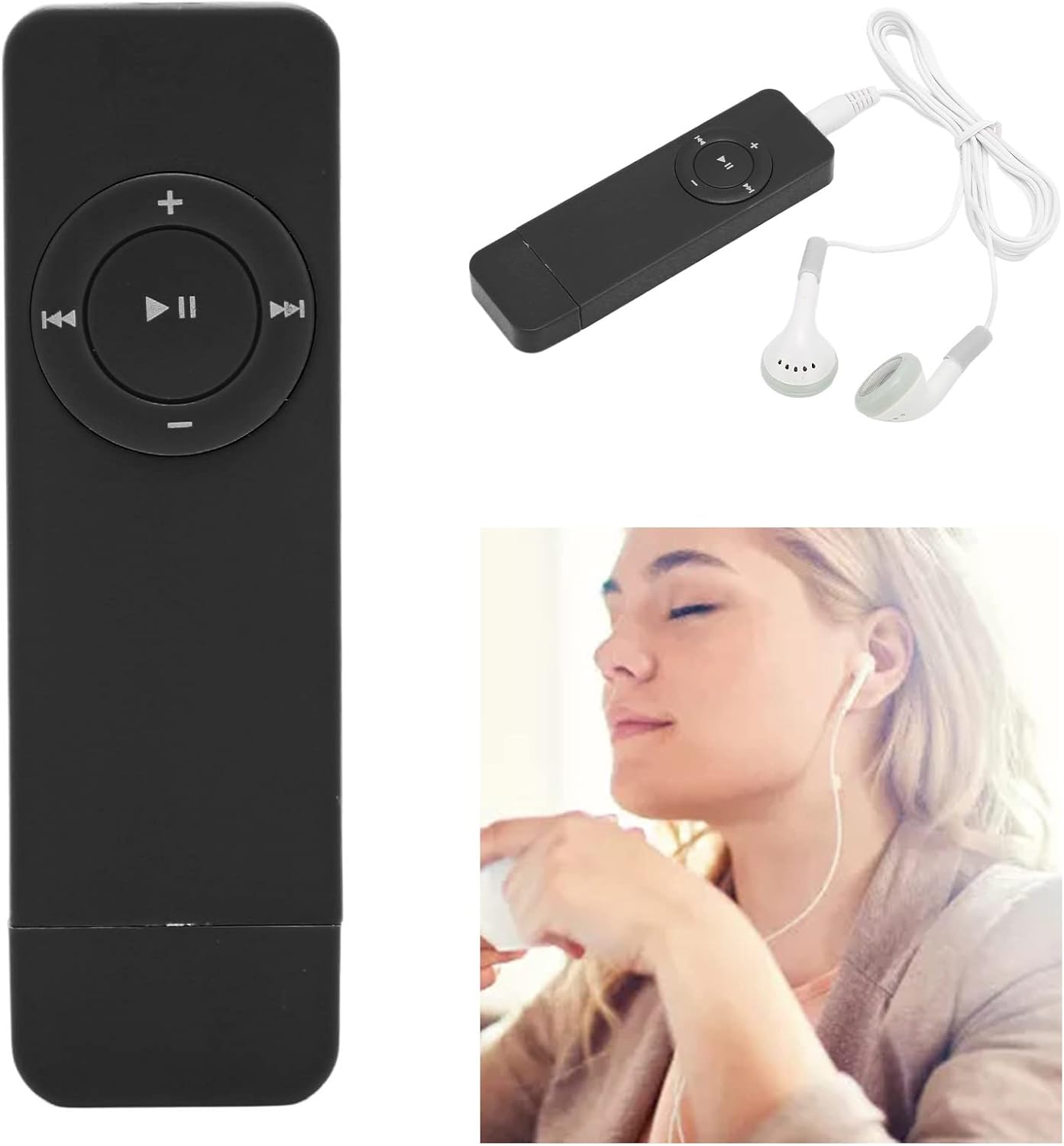
Image 3.1: The MP3 player with its integrated USB connector and a MicroSD card, illustrating memory card insertion.
3.3 Transferring Music and Files
To transfer files, connect the MP3 player to your computer via its integrated USB connector. The device should appear as a removable disk. Drag and drop your audio files (MP3 format supported) into the device's storage or a folder on the inserted memory card. For organizing tracks within folders, note that the playback order is determined by the order in which files are copied, not alphabetical order.
3.4 Connecting Headphones
Plug your 3.5mm audio jack headphones into the headphone port located on the device. Ensure the connection is secure for optimal audio output.
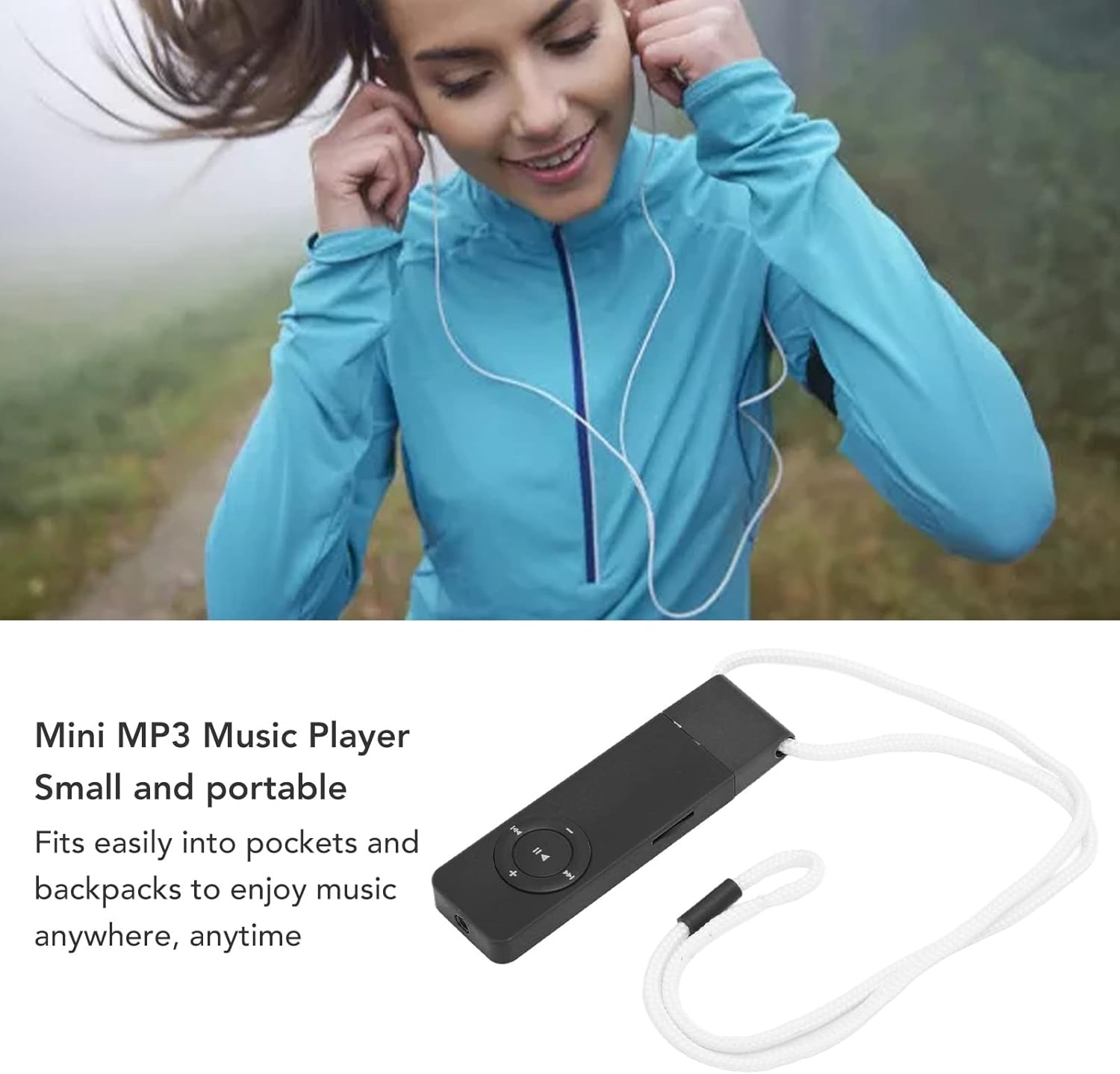
Image 3.2: The MP3 player with wired headphones connected, ready for use.
4. Operating Instructions
The MP3 player features a circular control pad with central play/pause button and surrounding navigation/volume buttons.

Image 4.1: Close-up view of the MP3 player's control buttons.
4.1 Basic Controls:
- Power On/Off: Press and hold the Play/Pause button (center button) for a few seconds.
- Play/Pause: Tap the Play/Pause button.
- Next Track: Tap the 'Next Track' button (right arrow). Hold to fast forward.
- Previous Track: Tap the 'Previous Track' button (left arrow). Hold to scan backward.
- Volume Up: Tap the '+' button (top).
- Volume Down: Tap the '-' button (bottom).
4.2 Playback Modes:
The device uses LED indicators on the back to show the current playback mode:
- Normal Mode (Blue blinking): Plays tracks sequentially.
- Single Repeat (Red and Blue blinking): Repeats the current track. To activate, hold the '-' button.
- Shuffle All Files (Red blinking): Plays all tracks in random order. To activate, hold the '+' button.
4.3 Audiobook/Novel Playback:
The player is designed to remember the exact point where you last stopped listening to an audiobook or novel, allowing for seamless continuation.
5. Maintenance
5.1 Cleaning:
Use a soft, dry cloth to clean the exterior of the MP3 player. Avoid using liquid cleaners or abrasive materials, as these can damage the device.
5.2 Storage:
Store the MP3 player in a cool, dry place away from direct sunlight and extreme temperatures. When not in use for extended periods, ensure the device is fully charged before storage and recharge it periodically to maintain battery health.
5.3 Battery Care:
To prolong battery life, avoid fully discharging the device frequently. Charge the battery regularly, even if the player is not in constant use.
6. Troubleshooting
This section addresses common issues you might encounter with your ASHATA Portable MP3 Player.
| Problem | Possible Cause | Solution |
|---|---|---|
| Device does not turn on. | Low battery; device frozen. | Charge the device for at least 30 minutes. If still unresponsive, try holding the power button for a longer duration (e.g., 10-15 seconds) to force a reset. |
| No sound from headphones. | Headphones not properly connected; volume too low; faulty headphones. | Ensure headphones are fully plugged in. Increase volume using the '+' button. Test with another pair of headphones. |
| Cannot transfer files to the device. | Device not recognized by computer; memory card issues; incorrect file format. | Ensure the USB connection is secure. Try a different USB port on your computer. Verify the memory card is properly inserted and formatted. Ensure files are in MP3 format. |
| Music skips or does not play. | Corrupted files; memory card issues. | Delete and re-transfer the problematic files. Try a different memory card. Ensure files are not corrupted. |
| LED indicator behavior is unexpected. | Incorrect playback mode selected. | Refer to Section 4.2 for LED indicator meanings and how to change playback modes. |
7. Specifications
Below are the technical specifications for the ASHATA Portable MP3 Player (Model ASHATA0ct6xhvd7g553-12).
| Feature | Detail |
|---|---|
| Brand | ASHATA |
| Model Number | ASHATA0ct6xhvd7g553-12 |
| Connectivity Technology | Aux (for headphones) |
| Memory Storage Capacity | Supports up to 64 GB (MicroSD card, not included) |
| Supported Standards | MP3 |
| Item Weight | 3.52 ounces |
| Package Dimensions | 12.6 x 9.33 x 0.67 inches |
| Compatible Devices | Personal Computer (for file transfer) |
| Color | Black |
8. Warranty and Support
Specific warranty information for the ASHATA Portable MP3 Player (Model ASHATA0ct6xhvd7g553-12) is not provided in this manual. For details regarding warranty coverage, returns, or technical support, please refer to the product packaging, your purchase documentation, or contact the retailer or ASHATA customer service directly.
9. Safety Information
- Do not expose the device to water or excessive moisture.
- Avoid dropping or subjecting the device to strong impacts.
- Do not attempt to disassemble or repair the device yourself. This may void the warranty and cause damage.
- Keep the device away from extreme temperatures and direct sunlight.
- Dispose of the device and its battery responsibly according to local regulations.