
1. Introduction
The X-Sense Water Leak Detector WS01 is designed to provide early warning of water leaks and floods in various areas of your home or property. This device operates independently, detecting water with its sensitive probes and emitting a loud alarm to alert you to potential water damage. It is suitable for use in basements, kitchens, bathrooms, near sinks, tanks, and pools.
Important Note:
The WS01 operates as a standalone unit and does not feature Wi-Fi connectivity. It is not compatible with the X-Sense SWS54 kit or the SBS50 base station.
2. Product Overview
The X-Sense WS01 Water Leak Detector is a compact, battery-powered device engineered for reliable water detection. It features multiple sensor probes and a high-decibel alarm.

Image: Top view of the X-Sense WS01 Water Leak Detector, showing its circular design and indicator lights.
Key Features:
- Dual Sensor Probes: Equipped with 4 bottom sensor probes and 2 top sensor probes for comprehensive water detection.
- Loud Alarm: Emits a 110 dB alarm when water is detected, audible from a distance.
- Silence Button: A dedicated button allows for silencing the alarm.
- Long Battery Life: Powered by 2 replaceable AAA batteries with an estimated 3-year lifespan.
- Low Battery Alert: Provides an audible beep and flashing red LED to indicate low battery status.
- IP66 Waterproof Rating: Designed for extended use in humid environments with a durable, rust-proof exterior.
- Compact Design: Mini size for easy placement in various locations.
3. Package Contents
Ensure all items are present upon unboxing:
- 1 x X-Sense Water Leak Detector (WS01)
- 2 x AAA Batteries (pre-installed or included separately)
- 1 x User Manual

Image: The X-Sense WS01 Water Leak Detector shown with its retail packaging and user manual.
4. Setup and Installation
4.1 Battery Installation
- Locate the battery compartment on the underside of the detector.
- Open the compartment cover.
- Insert the 2 AAA batteries, ensuring correct polarity (+/-).
- Close the battery compartment cover securely.
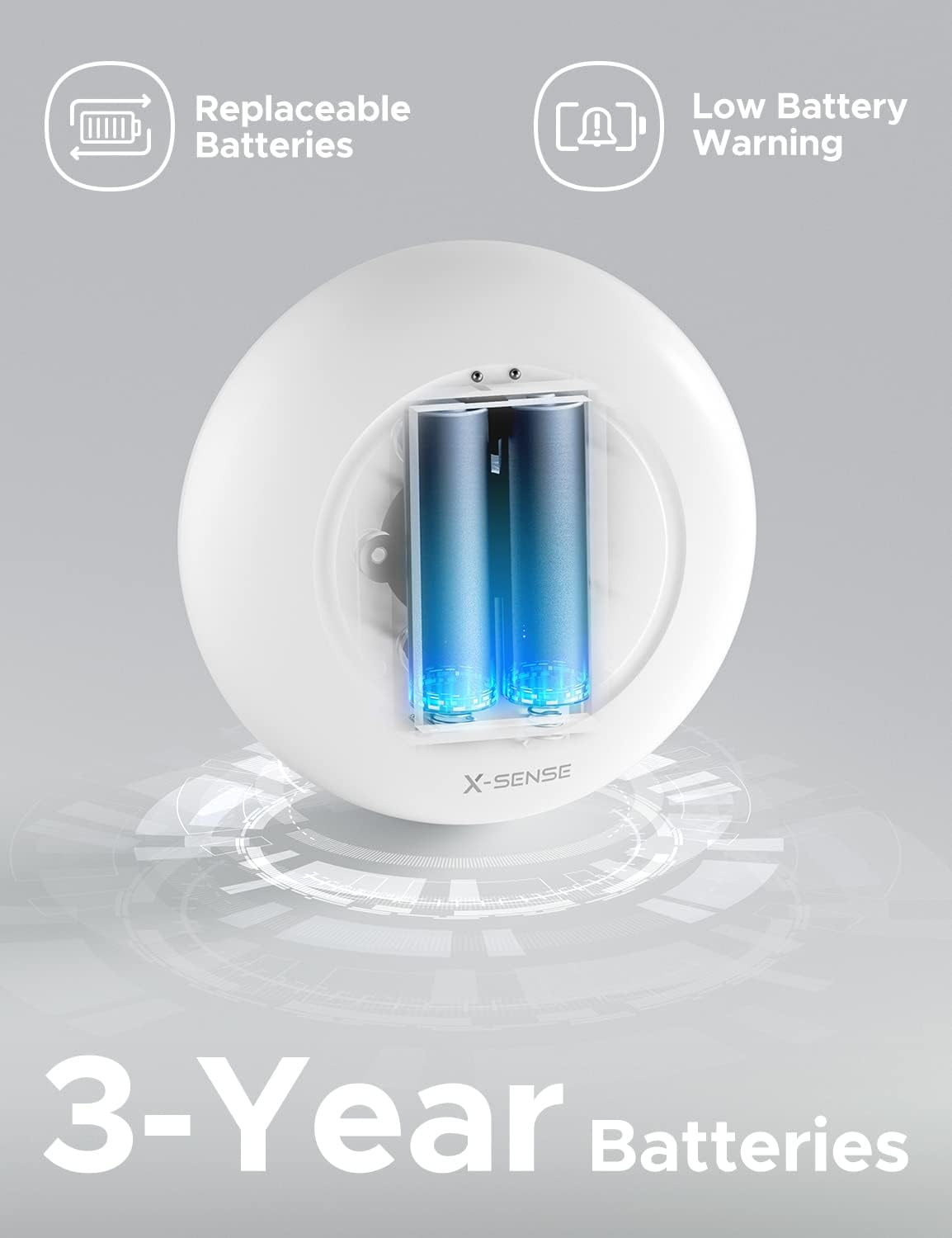
Image: The X-Sense WS01 detector with its internal battery compartment exposed, showing two AAA batteries.
4.2 Placement
Place the detector in areas prone to water leaks or flooding. The device is designed for tabletop placement. Ensure the sensor probes on the bottom of the unit can make contact with water.
- Under sinks (kitchen, bathroom)
- Near water heaters or washing machines
- In basements or utility rooms
- Adjacent to toilets or bathtubs
- Near aquariums or indoor plant watering areas
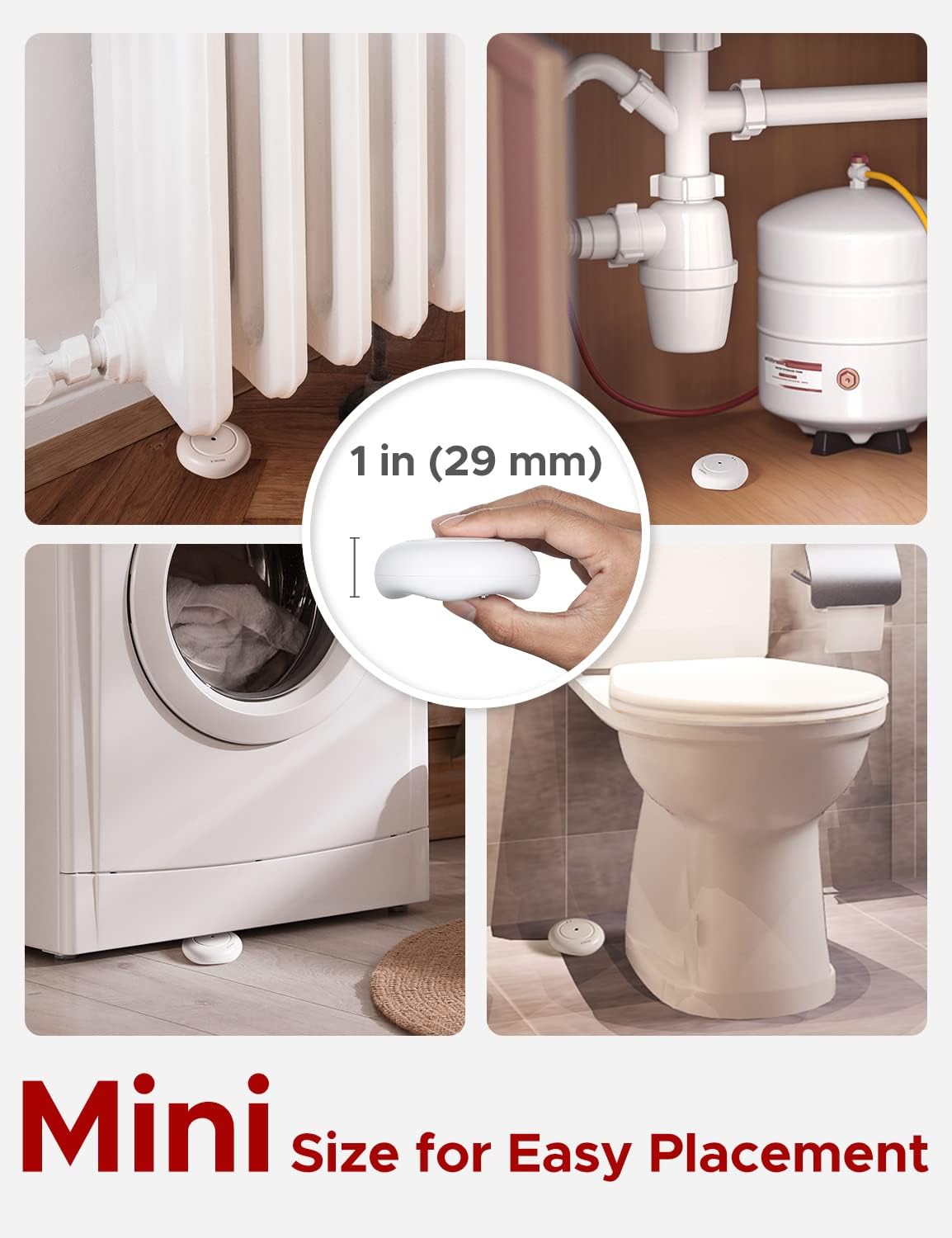
Image: Examples of optimal placement for the compact X-Sense WS01 detector, including under a radiator, near a water heater, next to a washing machine, and by a toilet.

Image: The X-Sense WS01 detector positioned on a kitchen floor, illustrating its discreet presence and function.
5. Operation
5.1 Water Detection
The detector continuously monitors for the presence of water. When water makes contact with the sensor probes, the alarm will activate.

Image: Diagram showing the location of the top and bottom sensor probes on the X-Sense WS01 detector, indicating how they detect leaks and floods.

Image: The X-Sense WS01 detector placed under a leaky sink, demonstrating its function in detecting water spills.
5.2 Alarm Activation
Upon detecting water, the device will emit a loud 110 dB alarm. A red LED indicator will also flash.

Image: An overhead view illustrating the X-Sense WS01 detector's 110 dB alarm, with sound waves radiating outwards.
5.3 Silencing the Alarm
To silence the alarm after a water detection event, press the button located on the underside of the detector.
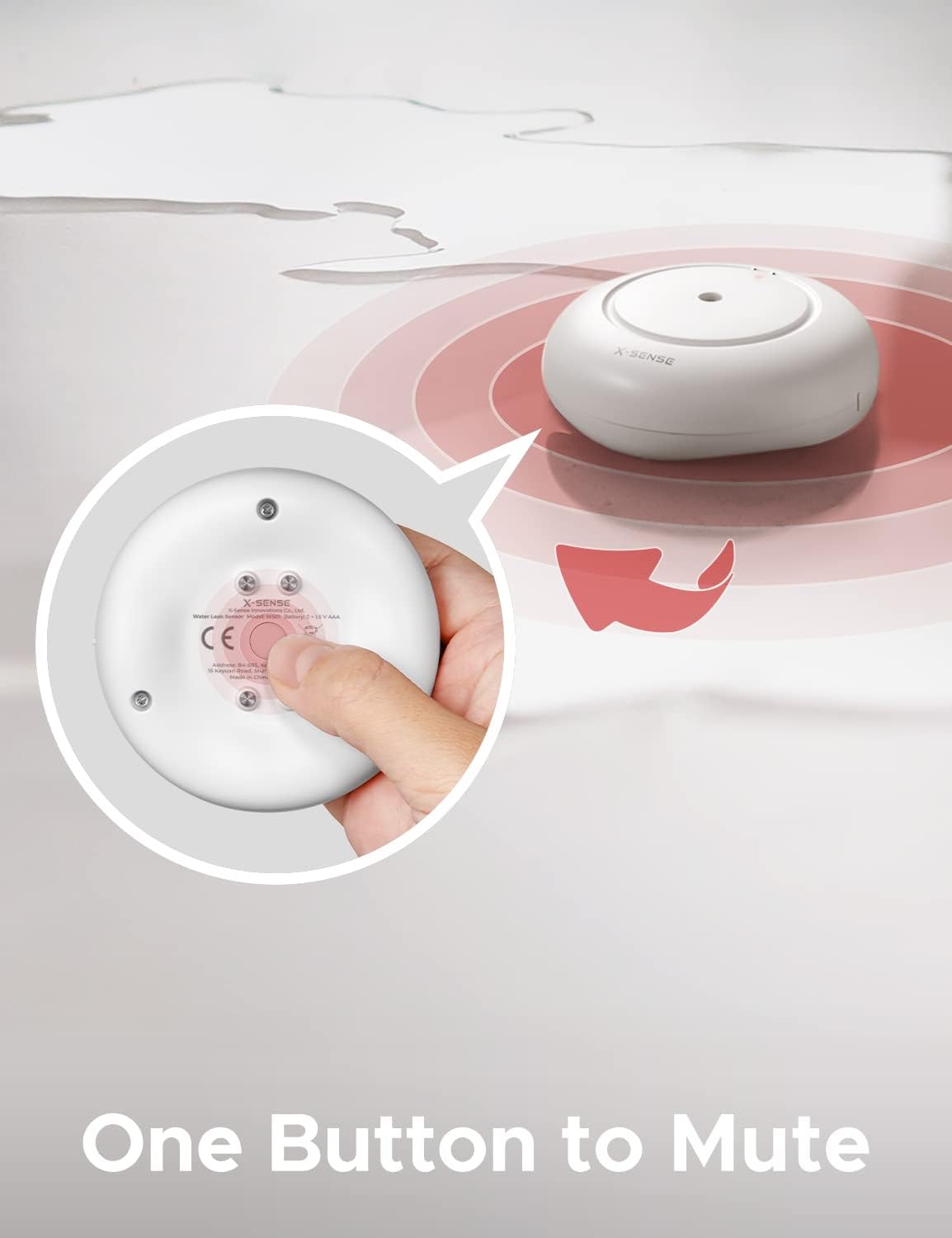
Image: A hand pressing the single button on the underside of the X-Sense WS01 detector, used for muting the alarm.

Image: A diagram illustrating the multi-function button on the back of the X-Sense WS01, indicating its use for activation, testing, and silencing the alarm.
6. Maintenance
6.1 Battery Replacement
The detector is powered by 2 AAA alkaline batteries, which typically last for 3 years. When the battery level is low, the device will emit an audible beep and a red LED will flash to remind you to replace the batteries.
- Open the battery compartment on the underside of the detector.
- Remove the old batteries.
- Insert new 2 AAA alkaline batteries, observing correct polarity.
- Close the battery compartment securely.

Image: The X-Sense WS01 detector displaying a low battery warning icon, indicating the need for battery replacement.
6.2 Cleaning
Regularly inspect the sensor probes for any dirt or debris. Clean the device with a soft, dry cloth. Do not use harsh chemicals or abrasive cleaners.
7. Troubleshooting
| Problem | Possible Cause | Solution |
|---|---|---|
| Device does not alarm when wet. |
|
|
| Alarm sounds continuously without water. |
|
|
| Low battery alert (beep and flashing LED). | Batteries are low. | Replace both AAA batteries immediately. |
8. Specifications
| Feature | Detail |
|---|---|
| Model | WS01 |
| Power Source | 2 x AAA Alkaline Batteries |
| Battery Life | Up to 3 years |
| Alarm Volume | 110 dB |
| Waterproof Rating | IP66 |
| Dimensions (L x W x H) | 3.03 x 1.15 x 3.03 inches (7.7 x 2.9 x 7.7 cm) |
| Weight | 3.52 ounces (100 g) |
| Sensor Type | Conductive Probes (4 bottom, 2 top) |
9. Warranty and Support
X-Sense provides the following for the WS01 Water Leak Detector:
- 60-Day Money-Back Guarantee: If you are not satisfied with your purchase, you may return it within 60 days for a full refund.
- 5-Year Quality Warranty: The device is covered by a 5-year warranty against defects in materials and workmanship.
- Lifetime Technical Support: Access to technical assistance for the lifespan of the product.
For further assistance or to claim warranty, please refer to the contact information provided on the X-Sense official website or your purchase documentation.