1. Introduction
This manual provides essential information for the safe and effective operation of your OPPSK 100W 288LEDs RGBW LED Stage Wash Light Bar, model OK-103-288WL. This versatile lighting fixture is designed for stage, event, and party settings, offering a range of dynamic lighting effects.
The light bar features 96 x 0.5W white LEDs for powerful strobing and 192 x 0.2W RGB LEDs for vibrant color washing. It supports various control modes, including DMX, and allows for pixel mapping with independently controllable zones.
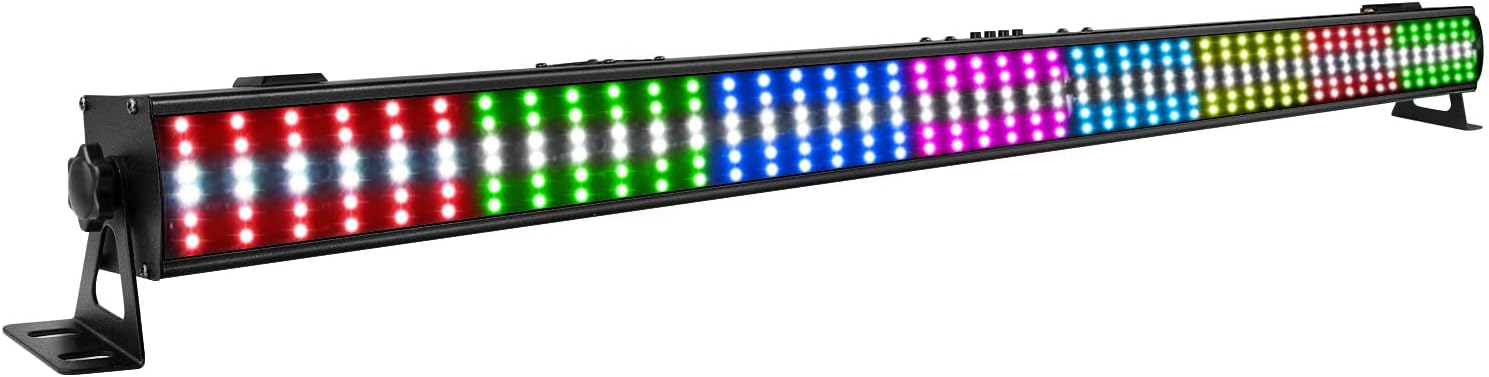
Image 1.1: OPPSK 100W 288LEDs RGBW LED Stage Wash Light Bar. This image displays the full length of the light bar, showcasing its array of red, green, blue, and white LEDs, mounted on adjustable brackets.
2. Safety Information
- Read all instructions carefully before installation and operation.
- Ensure the power supply voltage matches the specified requirements of the device.
- Always disconnect from the main power supply before performing any service or maintenance.
- Do not operate the device if the power cord is damaged.
- Avoid direct eye exposure to the light source, as it can cause eye injury.
- Ensure proper ventilation around the fixture to prevent overheating.
- This device is intended for indoor use only. Protect it from moisture and extreme temperatures.
- Mount the fixture securely to prevent accidental falls.
3. Setup
3.1 Unpacking and Inspection
Carefully unpack the light bar and inspect it for any damage that may have occurred during transit. If any damage is found, contact your supplier immediately. Ensure all components listed in the "What's in the Box" section are present.
3.2 Mounting
The light bar is designed for floor mounting and includes 360° adjustable brackets for flexible positioning. Ensure the mounting surface is stable and capable of supporting the fixture's weight.
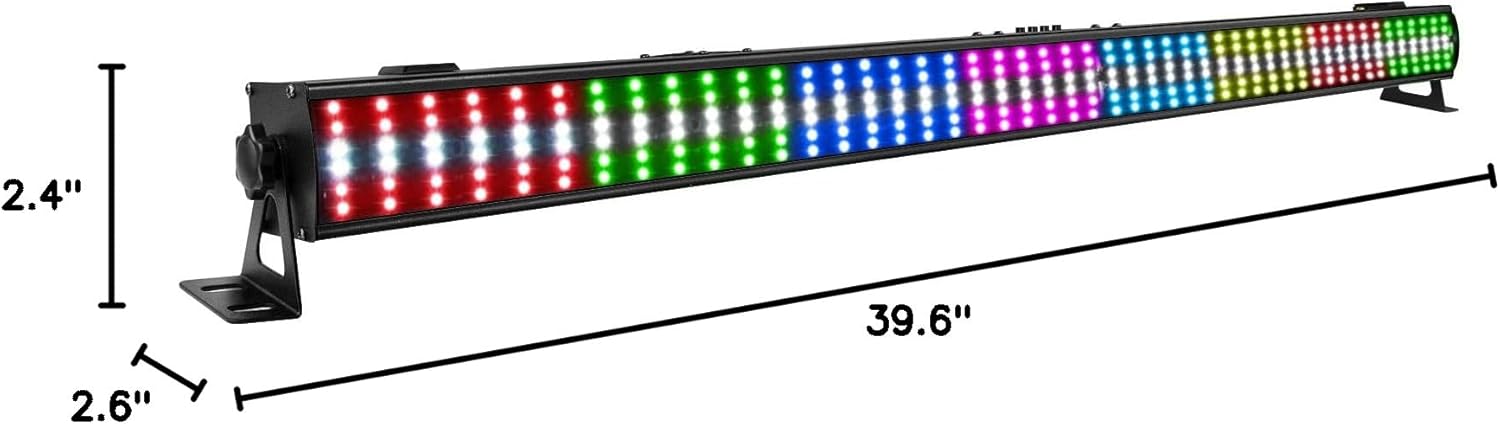
Image 3.1: Product Dimensions. This image illustrates the length (39.6 inches), width (2.6 inches), and height (2.4 inches) of the light bar, including the adjustable mounting brackets.
3.3 Power Connection
Connect the provided power cable to the "POWER IN" port on the rear of the fixture and then to a suitable power outlet. The light bar supports power daisy-chaining, allowing multiple units to be linked from a single power source. This reduces cable clutter for larger setups.
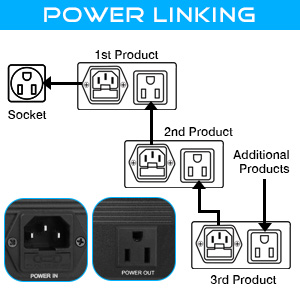
Image 3.2: Power Linking Diagram. This diagram shows how to connect multiple light bars in a daisy-chain configuration using the "POWER IN" and "POWER OUT" ports, connecting to a single wall socket.
3.4 DMX Connection (Optional)
For advanced control, connect a DMX controller to the "DMX IN" port using a standard 3-pin DMX cable. If linking multiple DMX fixtures, connect the "DMX OUT" of the first fixture to the "DMX IN" of the next. Ensure proper DMX termination for stable signal transmission.
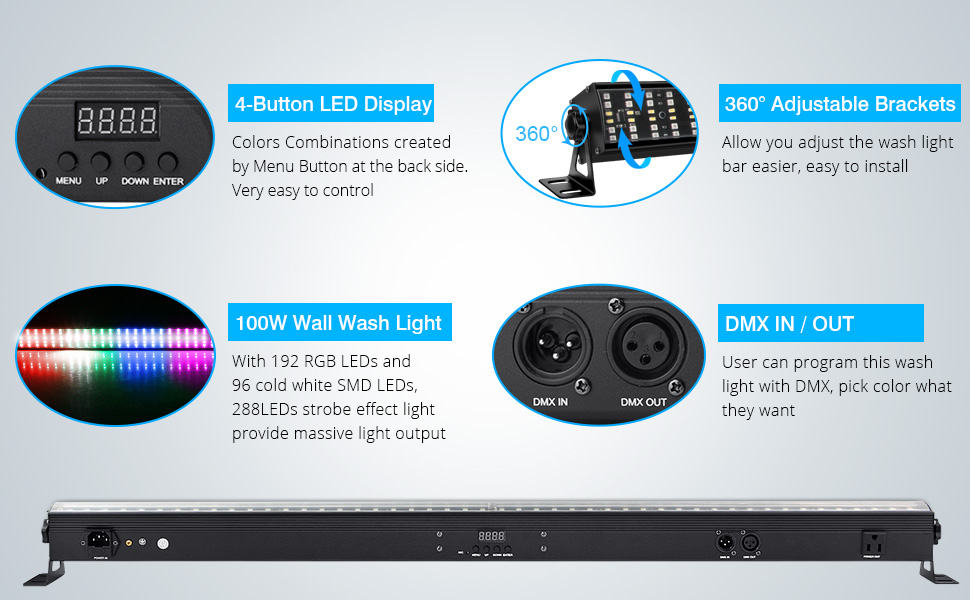
Image 3.3: Rear Panel Overview. This image highlights the "POWER IN", "4-Button LED Display", "DMX IN/OUT", and "POWER OUT" ports on the rear of the light bar, along with descriptions of their functions.
4. Operation
The OPPSK LED Stage Wash Light Bar offers multiple operation modes, configurable via the 4-button LED display on the rear panel or through a DMX controller.
4.1 Control Panel
The 4-button LED display allows for direct control and configuration of the light bar's settings. Use the "MENU", "UP", "DOWN", and "ENTER" buttons to navigate and select options.

Image 4.1: Display Backlight Time Settings. This image shows the options for setting the LED display backlight time (10s, 20s, 30s, 60s, or always on) to conserve power.
4.2 Operation Modes
The light bar supports the following operational modes:
- Auto Play Mode: Pre-programmed light sequences.
- Show Mode: Various dynamic light shows.
- DMX Mode: External control via a DMX controller. Supports 6, 9, 12, 32, and 64 channel modes for precise control over color transitions, effects, and individual pixel zones.
- Sound Activated Mode: Lights react to ambient sound.
- Master-Slave Mode: Link multiple units where one acts as a master and others as slaves, synchronizing their effects.
- Static Color Mode: Display a single, constant color.
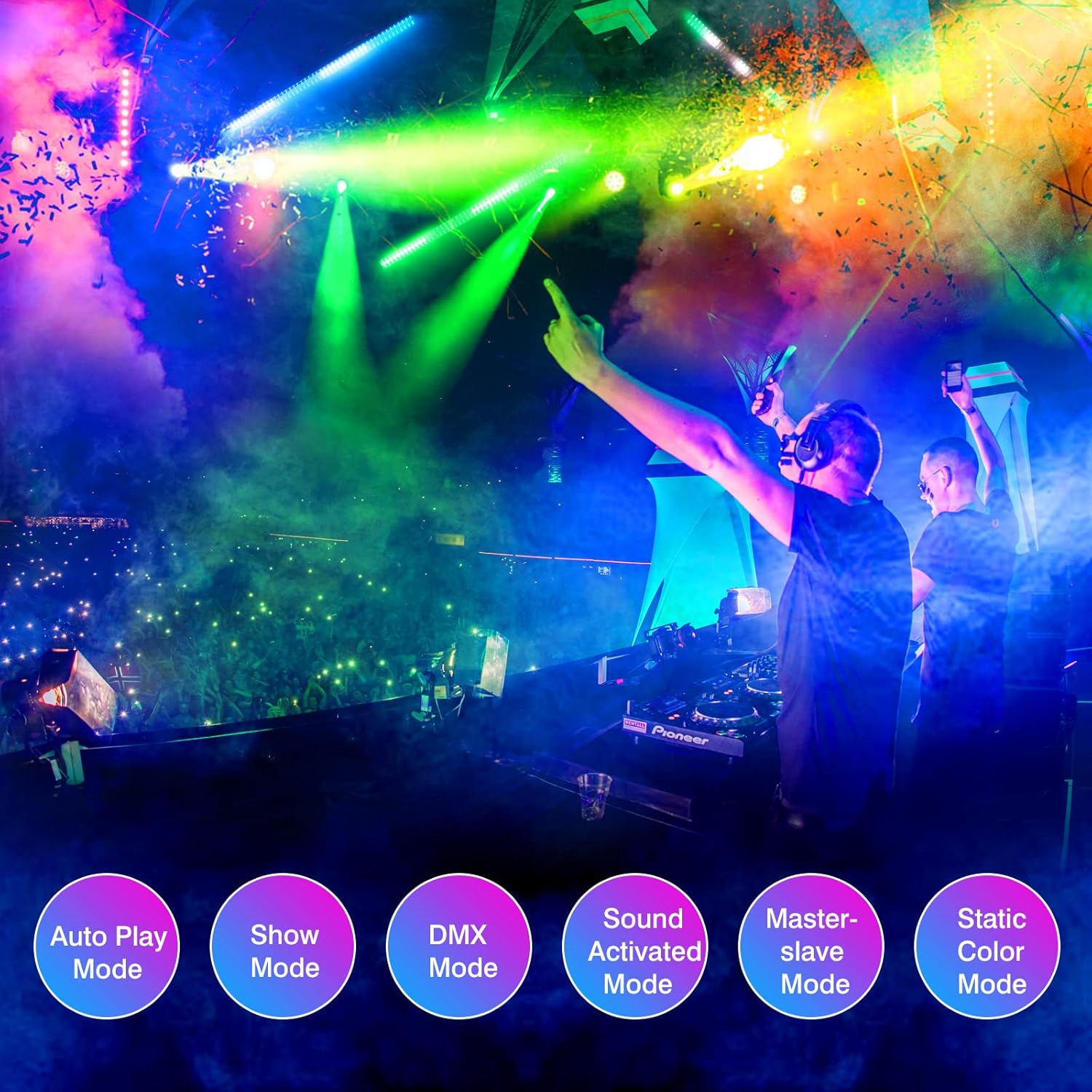
Image 4.2: Operation Modes. This image visually represents the six primary operation modes: Auto Play, Show, DMX, Sound Activated, Master-slave, and Static Color Mode.
4.3 Lighting Effects
The light bar is equipped with 96 x 0.5W white LEDs for strobe effects and 192 x 0.2W RGB LEDs for color washing and pixel mapping. These can be combined to create a variety of visual effects:
- Strobe Effects: Intense white strobing with adjustable rate, speed, and brightness.
- Color Washing: Smooth transitions and mixing of RGB colors to create a wide spectrum of hues.
- Pixel Mapping: Independently controllable zones (8 RGB and 8 White, or 16 RGB and 16 White depending on DMX mode) allow for intricate chase effects and custom patterns.
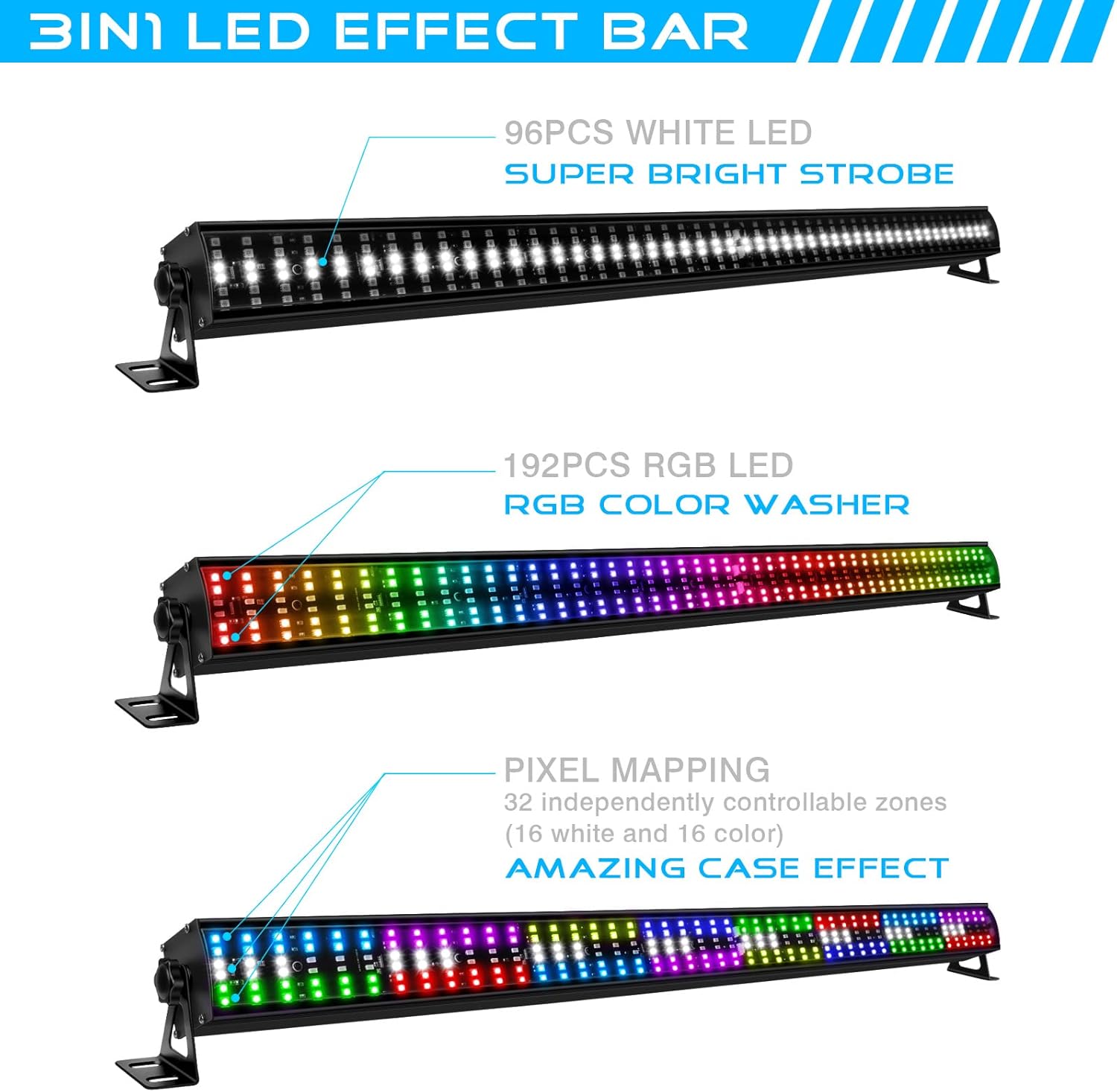
Image 4.3: 3-in-1 LED Effect Bar. This image illustrates the three main functions: Super Bright Strobe (96 white LEDs), RGB Color Washer (192 RGB LEDs), and Pixel Mapping (32 independently controllable zones for amazing chase effects).

Image 4.4: Various Color Combinations. This grid of images demonstrates the wide range of colors and mixed effects achievable with the RGBW LEDs, including solid colors, gradients, and segmented lighting.
5. Maintenance
Regular maintenance ensures the longevity and optimal performance of your OPPSK LED Stage Wash Light Bar.
- Cleaning: Periodically clean the exterior casing and lens with a soft, lint-free cloth. Do not use abrasive cleaners or solvents. Ensure the device is powered off and disconnected before cleaning.
- Inspection: Regularly check the power cable, DMX cables, and mounting hardware for any signs of wear or damage. Replace any damaged components immediately.
- Cooling: The fixture features efficient heat dissipation. Ensure that ventilation openings are not blocked to maintain silent operation and prevent overheating.
6. Troubleshooting
If you encounter issues with your light bar, refer to the following common troubleshooting steps:
| Problem | Possible Cause | Solution |
|---|---|---|
| No power / Light does not turn on | Power cable disconnected; No power from outlet; Faulty power cable. | Check power cable connection; Test outlet with another device; Replace power cable if damaged. |
| No DMX control | Incorrect DMX address; Faulty DMX cable; No DMX signal; Incorrect DMX mode. | Verify DMX address on fixture and controller; Check DMX cable for damage; Ensure DMX controller is sending signal; Select correct DMX channel mode on fixture. |
| Lights flicker or behave erratically | Loose connections; DMX signal interference; Overheating. | Check all power and DMX connections; Ensure DMX chain is properly terminated; Ensure adequate ventilation. |
| Display not visible | Display backlight timeout setting. | Adjust the display backlight time setting (refer to Image 4.1). |
If the problem persists after attempting these solutions, please contact OPPSK customer support.
7. Specifications
| Feature | Detail |
|---|---|
| Model Number | OK-103-288WL |
| Brand | OPPSK |
| Light Source Type | LED (96x 0.5W White, 192x 0.2W RGB) |
| Total Number of Light Sources | 288 |
| Wattage | 100 Watts |
| Voltage | 240 Volts |
| Color | Black |
| Material | Aluminum |
| Finish Type | Metal |
| Product Dimensions (L x W x H) | 39.6" x 2.6" x 2.4" |
| Item Weight | 4.2 Pounds |
| Power Source | Corded Electric |
| Mounting Type | Floor Mount (with 360° adjustable brackets) |
| Bulb Features | Dimmable |
| DMX Modes | 6, 9, 12, 32, 64 channels |
| Are Batteries Included | No |
8. Warranty and Support
OPPSK provides dedicated after-sales service for this product. We offer 12 months of quality maintenance and lifetime after-sales support.
If you have any questions, require assistance with setup, operation, or troubleshooting, or need to claim warranty service, please contact OPPSK customer support. Our team is ready to help ensure a smooth experience from setup to long-term use.
For support, please refer to the contact information provided with your purchase or visit the official OPPSK website.


