1. Introduction
This manual provides essential instructions for the safe installation, operation, and maintenance of the Elecbee IEC60309 32A 3-Pin Industrial Surface Mounted Plug (Model EB-411-0118). This product is designed for industrial applications requiring a robust and reliable electrical connection. Please read this manual thoroughly before use and retain it for future reference.
The Elecbee IEC60309 plug is a 3-pin, 32A, 220V-250V, 50/60Hz, 2P+E (2 Pole + Earth) device with an IP67 rating, ensuring protection against dust and temporary immersion in water. It is designed for surface mounting in various indoor and outdoor industrial environments.
2. Safety Information
WARNING: Risk of electric shock. Installation and maintenance should only be performed by qualified personnel.
- Always disconnect power before installing, servicing, or removing the plug.
- Ensure the voltage and current ratings of the plug match the electrical system it is connected to.
- Use appropriate personal protective equipment (PPE) during installation.
- Verify all connections are secure and correctly wired according to local electrical codes.
- Do not use the plug if it is damaged or shows signs of wear.
- Ensure the IP67 rating is maintained during installation by properly sealing all cable entries and mounting points.
- This product is designed for specific industrial applications. Do not use it for purposes other than its intended use.
3. Product Overview
The Elecbee IEC60309 Industrial Surface Mounted Plug is a robust electrical connector designed for demanding environments. Its key features include:
- Type: Male Surface Mounted Plug
- Configuration: 3-pin (2 Pole + Earth)
- Current Rating: 32 Amps
- Voltage Rating: 220V-250V AC
- Frequency: 50/60Hz
- Ingress Protection: IP67 (Dust tight and protected against temporary immersion in water)
- Material: Durable Nylon construction
- Color: Blue (standard for 220V-250V applications)

Figure 1: Front view of the Elecbee IEC60309 32A 3-Pin Industrial Surface Mounted Plug, showing the CEE label with specifications.
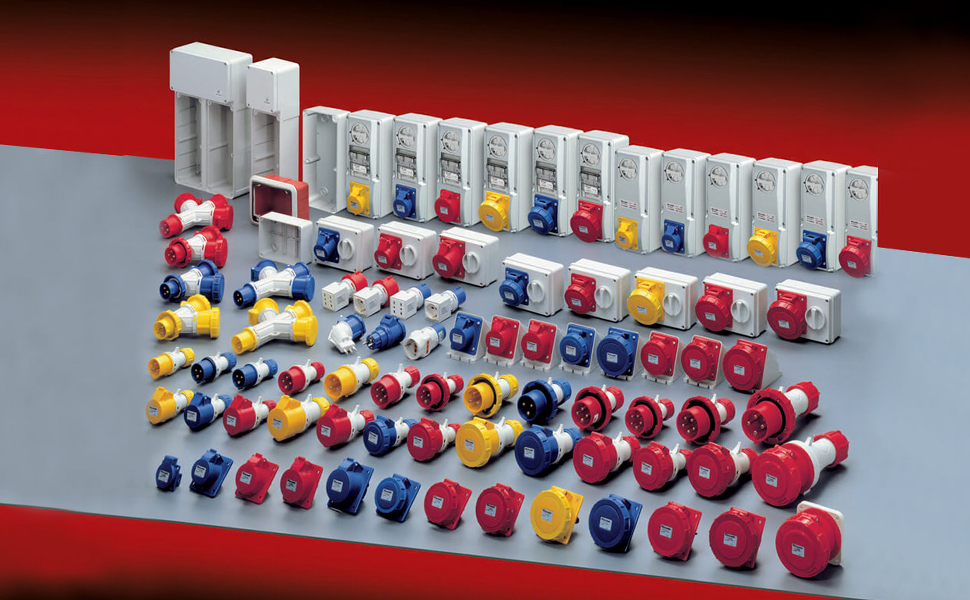
Figure 2: Example of various industrial CEE connectors, illustrating the range of compatible products.
4. Setup and Installation
Follow these steps for proper installation of the surface mounted plug. Ensure all safety precautions are observed.
4.1 Tools Required
- Screwdriver set (Phillips and flathead)
- Wire strippers
- Cable cutter
- Drill (for mounting holes, if not pre-drilled)
- Mounting hardware (screws, anchors suitable for the mounting surface)
4.2 Mounting the Plug
- Select Location: Choose a flat, stable surface for mounting, ensuring it is free from obstructions and provides adequate space for wiring and operation.
- Mark Holes: Use the plug's base as a template to mark the positions for the mounting screws.
- Drill Holes: Drill pilot holes appropriate for your mounting hardware.
- Secure Plug: Attach the plug base securely to the surface using suitable screws. Ensure a tight fit to maintain the IP67 rating.

Figure 3: Side view of the surface mounted plug, showing the mounting points on the base.
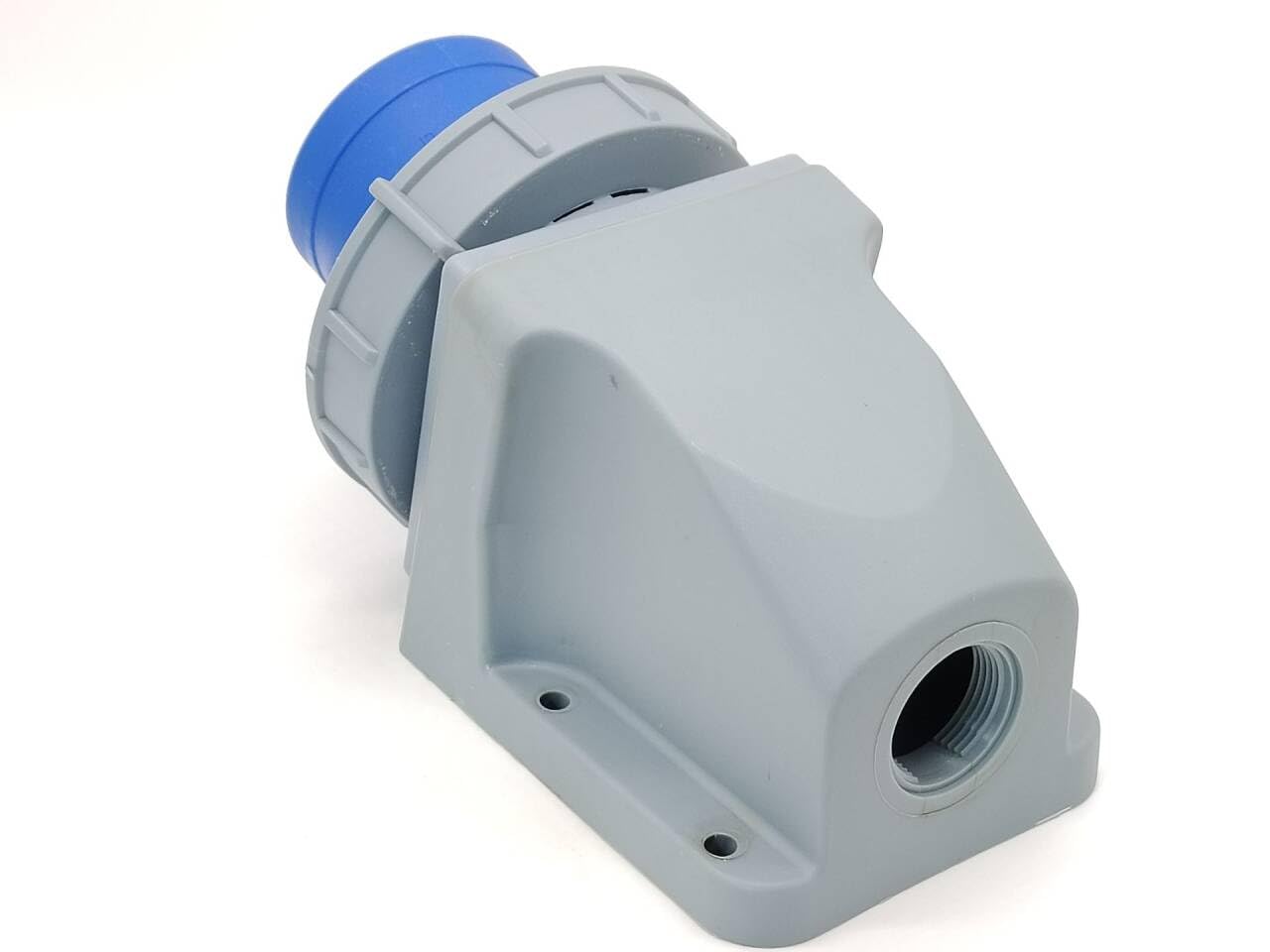
Figure 4: Another side view, highlighting the cable entry point for wiring.
4.3 Wiring Instructions
IMPORTANT: All wiring must comply with local electrical codes and regulations. If unsure, consult a qualified electrician.
- Prepare Cable: Strip the outer sheath of the power cable to the appropriate length, exposing the insulated conductors. Strip approximately 10-15mm of insulation from each conductor.
- Open Plug: Unscrew and open the plug housing to access the terminal block.
- Connect Wires:
- Connect the Live (L) wire to the appropriate terminal.
- Connect the Neutral (N) wire to the appropriate terminal.
- Connect the Earth (E) wire to the designated earth terminal.
- Secure Cable: Use the cable gland or strain relief mechanism to secure the cable, preventing tension on the terminal connections and maintaining the IP rating.
- Close Plug: Carefully reassemble the plug housing, ensuring all seals are correctly seated to maintain the IP67 rating. Tighten all screws.
5. Operating Instructions
Once the Elecbee IEC60309 Surface Mounted Plug is correctly installed and wired, follow these steps for operation:
- Verify Compatibility: Ensure the mating industrial plug (e.g., on an appliance or extension cord) is also an IEC60309 standard 3-pin, 32A, 220V-250V connector.
- Connect: Align the male plug with the surface mounted socket, ensuring the earth pin (the largest pin) is correctly oriented. Insert the male plug firmly into the socket until it is fully seated.
- Secure Connection (if applicable): Some mating plugs may have a locking ring or mechanism. Engage this mechanism if present to secure the connection and enhance water resistance.
- Apply Power: Once the connection is secure, switch on the power supply to the circuit.
- Disconnect: To disconnect, first switch off the power supply. Then, disengage any locking mechanism and pull the male plug straight out from the surface mounted socket. Do not pull by the cable.

Figure 5: Illustration of an industrial plug and socket connection, demonstrating the robust and waterproof design suitable for harsh environments.
6. Maintenance
Regular maintenance ensures the longevity and safe operation of your Elecbee industrial plug.
- Periodic Inspection: Regularly inspect the plug for any signs of physical damage, cracks, discoloration, or loose connections.
- Cleaning: If necessary, clean the exterior of the plug with a damp cloth. Do not use abrasive cleaners or solvents. Ensure the plug is disconnected from power before cleaning.
- Seal Integrity: Check the integrity of all seals and gaskets, especially if the plug is exposed to harsh weather or wet conditions. Replace if damaged.
- Terminal Check: Periodically (e.g., annually or as required by local regulations) check the tightness of the terminal screws. Loose connections can lead to overheating and fire hazards.
- Environmental Protection: Ensure the plug's protective cap is in place when not in use to prevent ingress of dust and moisture, maintaining its IP67 rating.
7. Troubleshooting
If you encounter issues with your Elecbee IEC60309 Industrial Surface Mounted Plug, refer to the following common problems and solutions:
| Problem | Possible Cause | Solution |
|---|---|---|
| No power to connected device |
|
|
| Plug feels hot during operation |
|
|
| Difficulty inserting/removing mating plug |
|
|
If the problem persists after attempting these solutions, discontinue use and contact a qualified electrician or Elecbee customer support.
8. Specifications
| Feature | Detail |
|---|---|
| Model Number | EB-411-0118 |
| Type | Male Surface Mounted Plug |
| Configuration | 3-pin (2P+E) |
| Amperage | 32 Amps |
| Voltage | 220V-250V |
| Frequency | 50/60Hz |
| Ingress Protection (IP) Rating | IP67 |
| Material | Nylon |
| Color | Blue |
| Item Weight | 299 g |
| Parcel Dimensions | 22.2 x 13.11 x 12.9 cm |
| Manufacturer | Elecbee |
| Place of Business | Shenzhen Renhotec Technology Electronics Co., Ltd |
9. Warranty and Support
For warranty information or technical support regarding your Elecbee IEC60309 Industrial Surface Mounted Plug, please contact the manufacturer directly:
Manufacturer: Elecbee
Place of Business: Shenzhen Renhotec Technology Electronics Co., Ltd
Please refer to your purchase documentation or the manufacturer's official website for the most current contact information and warranty terms.


