
1. Introduction
Thank you for choosing the ASHATA Mini 1080P HD WiFi Security Camera. This compact and versatile camera is designed for real-time surveillance, offering high-definition video, night vision, and motion detection capabilities. It supports mobile application interconnection for remote monitoring and is powered by a built-in rechargeable battery, making it suitable for various indoor and outdoor applications.
The camera features a 110-degree wide-angle lens to cover more areas and reduce blind spots, complemented by a 360-degree rotating magnetic base for flexible placement and adjustment.

Image 1.1: The ASHATA Mini Security Camera is suitable for monitoring various locations such as homes, supermarkets, schools, and factories.
2. Product Components
The ASHATA Mini 1080P HD WiFi Security Camera package typically includes:
- ASHATA Mini Security Camera
- USB Charging Cable
- Magnetic Rotating Base
- User Manual

Image 2.1: Close-up of the camera lens, showing the compact design.

Image 2.2: The magnetic rotating base allows for flexible positioning of the camera.
3. Setup Instructions
3.1 Initial Charging
Before first use, fully charge the camera for approximately 2 hours using the provided USB charging cable. Connect the cable to the camera's charging port and a standard USB power adapter (not included).
3.2 App Installation
Download the dedicated mobile application from your device's app store (compatible with Android and iOS systems). Search for the app name specified in the included user manual or on the product packaging.
3.3 Camera Connection
- Power on the camera.
- Open the installed mobile application.
- Follow the in-app instructions to add a new device. This typically involves scanning a QR code on the camera or connecting to the camera's temporary Wi-Fi hotspot.
- Connect the camera to your home or office Wi-Fi network (2.4GHz only).
3.4 Placement
Utilize the 360-degree rotating magnetic base to position the camera. It can be adsorbed onto metallic surfaces or mounted using appropriate hardware (not included). Ensure the camera has a clear line of sight to the area you wish to monitor.

Image 3.1: The camera with its magnetic base, demonstrating flexible placement and remote viewing via smartphone.
4. Operating Instructions
4.1 Real-Time Monitoring
Once connected, open the mobile application to view live 1080P HD video from your camera. You can monitor in real-time from any location with an internet connection.

Image 4.1: The mobile app interface showing a clear 1080P HD video feed from the camera.
4.2 Motion Detection
The camera features motion detection. When motion is detected, the camera can send alerts to your mobile device and begin recording. Adjust sensitivity settings within the app.

Image 4.2: The camera's motion detection feature triggers alerts and recording, visible on the mobile app.
4.3 Night Vision
The camera is equipped with night vision functionality, allowing for clear monitoring in low-light or dark conditions.
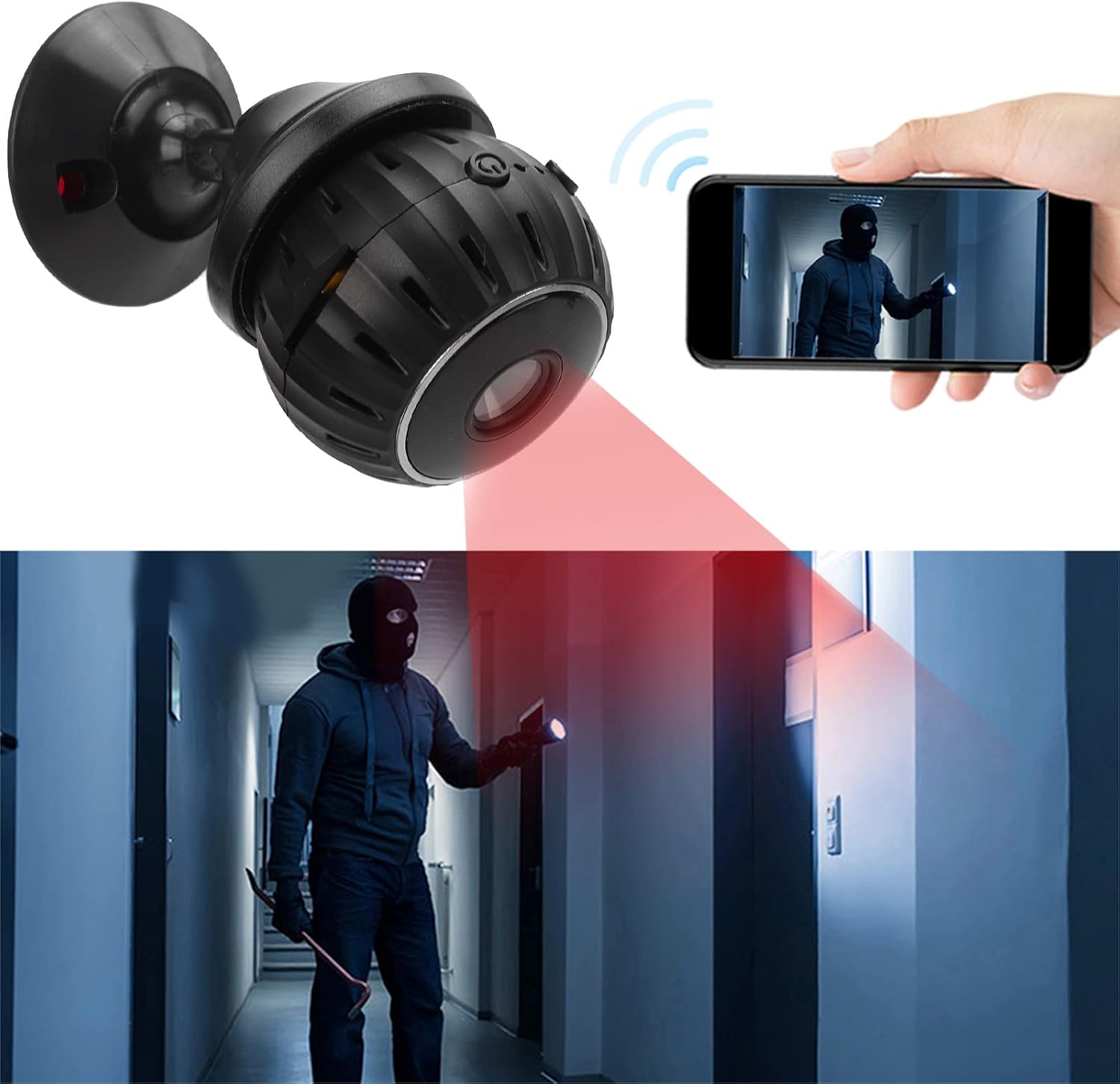
Image 4.3: The camera's night vision capability provides visibility in dark environments.
4.4 Storage
The camera supports a maximum of 128GB small memory card (not included) for local video storage. Recordings can be accessed and managed through the mobile application.
5. Maintenance
5.1 Cleaning
Gently wipe the camera lens and body with a soft, dry cloth. Avoid using harsh chemicals or abrasive materials that could damage the device.
5.2 Battery Care
To prolong battery life, avoid exposing the camera to extreme temperatures. Recharge the battery regularly, even if the camera is not in constant use.
5.3 Software Updates
Periodically check the mobile application for available firmware updates for your camera. Keeping the software updated ensures optimal performance and security.
6. Troubleshooting
- Camera not powering on: Ensure the camera is fully charged. Connect it to a power source and check for charging indicators.
- Cannot connect to Wi-Fi: Verify that your Wi-Fi network is 2.4GHz. Ensure the camera is within range of your router. Restart both the camera and your router. Re-attempt the connection process through the app.
- Poor video quality: Check your internet connection speed. Ensure the camera lens is clean and free from obstructions. Adjust camera placement for better lighting.
- Motion detection not working: Verify that motion detection is enabled in the app settings. Adjust sensitivity levels as needed. Ensure the camera's view is not obstructed.
- Short battery life: Battery life can vary based on usage, Wi-Fi signal strength, and motion detection frequency. Ensure the camera is fully charged. Reduce recording duration or frequency if possible.
7. Specifications
| Feature | Specification |
|---|---|
| Video Capture Resolution | 1080p |
| Connectivity Protocol | Wi-Fi |
| Power Source | Battery Powered (Built-in 300mAh polymer lithium battery 502030) |
| Compatible Devices | Smartphone (Android, iOS) |
| Mounting Type | Wall Mount (with magnetic base) |
| Special Features | Night Vision, Motion Detection, Wide Angle (110 degrees) |
| Material | Acrylonitrile Butadiene Styrene (ABS) |
| Frame Rate | 25 fps |
| Storage Support | Max 128GB small memory card (not included) |
| International Protection Rating | IP65 |
| Item Weight | 2.82 ounces |
| Dimensions | Approximately 3cm x 3cm x 2.3cm (1.2in x 1.2in x 0.9in) |

Image 7.1: Approximate dimensions of the ASHATA Mini Security Camera.
8. Warranty and Support
For warranty information and technical support, please refer to the contact details provided on the product packaging or the official ASHATA website. Keep your purchase receipt for warranty claims.