
Introduction
Thank you for purchasing the Kisonli G1 Classic Wooden Retro Wireless Bluetooth Speaker. This manual provides essential information for setting up, operating, and maintaining your speaker. Please read it carefully before use and retain it for future reference.
Package Contents
Ensure all items are present in the package:
- Kisonli G1 Bluetooth Speaker (1 unit)
- Charging Cable (USB)
- Audio Cable (AUX)
- User Manual
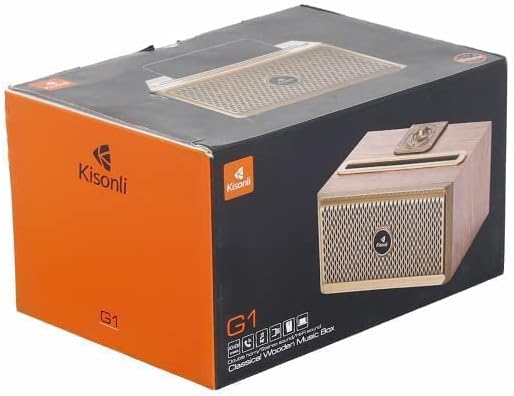
Image: The Kisonli G1 speaker packaging box, showing the speaker and brand logo.
Product Overview
Familiarize yourself with the speaker's components and controls.
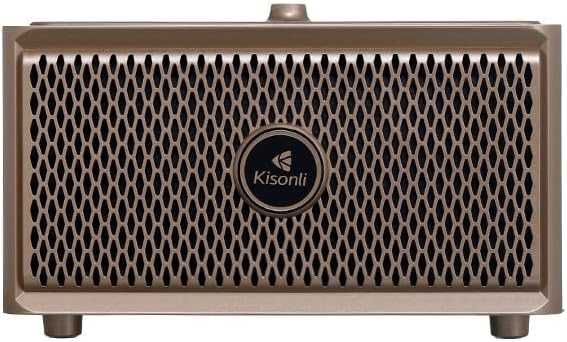
Image: Front view of the Kisonli G1 speaker, showing the speaker grille and Kisonli logo.
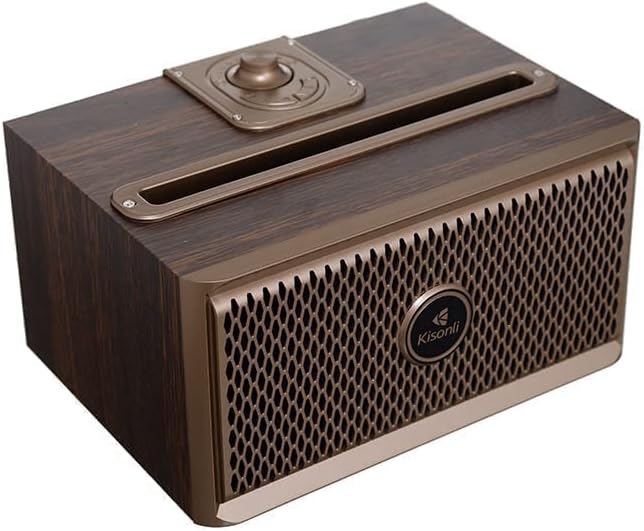
Image: Angled view of the Kisonli G1 speaker, highlighting the top-mounted control knob and slot.

Image: Side view of the Kisonli G1 speaker, displaying the USB, TF card, AUX, and charging ports, along with a control knob.
Controls and Ports:
- Power/Volume Knob: Rotate to adjust volume, press and hold to power on/off.
- Mode Button: Switch between Bluetooth, AUX, USB, and TF card modes.
- Play/Pause Button: Play or pause audio. Answer/end calls.
- Previous/Next Track Buttons: Navigate tracks.
- USB Port: For USB drive playback.
- TF Card Slot: For TF (MicroSD) card playback.
- AUX Input: For wired audio connection.
- Charging Port: Micro USB port for charging.
Setup
1. Charging the Speaker
- Connect the provided USB charging cable to the speaker's charging port.
- Connect the other end of the USB cable to a USB power adapter (not included) or a computer's USB port.
- The charging indicator light will illuminate during charging and turn off when fully charged.
- A full charge takes approximately 3-4 hours. The battery capacity is 1500 mAh.
2. Powering On/Off
- To Power On: Press and hold the Power/Volume knob for a few seconds until you hear an audible prompt.
- To Power Off: Press and hold the Power/Volume knob for a few seconds until you hear an audible prompt.
3. Bluetooth Pairing
- Ensure the speaker is powered on and in Bluetooth mode. If not, press the Mode button to switch to Bluetooth. The Bluetooth indicator light will flash, indicating it is ready for pairing.
- On your mobile device (smartphone, tablet, etc.), enable Bluetooth.
- Search for available Bluetooth devices. You should see "Kisonli G1" or a similar name in the list.
- Select "Kisonli G1" to connect. Once paired, the speaker will emit a confirmation sound, and the Bluetooth indicator light will stop flashing and remain solid.
- The speaker will automatically attempt to reconnect to the last paired device when powered on.
4. AUX/USB/TF Card Connection
- AUX Mode: Connect one end of the 3.5mm audio cable to the speaker's AUX input and the other end to your audio device's headphone jack. Press the Mode button to select AUX mode.
- USB Mode: Insert a USB flash drive (with audio files) into the USB port. The speaker will automatically switch to USB mode and begin playback.
- TF Card Mode: Insert a TF (MicroSD) card (with audio files) into the TF card slot. The speaker will automatically switch to TF card mode and begin playback.
Operating Instructions
Music Playback
- Volume Control: Rotate the Power/Volume knob clockwise to increase volume, counter-clockwise to decrease.
- Play/Pause: Press the Play/Pause button to play or pause the current track.
- Next Track: Press the "Next Track" button to skip to the next song.
- Previous Track: Press the "Previous Track" button to go back to the beginning of the current song or to the previous song.
Hands-free Calling
- When a call comes in while connected via Bluetooth, the music will pause.
- Answer Call: Press the Play/Pause button once to answer the incoming call.
- End Call: Press the Play/Pause button once during a call to end it.
- Reject Call: Press and hold the Play/Pause button for 2 seconds to reject an incoming call.
Radio Function (if applicable)
The product specifications mention "Radio and Speaker" as included components. If your unit includes an FM radio function:
- Press the Mode button to switch to FM Radio mode.
- Press the Play/Pause button to auto-scan and save available radio stations.
- Use the Previous/Next Track buttons to navigate between saved stations.
Maintenance
- Cleaning: Wipe the speaker with a soft, dry cloth. Do not use abrasive cleaners or solvents.
- Storage: Store the speaker in a cool, dry place away from direct sunlight and extreme temperatures.
- Water Resistance: The speaker is water-resistant. However, avoid submerging it in water or exposing it to heavy rain for extended periods. Ensure all ports are dry before charging.
- Battery Care: To prolong battery life, fully charge the speaker before first use and recharge it at least once every three months if not used regularly.
Troubleshooting
| Problem | Solution |
|---|---|
| Speaker does not power on. | Ensure the speaker is charged. Connect it to a power source using the USB cable. |
| Cannot pair via Bluetooth. |
|
| No sound. |
|
| Poor sound quality. |
|
Specifications
| Model Number | QUN-047 |
| Brand | Kisonli |
| Material | Plastic (with wooden aesthetic) |
| Connectivity Technology | Bluetooth, USB, Auxiliary |
| Wireless Communication | Bluetooth |
| Power Source | Battery Powered |
| Battery Capacity | 1500 mAh |
| Compatible Devices | Tablet, Smartphone |
| Color | Brown |
| Item Weight | 1 Kilogram |
| Water Resistant | Yes |
| Frequency Response | Up to 20 kHz |
| Audio Output Mode | Surround (Simulated) |
| Mounting Type | Tabletop |
| Special Features | Wireless, Hands-free Calling, USB/TF Card Playback, Radio Function |
| Dimensions (Package) | 22.8 x 15.7 x 13 cm |
Warranty and Support
This Kisonli G1 speaker comes with a Full Warranty. For warranty claims or technical support, please contact your retailer or the Kisonli customer service department. Keep your purchase receipt as proof of purchase.
For further assistance, please refer to the contact information provided on the product packaging or the official Kisonli website.