
1. Introduction
The WD_BLACK SN850X NVMe SSD is a high-performance internal solid-state drive designed to enhance your computing experience, particularly for gaming and demanding applications. It significantly reduces load times and minimizes throttling, lagging, and texture pop-ins. Available in various capacities, this drive offers top-tier performance with read speeds up to 7,300 MB/s and write speeds up to 6,300 MB/s (for 1TB - 4TB models). The compact M.2 2280 form factor ensures seamless integration into compatible systems.

A top-down view of the WD_BLACK SN850X 2TB NVMe SSD, showcasing its sleek black design and compact M.2 2280 form factor.
2. Key Features
- Blazing-Fast Performance: Experience insane speeds up to 7,300MB/s (1TB - 4TB models) for ridiculously short load times, transforming your gaming PC or workstation.
- Ample Storage Capacity: With capacities up to 8TB, built with SANDISK TLC 3D NAND, you can keep more games and applications ready for instant access.
- Optional Heatsink: 1TB and 2TB models offer an optional heatsink version to help maintain peak performance during intense gaming sessions by managing thermal output.
- WD_BLACK Dashboard: The downloadable WD_BLACK Dashboard (Windows only) allows you to monitor drive health, customize RGB lighting, and activate Game Mode 2.0 for an optimized gaming experience.
- Advanced Features: Includes Predictive Loading, Overhead Balancing, and Adaptive Thermal Management (ATM) for enhanced drive efficiency and stability.
- Reliable Technology: Powered by Sandisk Technologies, Inc., ensuring quality and reliability.

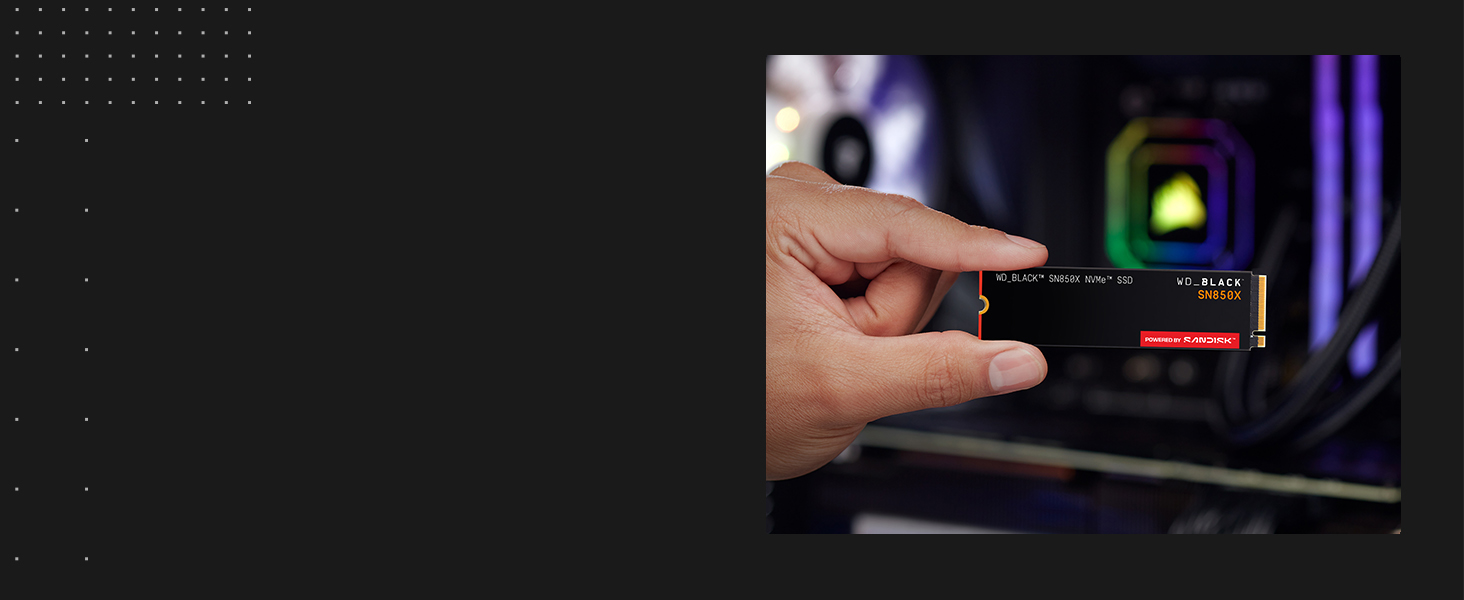
A hand holding the WD_BLACK SN850X NVMe SSD, illustrating its compact M.2 2280 form factor, ideal for various system builds.
The WD_BLACK SN850X NVMe SSD securely installed in an M.2 slot on a PC motherboard, ready for high-performance operation, with text indicating minimized latency and fast graphics loading.

A visual representation of the WD_BLACK Dashboard software interface, showing real-time drive health, capacity usage, and performance data, including Game Mode 2.0 settings.
3. Installation and Setup
Installing the WD_BLACK SN850X NVMe SSD is a straightforward process. Ensure your system's motherboard has an available M.2 slot (typically 2280 size) that supports PCIe Gen4 NVMe SSDs. For optimal performance, a compatible motherboard is recommended. Always handle the SSD by its edges to avoid static discharge.
3.1 Physical Installation
- Power off your computer and disconnect all cables.
- Open your computer case to access the motherboard.
- Locate an available M.2 slot on your motherboard. Refer to your motherboard manual for exact locations.
- Remove the retaining screw or clip from the M.2 slot.
- Gently insert the WD_BLACK SN850X SSD into the M.2 slot at a 30-degree angle, ensuring the gold contacts are fully seated.
- Push the SSD down towards the motherboard and secure it with the retaining screw or clip.
- If your SSD model includes a heatsink, ensure it is properly attached and secured according to the heatsink's instructions.
- Close your computer case and reconnect all cables.

A detailed view of the WD_BLACK SN850X NVMe SSD being carefully inserted into an M.2 slot on a motherboard, highlighting the installation process.
3.2 Initializing and Formatting
After physical installation, you may need to initialize and format the SSD in your operating system before it can be used. For Windows, use Disk Management. For PlayStation 5, the console will prompt you to format the drive upon startup.
This video demonstrates the installation process of the WD_BLACK SN850X NVMe SSD into a PC motherboard and showcases its lightning-fast performance during testing.
Watch this video for a guide on installing two WD_BLACK SN850X 2TB NVMe SSDs to create a mirrored storage system, enhancing data redundancy and performance.
4. Operation
Once installed and formatted, your WD_BLACK SN850X NVMe SSD is ready for use. It will function as a high-speed storage device for your operating system, games, and applications.
4.1 WD_BLACK Dashboard (Windows Only)
For Windows users, the downloadable WD_BLACK Dashboard software provides advanced control and monitoring features:
- Monitor Drive Health: Keep track of your SSD's temperature, lifespan, and overall status.
- Game Mode 2.0: Activate this exclusive feature to optimize your gaming experience by disabling background processes and enhancing performance.
- Customize RGB Lighting: If your SSD model features RGB, personalize its lighting effects to match your system's aesthetic.
- Firmware Updates: Ensure your SSD is running with the latest firmware for optimal performance and stability.
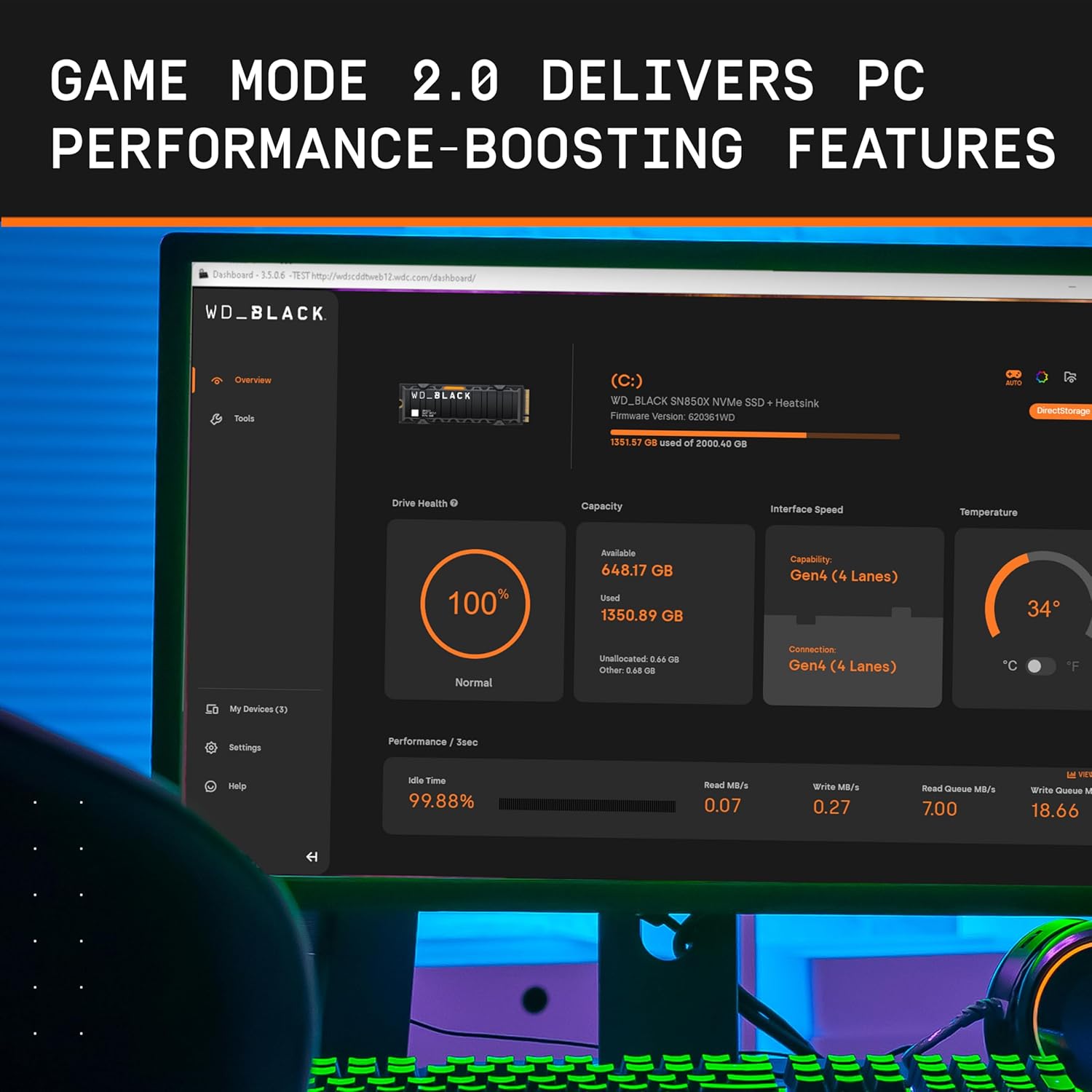
An alternative screenshot of the WD_BLACK Dashboard, illustrating its comprehensive monitoring capabilities for the SSD's performance and status.
5. Maintenance and Care
To ensure the longevity and optimal performance of your WD_BLACK SN850X NVMe SSD, consider the following maintenance tips:
- Keep Firmware Updated: Regularly check for and install the latest firmware updates via the WD_BLACK Dashboard or Western Digital's official website.
- Monitor Drive Health: Use the WD_BLACK Dashboard to periodically check the SSD's health status and temperature.
- Ensure Proper Cooling: Adequate airflow within your PC case is crucial, especially for models without a built-in heatsink, to prevent thermal throttling.
- Avoid Filling to Capacity: While SSDs perform well even when nearly full, leaving some free space (10-15%) can help maintain performance and extend lifespan.
- Regular Backups: Always back up important data to another storage device to prevent data loss.
6. Troubleshooting
If you encounter issues with your WD_BLACK SN850X NVMe SSD, try the following steps:
- SSD Not Detected:
- Ensure the SSD is correctly seated in the M.2 slot.
- Check your motherboard's BIOS/UEFI settings to confirm the M.2 slot is enabled and configured correctly.
- For new installations, ensure the drive is initialized and formatted in Disk Management (Windows) or via the PS5 settings.
- Slow Performance:
- Verify your motherboard supports PCIe Gen4 speeds. If not, the SSD will operate at Gen3 speeds.
- Ensure your system has adequate cooling to prevent thermal throttling.
- Check for the latest SSD firmware updates.
- Ensure Game Mode 2.0 is enabled in the WD_BLACK Dashboard for gaming optimization.
- System Instability/Crashes:
- Ensure all drivers (chipset, storage controller) are up to date.
- Run a diagnostic check on the SSD using the WD_BLACK Dashboard.
- Check for any conflicts with other hardware components.
If these steps do not resolve the issue, please refer to the support section for further assistance.
7. Technical Specifications
| Feature | Detail |
|---|---|
| Digital Storage Capacity | 2000 GB |
| Hard Disk Interface | PCIE x 4 |
| Connectivity Technology | NVMe |
| Brand | Sandisk |
| Special Feature | WD_BLACK Dashboard |
| Hard Disk Form Factor | 2.5 Centimeters |
| Hard Disk Description | Solid State Drive |
| Compatible Devices | Laptop, Motherboards |
| Installation Type | Solid State Drive |
| Color | Black |
| Specific Uses For Product | Gaming |
| Read Speed | 7300 Megabytes Per Second |
| Media Speed | 6600 |
| Data Transfer Rate | 7300 Megabytes Per Second |
| Form Factor | M.2 2280 |
| Hardware Platform | PC |
| Item Weight | 0.1 Ounces |
| Item Dimensions L x W x Thickness | 3.15"L x 0.87"W x 0.09"Th |
| Model Number | WDS200T2X0E |
| Model Name | WD_BLACK SN850X NVMe SSD |
| Manufacturer | Sandisk Technologies, Inc. |
| UPC | 718037891408 |
8. Warranty and Support
8.1 Warranty Information
The WD_BLACK SN850X NVMe SSD comes with a 5-year limited warranty. Please retain your proof of purchase for warranty claims. For full details on warranty terms and conditions, visit the official Western Digital/Sandisk website.
8.2 Customer Support
For technical assistance, product inquiries, or warranty support, please visit the official Western Digital support website or contact their customer service. You can find detailed FAQs, troubleshooting guides, and contact information on their website.
A brief product overview video highlighting the key features and benefits of the WD_BLACK SN850X NVMe SSD.


