
Introduction
This manual provides instructions for the Hisense U5120G 5.1.2ch Premium Sound Bar with Wireless Subwoofer. This audio system is designed to deliver immersive sound with Dolby Atmos and DTS:X technology, filling the listening space with sound that appears to originate from various directions. It offers multiple connection options and equalization presets to optimize audio performance for different content types.
What's in the Box
- Sound Bar
- Wireless Subwoofer
- HDMI cable
- Optical cable
- Wall mounting kit
- Remote Control
- 2 AAA batteries
Setup
Product Overview
The Hisense U5120G system includes a sound bar and a wireless subwoofer, designed to deliver a comprehensive audio experience.

Figure 1: Hisense U5120G Sound Bar and Wireless Subwoofer, showing the main unit and the separate subwoofer.
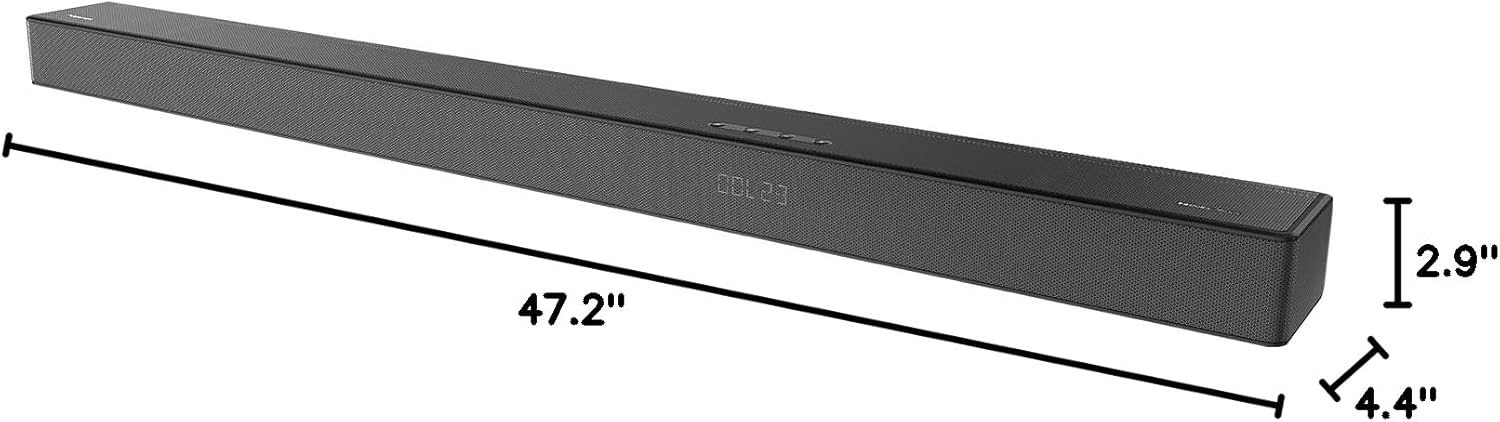
Figure 2: Dimensions of the Hisense U5120G Sound Bar, measuring 47.2 inches in length, 4.4 inches in depth, and 2.9 inches in height.
Placement
For optimal sound dispersion, position the sound bar centrally in front of your television. The wireless subwoofer can be placed anywhere in the room, ideally within 30 feet of the sound bar, for flexible bass integration.
Connections
The U5120G offers multiple connectivity options for seamless integration with your home entertainment system.
- HDMI eARC: For optimal audio quality and control, connect the sound bar to your TV's HDMI eARC/ARC port using the included HDMI cable. This enables single-cable audio transmission and allows control with your TV remote.
- Optical: Connect using the included optical cable for high-quality digital audio if your TV does not support HDMI ARC.
- AUX: Use an auxiliary cable for analog audio connections.
- USB: For playing audio files directly from a USB drive.
- Bluetooth: Wirelessly stream music from compatible devices.
- Type-C: An additional connectivity option.

Figure 3: Illustration showing various connectivity options including USB, Type-C, Optical, AUX, and HDMI ports on the sound bar, along with wireless Bluetooth streaming.
Operating Instructions
Power On/Off and Volume Control
Use the power button on the sound bar or remote control to turn the system on or off. Adjust the volume using the volume up/down buttons on the sound bar or remote.
Sound Modes and Optimization
The U5120G features various sound modes and technologies to optimize your listening experience:
- Dolby Atmos & DTS:X: These technologies provide a multi-dimensional sound experience, making audio appear to flow from all directions, including overhead.
- 5.1.2 Channel Configuration: With seven front-firing, two side-firing, and two up-firing speakers, along with an 8-inch wireless subwoofer, the system delivers immersive 360-degree audio.
- EQ Modes: Optimize sound for specific content with presets such as Movie mode, Game mode, Music mode, Night mode, Sports mode, and News mode.
- Hi-Remaster Technology: Upscales music quality and preserves Hi-Res audio detail for an enhanced listening experience.
- 4K & 3D Pass-through: Ensures that 4K or 3D video content passed through the sound bar maintains its original quality.

Figure 4: Diagram illustrating how the 5.1.2 channel configuration creates immersive sound, with audio waves emanating from the sound bar and subwoofer, reflecting off walls and ceiling.

Figure 5: Visual representation of Dolby Atmos and DTS:X technologies creating a wide and immersive sound field, with sound elements appearing to move around the listener.

Figure 6: AI-optimized sound modes, including Sports, Music, Movie, Game, Night, and News, which adjust audio settings for the best experience based on content.

Figure 7: Explanation of Hi-Remaster technology, which upscales audio sources to bring out Hi-Res detail, improving the listening experience.
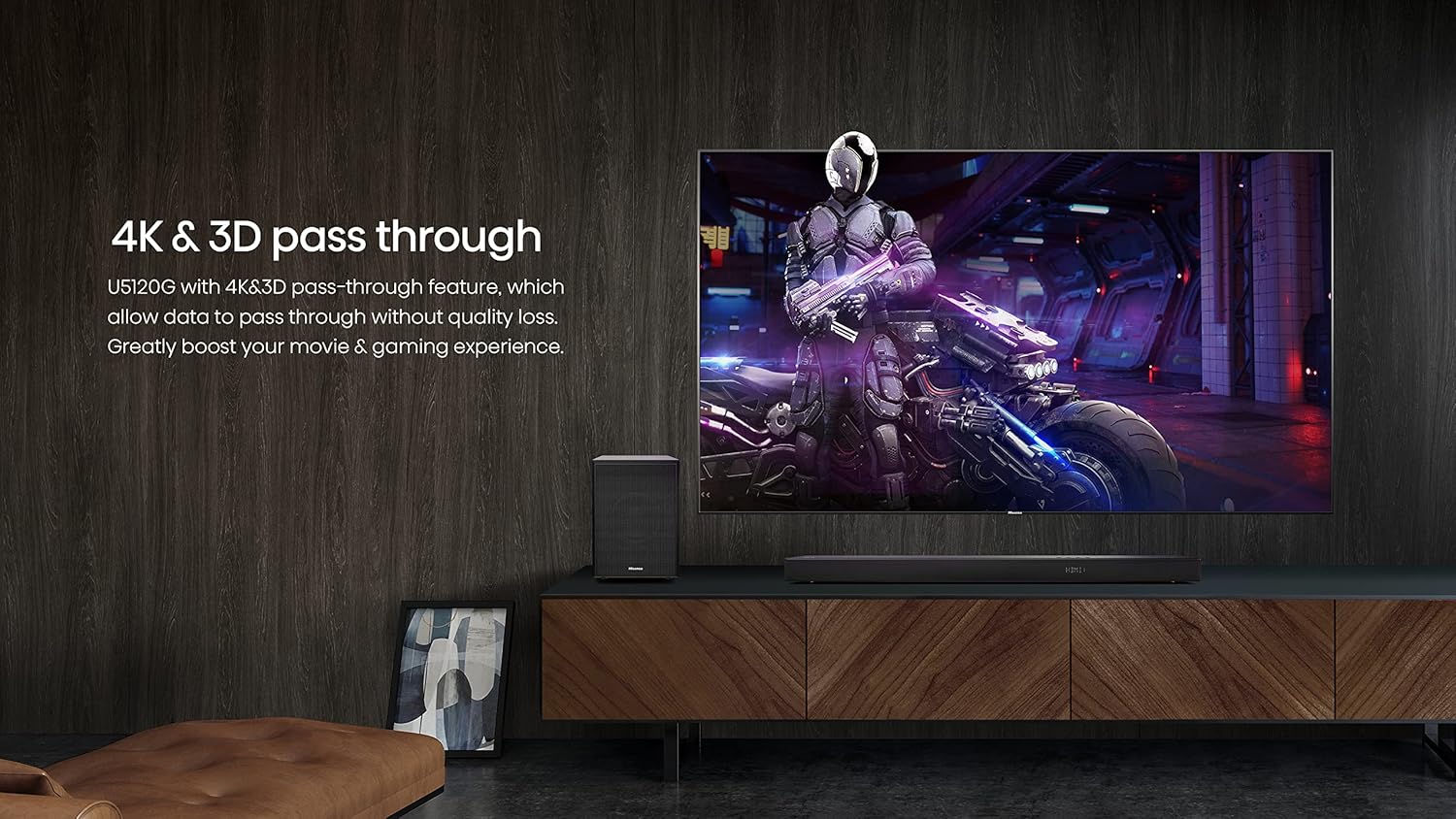
Figure 8: Illustration demonstrating 4K and 3D pass-through capabilities, ensuring high-quality video transmission for movies and gaming without signal degradation.
EzPlay Support
For compatible Hisense TVs, the EzPlay feature allows direct control of sound bar settings from your TV screen using a single remote. This provides convenient visual operation and simplifies control.

Figure 9: EzPlay feature showing a TV screen displaying sound bar settings, controlled by a single remote, for simplified user interaction.
Maintenance
To ensure the longevity and optimal performance of your Hisense U5120G Sound Bar and Subwoofer, follow these maintenance guidelines:
- Cleaning: Use a soft, dry cloth to clean the surfaces of the sound bar and subwoofer. Avoid using liquid cleaners, aerosols, or abrasive materials, as they may damage the finish.
- Ventilation: Ensure proper ventilation around both the sound bar and the subwoofer. Do not block any ventilation openings.
- Placement: Avoid placing the units in direct sunlight, near heat sources, or in areas with high humidity or dust.
- Power Cord: Regularly check the power cords for any signs of damage. If damaged, discontinue use and contact customer support.
Troubleshooting
If you encounter issues with your Hisense U5120G Sound Bar, refer to the following common troubleshooting steps:
| Problem | Possible Cause | Solution |
|---|---|---|
| No Sound | Power not connected; incorrect input selected; volume too low. | Ensure power is connected and unit is on. Select correct input source (HDMI, Optical, Bluetooth). Increase volume. |
| Subwoofer Not Connecting | Subwoofer out of range; interference; pairing issue. | Move subwoofer closer to the sound bar. Ensure no obstructions. Re-pair the subwoofer with the sound bar (refer to pairing instructions in full manual). |
| Poor Sound Quality | Incorrect EQ mode; audio source quality; speaker placement. | Try different EQ modes. Check the quality of the audio source. Adjust sound bar and subwoofer placement. |
| Remote Not Working | Dead batteries; remote not aimed correctly; obstruction. | Replace AAA batteries. Ensure clear line of sight to the sound bar's sensor. |
Specifications
| Feature | Detail |
|---|---|
| Model Name | Hisense Premium U series Soundbar |
| Speaker Type | Soundbar, Wireless Subwoofer |
| Speaker Maximum Output Power | 510 Watts |
| Surround Sound Channel Configuration | 5.1.2 |
| Subwoofer Diameter | 8 Inches |
| Connectivity Technology | Bluetooth, Auxiliary, Type-C, USB, HDMI |
| Wireless Communication Technology | Bluetooth |
| Product Dimensions | 47.2"D x 4.4"W x 2.9"H |
| Item Weight | 11 Pounds |
| Color | Black |
| Included Components | Sound Bar, Wireless Subwoofer, HDMI cable, Optical cable, Wall mounting kit |
| Warranty Type | 1 YEAR |
Warranty and Support
The Hisense U5120G Sound Bar comes with a 1 YEAR warranty. For technical support, warranty claims, or service inquiries, please refer to the contact information provided in your product packaging or visit the official Hisense support website.
For additional resources and product information, you may visit the Hisense Store on Amazon.