Introduction
This manual provides detailed instructions for the installation, operation, and maintenance of your Ecolight 6-Pack 3-inch Battery-Operated LED Puck Lights. These versatile lights are designed to brighten various areas such as kitchens, laundry rooms, living rooms, utility areas, or closets. They feature RGBW LED lighting, remote control functionality, and magnetic mounting options.
The remote control allows operation of any of the 6 puck lights from up to 20 feet away. You can easily change the light's color to red, green, blue, or white by tapping the light or using the remote control.
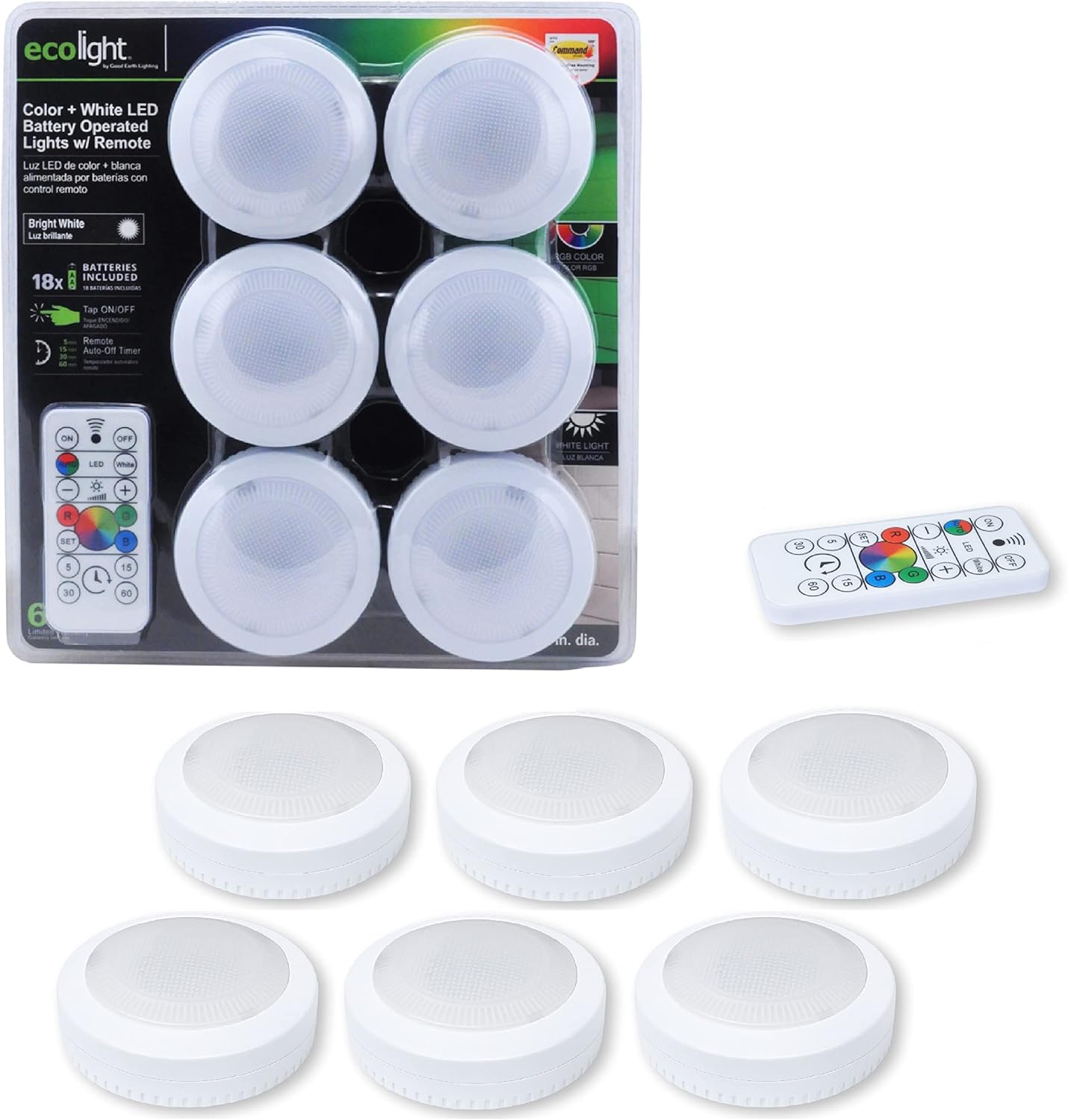
Image: The Ecolight 6-Pack 3-inch Battery-Operated LED Puck Lights shown in their retail packaging, alongside the included remote control.
Setup and Installation
Your Ecolight puck lights offer two primary installation methods: adhesive mounting using Command Strips or magnetic mounting.
Adhesive Mounting (using Command Strips)
- Prepare the Surface: Clean the desired mounting surface with rubbing alcohol and allow it to dry completely. This ensures optimal adhesion.
- Attach Strip to Light: Remove the red liner from one side of a Command Strip. Apply this side to the back of the puck light and press firmly for 30 seconds.
- Mount Light to Surface: Remove the black liner from the exposed side of the Command Strip. Position the puck light on the prepared surface and press firmly for 30 seconds.
For damage-free removal, never pull the tab away from the wall. Instead, stretch the strip slowly against the surface until it releases.
Magnetic Mounting
The puck lights can also be magnetically mounted to suitable metallic surfaces without the need for adhesive strips.

Image: A complete set of six Ecolight puck lights, the remote control, 18 AA batteries, and six Command strips, illustrating all included components for installation.
Battery Installation
Each puck light requires three AA batteries. A total of eighteen AA batteries are included with the 6-pack. To install, twist the back cover of the puck light counter-clockwise to open, insert the batteries according to polarity markings, and then twist the cover clockwise to secure.
Installation Video
Video: This video demonstrates the damage-free installation process for the Ecolight 6-Pack 3-inch Battery LED Lights using Command Strips.
Operating Instructions
The Ecolight puck lights can be operated via direct tap activation or using the included infrared (IR) remote control.
Tap Activation
- First Tap: Displays bright white light (4000K).
- Second Tap: Activates continuous RGB color cycling.
- Third Tap: Sets the light to the currently displayed RGB color.
- Fourth Tap: Turns off the puck light.

Image: A close-up view of an Ecolight puck light, highlighting its easy tap on/off activation feature.
Remote Control Functions
The IR remote control provides comprehensive control over the puck lights:
- ON/OFF: Power the lights on or off.
- White: Select bright white light (4000K).
- RGB Colors: Directly select red, green, or blue. The color wheel allows for continuous RGB color cycling or setting a specific color.
- Dimming: Adjust brightness levels using the '+' and '-' buttons.
- Timer: Set an auto-off timer for 5, 15, 30, or 60 minutes.

Image: A detailed view of the remote control, illustrating its various buttons for dimming, brightening, setting timers, and changing light colors.


Images: Left: An Ecolight puck light providing bright white illumination under a kitchen cabinet. Right: A composite image demonstrating the puck light's ability to emit red, green, and blue colors under a cabinet.
Maintenance
Battery Replacement
When the light output diminishes or the remote control responsiveness decreases, it is time to replace the batteries. Each puck light requires three AA batteries. Ensure to replace all three batteries in a puck light at the same time for optimal performance. Dispose of used batteries responsibly.
Cleaning
To clean the puck lights, gently wipe the surface with a soft, dry cloth. Avoid using abrasive cleaners or solvents, as these may damage the finish or electronic components.
Troubleshooting
- Light does not turn on: Check if the batteries are correctly installed and fully charged. Replace batteries if necessary.
- Remote control not working: Ensure there is a clear line of sight between the remote and the puck light. Check the remote's battery and replace if needed.
- Inconsistent light output: This may indicate low battery power. Replace the batteries in the affected puck light.
Specifications
| Feature | Detail |
|---|---|
| Model Number | BO1308-RGB-03LF6-E |
| Product Dimensions | 3"W x 3"H x 1"D (2.99 in. diameter, 1.22 in. height) |
| Item Weight | 5.8 ounces |
| Finish Type | White |
| Base Material | Plastic |
| Lamp Type | Puck Light |
| Shade Color | Red, Green, Blue, White |
| Switch Type | Magnetic, Remote |
| Light Source Type | LED |
| Power Source | Battery Powered |
| Number of Light Sources | 6 |
| Included Components | Battery, Remote Control |
| Mounting Type | Tabletop (also adhesive/magnetic) |
| Brightness | 40 Lumens |
| Color Temperature | 4000 Kelvin (White) |
| Special Feature | Dimmable |
| Battery Life | 200 Hours |
| Batteries Required | 18 AA batteries (included) |
| Control Method | Remote |
| Indoor/Outdoor Usage | Indoor |
| UPC | 755284020731 |
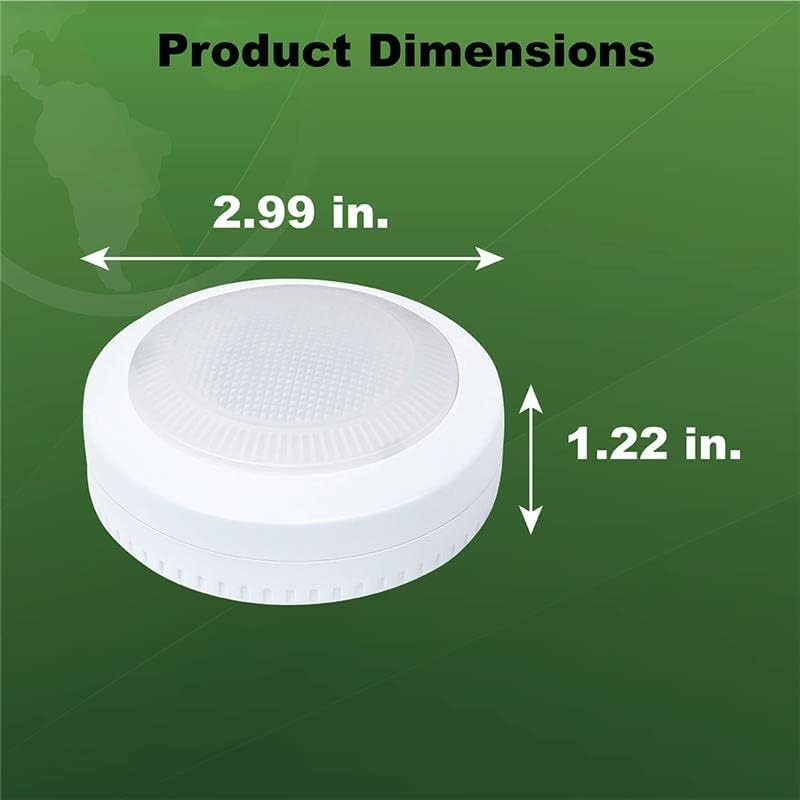
Image: A diagram illustrating the precise product dimensions of the Ecolight puck light.
Warranty Information
For specific warranty details regarding your Ecolight product, please refer to the warranty card included in the product packaging or visit the official Ecolight website. Keep your purchase receipt as proof of purchase for any warranty claims.
Customer Support
If you encounter any issues or have questions about your Ecolight 6-Pack 3-inch Battery-Operated LED Puck Lights, please contact Ecolight customer support. Contact information can typically be found on the product packaging or the official brand website.


