
Introduction
This manual provides detailed instructions for the safe and efficient operation of your ROCKPALS 1300W Portable Power Station and accompanying 2x100W Solar Panels. Please read this manual thoroughly before use to ensure proper functionality and longevity of your product.
What's Included
Your ROCKPALS solar panel kit includes the following components:
- 1x ROCKPALS 1300W Portable Power Station
- 2x ROCKPALS 100W Solar Panels with Kickstand
- 1x Anderson Cable
- 1x AC Adapter
- 1x Car Charging Cable
- 1x User Manual
Product Features
High Capacity and Output
The ROCKPALS 1300W Portable Power Station offers a 1254 Watt-hour (Wh) battery capacity, providing a continuous output of 1300W with a peak surge of 2000W. This allows for simultaneous charging of up to 10 devices.
Advanced LiFePO4 Battery Technology
Equipped with a LiFePO4 battery, this power station offers an extended lifespan of up to 2000 cycles at 80% depth of discharge, providing superior energy density and stable performance compared to other battery types. The integrated Smart Battery Management System (BMS) protects against overcharge, over-discharge, overcurrent, short circuit, and extreme temperatures.
Multiple Output Ports
The power station features a variety of output ports to meet diverse power needs:
- 3x AC Outlets
- 2x DC Outlets
- 2x QC Fast-Charge USB-A Ports
- 1x USB-A 3.1 Port
- 1x Car Port
- 1x PD USB Type-C Output Port
Versatile Charging Methods
The unit supports five charging methods:
- Solar Panel: Anderson charging port (250W Max) and built-in professional MPPT technology provide faster solar charging speed for about 5 hours.
- Wall Socket (Dual Input): Use 160W DC & 60W PD to charge for about 6 hours at the same time (or independently).
- Wall Socket (DC Only): DC 160W charging for about 8 hours.
- Car Port: About 15-16 hours.
- PD Outlet: About 22-28 hours.
Portability and Design
Weighing approximately 39 pounds, the power station features sturdy handles for easy transport. Its robust design ensures durability for outdoor and emergency use.
Setup
Unpacking and Initial Charge
Upon receiving your ROCKPALS 1300W Portable Power Station, carefully unpack all components. It is recommended to fully charge the unit before its first use. Connect the AC adapter to the input port and a wall outlet. The display will show charging progress.
Solar Panel Setup
To use the solar panels, unfold them and position them in direct sunlight. Connect the solar panels to the power station's Anderson input port using the provided Anderson cable. Ensure a secure connection for optimal charging.

Image: The ROCKPALS 1300W Portable Power Station and solar panels deployed in an outdoor setting, ready for use.
Operating Instructions
Powering On/Off
To power on the unit, long-press the display button located on the front panel. The display will illuminate, showing battery percentage and other relevant information. To power off, long-press the same button.
Video: Demonstrates powering on the ROCKPALS 1300W Portable Power Station and navigating its display, highlighting the input and output ports.
Using Output Ports
Each set of output ports (DC, AC, USB) has a dedicated power button. Long-press the respective button to activate the desired output. A green indicator light will confirm activation. For AC outlets, lift the protective covers before plugging in devices.

Image: Close-up of the power station's front panel, detailing the display, input, DC outputs, cigarette lighter port, USB ports, and AC outlets.
Usage Examples
Powering Power Tools
The ROCKPALS 1300W can power various power tools. When using high-wattage tools like a miter saw, ensure the tool's power demand does not exceed the power station's continuous output (1300W) or surge capacity (2000W). If the unit trips due to overload, simply turn it off and on again to reset.
Video: Demonstrates the ROCKPALS 1300W Portable Power Station powering a miter saw, showing power output readings and how the unit handles high power demands.
Running an Air Compressor
The power station can effectively run an air compressor. Monitor the power output on the display to ensure it operates within the unit's limits. An air compressor typically draws between 800W to 1000W continuously.
Video: A short preview showing the ROCKPALS 1300W Portable Power Station powering an air compressor, with the power output displayed.
Powering a Refrigerator/Freezer
For extended power outages or off-grid living, the ROCKPALS 1300W can power a refrigerator or freezer. A 25.5 cubic foot refrigerator/freezer can be powered for approximately 15 hours and 16 minutes on a full charge, consuming around 70 Watt-hours per cycle.
Using a Toaster
While high-wattage appliances like toasters consume significant power, the ROCKPALS 1300W can handle them. Toasting four slices of bread (simulated) consumes approximately 3% of the battery capacity. This indicates that the unit can toast up to 120 pieces of bread on a single full charge.
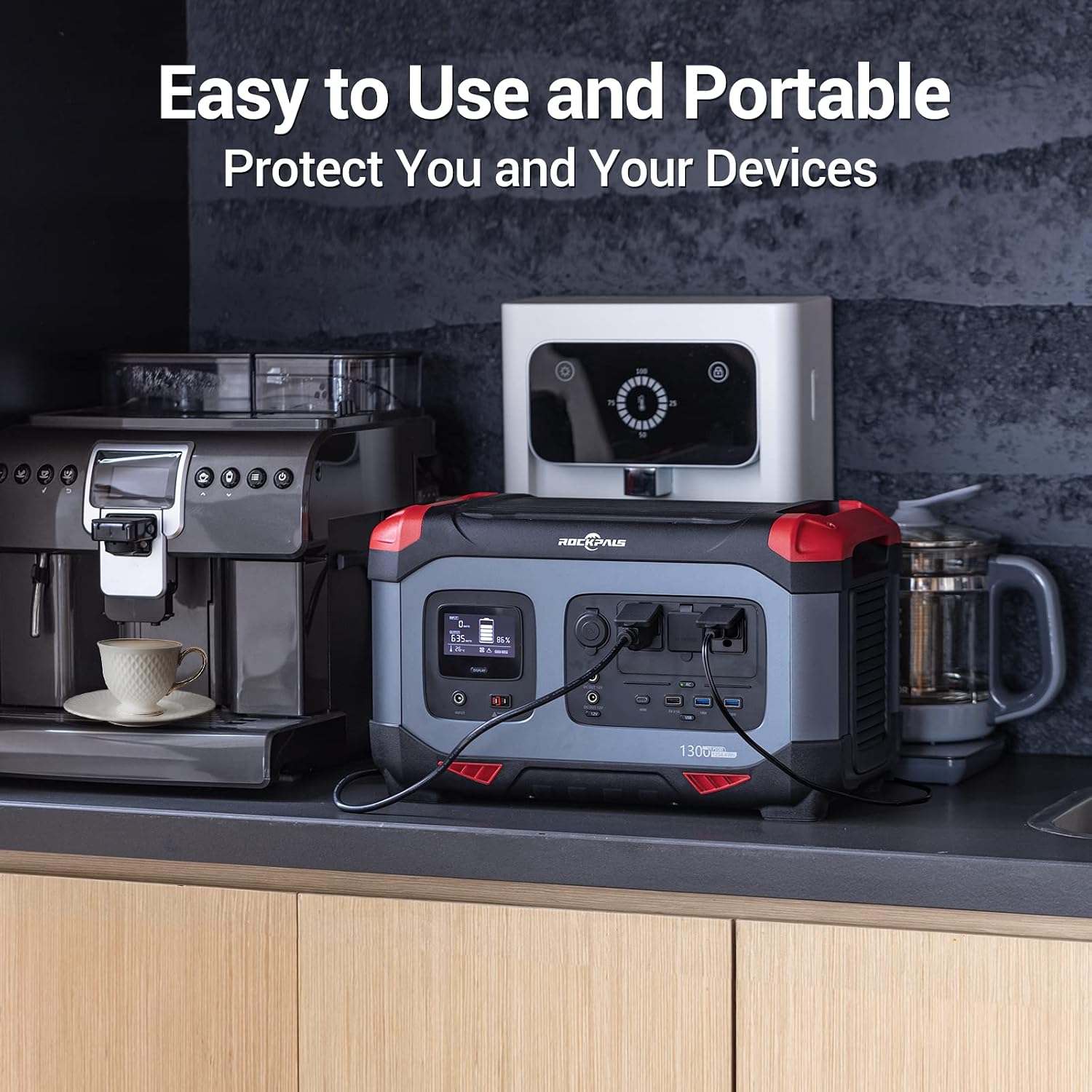
Image: The power station connected to a coffee maker and other devices, demonstrating its versatility for various appliances.
Maintenance
Cleaning
Regularly clean the exterior of the power station with a soft, dry cloth. Ensure that the air intake and exhaust vents are free from dust, debris, or sawdust to prevent overheating and maintain optimal performance.

Image: An exploded view of the power station, showing its internal components, cooling fan, and ventilation system.
Storage
Store the power station in a cool, dry place away from direct sunlight and extreme temperatures. For long-term storage, it is recommended to charge the unit to 50-80% every 3-6 months to preserve battery health.
Troubleshooting
Unit Not Turning On
- Ensure the battery is charged.
- Long-press the power button for several seconds.
Output Not Working
- Ensure the specific output port (AC, DC, USB) is activated by long-pressing its respective button.
- Check if the connected device's power draw exceeds the port's or the unit's maximum output.
- If an overload occurs, disconnect the device, turn the power station off, then on again.
Slow Charging
- For solar charging, ensure panels are in direct sunlight and free from obstructions.
- Verify all charging cables are securely connected.
- Check the input wattage displayed on the screen.
Specifications
| Feature | Detail |
|---|---|
| Brand | ROCKPALS |
| Model Number | RP1300W |
| Battery Type | LiFePO4 |
| Battery Capacity | 1254 Watt-hours |
| Continuous AC Output | 1300W |
| Peak AC Output | 2000W |
| Solar Input (Max) | 250W |
| Product Dimensions | 17.1"L x 9.7"W x 10.2"H |
| Weight | Approx. 39 lbs |
Warranty and Support
ROCKPALS offers a 24-month quality guarantee for this product. For technical assistance, troubleshooting, or warranty claims, please contact ROCKPALS professional customer service. Refer to the included user manual for contact details.