
Introduction
Thank you for choosing the Sonero Wireless Remote Control Outdoor Power Outlet Set. This set provides a convenient and safe way to control your outdoor electrical appliances remotely. Designed for outdoor use with an IP44 rating, it offers reliable performance for various applications. Please read this manual carefully before use to ensure proper installation, operation, and maintenance.
Safety Instructions
WARNING: Failure to follow these safety instructions may result in fire, electric shock, or injury.
- This product is designed for outdoor use. Ensure the protective covers on the outlets are securely closed when not in use to maintain IP44 weather resistance.
- Do not exceed the maximum load capacity of 1100 Watts for each outlet. Overloading can cause overheating and fire.
- Operate the outlets only within the specified voltage range of 220-240V.
- Ensure all connected appliances are suitable for outdoor use and meet local safety standards.
- Do not immerse the outlets or the remote control in water or expose them to extreme weather conditions beyond their IP44 rating.
- Always ensure proper grounding when plugging the outlets into a wall socket.
- Keep the remote control and outlets out of reach of children.
- Do not attempt to disassemble, repair, or modify the device. Contact qualified personnel for service.
- Unplug the outlets from the power source before cleaning or when not in use for extended periods.
Package Contents
Verify that all items are present in your package:
- 2 x Sonero Wireless Outdoor Power Outlets (IP44)
- 1 x Remote Control
- 2 x AAA Batteries (for remote control)
- 1 x Instruction Manual

Image showing two black Sonero wireless outdoor power outlets and one black remote control. The outlets are rectangular with a rounded top, featuring the 'sonero' logo. The remote has five channel buttons (A, B, C, D, ALL) and ON/OFF buttons.
Product Overview
The Sonero Wireless Remote Control Outdoor Power Outlet Set consists of two robust outdoor power outlets and a multi-channel remote control. Each outlet features a protective cover to shield the socket from environmental elements when not in use.

Image showing two black Sonero wireless outdoor power outlets. One outlet is closed, and the other is shown with its protective cover open, revealing the Type F (Schuko) socket with grounding contacts.

Image displaying the dimensions of the Sonero wireless outdoor power outlet and its remote control. The outlet measures 107 mm in height and 56 mm in width. The remote control measures 115 mm in height and 40 mm in width.
Setup
Follow these steps to set up and pair your Sonero wireless power outlets:
- Install Remote Control Batteries: Open the battery compartment on the back of the remote control and insert the two AAA batteries, observing the correct polarity (+/-). Close the compartment.
- Plug in the Outlet: Plug one Sonero wireless outdoor power outlet into a standard 220-240V wall socket. The indicator light on the outlet may flash briefly.
- Pairing the Outlet:
- Press and hold the small learning button (often located near the indicator light) on the side of the outlet until the indicator light begins to blink rapidly.
- While the outlet's light is blinking, press the desired channel button (A, B, C, or D) on the remote control.
- The outlet's indicator light should stop blinking and remain solid or turn off, indicating successful pairing.
- Repeat for Additional Outlets: Repeat steps 2 and 3 for the second outlet. You can assign it to a different channel (e.g., B) or the same channel as the first outlet if you wish to control them simultaneously with a single channel button.
- Test Functionality: Press the ON/OFF buttons on the remote for the assigned channels to ensure the outlets respond correctly.
Operating Instructions
Once paired, you can control your outdoor appliances using the remote control:
- Individual Channel Control: To turn a specific outlet ON or OFF, first press its corresponding channel button (A, B, C, or D) on the remote, then press the ON or OFF button.
- Group Control (ALL): To turn all paired outlets ON or OFF simultaneously, press the ALL button on the remote, then press the ON or OFF button.
- Range: The remote control has an operating range of up to 30 meters in open areas. Obstacles such as walls, trees, or other electronic devices may reduce the effective range.

Image showing a Sonero wireless outdoor power outlet and its remote control placed on a white surface with a blurred outdoor background, suggesting its use in garden or patio settings.
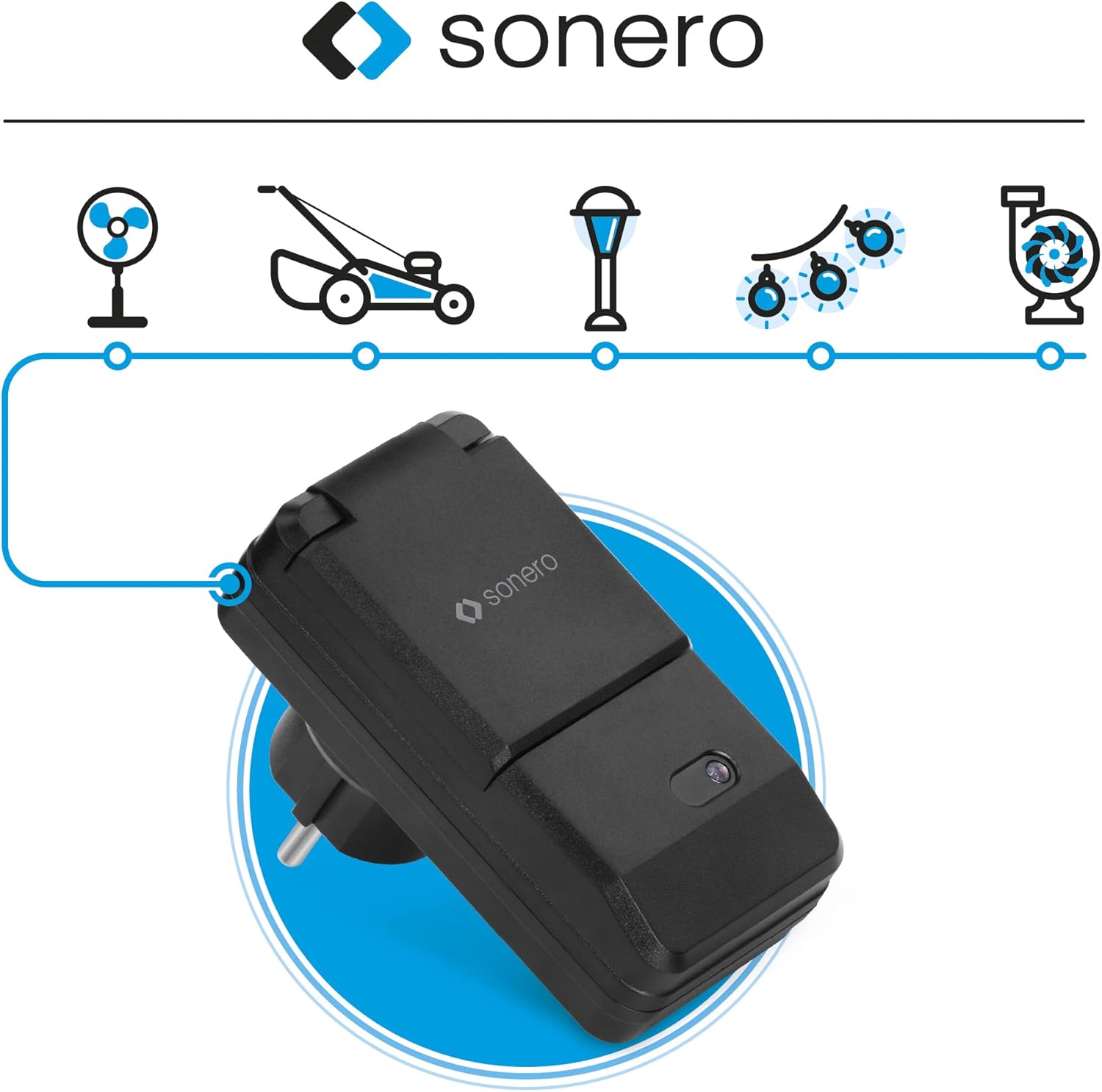
Image illustrating various outdoor applications for the Sonero wireless power outlet, including a fan, lawnmower, garden lamp, string lights, and a water pump, connected via a blue line to the outlet.
Maintenance
Proper care ensures the longevity and optimal performance of your Sonero Wireless Remote Control Outdoor Power Outlet Set:
- Cleaning: Clean the outlets and remote control with a dry, soft cloth. Do not use abrasive cleaners, solvents, or harsh chemicals, as these can damage the surfaces or internal components.
- Protective Covers: Always ensure the protective covers on the outdoor outlets are securely closed when the socket is not in use, especially during rain or adverse weather conditions, to maintain their IP44 rating.
- Storage: If the devices will not be used for an extended period, unplug the outlets from the wall sockets and remove the batteries from the remote control. Store them in a cool, dry place away from direct sunlight and extreme temperatures.
- Battery Replacement: Replace the remote control batteries when the operating range decreases or the indicator light on the remote becomes dim.
Troubleshooting
If you encounter issues with your Sonero Wireless Remote Control Outdoor Power Outlet Set, refer to the following table for common problems and solutions:
| Problem | Possible Cause | Solution |
|---|---|---|
| Outlet not responding to remote. | Outlet not plugged in, remote batteries low, outlet not paired, out of range. | Ensure outlet is plugged in. Replace remote batteries. Re-pair the outlet (see Setup section). Move closer to the outlet. |
| Connected device does not turn on. | Device's own power switch is off, outlet is off, overload protection triggered. | Check the device's power switch. Ensure the outlet is turned ON via remote. Unplug the device, reduce total load, then plug back in. |
| Remote control not working. | Depleted batteries, interference. | Replace AAA batteries. Move away from other radio-emitting devices. |
| Reduced remote control range. | Obstacles (walls, trees), low remote batteries, interference. | Move closer to the outlet. Replace remote batteries. Minimize physical obstructions. |
Specifications
| Feature | Detail |
|---|---|
| Brand | Sonero |
| Model Number | S-RCS302 |
| Manufacturer | PureLink GmbH |
| Product Dimensions (Outlet) | 9.7 x 5.3 x 6.8 cm |
| Product Weight (Set) | 350 grams |
| Color | Black |
| Voltage | 220-240 Volts |
| Max. Power Load | 1100 Watts |
| Protection Rating | IP44 (Outdoor use) |
| Remote Control Channels | 4 individual channels (A, B, C, D) + ALL group control |
| Remote Control Range | Up to 30 meters (open area) |
| Power Plug Type | Type F – 2 pins (Schuko, Germany standard) |
| Remote Control Battery | 2 x AAA Alkaline (included) |
| Compatible Devices | Lamps, radios, and other electrical appliances up to 1100W |
Warranty and Support
For warranty information, technical support, or further assistance, please refer to the documentation included with your purchase or visit the official Sonero website. Keep your proof of purchase for warranty claims.


