
1. Product Overview
The Amazon Basics Robot Vacuum Cleaner M3L-A is designed to provide efficient and convenient cleaning for your home. This 2-in-1 device offers both vacuuming and mopping functions, making it suitable for various floor types. Its slim design allows it to clean under furniture, and multiple cleaning modes ensure thorough coverage.

Image: The Amazon Basics Robot Vacuum Cleaner M3L-A, a compact black unit.
2. Safety Instructions
Please read all safety instructions carefully before using this product and keep this manual for future reference. Failure to follow these instructions may result in electric shock, fire, or serious injury.
- This appliance can be used by children aged 8 years and above and persons with reduced physical, sensory or mental capabilities or lack of experience and knowledge if they have been given supervision or instruction concerning use of the appliance in a safe way and understand the hazards involved.
- Children shall not play with the appliance. Cleaning and user maintenance shall not be made by children without supervision.
- Do not use the robot vacuum in wet environments or near water.
- Ensure the charging station is placed on a flat, stable surface away from heat sources and direct sunlight.
- Before cleaning, remove any loose cables, small objects, or fragile items from the floor to prevent entanglement or damage.
- Use only the original power adapter and charging station provided with the product.
- Do not operate the robot vacuum if it is damaged or malfunctioning. Contact customer support for assistance.
- Do not attempt to repair or modify the robot vacuum yourself.
3. Package Contents
Carefully unpack the box and ensure all the following items are included:
- Robot Vacuum Cleaner
- Mop Cloth
- HEPA Filter
- Remote Control
- Charging Station
- Power Adapter
- Side Brushes (2)
- Roller Brush (pre-installed)

Image: All components included in the package: robot vacuum, charging station, power adapter, remote control, mop cloth, HEPA filter, and side brushes.
4. Setup
4.1 Charging Station Placement
Place the charging station against a wall in an open area, ensuring there are no obstacles within 1 meter (3 feet) to the sides and 2 meters (6 feet) in front of the station. Connect the power adapter to the charging station and plug it into a wall outlet.
4.2 Initial Charging
Before first use, fully charge the robot vacuum. Place the robot onto the charging station, ensuring the charging contacts align. The indicator light will show charging status. A full charge takes approximately 4-5 hours.
4.3 Installing Side Brushes and Mop Cloth
- Turn the robot vacuum upside down.
- Align the side brushes with the corresponding posts and press them down until they click into place.
- Attach the mop cloth to the water tank module (if not already attached). Fill the water tank with clean water and slide it into the designated slot at the rear of the robot.
4.4 Preparing the Cleaning Area
To ensure optimal cleaning performance, clear the floor of any loose cables, small toys, or other items that could entangle the brushes or obstruct the robot's path. The robot can climb over obstacles up to 21mm high.

Image: The robot vacuum demonstrating its ability to climb over a carpet and automatically returning to its charging station when battery is low.
5. Operation
5.1 Powering On/Off
- To power on, press and hold the power button on the robot or the remote control.
- To power off, press and hold the power button until the indicator lights turn off.
5.2 Cleaning Modes
The robot vacuum offers several cleaning modes, selectable via the remote control:
- Auto Mode (Zigzag): The robot cleans in a zigzag pattern to cover the entire area efficiently. This is the default mode for general cleaning.
- Spot Mode: The robot cleans a specific area more intensely by spiraling outwards and then inwards. Useful for concentrated dirt.
- Edge Mode: The robot cleans along walls and furniture edges to ensure thorough cleaning of corners and perimeters.
5.3 Timer Function
You can schedule the robot to start cleaning automatically at a specific time each day using the timer function on the remote control. Refer to the remote control section for detailed instructions on setting the timer.
5.4 Remote Control Usage
The included remote control allows you to:
- Start/Pause cleaning
- Select cleaning modes
- Set cleaning schedules (timer)
- Manually control the robot's direction
- Send the robot back to the charging station
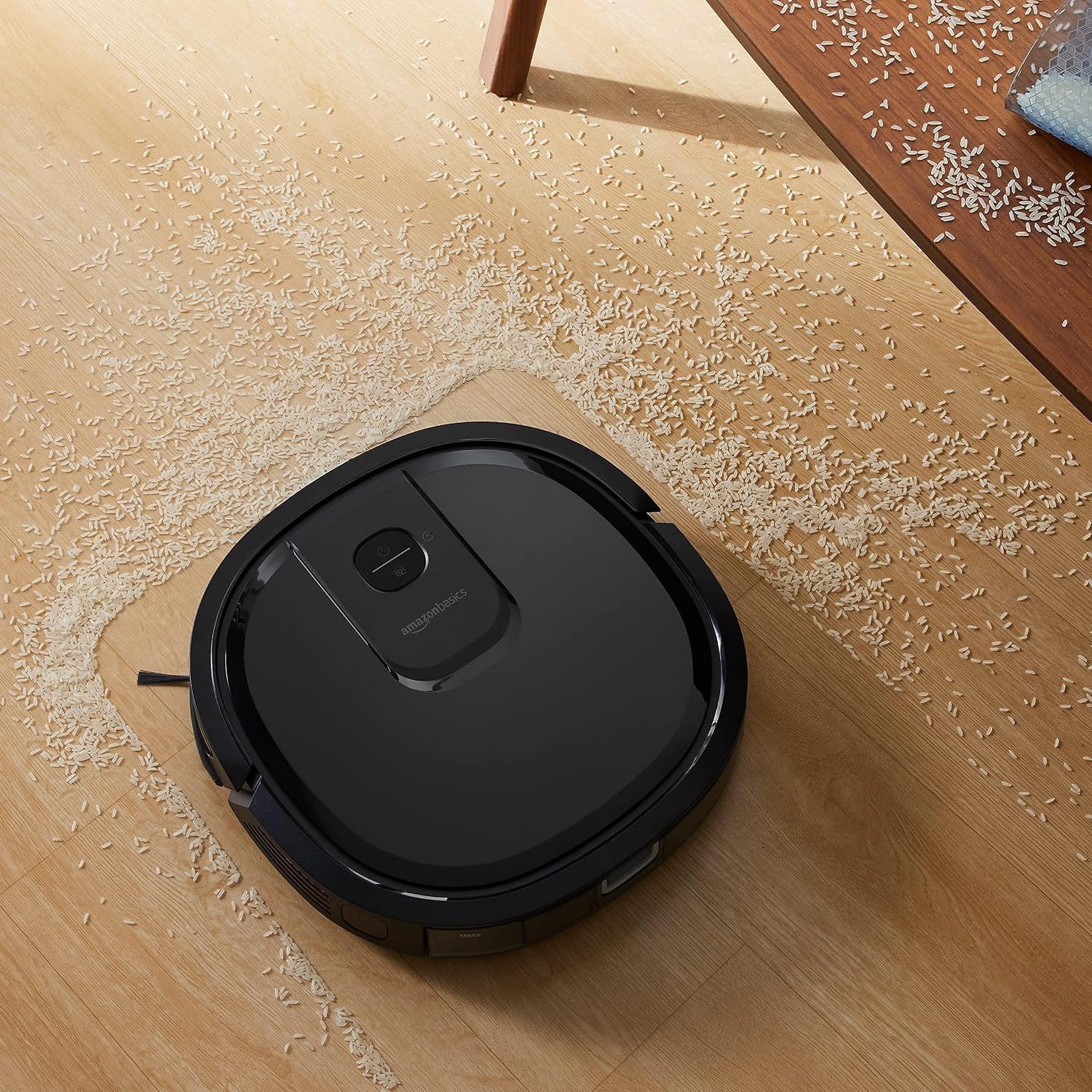
Image: The robot vacuum actively cleaning a hard floor, demonstrating its suction capability on scattered debris.
6. Maintenance
Regular maintenance ensures optimal performance and extends the lifespan of your robot vacuum.
6.1 Emptying the Dustbin
The 600ml dustbin can hold up to 7 days of dust. Empty the dustbin after each cleaning cycle or when the indicator suggests it is full. Open the top cover, remove the dustbin, and dispose of the collected debris.
6.2 Cleaning Brushes
- Side Brushes: Regularly check for tangled hair or debris. Remove and clean them as needed. Replace worn-out brushes.
- Roller Brush: Remove the main roller brush cover and lift out the brush. Use the cleaning tool (if provided) to cut and remove tangled hair and debris.
6.3 Cleaning Sensors
Wipe the anti-drop sensors (located on the bottom) and anti-collision sensors (located on the bumper) with a clean, dry cloth to ensure they function correctly. Dirty sensors can affect navigation.
6.4 Mop Pad Care
After mopping, remove the mop cloth from the water tank module, rinse it thoroughly with water, and let it air dry. Replace the mop cloth when it becomes worn or no longer cleans effectively.
6.5 HEPA Filter Replacement
The HEPA filter should be cleaned regularly and replaced every 3-6 months, depending on usage. Tap the filter to remove dust or use a brush. Do not wash the HEPA filter with water.

Image: The underside of the robot vacuum, highlighting the side brushes, main roller brush, and wheels for maintenance reference.
7. Troubleshooting
If you encounter any issues with your robot vacuum, refer to the following common problems and solutions:
| Problem | Possible Cause | Solution |
|---|---|---|
| Robot does not turn on | Low battery; Power button not pressed correctly | Charge the robot; Press and hold the power button for a few seconds. |
| Robot not charging | Charging contacts not aligned; Charging station unplugged | Ensure robot is properly docked; Check power connection to charging station. |
| Poor cleaning performance | Dustbin full; Brushes tangled; Filter clogged | Empty dustbin; Clean side and roller brushes; Clean or replace HEPA filter. |
| Robot gets stuck frequently | Obstacles on floor; Dirty sensors | Clear cables and small objects; Clean anti-collision and anti-drop sensors. |
| Unusual noise during operation | Foreign object in brushes or wheels | Inspect and remove any foreign objects from brushes and wheels. |
| Water droplets in water tank (new product) | Quality control testing residue | This is normal and does not affect product use. |
8. Specifications
| Feature | Specification |
|---|---|
| Brand | Amazon Basics |
| Model Number | M3L-A |
| Dimensions (L x W x H) | 34 x 34 x 8 cm (13.4 x 13.4 x 3.1 in) |
| Product Weight | 2.8 kg |
| Battery Capacity | 2600 mAh |
| Max Runtime | Up to 90 minutes |
| Dustbin Capacity | 600 ml |
| Cleaning Functions | Vacuuming, Mopping |
| Cleaning Modes | Auto (Zigzag), Spot, Edge |
| Obstacle Climbing Ability | Up to 21 mm |
| Control Method | Remote Control |
| Filter Type | HEPA Filter |

Image: Diagram showing the dimensions of the robot vacuum cleaner: 34 cm (13.4 in) in length and width, and 8 cm (3.1 in) in height.
9. Warranty and Support
9.1 Warranty Information
This Amazon Basics product comes with a 1-year limited warranty from the date of purchase. The warranty covers defects in materials and workmanship under normal use. It does not cover damage caused by misuse, accidents, unauthorized modifications, or normal wear and tear.
9.2 Customer Support
For warranty claims, technical assistance, or any questions regarding your Amazon Basics Robot Vacuum Cleaner, please contact Amazon customer support through your purchase platform. Have your order number and product model (M3L-A) ready for faster service.
You can also visit the official Amazon Basics store for more information and replacement parts: Amazon Basics Store

