1. Introduction
Thank you for choosing the Nemesis Audio NA-PRO65 6.5-inch Midrange Car Audio Coaxial Speaker. This manual provides essential information for the proper installation, operation, and maintenance of your new speaker. Please read this manual thoroughly before installation and retain it for future reference.
2. Safety Information
- Always disconnect the vehicle's battery negative terminal before beginning any electrical work to prevent short circuits.
- Ensure all wiring is properly insulated and secured to prevent damage from vibration or sharp edges.
- Use appropriate gauge wiring for power and speaker connections to handle the speaker's power requirements.
- Avoid installing speakers in locations that obstruct vehicle operation or safety features.
- Consult a professional car audio installer if you are unsure about any part of the installation process.
- Do not expose the speaker to excessive moisture or extreme temperatures.
3. Package Contents
Verify that all items are present in the package:
- Nemesis Audio NA-PRO65 6.5-inch Midrange Car Audio Coaxial Speaker (Quantity: 1)
- Mounting hardware (as per manufacturer's site)
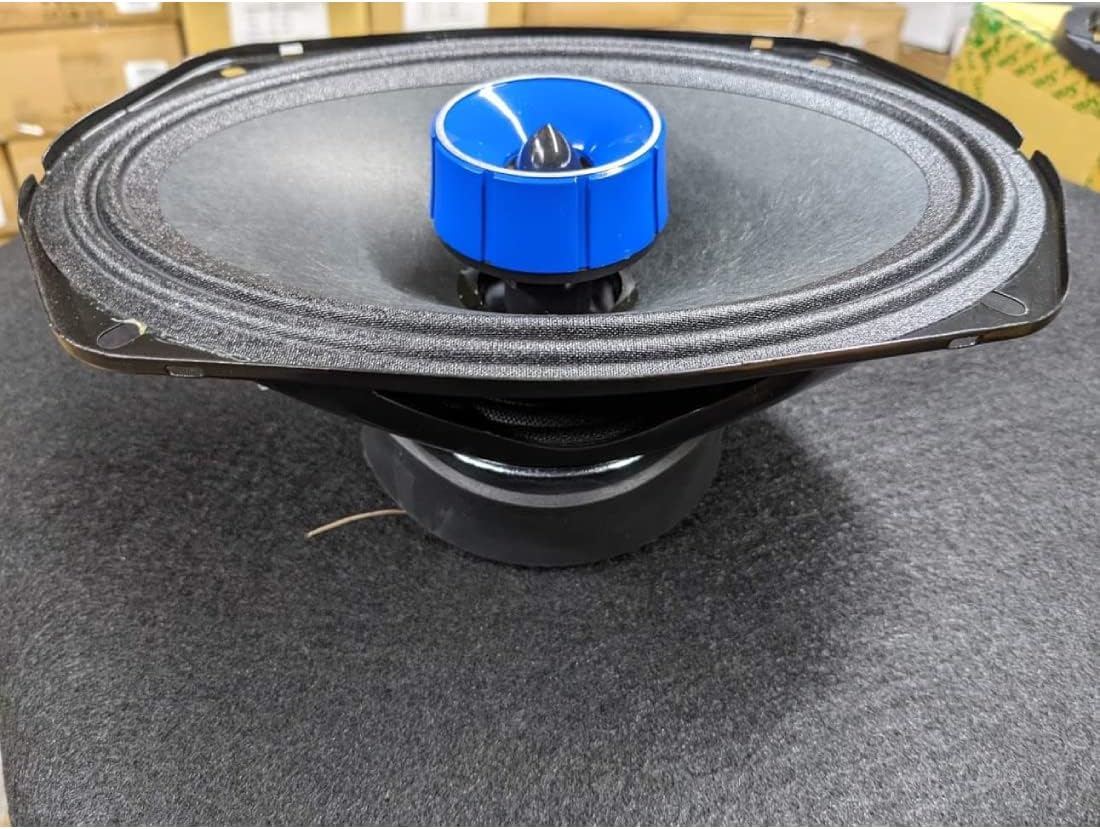
Image 3.1: Front view of the Nemesis Audio NA-PRO65 speaker, showcasing the cone and central tweeter.
4. Setup and Installation
4.1. Before Installation
- Confirm the speaker's dimensions (8 x 8 x 5 inches) and mounting depth are compatible with your vehicle's intended installation location.
- Ensure your amplifier or head unit can provide the recommended RMS power (275W) and is stable at a 4-Ohm impedance.
- Gather all necessary tools: wire strippers, crimpers, screwdrivers, drill, and safety equipment.
4.2. Wiring Connections
The NA-PRO65 speaker has a nominal impedance of 4-Ohm. Proper wiring is crucial for optimal performance and to prevent damage to the speaker or amplifier.
- Connect the positive (+) terminal of the speaker to the positive (+) output of your amplifier.
- Connect the negative (-) terminal of the speaker to the negative (-) output of your amplifier.
- Ensure all connections are secure and free from corrosion. Use high-quality speaker wire.

Image 4.1: Rear view of the Nemesis Audio NA-PRO65 speaker, illustrating the wiring terminals and magnet structure.
4.3. Mounting
The NA-PRO65 is designed for flush mount installation.
- Carefully mark the mounting holes using the speaker as a template.
- Drill pilot holes if necessary, ensuring not to damage any existing vehicle wiring or components.
- Secure the speaker using the provided mounting hardware. Do not overtighten screws, as this can damage the speaker frame.
- If using a grille, ensure it is properly seated and secured after the speaker is mounted.
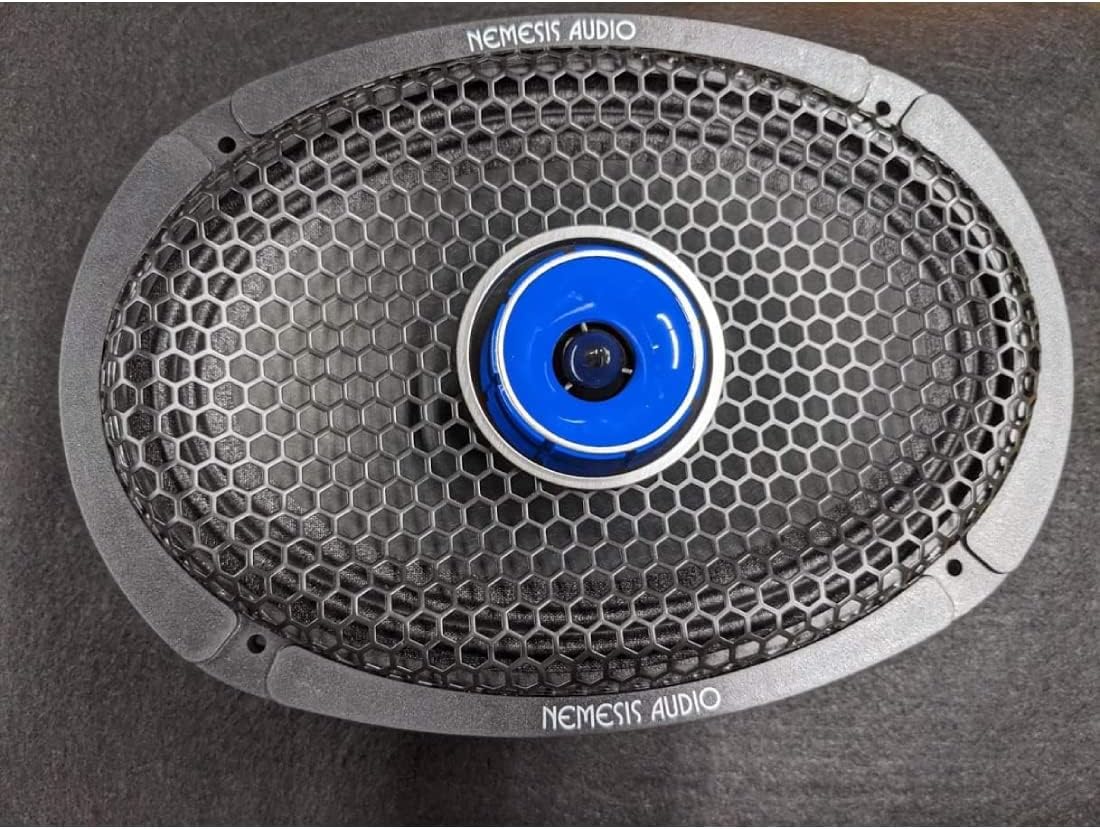
Image 4.2: Nemesis Audio NA-PRO65 speaker with the protective grille in place, ready for installation.
5. Operating Instructions
Once installed, the NA-PRO65 speaker operates as part of your car audio system. Follow these guidelines for optimal performance:
- Power Handling: The speaker has an RMS power rating of 275W and a peak power of 550W. Ensure your amplifier's output matches these specifications to prevent damage.
- Volume Control: Gradually increase the volume to avoid sudden bursts of sound that could damage the speakers or your hearing.
- Crossover Settings: For best sound quality and speaker longevity, use appropriate high-pass filter settings on your amplifier or head unit. The speaker's frequency range is 120 Hz to 20,000 Hz.
- Audio Source: Use high-quality audio sources to fully appreciate the speaker's performance.
6. Maintenance
Proper care will ensure the longevity and performance of your NA-PRO65 speakers:
- Cleaning: Use a soft, dry cloth to gently wipe the speaker cone and frame. Avoid using harsh chemicals or abrasive cleaners.
- Inspection: Periodically check wiring connections for looseness or corrosion.
- Environmental Factors: While designed for car use, avoid prolonged exposure to extreme heat, cold, or direct sunlight when possible, as these can degrade materials over time.
7. Troubleshooting
If you encounter issues with your NA-PRO65 speaker, refer to the following common problems and solutions:
- No Sound:
- Check all wiring connections from the amplifier to the speaker.
- Verify the amplifier is powered on and functioning correctly.
- Ensure the audio source is playing and volume is up.
- Distorted Sound:
- Reduce the volume level; distortion often occurs when the amplifier or speaker is overdriven.
- Check for loose wiring connections or frayed wires.
- Ensure the amplifier's gain settings are not set too high.
- Verify proper crossover settings to prevent the speaker from playing frequencies outside its optimal range.
- Intermittent Sound:
- Inspect wiring for intermittent shorts or loose connections.
- Check the amplifier for overheating or protection mode activation.
8. Specifications
| Feature | Specification |
|---|---|
| Model Name | NA-PRO65 |
| Nominal Diameter | 6.5 Inches |
| Nominal Impedance | 4-Ohm |
| Peak Power | 550W |
| RMS Power | 275W |
| Sensitivity | 98.5 dB SPL |
| Frequency Range | 120 Hz to 20,000 Hz |
| Voice Coil Diameter | 1.5 Inches |
| Mounting Type | Flush Mount |
| Material | Paper, Cloth |
| Product Dimensions | 8 x 8 x 5 inches |
| Item Weight | 5 pounds |
| UPC | 764488484065 |
9. Warranty and Support
Warranty: The Nemesis Audio NA-PRO65 speaker comes with a limited warranty. Please refer to the manufacturer's official website or your purchase documentation for specific warranty terms and conditions. Warranty coverage is typically as per Amazon's policy for products purchased through their platform.
Customer Support: For technical assistance, troubleshooting beyond this manual, or warranty claims, please contact Nemesis Audio customer support through their official website or the retailer from whom the product was purchased. Have your model number (NA-PRO65) and proof of purchase ready when contacting support.


