
1. Introduction
This manual provides comprehensive instructions for the Cryfokt 4-Key Mechanical Gaming Keyboard. Please read this document thoroughly to understand the product's features, setup, operation, and maintenance. This keyboard is designed for various applications, including office tasks, gaming, media control, and industrial use.
2. Product Features
- High Compatibility: The keyboard features onboard storage for settings, allowing it to be configured on Windows systems and then used on other operating systems that support the USB protocol, such as Linux and OS X.
- Versatile Application: Suitable for a wide range of uses including office work, gaming, music production, media control, industrial automation, laboratory tasks, and production line testing.
- Customizable 4-Key Design: Equipped with 4 anti-dust green shaft mechanical keys that are fully programmable. This design allows for personalized shortcuts and macros, enhancing workflow efficiency without key conflicts when multiple keyboards are connected.
- Plug and Play Connectivity: Features a Type-C to USB interface, ensuring easy connection without the need for additional driver installation. Simply plug it in to start using.
- RGB Lighting: Integrated RGB backlighting enhances the aesthetic appeal of the keyboard, offering customizable lighting options.
3. Package Contents
Verify that all items are present in the package:
- 1 x Cryfokt 4-Key Mechanical Keyboard
- 1 x USB Cable (Type-C to USB-A)
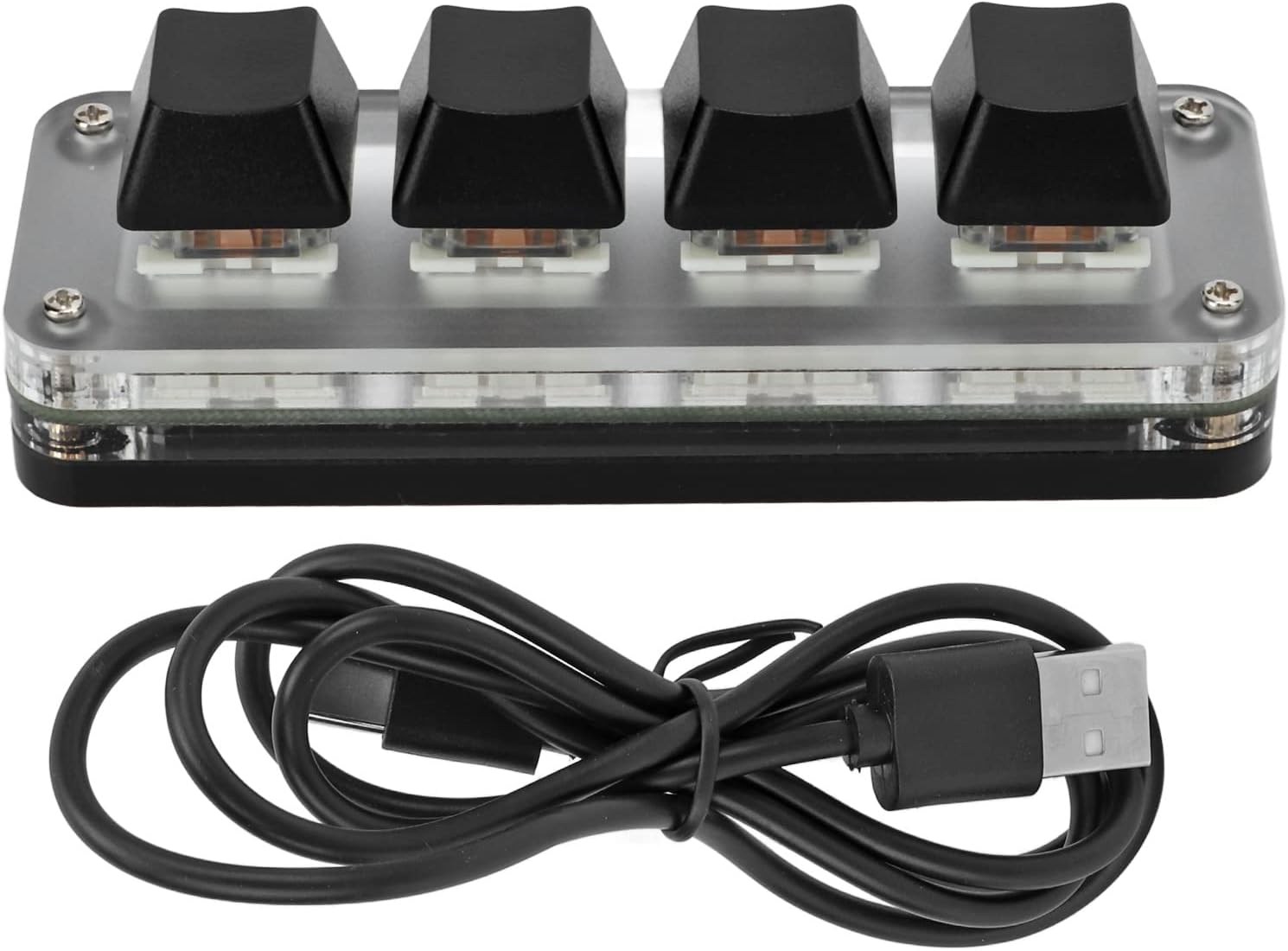
Image: The Cryfokt 4-Key Mechanical Keyboard shown alongside its included USB cable.
4. Setup
4.1 Connecting the Keyboard
- Locate the Type-C port on the Cryfokt 4-Key Mechanical Keyboard.
- Connect the Type-C end of the provided USB cable to the keyboard.
- Connect the USB-A end of the cable to an available USB port on your computer or compatible device.
- The keyboard is plug-and-play; it should be recognized by your operating system automatically without requiring additional drivers for basic functionality.

Image: A visual representation of connecting the keyboard via its Type-C to USB interface to a computer.
5. Operating Instructions
5.1 Basic Operation
The Cryfokt 4-Key Mechanical Keyboard features four programmable keys. Upon initial connection, these keys may not have specific functions assigned. Customization is performed using the dedicated software.
5.2 RGB Lighting
The keyboard is equipped with RGB backlighting. Lighting modes, colors, and effects can be customized through the software. Refer to the software section for download and installation instructions.

Image: The keyboard showcasing its RGB lighting capabilities with different color options.
5.3 Key Customization
To assign specific functions, macros, or shortcuts to the 4 keys, you must use the provided customization software. The software allows for detailed programming and saving of profiles directly to the keyboard's onboard memory.
6. Software Installation
The customization software is essential for programming the keys and managing RGB lighting settings. Please download the software from one of the official links below:
- Download Link 1: https://1drv.ms/u/s!Aja2uUIxpjcwacFgtI6ovYnRpnE?e=q0xIz5
- Download Link 2 (Official Website): http://www.videyt.com
Installation Steps:
- Click on one of the provided links to download the software.
- Locate the downloaded file (usually an executable .exe file) and run it.
- Follow the on-screen instructions to complete the installation process.
- Once installed, launch the software to begin customizing your keyboard.
Important Note: The software may require a Windows operating system for initial configuration and programming. Once the settings are saved to the keyboard's onboard memory, they will function on other compatible operating systems such as Linux or OS X without the software running.
7. Specifications
| Feature | Specification |
|---|---|
| Product Type | 4-Key Mechanical Keyboard |
| Material | Acrylic + PCB |
| Lighting | RGB |
| System Support | Windows, VISTA, Linux, OS X |
| Button Life | Up to 50 million times |
| Key Type | Anti-dust green shaft |
| Number of Keys | 4 |
| Dimensions (L x W x H) | Approx. 100 x 35 x 30 mm (3.9 x 1.4 x 1.2 inches) |
| Current/Voltage | 5V/1A |
| Operating Temperature | -10℃ to 50℃ |
| Connectivity | USB (Type-C to USB) |
| Compatible Devices | Computer, Laptop, Tablet |
| Manufacturer | Cryfokt |
| Country of Origin | China |

Image: Detailed dimensions of the Cryfokt 4-Key Mechanical Keyboard.
8. Maintenance
Proper maintenance ensures the longevity and optimal performance of your keyboard.
- Cleaning: Use a soft, dry, lint-free cloth to wipe the surface of the keyboard. For deeper cleaning, gently remove keycaps and use compressed air to clear dust and debris from between the switches. Avoid using harsh chemicals, abrasive cleaners, or excessive moisture.
- Storage: When not in use for extended periods, store the keyboard in a dry, cool place away from direct sunlight and extreme temperatures.
- Cable Care: Avoid bending or twisting the USB cable sharply, as this can damage the internal wires.
9. Troubleshooting
If you encounter issues with your Cryfokt 4-Key Mechanical Keyboard, refer to the following troubleshooting steps:
- Keyboard Not Responding:
- Ensure the USB cable is securely connected to both the keyboard and your computer.
- Try connecting the keyboard to a different USB port on your computer.
- Test the keyboard on another computer to rule out system-specific issues.
- Restart your computer.
- Keys Not Performing Assigned Functions:
- Verify that the customization software was used to correctly program the keys.
- Ensure that the settings were saved to the keyboard's onboard memory after programming.
- If the issue persists, try reinstalling the customization software and reprogramming the keys.
- RGB Lights Not Working or Incorrect:
- Check the RGB lighting settings within the customization software.
- Ensure the keyboard is properly connected and receiving sufficient power from the USB port.
10. Warranty and Support
For information regarding product warranty, technical support, or service, please refer to the retailer where you purchased the product or visit the official Cryfokt website. Keep your proof of purchase for warranty claims.
Manufacturer: Cryfokt