
1. Introduction
Thank you for choosing the K&F Concept EF-EOS R Lens Adapter. This adapter allows you to mount Canon EF and EF-S mount lenses onto Canon EOS R series mirrorless cameras, expanding your lens options while retaining essential functionalities like autofocus and aperture control. Please read this manual carefully before use to ensure proper operation and to maximize the performance of your equipment.
2. Product Overview
The K&F Concept EF-EOS R Lens Adapter is a precision-engineered electronic adapter designed to bridge the gap between Canon's EF/EF-S lens system and the EOS R mirrorless camera system. It features gold-plated electronic contacts for reliable communication between the lens and camera, ensuring full support for autofocus, aperture control, and image stabilization.

Image: The K&F Concept EF-EOS R Lens Adapter, highlighting its durable aluminum alloy construction and precise craftsmanship.
Key Features:
- Auto Focus & Aperture Control: Equipped with gold-plating contacts to support high-speed autofocus and accurate aperture control, enhancing conductivity and EXIF information transmission.
- Lens Image Stabilizer Support: Supports the Image Stabilization (IS) function of compatible lenses, contributing to sharper images in various conditions, including low light or when shooting moving subjects.
- Integrated Tripod Mount: Features a convert bracket with a 1/4-inch screw hole at the bottom, allowing direct installation onto a tripod head or quick release plate for stable setups.
- USB Upgrade Port: Allows for firmware updates to ensure compatibility with new EF lenses and camera models, providing continuous performance improvements and bug fixes.
3. Compatibility
This adapter is designed for use with:
- Lenses: Canon EF and EF-S mount lenses.
- Cameras: Canon EOS R series digital cameras, including EOS R, EOS RP, R5, R6, R6II, R7, R8, R10, R50, and R100.

Image: The adapter's versatility, showing its application with various EF lenses and Canon EOS R series cameras.
4. Setup Instructions
4.1 Attaching the Adapter to the Camera
- Ensure both your camera and the adapter are powered off.
- Align the red dot on the adapter with the red dot on your Canon EOS R series camera body.
- Insert the adapter into the camera mount and rotate it clockwise until it clicks securely into place.
4.2 Attaching an EF/EF-S Lens to the Adapter
- Align the red dot on your EF/EF-S lens with the red dot on the K&F Concept EF-EOS R adapter.
- Insert the lens into the adapter and rotate it clockwise until it clicks securely into place.
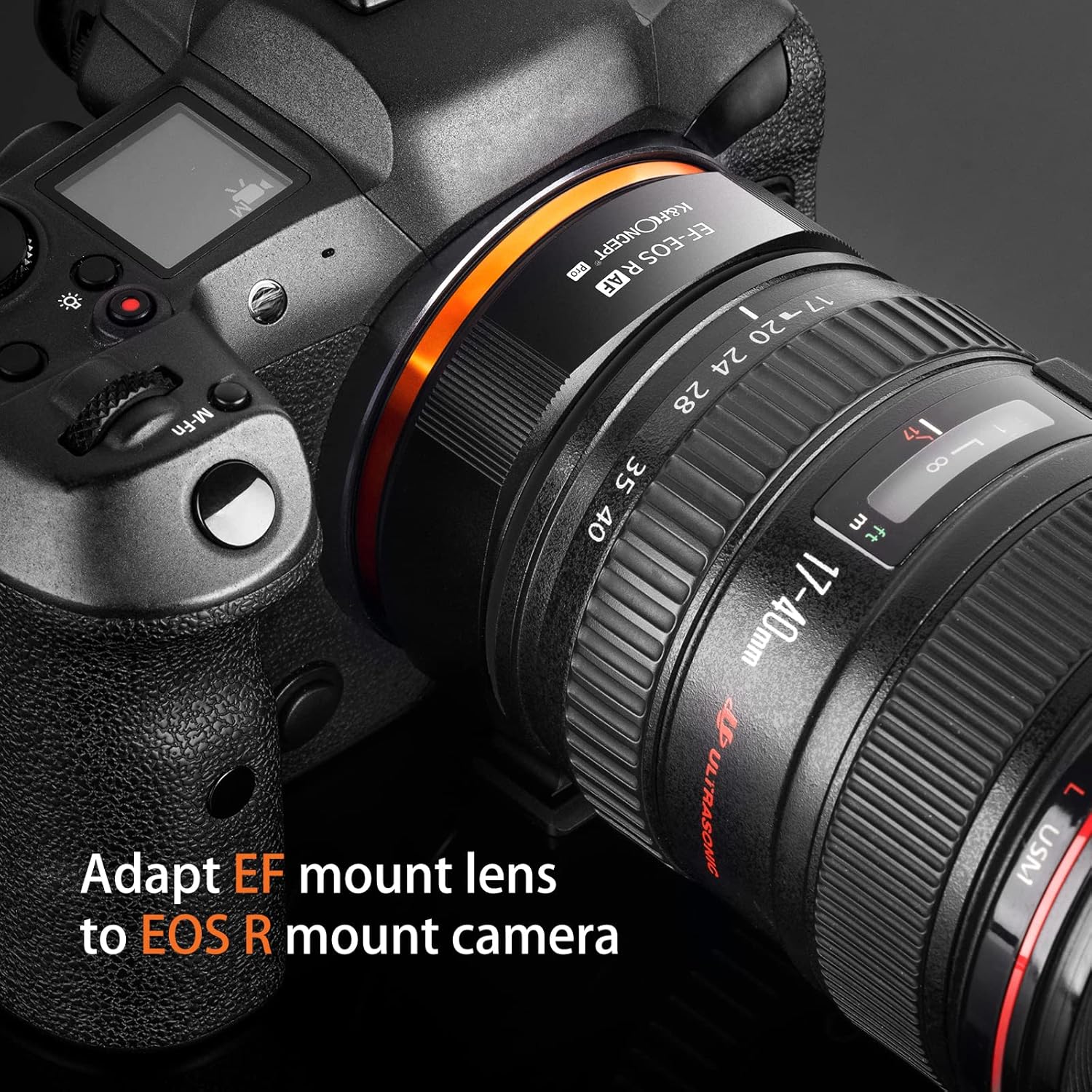
Image: An EF mount lens adapted to an EOS R mount camera using the K&F Concept adapter.
4.3 Detaching Lenses and Adapter
- To detach the lens from the adapter, press the lens release button on the adapter and rotate the lens counter-clockwise.
- To detach the adapter from the camera, press the camera's lens release button and rotate the adapter counter-clockwise.
5. Operating Instructions
5.1 Autofocus and Aperture Control
Once the EF/EF-S lens is securely mounted via the adapter, the camera will recognize the lens and allow for electronic control. Autofocus will function as supported by the lens and camera combination. Aperture settings can be adjusted directly from your camera body.

Image: Demonstrating the adapter's capability for ultra-fast focus with compatible lenses.
5.2 Image Stabilization
If your EF/EF-S lens features optical image stabilization (IS), this function will be supported through the adapter. Ensure the IS switch on your lens (if present) is set to the desired position (ON/OFF).

Image: The adapter supports lens anti-shake functionality, reducing image ghosting and blurring.
5.3 Firmware Updates
The adapter includes a USB port for firmware updates. Periodically check the K&F Concept official website for new firmware versions. Updates can improve compatibility, performance, and address potential issues. Connect the adapter to a computer using a USB cable (not included) and follow the instructions provided on the website for the update process.
6. Maintenance
- Keep the adapter clean and free from dust and moisture. Use a soft, dry cloth for cleaning.
- Avoid touching the electronic contacts. If necessary, clean them gently with a clean, dry cotton swab.
- Store the adapter with both front and rear caps attached when not in use to prevent dust accumulation.
- Do not expose the adapter to extreme temperatures or direct sunlight for extended periods.
7. Troubleshooting
7.1 Lens or Adapter Not Mounting Securely
- Ensure alignment marks (red dots) are correctly matched.
- Check for any obstructions or debris on the mounting surfaces of the camera, adapter, or lens.
- Apply gentle, firm pressure and rotate until a click is heard, indicating a secure lock.
7.2 Autofocus Not Functioning or Erratic
- Check Connections: Ensure the lens is firmly attached to the adapter and the adapter is firmly attached to the camera. Loose connections can disrupt electronic communication.
- Clean Contacts: Gently clean the gold-plated electronic contacts on both the adapter and the lens with a clean, dry microfiber cloth or cotton swab. Dust or oil can interfere with communication.
- Restart Camera: Power off your camera, remove the battery, wait a few seconds, then reinsert the battery and power on.
- Firmware Update: Check the K&F Concept website for any available firmware updates for the adapter. Updates often address compatibility and performance issues.
- Test with Another Lens/Camera: If possible, test the adapter with a different compatible EF/EF-S lens or test the lens directly on a native EF/EF-S camera body to isolate the issue.
- Camera Settings: Ensure your camera's autofocus mode is set correctly (e.g., One-Shot AF, Servo AF).
7.3 Aperture Control Issues
- Verify secure connections and clean electronic contacts as described for autofocus issues.
- Ensure the lens is fully electronic and not a manual aperture lens.
8. Specifications
| Model Number | KF06.467 |
| Compatible Lens Mount | Canon EF/EF-S |
| Compatible Camera Mount | Canon EOS R (RF Mount) |
| Features | Autofocus, Aperture Control, Image Stabilization Support, EXIF Transmission, USB Firmware Upgrade Port, Integrated Tripod Mount |
| Material | Aluminum Alloy |
| Item Weight | 8.1 ounces (approx. 230g) |
| Package Dimensions | 4.72 x 4.13 x 2.44 inches |
9. Warranty and Support
K&F Concept products are manufactured to high-quality standards. For warranty information, technical support, or service inquiries, please refer to the warranty card included with your product or visit the official K&F Concept website. Please retain your proof of purchase for warranty claims.