
1. Introduction
The SP Connect Anti Vibration Module SPC+ is designed to protect sensitive smartphone components from vibrations generated by motorcycle engines. This module integrates seamlessly with compatible SP Connect mounts, providing a secure and vibration-damped platform for your device during rides.
2. Package Contents
Please verify that all items listed below are included in your package:
- Anti Vibration Module SPC+
- Screw (M5x16mm)
- Screw (M5x20mm)
- Sprocket adapter

Image: The SP Connect Anti Vibration Module SPC+ shown with the included screws and sprocket adapter.
3. Compatibility
This Anti Vibration Module is specifically designed for use with SPC+ compatible SP Connect mounts and phone cases. It is not compatible with older SPC standard mounts.

Image: Visual comparison highlighting the compatibility with SPC+ system and incompatibility with the older SPC system.
4. Setup and Installation
The Anti Vibration Module SPC+ is designed for easy installation. Follow these steps to integrate it with your existing SP Connect mount:
- Identify a compatible SP Connect mount on your motorcycle or bicycle.
- Remove the existing head of the compatible mount.
- Attach the Anti Vibration Module SPC+ to the mount using the appropriate screws provided (M5x16mm or M5x20mm) and the sprocket adapter if needed. Ensure it is securely fastened.
- Once installed, your SP Connect mount is now equipped with vibration damping technology.
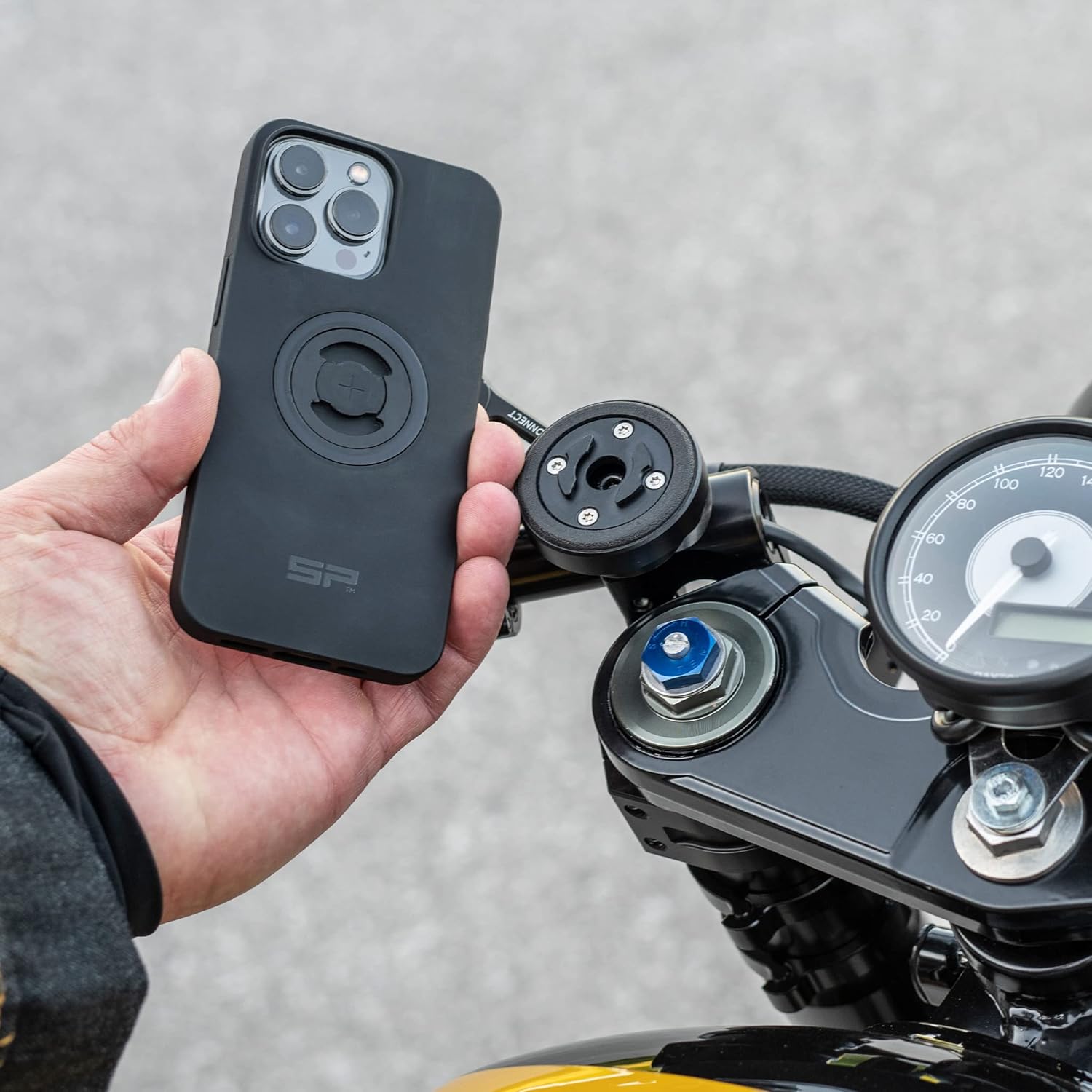
Image: A hand holding a smartphone with an SP Connect case, ready to be attached to a motorcycle mount featuring the Anti Vibration Module.

Image: A smartphone securely mounted on a motorcycle handlebar, displaying a navigation app, utilizing the SP Connect Anti Vibration Module.

Image: Close-up view of a smartphone attached to the SP Connect Anti Vibration Module on a motorcycle, showing the secure connection.

Image: A rider on a motorcycle, demonstrating the practical use of the SP Connect Anti Vibration Module with a smartphone mounted for navigation.
5. Operating Instructions
Once the Anti Vibration Module SPC+ is installed, operating it is straightforward:
- Align your SPC+ compatible smartphone case with the module.
- Place the phone onto the module and rotate it 90 degrees clockwise until it locks securely into place.
- To remove, rotate the phone 90 degrees counter-clockwise and lift it off.
- The module allows for both landscape and portrait orientation of your smartphone.
Video: An overview demonstrating the SP Connect Anti Vibration Module SPC+ and its compatibility with SP Connect mounts, highlighting its vibration-damping technology for safer smartphone use while riding.
6. Maintenance
To ensure the longevity and optimal performance of your Anti Vibration Module SPC+, follow these simple maintenance guidelines:
- Regularly inspect the module and screws for any signs of wear or loosening.
- Clean the module with a soft, damp cloth. Avoid using harsh chemicals or abrasive materials.
- Ensure the mounting surface on your vehicle is clean and free of debris before attaching the module.
7. Troubleshooting
If you encounter any issues with your Anti Vibration Module SPC+, consider the following:
- Module not fitting securely: Ensure you are using an SPC+ compatible mount and phone case. The module is not compatible with older SPC standard systems.
- Excessive vibration: Verify that the module is correctly installed and all screws are tightened. Check for any loose components on your vehicle's mounting area.
- Difficulty attaching/detaching phone: Ensure the module and phone case are clean and free of obstructions. Apply gentle, firm pressure and a full 90-degree rotation.
If problems persist, please contact SP CONNECT customer support.
8. Specifications
| Feature | Detail |
|---|---|
| Product Dimensions | 3.94 x 3.94 x 3.94 inches |
| Item Weight | 3.88 ounces |
| ASIN | B0B74XZ6TG |
| Item Model Number | 688066-00-001 |
| Material | Thermoplastic Polyurethane (TPU) |
| Color | black |
| Compatible Phone Models | iPhone 12 (and other SPC+ compatible devices) |
| Fastener Type | Screw |
9. Warranty and Support
For information regarding warranty coverage, returns, or technical support, please refer to the official SP CONNECT website or contact their customer service directly. Keep your proof of purchase for any warranty claims.


