
Goreit US-G2800
Goreit US-G2800 Rechargeable LED Flashlight User Manual
Introduction
This manual provides detailed instructions for the safe and effective use of your Goreit US-G2800 Rechargeable LED Flashlight. Please read this manual thoroughly before operating the device and retain it for future reference. The Goreit US-G2800 is a high-performance LED flashlight designed for various applications including outdoor activities, emergency situations, and general illumination.
Package Contents
Please verify that all items listed below are included in your package:
- 1x Goreit US-G2800 Rechargeable Flashlight
- 1x Rechargeable Battery
- 1x USB Charging Cable
- 1x Battery Tube and Battery Holder
- 1x Operating Instructions (this manual)
- 1x Gift Box (packaging)
Product Features
- High Lumens Output: Equipped with an XHP160.2 LED chip, capable of producing up to 120,000 lumens.
- Extended Run-time: Up to 12 hours of operation on low mode.
- USB Charging & Output: Features a built-in USB interface for convenient charging and can also function as a power bank to charge other electronic devices.
- Zoomable Functionality: Adjustable head allows for switching between a focused beam and a wide floodlight.
- Multiple Lighting Modes: Five distinct modes: High, Medium, Low, Strobe, and SOS.
- Durable Construction: Made from aviation-grade aluminum alloy, designed to withstand drops and harsh conditions.
- IP67 Waterproof Rating: Protected against dust ingress and temporary immersion in water.

Image: The Goreit US-G2800 flashlight demonstrating its powerful illumination capabilities with the XHP160.2 LED chip.

Image: A detailed structural analysis diagram highlighting key components such as the XHP160.2 LED chip, high transmittance lens, power switch, adjustable design, and non-slip texture.
Setup
1. Battery Installation
- Unscrew the tail cap of the flashlight.
- Insert the rechargeable battery with the positive (+) end facing towards the flashlight head (LED). A small diagram on the end-cap typically indicates the correct orientation.
- Screw the tail cap back on securely.
2. Charging the Flashlight
Before first use, fully charge the flashlight. The flashlight features a built-in USB interface for charging.
- Locate the USB charging port on the flashlight, usually protected by a rubber cover.
- Connect the provided USB charging cable to the flashlight's port and to a USB power source (e.g., wall adapter, computer, power bank).
- The indicator light on the switch will turn red during charging.
- Charging is complete when the indicator light turns green. A full charge may take several hours.
The flashlight can also be used to charge other electronic devices via its USB output port. Connect your device to the flashlight's USB output port using an appropriate cable.

Image: Illustration of the flashlight's USB input for charging and USB output for charging other devices, along with its dimensions.
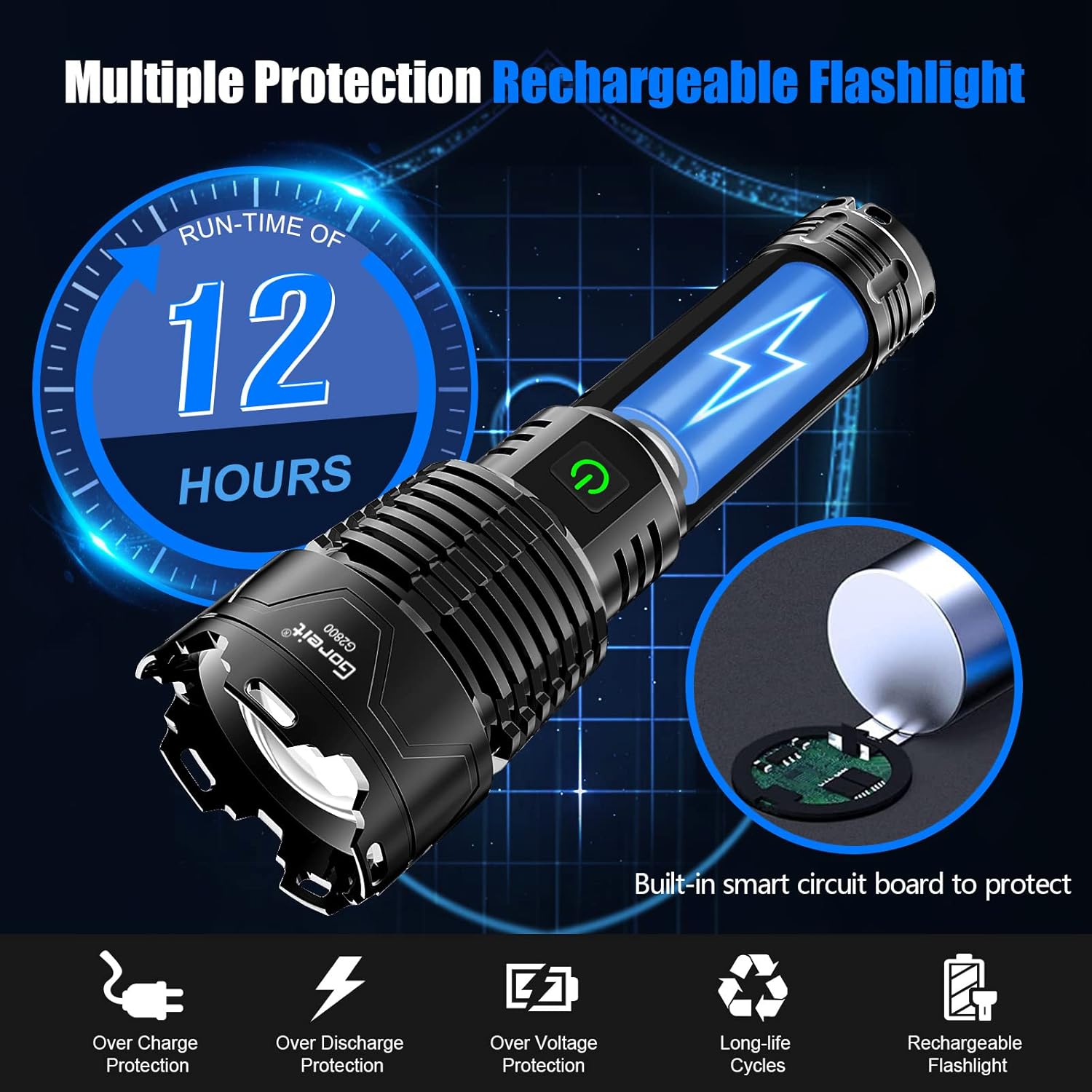
Image: Visual representation of the flashlight's internal smart circuit board providing over-charge, over-discharge, and over-voltage protection, alongside its 12-hour run-time capability.
Operating Instructions
1. Power On/Off
- To turn the flashlight ON, press the power button once.
- To turn the flashlight OFF from any mode, press and hold the power button for approximately 2-3 seconds.
2. Mode Selection
With the flashlight ON, press the power button repeatedly to cycle through the five lighting modes:
- High
- Medium
- Low
- Strobe
- SOS

Image: Visual examples of the flashlight's High, Medium, Low, Strobe, and SOS lighting modes in different environments.
3. Zoom Function
The flashlight features an adjustable head for focusing the beam:
- To zoom in for a concentrated, long-distance beam, gently push the flashlight head forward.
- To zoom out for a wide, floodlight beam, gently pull the flashlight head backward.

Image: An illustration demonstrating how to adjust the flashlight head to switch between a focused beam (zoom in) and a wide beam (zoom out).
Maintenance
1. Cleaning
- Wipe the flashlight body with a soft, damp cloth.
- Do not use abrasive cleaners or solvents.
- Keep the lens clean for optimal light output.
2. Lubrication
To maintain the smooth operation of threaded parts and O-rings, and to prevent wear on the aluminum components, apply a thin layer of silicone grease or petroleum jelly (such as Vaseline) to the threads of the tail cap and the battery-endcap periodically.
3. Storage
- Store the flashlight in a cool, dry place away from direct sunlight.
- If storing for an extended period, remove the battery to prevent potential leakage and damage.

Image: The flashlight shown in water, demonstrating its IP67 waterproof capabilities, along with a close-up of the sealing ring.
Troubleshooting
- Flashlight does not turn on: Ensure the battery is correctly installed with the positive end facing the head. Check if the battery is charged.
- Light is dim or flickers: The battery may be low. Recharge the flashlight.
- Flashlight turns off automatically after a few seconds: This typically indicates a low battery charge. Recharge the flashlight.
- Charging indicator does not light up: Check the USB cable connection and the power source. Ensure the charging port is clean.
Specifications
| Feature | Specification |
|---|---|
| Model Number | US-G2800 |
| Manufacturer | Goreit |
| Light Source Type | LED (XHP160.2 Chip) |
| Material | Aluminium |
| Power Source | Battery Powered |
| Battery Type | Lithium Ion (1 included) |
| Voltage | 3.7 Volts |
| Special Features | Rechargeable, Zoomable, USB Output |
| Product Dimensions | 19 x 3.48 x 5.84 cm |
| Item Weight | 0.59 Kilograms |
| Color | Black |
Safety Information
- Do not look directly into the LED light when operating, as it can cause temporary vision impairment.
- Keep out of reach of children.
- Do not disassemble the flashlight, as this may void the warranty and cause damage.
- Use only the recommended battery type and charging cable.
- Avoid exposing the flashlight to extreme temperatures or open flames.
- Dispose of batteries according to local regulations.
Warranty and Support
Goreit is committed to providing quality products. If you encounter any issues or have questions regarding your US-G2800 flashlight, please contact our customer service. We aim to provide a solution within 24 hours.
Related documentsUS-G2800


Ask a question about this manual
Ask about setup, troubleshooting, compatibility, parts, safety, or missing instructions. Manuals+ will review the question and use this page’s manual context to help answer it.