
1. Introduction
The Accu-Chek Guide Control Solution is designed to verify the accuracy of your Accu-Chek Guide or Accu-Chek Guide Me blood glucose meter and test strips. This solution contains a known amount of glucose and is used to perform a control test, ensuring your system is functioning correctly.

2. Product Overview
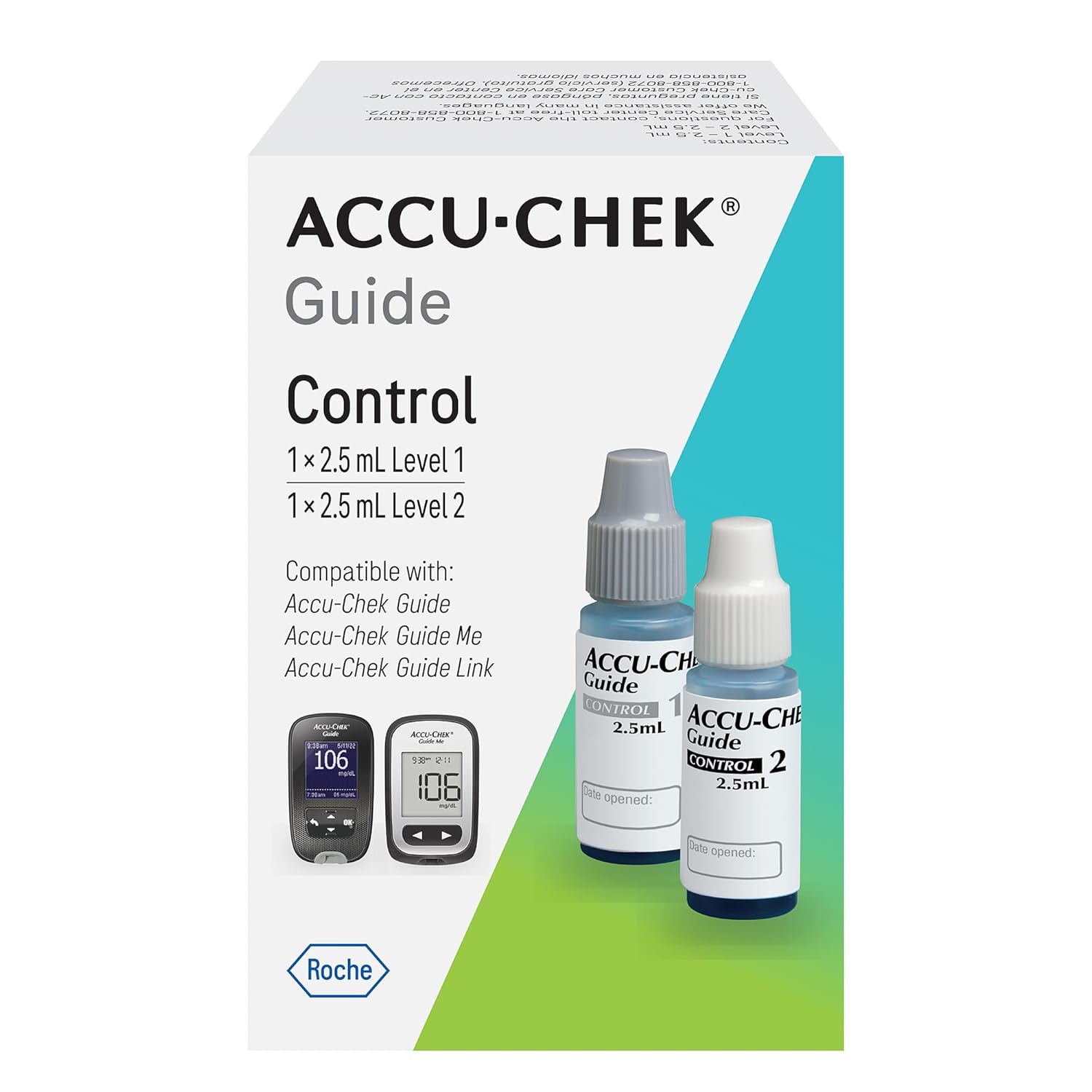
This package contains two bottles of control solution: Level 1 and Level 2. Each bottle contains 2.5 mL of solution. These solutions are formulated to produce specific glucose readings within a defined range when tested with your Accu-Chek Guide system.
3. When to Perform a Control Test
It is important to perform a control test to ensure the accuracy of your blood glucose monitoring system in the following situations:
- When you open a new box of Accu-Chek Guide test strips.
- If you suspect the test strips may be damaged or exposed to extreme conditions.
- If your blood glucose meter has been dropped or potentially damaged.
- If your test result does not match how you feel, or if you believe the result is inaccurate.
- To routinely check your meter and test strips for proper function.

4. Setup and Preparation
- Gather Supplies: Ensure you have your Accu-Chek Guide meter, a new Accu-Chek Guide test strip, and the Accu-Chek Guide Control Solution (Level 1 or Level 2, as needed).
- Check Expiration Dates: Verify that both the test strips and the control solution are not expired. Do not use expired products.
- Prepare Solution: Gently invert the control solution bottle several times to mix the solution. Do not shake vigorously.
- Record Opening Date: Write the date you opened the control solution bottle on its label. Discard the solution three months after opening or on the expiration date printed on the bottle, whichever comes first.
5. Performing a Control Test
Follow these steps to perform a control test:
- Insert Test Strip: Insert a new test strip into your Accu-Chek Guide meter in the direction of the arrows. The meter will turn on automatically.
- Select Control Test Mode: On the meter, navigate to the control test option. Refer to your meter's user manual for specific instructions on how to enter control test mode.
- Apply Control Solution: Remove the cap from the control solution bottle. Squeeze the bottle gently to form a small drop of solution at the tip of the nozzle. Touch the tip of the test strip to the drop of control solution. Do not apply solution directly to the top of the strip. The meter will beep or indicate when enough solution has been applied.
- Read Result: The meter will display the control test result after a few seconds.
- Cap Solution: Immediately recap the control solution bottle tightly after use.

6. Interpreting Results
Compare the displayed control test result with the control range printed on the Accu-Chek Guide test strip vial label. The result should fall within this specified range.
- Result within Range: If the control test result is within the specified range, your meter and test strips are working correctly, and you can proceed with blood glucose testing.
- Result outside Range: If the control test result falls outside the specified range, do not use your meter for blood glucose testing. Refer to the Troubleshooting section or contact Accu-Chek Customer Service.
7. Storage and Handling
- Store the Accu-Chek Guide Control Solution at room temperature, between 2°C and 30°C (36°F and 86°F). Do not freeze.
- Keep the bottles tightly capped when not in use to prevent contamination and evaporation.
- Discard the control solution three months after opening or on the expiration date printed on the bottle, whichever comes first.
- Keep out of reach of children.
8. Troubleshooting
If your control test result is outside the expected range, consider the following:
- Check Expiration Dates: Ensure both the control solution and test strips are not expired.
- Storage Conditions: Verify that the control solution and test strips have been stored correctly, away from extreme temperatures or direct sunlight.
- Application Technique: Ensure you applied enough control solution to the test strip and did not apply it incorrectly.
- Meter Cleanliness: Check if your meter is clean and free from debris.
- Repeat Test: Perform another control test with a new test strip and fresh control solution.
- Contact Support: If the problem persists, contact Accu-Chek Customer Service for assistance. Do not attempt to use the meter for blood glucose testing until the issue is resolved.
9. Specifications
| Feature | Detail |
|---|---|
| Product Name | Accu-Chek Guide Control Solution |
| Model | Control Solution (for Accu-Chek Guide/Guide Me meters) |
| Contents | 1 x 2.5 mL Level 1 Control Solution, 1 x 2.5 mL Level 2 Control Solution |
| Dimensions (Packaging) | 2.75 x 1.75 x 1.25 inches |
| Weight (Packaging) | 0.96 ounces |
| Manufacturer | Accu-Chek |
10. Warranty and Support
For information regarding product warranty, technical support, or any questions about your Accu-Chek Guide Control Solution, please contact Accu-Chek Customer Service directly. You can find contact details on the product packaging or on the official Accu-Chek website. Always refer to the specific user manual provided with your Accu-Chek Guide or Guide Me meter for complete instructions on its use and maintenance.
Accu-Chek cannot ensure the quality of products from unauthorized sellers. For authenticity, ensure your product is shipped from and sold by Accu-Chek or an authorized retailer.


