
Introduction
This manual provides instructions for the installation, maintenance, and specifications of the Colorfullife Core Mini H13 True HEPA Air Purifier Replacement Filters. These filters are designed to maintain optimal air quality when used with compatible air purifier models.
Product Overview
The Colorfullife Core Mini replacement filter features a multi-stage filtration system designed to capture various airborne particles and odors. Each filter is composed of the following layers:
- Outer Pre-Filter: Traps larger particles such as dust, hair, lint, fibers, and pet fur.
- Inner Pre-Filter: Features electrostatic material to protect subsequent filters and enhance air purifier efficiency.
- H13 True HEPA Filter: Captures at least 99.97% of airborne particles 0.3 microns in size, including smoke particles, pollen, pet dander, and lint.
- Activated Carbon Filter: Absorbs smoke, pet odors, cooking smells, and volatile organic compounds (VOCs).
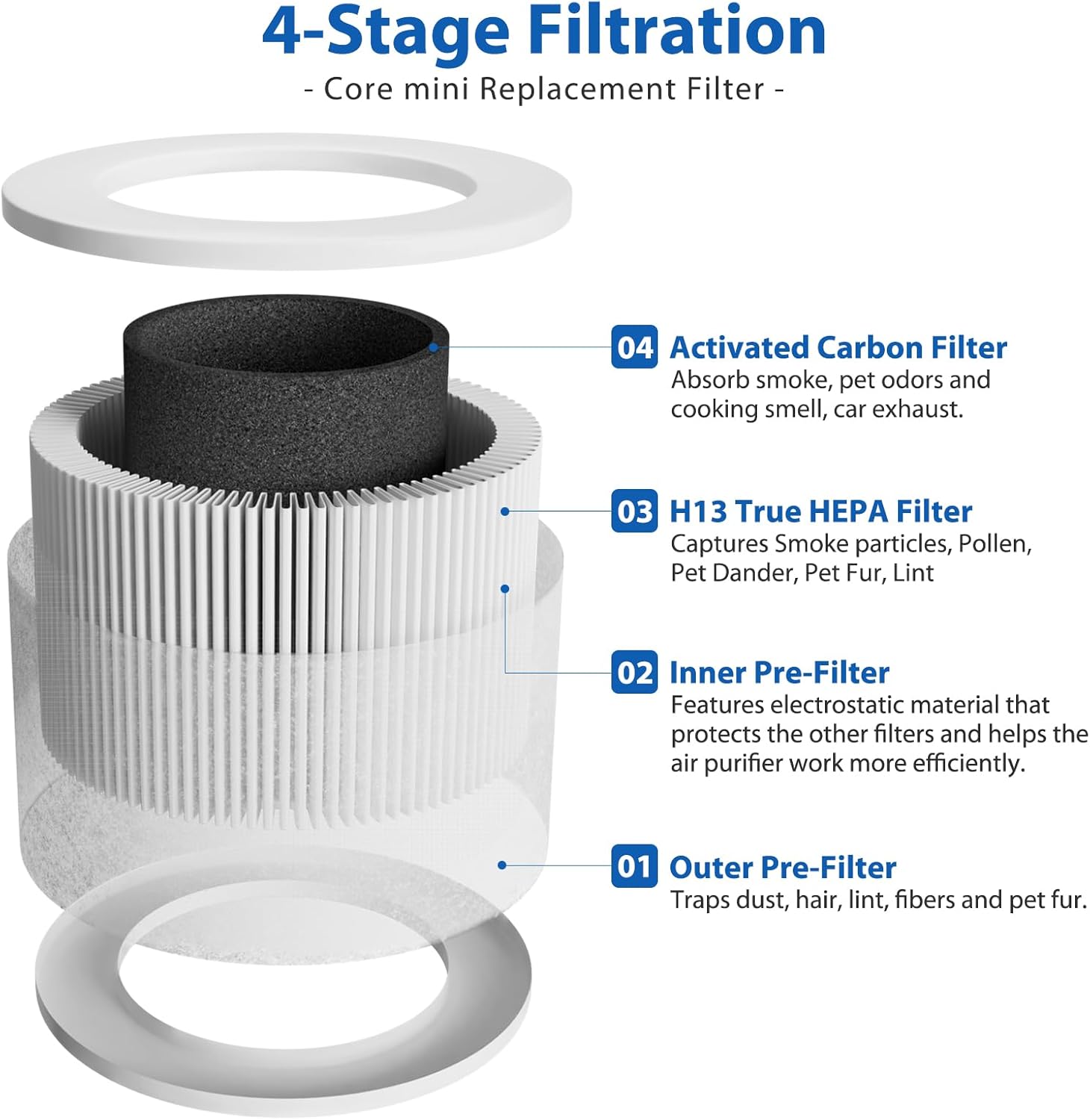
Image: Diagram illustrating the four layers of the filter: Outer Pre-Filter, Inner Pre-Filter, H13 True HEPA Filter, and Activated Carbon Filter.

Image: Two Colorfullife Core Mini H13 True HEPA replacement filters, showing their cylindrical shape and white pleated filter material.
Compatibility
These replacement filters are fully compatible with the following air purifier models:
- LEVOIT Core Mini Air Purifier
- LEVOIT Core Mini-P Air Purifier
Please ensure your air purifier model matches one of the listed compatible devices. The model name is typically located on the back or bottom of your air purifier unit.

Image: A person pointing to the label on the back of a Levoit Core Mini air purifier, indicating where to find the model name.
Filter Installation
Follow these steps to replace the air filter in your compatible air purifier:
- Unplug the Air Purifier: Before beginning, ensure the air purifier is unplugged from the power outlet and the cover is removed.
- Remove Old Filter: Carefully take out the used filter from the air purifier.
- Insert New Filter: Place the new Colorfullife Core Mini replacement filter into the air purifier, ensuring it is oriented correctly.
- Close Cover: Securely close the air purifier cover.
- Reset Filter Indicator: Plug in the air purifier. If your model has a filter replacement indicator, press and hold the reset button (often the power button) for approximately 3 seconds to clear the indicator. Refer to your air purifier's specific manual for exact reset instructions.

Image: A four-step diagram illustrating the filter replacement process: unplugging and removing cover, taking out the old filter and inserting the new one, confirming cover closure, and pressing a button to reset the filter indicator.
Maintenance
Regular maintenance ensures optimal performance and extends the life of your air purifier.
- Pre-Filter Cleaning: It is recommended to clean the outer pre-filter every 2-4 weeks. This can typically be done by gently vacuuming the surface to remove accumulated dust and debris.
- Filter Replacement: The H13 True HEPA filter and Activated Carbon filter components are not washable and should be replaced every 4-6 months, depending on usage and air quality. Timely replacement ensures continued filtration efficiency.
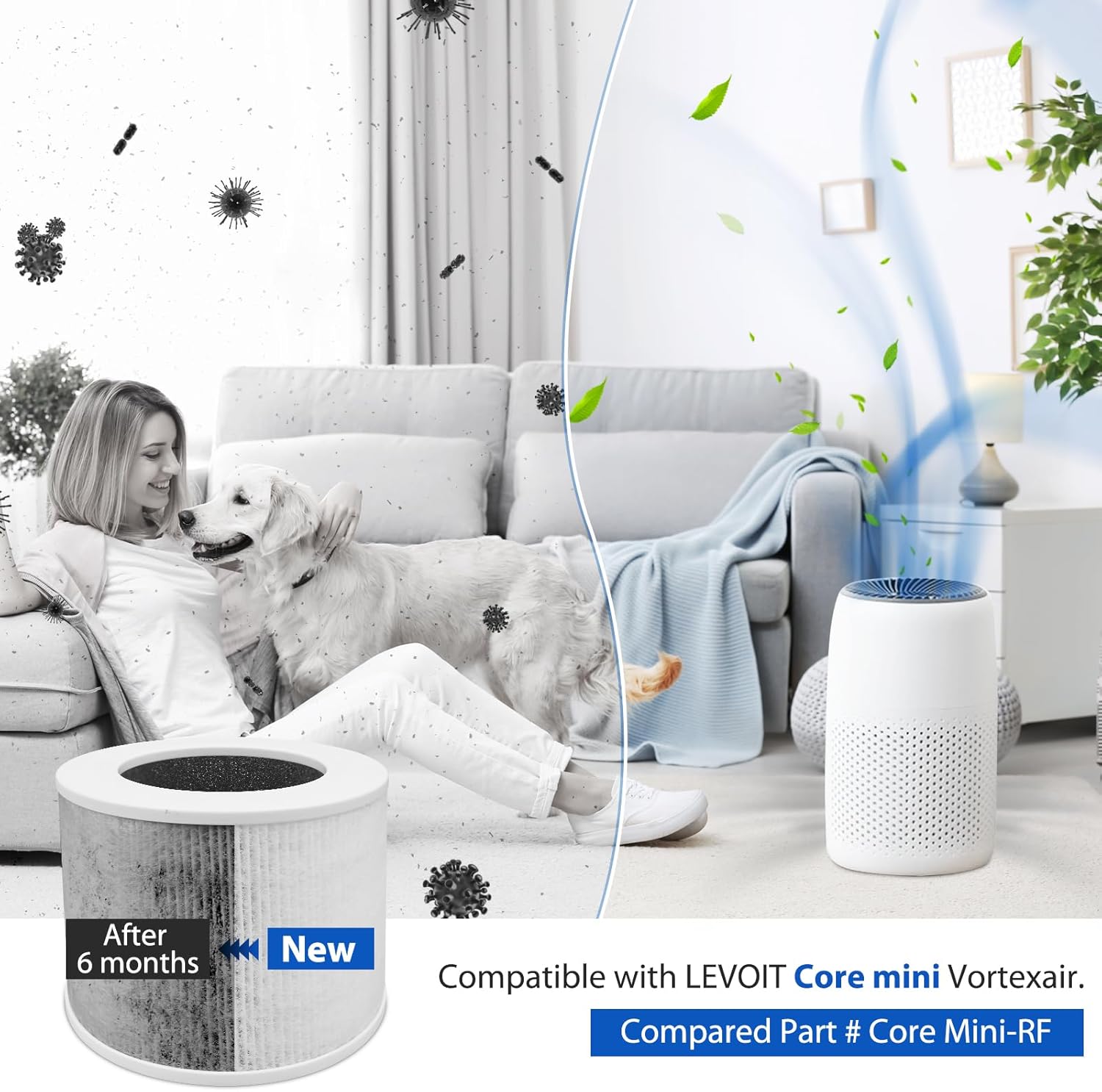
Image: A visual comparison showing a clean, new filter next to a visibly dirty filter labeled "After 6 months," highlighting the need for regular replacement.

Image: A family in a clean living room with a Levoit Core Mini air purifier and a new filter, illustrating the benefits of H13 True HEPA filtration against common allergens and pollutants like pollen, dust, pet dander, and odors.
Specifications
| Product Dimensions | 5.7"L x 5.7"W x 4.8"Th (14.5 cm x 14.5 cm x 12.2 cm) |
| Item Weight | 13.7 ounces (0.39 Kilograms) |
| Material | H13 True HEPA Filter, Activated Carbon, Non-woven fabric |
| MERV Rating | 13 |
| Compatible Devices | LEVOIT Core Mini Air Purifier, LEVOIT Core Mini-P Air Purifier |
| Number of Items | 2 (as per product listing) |
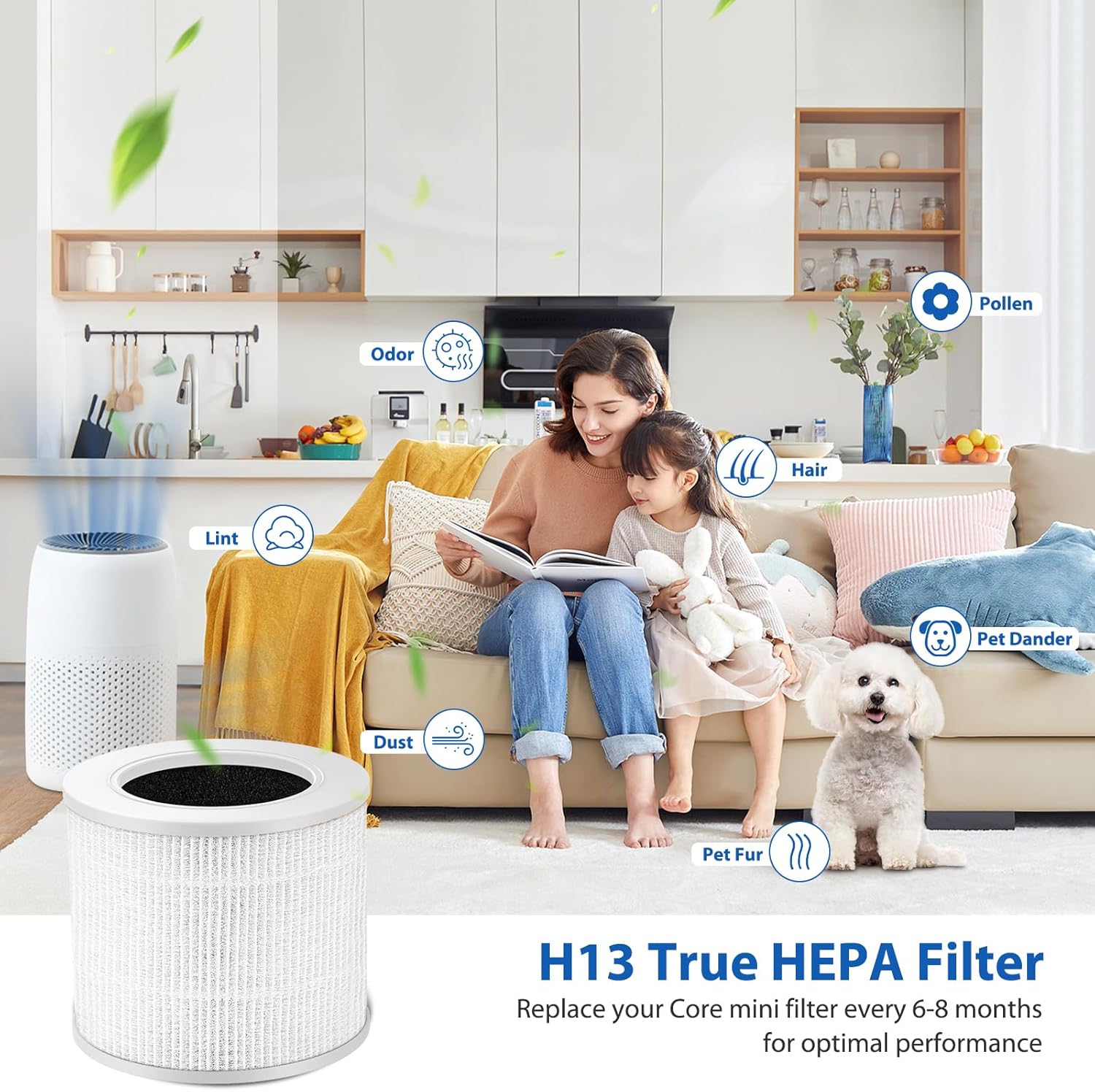
Image: A diagram illustrating the dimensions of the cylindrical replacement filter, showing a height of 5.7 inches and a diameter of 4.8 inches.
Troubleshooting
If you encounter issues after replacing your filter, consider the following:
- Airflow Reduction: Ensure the filter is installed correctly and the air purifier cover is securely closed. Check for any obstructions around the air intake or outlet.
- Unusual Odors: New filters may emit a slight odor initially, which should dissipate within a few hours of operation. If strong or persistent odors occur, verify the filter is genuine and not damaged.
- Filter Indicator Light: If the filter replacement indicator remains on after installation, ensure you have performed the reset procedure as described in the "Filter Installation" section or refer to your air purifier's specific user manual for detailed instructions.
For further assistance, please refer to the user manual of your LEVOIT Core Mini air purifier or contact Colorfullife customer support.
Customer Support
For questions regarding your Colorfullife replacement filters or for technical support, please contact the seller or visit the official Colorfullife store on Amazon:
Please have your product model number (Core Mini-RF) and purchase details ready when contacting support.


