
1. Important Safeguards
When using electrical appliances, basic safety precautions should always be followed to reduce the risk of fire, electric shock, and injury to persons, including the following:
- Read all instructions before using the appliance.
- Do not operate any appliance with a damaged cord or plug, or after the appliance malfunctions or has been damaged in any manner.
- Do not use outdoors.
- Do not immerse cord, plugs, or appliance in water or other liquid.
- Close supervision is necessary when any appliance is used by or near children.
- Do not allow the cord to hang over the edge of a table or counter, or touch hot surfaces.
- Do not place on or near a hot gas or electric burner, or in a heated oven.
- Always attach plug to appliance first, then plug cord into the wall outlet. To disconnect, turn any control to "off", then remove plug from wall outlet.
- Do not use appliance for other than intended use.
- Always ensure the glass turntable is properly seated before operation.
- Do not heat liquids or other foods in sealed containers as they are liable to explode.
- Maintain the inside of the oven. Food particles or spilled liquids can cause arcing or fire.
- Do not attempt to operate this oven with the door open since open-door operation can result in harmful exposure to microwave energy.
- Do not place any object between the oven front face and the door or allow soil or cleaner residue to accumulate on sealing surfaces.
- Do not operate the oven if it is damaged. It is particularly important that the oven door closes properly and that there is no damage to the (1) door (bent), (2) hinges and latches (broken or loosened), (3) door seals and sealing surfaces.
- The oven should not be adjusted or repaired by anyone except properly qualified service personnel.
2. Product Overview
The West Bend 900-Watt 0.9 Cu. Ft. Compact Microwave Oven (Model WBMW92W) is designed for convenient and efficient cooking in various settings. It features a compact footprint, electronic control panel, and a rotating glass turntable for even heating.

Figure 2.1: The West Bend Microwave Oven (Model WBMW92W) positioned on a kitchen countertop, showcasing its compact design and white finish. The microwave features a black door and control panel, with a silver trim.
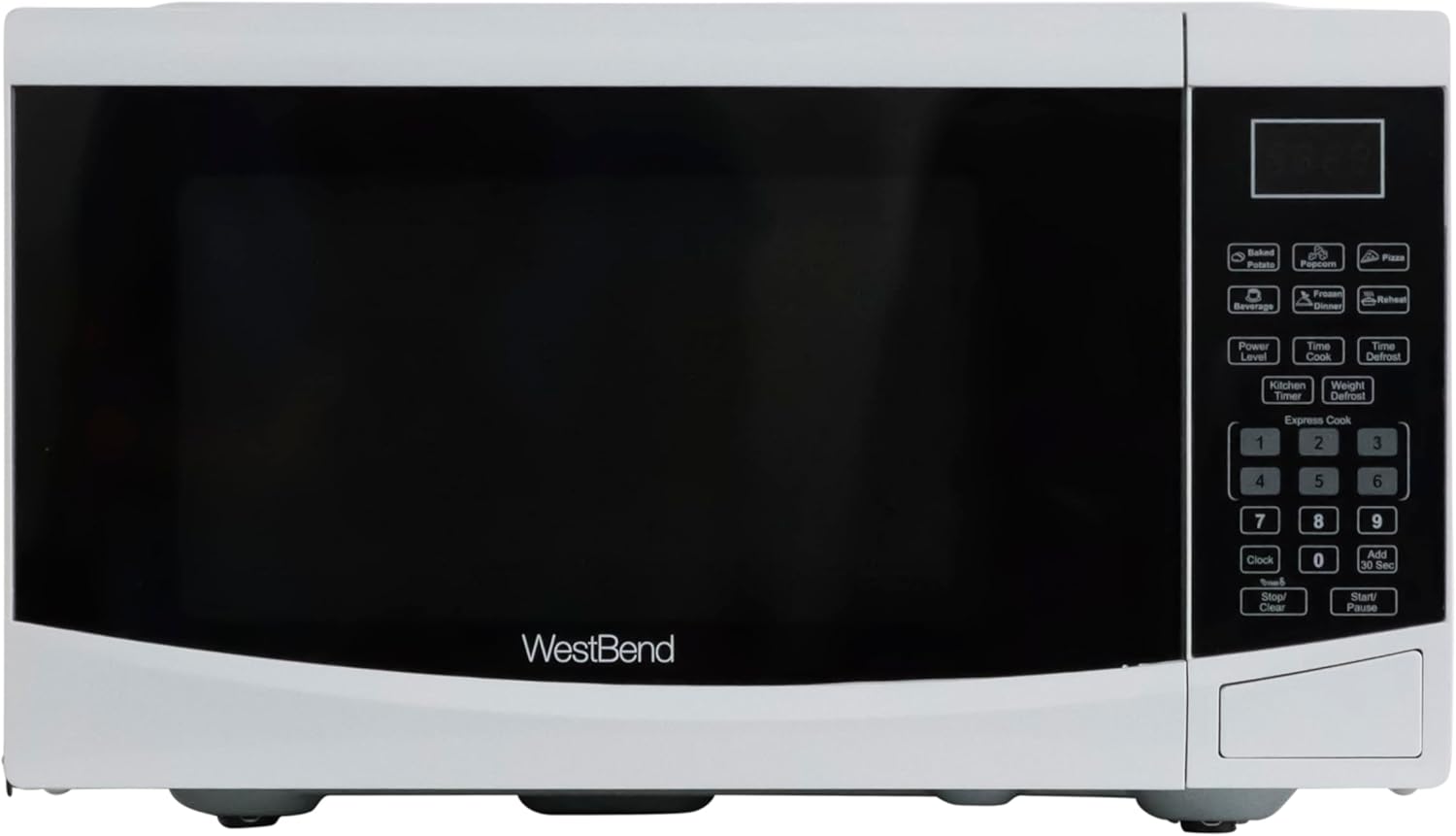
Figure 2.2: A direct front view of the West Bend Microwave Oven, highlighting the door, control panel, and the West Bend logo. The unit is white with a black door and silver accents.
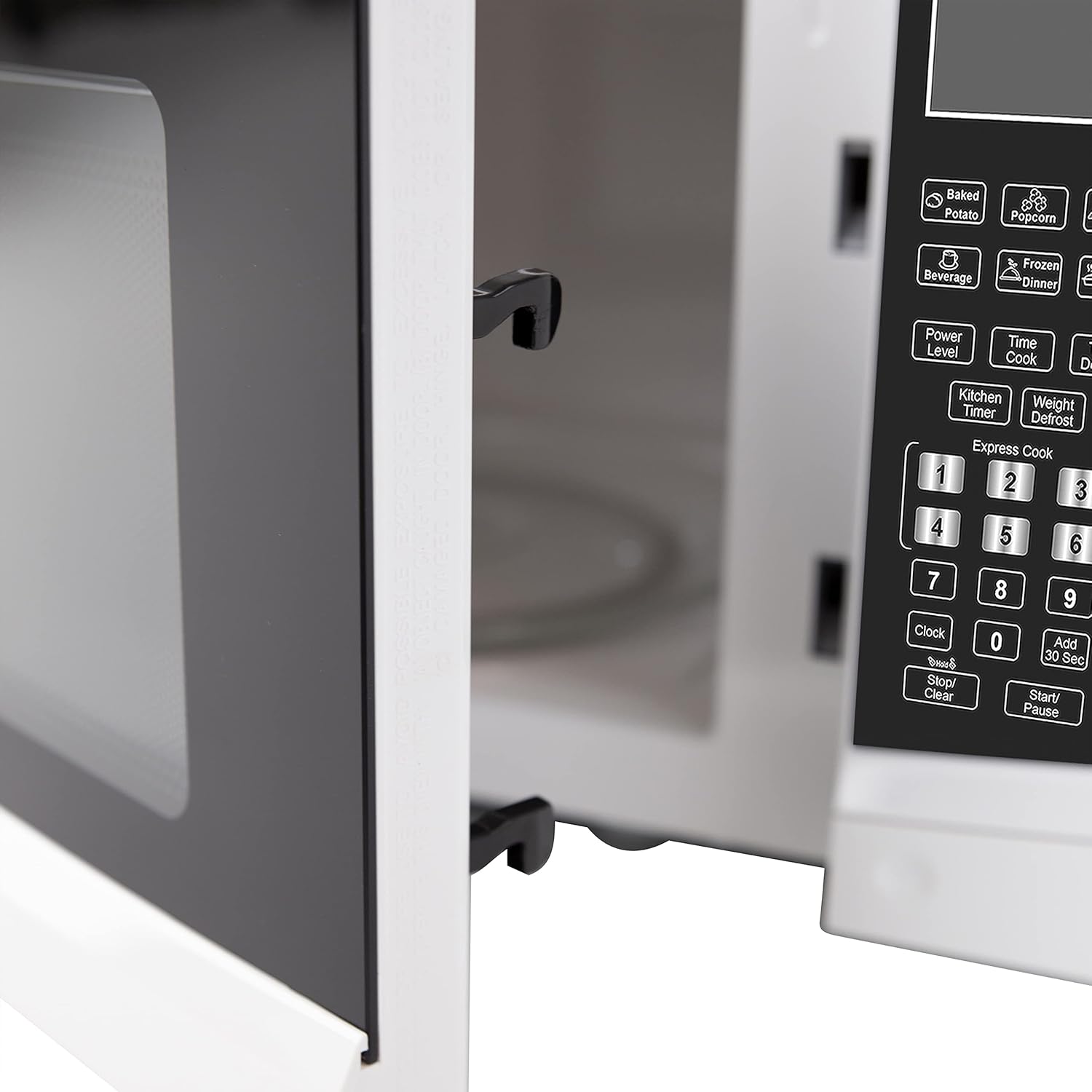
Figure 2.3: The interior of the microwave oven with the door open, revealing the glass turntable and the oven cavity. The interior is white, and the 900 WATTS power rating is visible above the door opening.
3. Setup and Installation
3.1 Unpacking
Carefully remove the microwave oven from its packaging. Remove all packing materials, including any protective film or tape from the oven surfaces. Check the oven for any damage, such as dents or a misaligned door. Do not operate the oven if it is damaged. Contact customer support if any damage is found.
3.2 Turntable Assembly
Place the roller ring in the depression in the bottom of the microwave oven. Place the glass turntable on top of the roller ring, ensuring it is securely seated in the center support.
- Never place the glass tray upside down.
- The glass tray and roller ring must always be used during cooking.
- All food and containers of food must always be placed on the glass tray for cooking.
3.3 Placement
Place the microwave oven on a flat, stable surface that can support its weight and the heaviest food item likely to be cooked in it. Ensure there is adequate ventilation around the oven. Maintain a minimum of 3 inches (7.5 cm) of space on the top, sides, and rear for proper airflow.
3.4 Electrical Requirements
The microwave oven requires a standard 120V AC, 60Hz electrical outlet. Do not use an extension cord. Ensure the outlet is properly grounded.
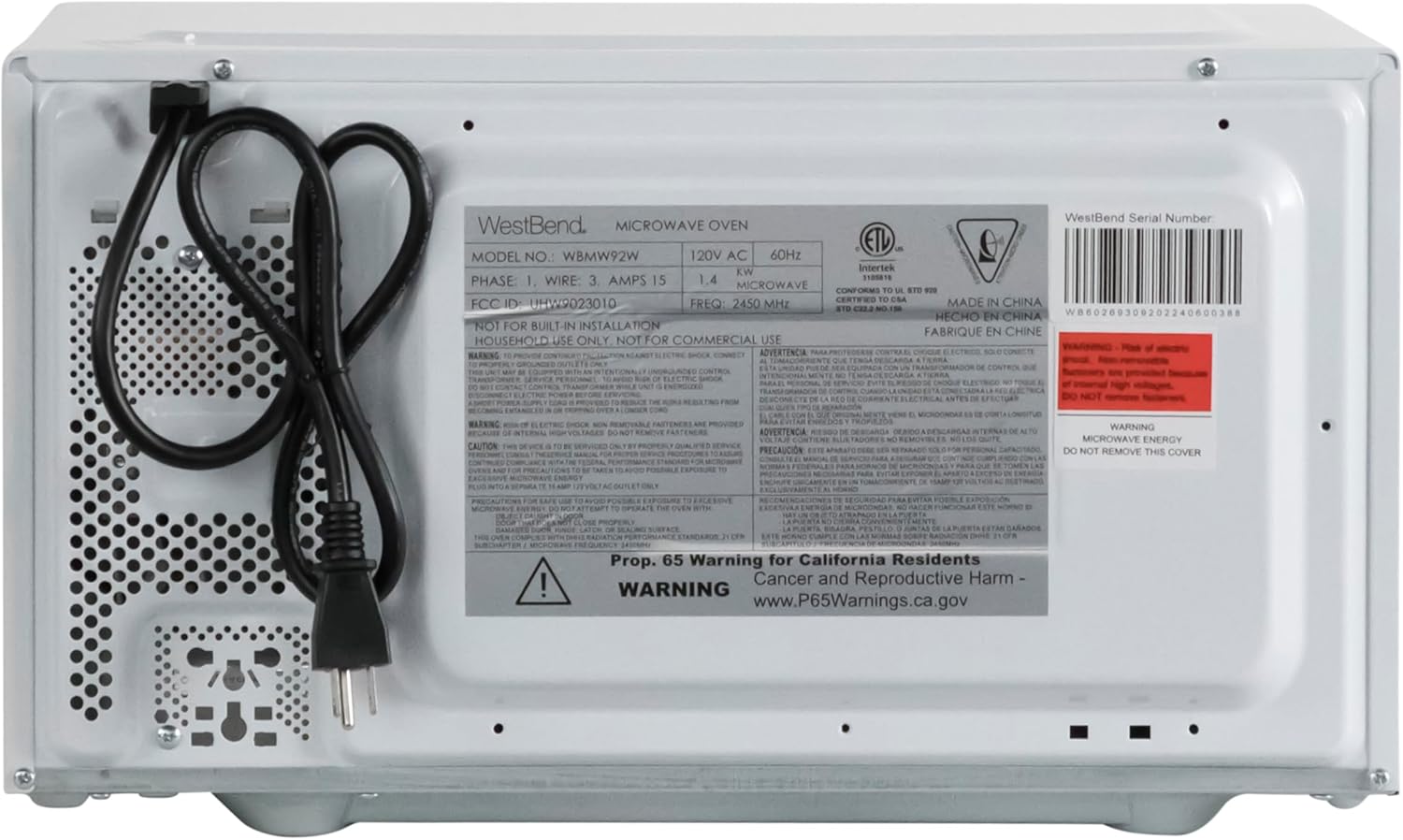
Figure 3.1: The rear of the microwave oven, displaying the power cord and the product information label with electrical specifications and model number WBMW92W.
4. Operating Instructions
The control panel allows you to set cooking times, power levels, and use pre-programmed functions.

Figure 4.1: A detailed view of the electronic control panel, showing buttons for Time Cook, Time Defrost, Weight Defrost, Power Level, Clock, Kitchen Timer, Popcorn, Potato, Pizza, Frozen Vegetable, Beverage, Dinner Plate, Express Cook numbers, Stop/Clear, and Start/+30 Sec.
4.1 Setting the Clock
- Press the CLOCK button once.
- Use the number pad to enter the current time (e.g., 12:30 for 12:30 PM).
- Press the CLOCK button again to confirm.
4.2 Basic Microwave Cooking (Time Cook)
- Place food in the microwave.
- Press the TIME COOK button.
- Enter the desired cooking time using the number pad.
- (Optional) To adjust power level, press POWER LEVEL and then a number from 1-10 (10 being 100% power).
- Press START/+30 SEC to begin cooking.
4.3 Express Cook
For quick cooking at 100% power, simply press one of the number buttons (1-6) to cook for that many minutes. Press START/+30 SEC to add 30 seconds to the current cooking time or to start cooking for 30 seconds at 100% power if no other function is selected.
4.4 Pre-Set Cooking Functions
The microwave includes 6 pre-set cooking options for common food items:
- POPCORN: For microwave popcorn.
- POTATO: For baking potatoes.
- PIZZA: For reheating pizza slices.
- FROZEN VEGETABLE: For cooking frozen vegetables.
- BEVERAGE: For heating drinks.
- DINNER PLATE: For reheating a dinner plate.
To use a pre-set function, simply press the corresponding button. The oven will automatically set the cooking time and power level. For some functions, you may need to press the button multiple times to select the desired quantity (e.g., number of potatoes).

Figure 4.2: The interior of the microwave oven with a bag of microwave popcorn placed on the glass turntable, ready for cooking using the Popcorn pre-set function.
4.5 Defrost Functions
The microwave offers two defrost modes:
- TIME DEFROST:
- Press TIME DEFROST.
- Enter the desired defrosting time.
- Press START/+30 SEC.
- WEIGHT DEFROST:
- Press WEIGHT DEFROST.
- Enter the weight of the food in ounces (e.g., 16 for 1 lb).
- Press START/+30 SEC.
4.6 Kitchen Timer
The Kitchen Timer operates independently of the microwave cooking functions.
- Press the KITCHEN TIMER button.
- Enter the desired time using the number pad.
- Press START/+30 SEC. The timer will count down without activating the microwave.
4.7 Child Lock
The Child Lock feature prevents unintended operation of the microwave oven, enhancing safety.
- To Activate: Press and hold the STOP/CLEAR button for 3 seconds. A lock indicator will appear on the display.
- To Deactivate: Press and hold the STOP/CLEAR button for 3 seconds again. The lock indicator will disappear.

Figure 4.3: An informational graphic detailing the new mandatory 2-step child safety lock feature, explaining how it reduces risks by preventing the oven door from being opened during cooking cycles when enabled.
5. Care and Maintenance
Regular cleaning and maintenance will ensure the longevity and optimal performance of your microwave oven.
5.1 Cleaning the Exterior
Wipe the exterior surfaces with a soft, damp cloth. Avoid using abrasive cleaners or harsh chemicals that could damage the finish.
5.2 Cleaning the Interior
To clean the interior, wipe with a soft, damp cloth and mild soap. For stubborn food splatters, place a bowl of water with lemon slices inside and microwave on high for 2-3 minutes. The steam will loosen the residue, making it easier to wipe clean. Ensure the oven is unplugged before cleaning.
5.3 Cleaning the Glass Turntable
The glass turntable and roller ring can be removed for cleaning. Wash them in warm, soapy water or in the dishwasher. Ensure they are completely dry before placing them back in the oven.
6. Troubleshooting Guide
If you experience issues with your microwave oven, consult the following table for common problems and solutions.
| Problem | Possible Cause | Solution |
|---|---|---|
| Oven will not start. | Power cord not plugged in; Door not closed properly; Fuse blown or circuit breaker tripped; Child lock activated. | Ensure power cord is securely plugged into a grounded outlet; Close the oven door firmly; Check household fuse/circuit breaker; Deactivate child lock by holding STOP/CLEAR for 3 seconds. |
| Food not heating. | Incorrect cooking time or power level set; Door not closed properly. | Adjust cooking time and power level as needed; Ensure the door is fully closed and latched. |
| Turntable not rotating. | Turntable or roller ring not positioned correctly; Obstruction under the turntable. | Remove and re-seat the turntable and roller ring; Check for any debris or obstructions. |
| Sparking or arcing inside the oven. | Metal in microwave; Food splatters or grease buildup. | Remove any metal objects or containers; Clean the oven interior thoroughly. |
| Display shows "E" or error code. | Internal malfunction. | Unplug the oven for 1 minute, then plug it back in. If the error persists, contact customer support. |
7. Specifications
Key technical specifications for the West Bend 900-Watt 0.9 Cu. Ft. Compact Microwave Oven.
| Feature | Detail |
|---|---|
| Model Number | WBMW92W |
| Capacity | 0.9 Cubic Feet |
| Wattage | 900 Watts |
| Power Levels | 10 |
| Product Dimensions (W x D x H) | 19" x 14.5" x 11" (approx.) |
| Item Weight | 27 Pounds |
| Color | White |
| Turntable Material | Glass |
| Installation Type | Countertop |
| Included Components | Microwave, Glass Turntable, Care and Use Manual |

Figure 7.1: A diagram illustrating the approximate dimensions of the microwave oven: 19 inches wide, 14.5 inches deep, and 11 inches high.

Figure 7.2: A graphic emphasizing the 900 Watts of cooking power, indicating efficient performance.
8. Warranty and Support
This West Bend microwave oven is covered by a manufacturer's warranty. Please refer to the included "Care and Use Manual" for specific warranty details, terms, and conditions. For technical assistance, troubleshooting beyond this guide, or warranty claims, please contact West Bend Customer Support.
Customer Support: Refer to the official West Bend website or the contact information provided in your product's packaging for the most up-to-date support details.


