
1. Introduction
The CAME 8K40CA-006 AGTK200A03 Electronic Door Kit is a comprehensive audio intercom system designed for single-family homes. This kit provides a secure and convenient way to communicate with visitors at your entrance without needing to open the door. It combines advanced functionality with intuitive design, ensuring reliable performance and enhanced home security. The system is built with high-quality components to guarantee durability and a long operational life.
2. Safety Information
Please read all safety instructions carefully before installation and operation. Failure to follow these instructions may result in electric shock, fire, or serious injury.
- Installation should only be performed by qualified personnel in accordance with local electrical codes and regulations.
- Disconnect power before performing any installation, maintenance, or troubleshooting.
- Do not expose the outdoor unit to extreme temperatures or direct water spray beyond its weather resistance rating.
- Keep all components away from children.
- Use only original CAME replacement parts and accessories.
3. Kit Components
The CAME 8K40CA-006 AGTK200A03 kit includes the following main components:
- AGT A200 Receiver: The indoor audio unit for communication.
- TARGHA Outdoor Intercom: The robust, weather-resistant outdoor unit with a call button.
- A/200R Power Supply: Provides power to the system.
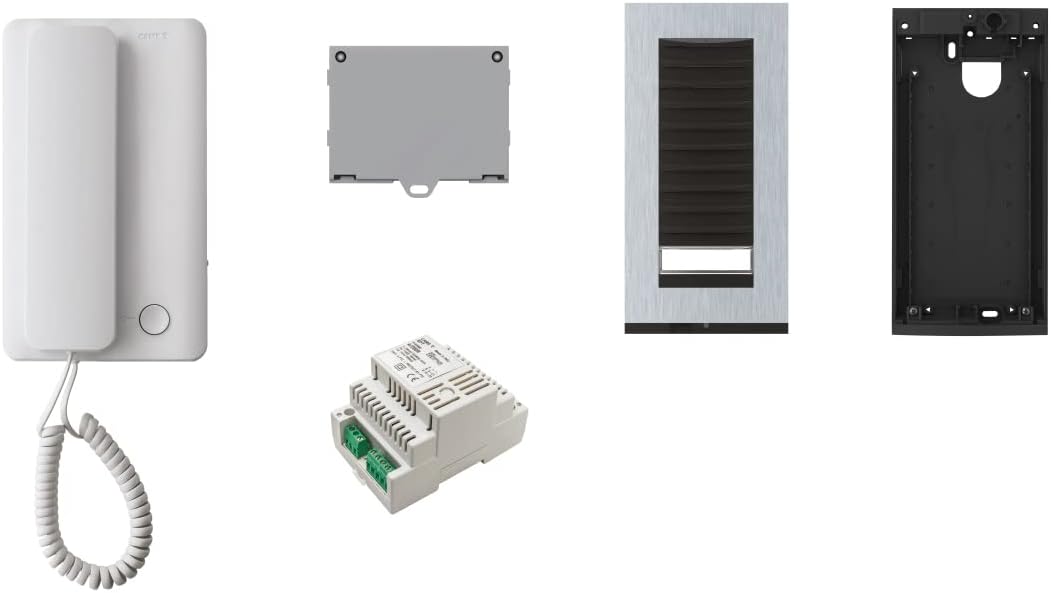
Figure 3.1: Overview of the CAME 8K40CA-006 AGTK200A03 Kit Components

Figure 3.2: AGT A200 Receiver (Indoor Unit)
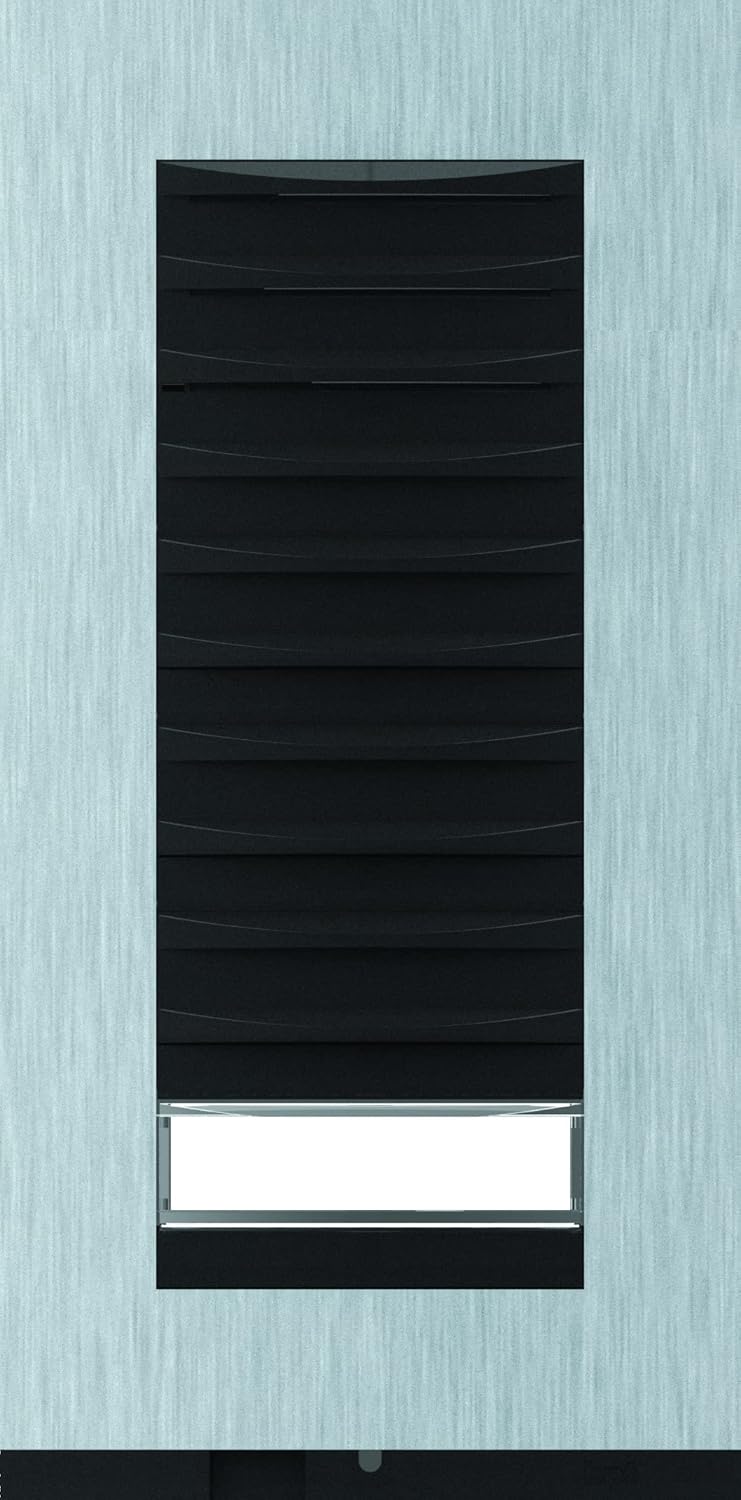
Figure 3.3: TARGHA Outdoor Intercom Unit
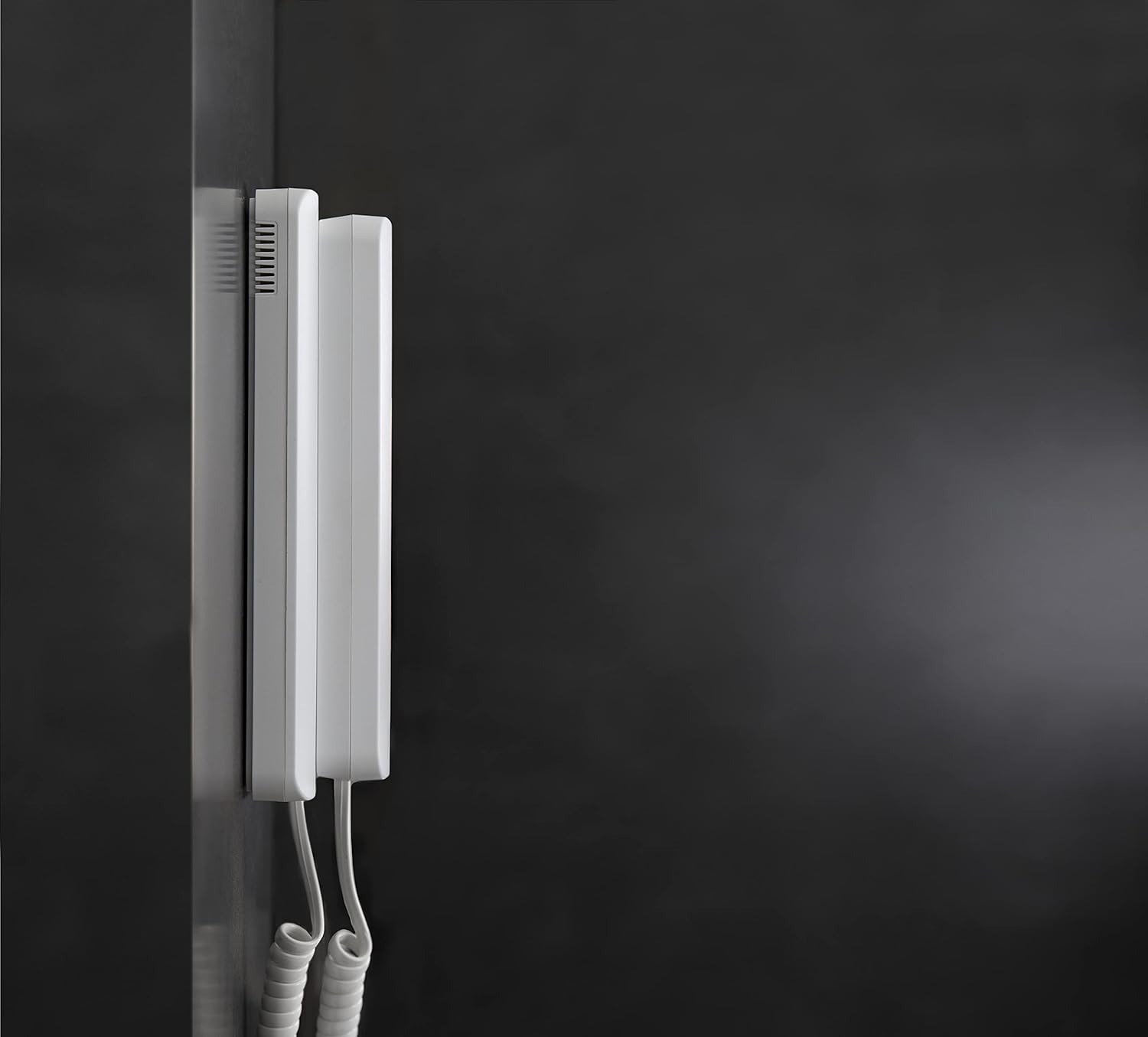
Figure 3.4: A/200R Power Supply Unit
4. Setup and Installation
The installation of the CAME 8K40CA-006 AGTK200A03 kit is designed to be straightforward, but due to its electrical nature, professional installation is highly recommended to ensure safety and optimal performance.
4.1. Pre-Installation Checklist
- Ensure all components listed in Section 3 are present and undamaged.
- Verify the power supply voltage matches your local electrical standards.
- Choose appropriate mounting locations for both the indoor receiver and outdoor intercom unit, considering wiring paths and weather exposure for the outdoor unit.
4.2. Installation Steps
- Mount the Outdoor Intercom Unit: Secure the TARGHA outdoor unit at the desired entrance height, ensuring it is protected from direct heavy rain if possible, despite its weather-resistant design.
- Mount the Indoor Receiver: Install the AGT A200 receiver inside your home at a convenient location, typically near the main entrance or in a central area.
- Install the Power Supply: Mount the A/200R power supply in a secure, accessible location, typically near the main electrical panel or where the wiring converges.
- Wiring: Carefully connect the outdoor unit, indoor receiver, and power supply according to the wiring diagram provided in the product's detailed installation manual (not included here). Ensure all connections are secure and insulated.
- Power On and Test: Once all connections are verified, restore power to the system. Test the intercom functionality by pressing the call button on the outdoor unit and verifying clear audio communication with the indoor receiver.
5. Operating Instructions
Using your CAME intercom system is simple and intuitive.
5.1. Receiving a Call
- When a visitor presses the call button on the TARGHA outdoor unit, the AGT A200 receiver inside your home will ring.
- Lift the handset of the AGT A200 receiver to answer the call.
- You can now communicate with your visitor. The AGT A200 receiver provides crystal-clear sound for easy conversation.
5.2. Ending a Call
- To end the conversation, simply replace the handset on the AGT A200 receiver.
6. Maintenance
Regular maintenance helps ensure the longevity and optimal performance of your CAME intercom system.
- Cleaning: Use a soft, damp cloth to clean the surfaces of both the indoor and outdoor units. Do not use abrasive cleaners or solvents.
- Outdoor Unit: Periodically check the TARGHA outdoor unit for any debris or obstructions around the microphone and speaker grilles. Ensure the unit's mounting is secure.
- Connections: If accessible and safe to do so (with power disconnected), periodically check wiring connections for tightness and signs of corrosion.
7. Troubleshooting
If you encounter issues with your CAME intercom system, refer to the following common problems and solutions:
| Problem | Possible Cause | Solution |
|---|---|---|
| No sound from indoor unit when outdoor unit calls. | No power to the system; loose wiring connection; faulty unit. | Check power supply connection; inspect wiring (with power off); contact support if problem persists. |
| Poor audio quality (static, low volume). | Loose wiring; interference; damaged microphone/speaker. | Check all wiring connections; ensure no strong electrical interference sources nearby; contact support. |
| Outdoor unit not responding to button press. | No power; faulty button; wiring issue. | Verify power to the system; check wiring to the outdoor unit; contact support. |
For issues not listed above or if solutions do not resolve the problem, please contact CAME customer support or a qualified technician.
8. Specifications
| Feature | Detail |
|---|---|
| Manufacturer | CAME |
| Product Dimensions (L x W x H) | 49 x 11.9 x 28.3 cm (19.3 x 4.7 x 11.1 inches) |
| Item Weight | 1.68 kilograms (3.7 pounds) |
| Manufacturer Reference | 8K40CA-006 |
| Batteries Included | No |
| Batteries Required | No |
| ASIN | B0B71D1742 |
| Average Customer Review | 4.9 out of 5 stars (based on 12 ratings) |
| Date First Available on Amazon.com.be | September 16, 2022 |
9. Warranty Information
CAME products are manufactured to high-quality standards. While specific warranty details are not provided in this manual, CAME, founded over 50 years ago, is a recognized leader in home automation and security solutions, committed to quality and innovation. For detailed warranty terms and conditions, please refer to the documentation included with your purchase or visit the official CAME website.
10. Customer Support
For technical assistance, spare parts, or further inquiries regarding your CAME 8K40CA-006 AGTK200A03 Electronic Door Kit, please contact your authorized CAME dealer or visit the official CAME support website. Ensure you have your product model number (8K40CA-006) and purchase details ready when contacting support.